
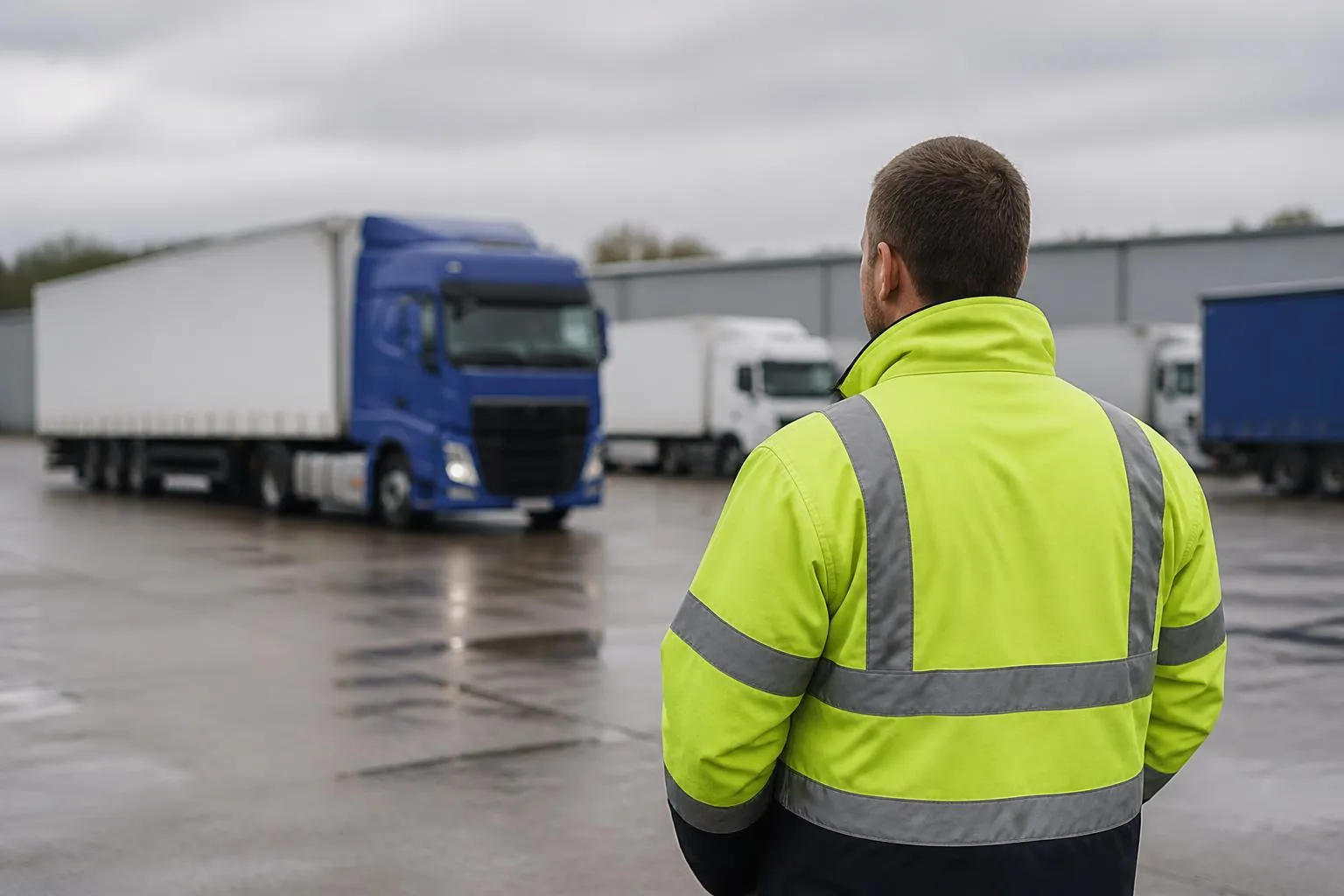
Choosing the right HGV tracking setup is less about seeing a dot on a map and more about removing uncertainty from daily transport decisions. Operators need to know where vehicles are, whether a job is on track, which driver is close enough to cover a change, and whether compliance information is visible before it becomes a problem. Good HGV tracking systems cut blind spots across dispatch, driver management, customer service and audit preparation.
For UK fleets, the best setup also needs to fit the way commercial transport actually runs. That means live GPS, clear vehicle and trailer visibility, Tachograph awareness, practical reporting, and hardware that works across rigid trucks, tractor units, trailers, vans and mixed assets. It also means avoiding a patchwork of separate apps that leave the office chasing information between screens, emails and spreadsheets.
What an HGV tracking system should actually do
In practical fleet terms, HGV tracking systems are tools that show where vehicles are, how they are moving, what status they are in, and how that information connects to the rest of transport operations. A basic tracker can provide location pings. A useful fleet system turns those pings into operational visibility.
Day to day, most operators use tracking for a short list of repeat tasks.
First, they check live vehicle position. This is the obvious one, but the detail matters. A transport office needs more than a map marker. It needs current location, heading, ignition status, speed, stop duration and recent movement history. If a vehicle has been parked at a customer site for too long, that is different from a vehicle held in traffic on the motorway.
Second, they review journeys. Playback lets planners and managers see where a vehicle actually went, when it arrived, how long it stayed, and when it left. That helps with customer queries, internal disputes, detention checks and route analysis.
Third, they manage exceptions. A good platform should make it easy to identify late running, unauthorised movement, excessive idling, missed geofence events or a vehicle that has gone off route. The value is not in collecting data for its own sake. The value is knowing what needs attention now.
Fourth, they organise fleet records. Tracking data becomes more useful when vehicles, trailers, drivers and jobs can be viewed in a structured way. For mixed fleets, that matters even more. A business may want to see HGV units one way, trailers another, and vans or plant separately.
This is where one system can do more than a standalone tracking box. Fleetalyse is positioned around practical transport use, so the aim is not simply to install hardware but to turn live data into usable fleet workflows. Operators looking at practical fleet software for mixed commercial operations are usually trying to solve exactly that problem.
A proper setup should also support access for different people. The transport office may need full control, drivers may need limited visibility, and customers may need shipment or vehicle status without seeing the rest of the fleet. Features such as a Customer Portal or controlled Tracker login access become useful when information needs to be shared without handing over the whole system.
Where tracking helps transport operations most
The biggest gains from tracking usually come from routine control room work, not from rare incidents. When vehicle visibility is live and reliable, dispatch becomes faster and less reactive.
Take allocation. If a collection changes at short notice, the office needs to know which vehicle can realistically make it. That means seeing not just who is nearest in straight line terms, but who is moving in the right direction, who is likely to clear a site first, and who may be constrained by driver hours. Live GPS is the starting point for that decision.
Customer updates are another major use. Many traffic office calls are not complex. They are simple requests for ETA, proof that a vehicle has arrived, or reassurance that a delivery is still on schedule. If the office can see current position, route progress and stop history, those calls are answered quickly. If not, someone starts phoning the driver, the planner loses time, and the customer waits longer than necessary.
Route control also improves. Tracking helps identify whether delays are caused by congestion, site queues, diversions or driver behaviour. If a route regularly loses time at a certain point, planners can adjust departure times or route choice. If a driver is taking a poor route choice repeatedly, that can be corrected with evidence rather than assumption.
Exception handling is where tracking really cuts blind spots. Consider a few common examples:
- A vehicle has not moved from a delivery point for longer than expected.
- A trailer appears to have been left at the wrong location.
- A truck is moving outside planned hours.
- A driver misses a scheduled collection window.
- A customer says a vehicle never attended site.
- A subcontracted movement needs confirmation of arrival and departure.
Without tracking, each of those issues becomes a chain of phone calls. With tracking, the office can see what happened and decide what to do next.
Geofencing is often central here. When depots, customer sites, RDCs, ports or service locations are set up as geofences, the system can record arrivals and departures automatically. That supports ETA monitoring, detention review and service verification. It also creates a usable record for disputes over waiting time or missed slots.
For fleets that want broader operational visibility, reporting matters as much as the live map. Fleet insight is not just about where a truck is now. It is about patterns over time, late running trends, idling, route adherence and utilisation. A platform that combines map visibility with reporting gives transport managers a better basis for changing how the fleet works, not just watching it work.
How tracking supports compliance and driver management
Tracking does not replace compliance systems, but it can make compliance more visible and easier to manage. For HGV operators in the UK, that usually means connecting location and vehicle activity with Tachograph information, remote downloads and awareness of driver hours.
The practical link is straightforward. A planner looking at live vehicles needs to know not only where a truck is, but whether the driver can legally continue, whether a break is due, and whether a shift is close to its limit. If that information sits in a separate system and is checked later, decisions are slower and riskier.
When tracking and Tachograph visibility are brought together, the office can make better calls on job allocation, route changes and return planning. If a vehicle is near a final collection but the driver is tight on hours, the office can avoid assigning a load that cannot be completed legally. That is a planning benefit first, and a compliance benefit at the same time.
For the UK market, operators also need to think about record keeping and audit readiness. Traffic Commissioners and DVSA expectations are not met by saying the office generally knew where vehicles were. You need records that can be retrieved, checked and explained. Tracking history, geofence logs, remote Tachograph downloads and driver activity records all support that.
This does not mean tracking data proves compliance on its own. It does not. But it helps create context. If a record is queried, the business can often show where the vehicle was, when it stopped, when it moved, and how that lines up with downloaded files and internal planning records.
Driver management benefits too. A system that shows movement patterns, idling, harsh events where available, and schedule adherence gives managers a clearer picture of how vehicles are being operated. Where hardware supports CAN data, fleets may also be able to bring in additional vehicle information that strengthens maintenance and performance oversight.
This should be handled carefully. Good operators use tracking and related data to manage risk, coach drivers and improve planning, not to create noise. If every alert becomes a disciplinary issue, the system will be resisted. If the data is used sensibly, it becomes a way to spot genuine problems early.
For fleets building a joined up process, the attraction is clear. One platform can support live visibility, remote downloads, driver activity awareness and records that are easier to retrieve when an audit or internal review comes around.
Hardware choices for HGV, trailer and mixed fleets
Hardware choice should follow the fleet type and the operational question you are trying to answer. Not every asset needs the same device, and not every rollout should start with a full custom install.
For powered HGV vehicles, installed trackers are often the right starting point. A professionally fitted unit gives reliable live GPS data and can usually support additional inputs depending on the vehicle and the use case. For some fleets, this is enough. They need dependable location, route history and geofence activity.
For operators using Fleetalyse, one route is to start with Fleetalyse-ready trackers. These are aimed at buyers who want hardware that is already suited to the platform, reducing setup friction and making rollout simpler for standard use cases. If the priority is speed, compatibility and a cleaner implementation path, that can be the most practical option.
Other fleets want more flexibility in hardware sourcing or future use. That is where Teltonika often comes into the conversation. Teltonika devices are widely used in commercial telematics and can suit a range of vehicle and asset tracking requirements. For operators who want unlocked hardware, or who have specific installation and integration preferences, that option can be attractive.
The right choice depends on whether you want a straightforward platform-ready deployment or more freedom over hardware specification. Buyers comparing vehicle tracking hardware and rollout options for commercial fleets should be asking how each option fits installation, support, configuration and future expansion.
Trailer fleets need a different approach. A non-powered asset cannot rely on the same installation model as a tractor unit. Trailer tracking often focuses on location, dwell time, movement alerts and utilisation. For some operations, the key blind spot is simply knowing which trailer is where. For others, it is whether a trailer has been moved unexpectedly or left too long at a customer site.
Mixed fleets add another layer. A business running HGV units, trailers, vans and site assets rarely benefits from treating everything as if it were the same. The hardware needs may differ, but the office still wants one operational view. That is where platform design matters as much as the device itself.
Add-ons should be considered early, not as an afterthought. If the fleet wants camera evidence, Smart dashcams should be part of the initial evaluation. If the business expects to use vehicle signals or fuel related information, ask about CAN data support at the outset. If uptime and network resilience matter across varied operating areas, check the role of IoT SIMs and how connectivity is managed.
Mapping matters too. Some operators want familiar commercial map layers, while others are content with OpenStreetMap if it supports the required workflow and keeps the interface practical. The key point is not the map brand, but whether the office can use it quickly under pressure.
Why one platform matters more than separate tools
Many fleets start with separate systems because that is how purchases happen. Tracking comes first. Then Tachograph downloads. Then cameras. Then reporting. Before long, the office is moving between portals, exporting spreadsheets and trying to reconcile events manually.
That creates exactly the blind spots operators are trying to remove.
If tracking says a vehicle stopped at 10:15, the camera platform shows an event at 10:17, and the Tachograph records are checked somewhere else again, the transport office spends time matching information instead of acting on it. The risk is not only admin burden. It is missed context.
A single platform matters because transport decisions are connected. Vehicle location affects ETA. ETA affects customer communication. Driver activity affects whether the next job is possible. Camera footage may explain an incident or delay. Reporting shows whether the same issue is happening repeatedly.
Bringing GPS, Smart dashcams, remote downloads and reporting into one place reduces that fragmentation. It helps the office move from asking "which system has the answer?" to asking "what do we do next?"
There is also a governance benefit. User access, reporting structure and data review become easier when they are handled within one environment. A transport manager can review fleet movement, compliance visibility and incident evidence without relying on multiple logins and inconsistent export formats.
For customer-facing operations, that joined up approach can improve service as well. Selective visibility through a Customer Portal can let customers view relevant information without exposing internal fleet data. Internal users can retain full Tracker login access where needed, while external stakeholders get only what supports the service relationship.
This platform approach is central to how Fleetalyse is presented. Rather than treating tracking as a standalone purchase, it combines live vehicle visibility with compliance and safety tools. Operators considering connected camera and tracking visibility in one fleet workflow are usually trying to reduce administration and close the gaps that appear between separate products.
It is also worth checking the commercial basics behind the platform. UK buyers will want clarity on billing, contract handling, VAT treatment and account administration. If online payments are involved, systems such as Stripe may form part of the process. The supplier identity should be clear too, including whether you are buying from Fleeta Limited T/A Fleetalyse.
What to check before you buy
Before buying any HGV tracking setup, UK operators should test it against operational fit, not just feature lists.
Start with rollout fit. Ask what installation looks like for your fleet, your depots and your vehicle types. A small owner-driver operation may want a simple start. A larger haulage business may need phased deployment across units and trailers. A mixed fleet may need different hardware profiles under one account. The right supplier should be able to talk through that in operational terms.
Next, check data access. Can your team get live location, history, geofences and reports easily? Can different users have different permissions? Is customer-facing visibility possible where needed? If your business depends on quick office decisions, awkward access will become a daily frustration.
Reporting is the next test. Ask what standard reports are available and how easily data can be filtered by vehicle, driver, date, site or event type. The best report is not the one with the most columns. It is the one your traffic office and compliance team will actually use.
Then review mapping and usability. A platform can have every function on paper and still fail if the map, alerts and history views are clumsy. Check how live vehicles appear, how quickly journeys can be reviewed, and whether geofence events are easy to read. If OpenStreetMap is used, make sure it supports the level of detail your operation needs.
Compliance visibility should be examined closely. If you need remote Tachograph downloads, driver card visibility or awareness of driver hours, ask how that works in practice. What can the office see live? What records are stored? How are exceptions flagged? For UK operators, this is not a side feature. It is central to whether the system supports legal and operational planning.
Support is another buying criterion that gets overlooked until rollout starts. Ask who handles onboarding, hardware issues, configuration changes and account support. If you are using Teltonika devices, ask how support works for unlocked hardware. If you are choosing Fleetalyse-ready trackers, ask what that simplifies in real terms.
Also check how future-proof the setup is. Can you add trailers later? Can you bring in Smart dashcams later if you do not start with them? Can the platform support more depots, more users or extra reporting needs as the business grows?
Finally, judge the supplier by whether they talk about your workflow or only their features. Good HGV tracking systems should reduce uncertainty in dispatch, improve customer updates, support compliance awareness and cut admin. If a proposed solution does not clearly do those things for your type of fleet, it is probably not the right fit, however long the specification sheet looks.
What is the difference between HGV tracking and basic vehicle tracking?
Basic tracking may only show location and trip history. HGV tracking systems are usually assessed on wider operational needs such as compliance visibility, driver management, trailer oversight and integration with Tachograph and camera workflows.
Can HGV tracking help with driver hours management?
Yes, when paired with Tachograph-related tools it can improve visibility of driver hours and vehicle activity. Tracking alone does not replace legal compliance processes, but it helps operators spot issues earlier.
Do HGV tracking systems work for mixed fleets?
Yes. Many UK operators run HGV, vans, trailers and other assets together. A suitable system should handle mixed fleet reporting and visibility without forcing teams to switch between separate products.
Is live GPS enough for a transport operation?
Usually not. Live GPS is useful, but many operators also need route history, alerts, reporting, remote Tachograph downloads, camera footage access and a clearer view of exceptions across the fleet.
What should a fleet manager ask before choosing a provider?
Ask how the system handles hardware choice, reporting, mapping, user access, rollout support, mixed fleets and connected tools such as Smart dashcams and Tachograph downloads.