
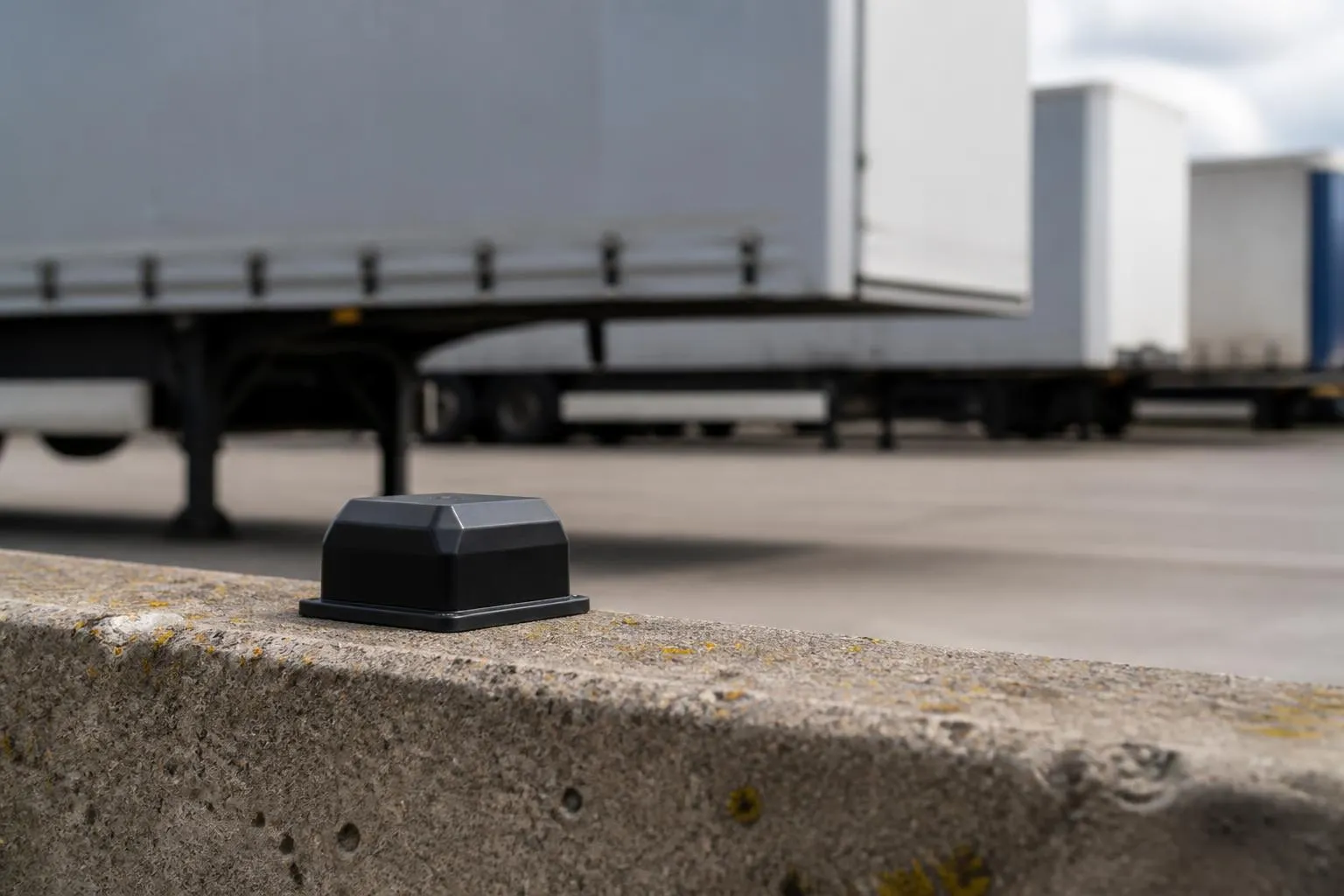
If you run trailers, plant, containers, generators, sweepers, welfare units or other non-powered kit, the hardest part is often not the vehicle. It is the gap between what should be where, and what is actually on site, in the yard, at a customer location or still moving. A good GPS tracker for trailers and assets closes that gap. It gives us a live view of where equipment is, when it moved, how long it has stood still and whether it is where the job sheet says it should be.
For UK operators, that matters in practical ways. It cuts time spent ringing drivers and depots, helps traffic desks allocate the nearest available trailer, supports theft response, and gives us evidence when equipment has been left at the wrong location or retained longer than agreed. When tracking sits in the same platform as vehicle visibility, Tachograph data and Smart dashcams, it stops being another map on another login and becomes part of normal fleet control.
What trailer and asset tracking solves in day-to-day fleet work
Most fleets do not lose time because nobody owns a map. They lose time because the map does not include the things that matter most on a busy day.
With trailers and non-powered assets, the common issues are familiar:
- a trailer is booked for a load, but nobody is certain which yard corner it is in
- a curtainsider that should have been dropped at a customer site is actually still at a subcontractor yard
- a generator or plant trailer has been standing unused for weeks, but the team assumes it is working
- a hired or customer-owned asset stays out longer than planned, with no prompt to chase return
- a stolen trailer is only noticed when dispatch tries to allocate it
- a mixed fleet has separate systems for vans, HGV units and assets, so the traffic office works from calls, spreadsheets and memory
In day-to-day transport work, those blind spots create avoidable cost. We see it in wasted driver time, unnecessary trailer shunts, poor trailer utilisation, missed collections and extra phone traffic between the transport office, workshop and customer sites.
For HGV operators, trailer visibility also affects service quality. If we cannot confirm which trailer is on which site, we cannot answer basic customer questions quickly. If a trailer has moved out of hours, we need to know that before a Monday morning panic starts. If a fridge trailer, box trailer or specialist unit is in the wrong place, the problem is not abstract. It can delay a booked load, force a last-minute equipment swap, or leave a driver waiting while the office works out what is actually available.
Non-powered assets create the same problem outside haulage. Builders merchants, plant hire businesses, waste operators and mixed commercial fleets often have a large estate of equipment with low visibility. The items are valuable, mobile and operationally important, but because they are not powered like a van or truck, they are often tracked less well.
That is exactly where asset tracking earns its keep. It replaces assumptions with timestamps, locations and movement history.
How GPS trackers work on trailers and other assets
At a practical level, a GPS tracker records position from satellite signals, then sends that information over the mobile network to a fleet platform. The platform shows current location, route history, movement events and, depending on the hardware, status information such as ignition state, power loss, battery level, geofence entry and exit, or sensor inputs.
For powered vehicles and powered assets, the tracker usually takes a permanent power feed from the asset itself. That allows more frequent updates and richer reporting because the unit has a steady power source. On trucks and vans, hardware may also read CAN data where available, though that depends on the vehicle, the installation method and what data the operator actually needs.
For trailers and non-powered assets, battery-based devices are often the better fit. They wake on movement, report on schedule, and conserve power when the asset is stationary. The trade-off is simple. The more often a battery device reports, the shorter the battery life. The less often it reports, the longer it lasts, but the less granular the movement trail becomes.
That does not mean battery units are second best. For many trailer and asset applications, they are the right tool. A fixed trailer in a customer yard may only need scheduled location pings, movement alerts and geofence breaches. A frequently moved urban trailer may need a more active reporting profile. The correct setup depends on how the asset is used, how quickly we need to react to movement, and how often someone can realistically service the device.
The communication side matters too. Trackers use mobile data to send their records back to the platform, which is why reliable IoT SIMs are important. In UK operations, that means looking beyond headline coverage maps and considering where the asset actually goes. A trailer that spends time in remote rural areas, ports, construction sites or cross-border routes needs a setup that copes with patchy signal and stores data for upload when coverage returns.
Once the data reaches the platform, the value comes from how usable it is. Live maps, event timelines, alerts and reports matter more than the hardware specification sheet. A tracker that reports accurately but is hard to manage still leaves the transport office doing manual work.
Which assets are worth tracking and what data matters most
Not every asset needs the same level of tracking from day one. The best starting point is usually the equipment that is either operationally critical, frequently misplaced, high value, security sensitive or hard to allocate without visibility.
For many fleets, that means tracking:
- road trailers, including curtainsiders, box trailers, skeletal trailers and specialist units
- drawbar trailers
- plant trailers
- generators and welfare units
- compressors, tanks and bowsers
- sweepers and towable equipment
- containers and site cabins where movement history matters
- mixed-fleet assets that move between depots, customer sites and subcontractors
If you are deciding what to track first, ask three practical questions.
First, what causes the most phone calls and yard searches?
Second, what creates the biggest service risk if it is not where we think it is?
Third, what would be hardest to recover or explain if it disappeared?
That usually gives a better priority list than asset value alone.
The next question is what data is genuinely useful. In our experience, operators get the most value from a short list of clear information rather than a long list of features they never use.
The core data points are:
- current location
- last known location
- time of last movement
- movement history
- geofence entry and exit
- battery status for self-powered devices
- tamper or power disconnect alerts where hardware supports them
- utilisation, such as days moved versus days idle
These basics support real decisions. Dispatch can see what is nearest. Yard teams can confirm whether a trailer has left. Management can review which assets are underused. Security teams can react when something moves out of hours.
Maps and reports matter most when they answer a direct operational question. OpenStreetMap mapping is useful because it gives clear location context without overcomplicating the day-to-day view. A clean replay of where an asset moved, where it stopped and how long it stayed there is often more valuable than a crowded dashboard.
The same applies to alerts. The best alerts are the ones somebody will act on. For most UK operators, that means exceptions such as out-of-hours movement, leaving a defined site, entering a customer geofence, low battery, or no contact for a set period. Too many alerts create noise, and noisy systems get ignored.
What to look for in a tracking setup for UK operators
When choosing a trailer or asset tracking setup, the first thing to check is fit for purpose. A compact battery tracker hidden on a plant trailer has a different job from a hard-wired unit on a frequently used powered asset.
Battery life should be considered against reporting profile, not marketing headline alone. Ask how often the device reports while moving, how often it checks in while stationary, whether it wakes on vibration or movement, and what battery replacement or recharge process looks like in practice. A long battery life sounds attractive until the reporting interval is too slow for the way the asset is actually used.
Installation matters just as much. Some operators want a quick self-fit option for broad rollout. Others need a concealed installation, tamper resistance or workshop support. The right choice depends on theft risk, maintenance capability and whether the asset is likely to be pressure washed, stood outdoors year-round or moved between rough sites.
Coverage is another practical issue. UK fleets should check how well the tracker and SIM arrangement performs across England, Scotland, Wales and Northern Ireland, especially if assets work in remote areas. If the fleet also operates into Europe, do not assume the same setup behaves the same way everywhere. UK and EU roaming arrangements, network preferences and support can differ, so it is worth confirming what happens once the asset crosses the border.
Hardware choice should not lock you into a platform that does not suit your operation. Some fleets want a straightforward route with Fleetalyse-ready trackers that connect quickly into the platform. Others prefer unlocked Teltonika hardware because they already use it elsewhere or want more control over rollout and install choice. Both routes can work, but the important point is that the hardware and software should support the same workflow.
The platform fit is where many buying decisions go wrong. It is easy to buy a tracker. It is harder to make the data useful across dispatch, security, workshop and management. We recommend checking:
- how assets are grouped and searched
- whether trailers and assets can be managed alongside vans and HGV units
- how alerts are configured
- what reports are available without manual spreadsheet work
- whether users can control access through a Customer Portal
- how simple day-to-day administration is from the Tracker login
- whether mapping and route history are clear enough for traffic office use
Commercial setup matters too. If you are ordering online, payment and account handling should be straightforward, including normal business requirements such as VAT invoices and secure checkout through Stripe where appropriate.
How tracking fits with compliance, security and fleet workflows
Trailer and asset tracking is not just a security tool. It improves the way the whole fleet operation runs.
For dispatch, visibility helps us allocate the right equipment faster. Instead of ringing around to ask where a trailer was last dropped, the traffic office can see it. That cuts delays at booking stage and reduces poor trailer utilisation caused by uncertainty.
For yard control, tracking gives a cleaner picture of what is actually on site. That helps with shunt planning, workshop scheduling and reducing congestion caused by equipment being parked in the wrong place or left uncollected.
For theft response, speed matters. If a trailer or asset moves unexpectedly, an alert and a live position give us a practical starting point. We can confirm whether the movement is legitimate, identify the direction of travel and support recovery with a location history rather than discovering the loss hours later. For some assets, geofences around depots, customer sites and known storage locations are enough to make those exceptions visible.
For utilisation reviews, movement data shows what is earning its place and what is sitting idle. That helps with replacement planning, hire decisions and whether the fleet has the right mix of equipment. It can also highlight operational habits, such as trailers being used as static storage rather than transport equipment.
Tracking also works better when it is linked with the rest of fleet management. If the same platform already handles vehicle tracking, Tachograph downloads and Smart dashcams, the office gets one operational view instead of separate systems.
That matters in UK compliance work. Trailer tracking does not replace Tachograph obligations or the management of driver hours, but it adds context around vehicle and load movement. If there is a question about where equipment was, when it arrived, or whether a unit was on site when expected, the tracking view supports the wider compliance picture. Smart dashcams then add visual context for incidents, site access issues and disputed movements.
This is where Fleet insight becomes more than a slogan. The value comes from seeing vehicles, trailers, assets and compliance information in one place, so decisions are based on the same timeline rather than separate systems that do not line up.
If you want to see how that broader approach works in practice, our fleet tracking and operational visibility options show how we bring these functions together, and our connected camera setup for fleet incident visibility shows how Smart dashcams fit alongside tracking.
Planning a rollout without adding another disconnected system
The easiest way to make tracking fail is to buy hardware first and work out the process later. Rollout works better when we start with the operational problem.
Pick a small group of assets that regularly create uncertainty. That might be ten trailers at one depot, a plant fleet with frequent site moves, or high-value non-powered equipment that often sits off-site. Define what success looks like. Faster allocation, fewer yard searches, out-of-hours movement alerts, better utilisation reporting, or all four.
Then choose hardware that matches that use case. Fleetalyse-ready trackers are the quickest route where you want compatibility and a simpler rollout path. Unlocked Teltonika hardware can be the better fit where you need a specific install standard, existing engineering familiarity or a more customised commercial setup.
The key is not to create extra admin. We see too many operators end up with one system for trucks, one for trailers, another for cameras and a separate process for compliance. That means multiple passwords, duplicated asset lists and no single version of events. A transport office under pressure does not need another tab. It needs one working view.
That is why we focus on bringing trailer and asset tracking into the same environment as the rest of fleet operations. Through Fleetalyse, users can manage tracking, reporting and related fleet functions together, instead of maintaining separate tools and spreadsheets. For businesses planning staged growth, that means starting small without boxing themselves into a dead-end setup.
If you are comparing options, our online range of trackers and fleet hardware is a practical place to start. If you need a wider rollout across HGV, van, trailer and asset operations, we can shape the setup around the way your fleet actually works.
Fleetalyse is operated by Fleeta Limited T/A Fleetalyse.
What is the difference between a trailer tracker and an asset tracker?
A trailer tracker is designed around trailer movement and operating patterns. An asset tracker is a broader term for devices used on equipment, plant or other non-powered items. In practice, the right choice depends on power source, movement frequency and reporting needs.
Do all trailer trackers need a permanent power supply?
No. Some trackers use a fixed power source, while others are battery-based for assets that do not have reliable power. The best option depends on how often the trailer or asset moves and how frequently you need updates.
Can GPS tracking help recover stolen trailers or equipment?
It can improve the chances of a faster response by showing last known location, movement and alerts. It is not a guarantee of recovery, but it gives operators and police more usable information than manual records alone.
Is trailer tracking useful for small fleets?
Yes, especially where a small operator relies on a limited number of trailers or high-value assets. Losing sight of even one trailer can disrupt jobs, driver time and customer commitments.
What should a fleet manager check before choosing hardware?
Check how the device is powered, how often it reports, where it will be fitted, what alerts are available, and whether it works cleanly with your wider fleet software. Hardware choice should match the asset and the workflow.
Why use one platform for vehicles, trailers and assets?
Using one platform can make daily operations simpler. Location data, reporting, Tachograph information and Smart dashcams are easier to review when teams are not switching between separate systems and spreadsheets.