


If you are still relying on drivers to remember card downloads at the depot, learning how to download a digital tachograph properly is not just an admin task - it is operator licence protection. Most compliance problems do not start with a DVSA stop. They start with missed download deadlines, incomplete records, or a vehicle that was out on the road when someone thought the data had already been collected.
For UK operators, the process itself is straightforward. The real challenge is doing it consistently across vehicles, drivers, shifts and sites without creating gaps. That is where good process matters just as much as the download tool you use.
How to download a digital tachograph in practice
A digital tachograph download means retrieving data from two places: the driver card and the vehicle unit. Both are required for compliance, and both have their own download schedules.
Driver cards must usually be downloaded at least every 28 days. Vehicle units must usually be downloaded at least every 90 days. Those are the outside limits, not best practice targets. If a driver leaves, loses a card, or a vehicle is off the road at the wrong moment, leaving downloads until the deadline can quickly turn into a problem.
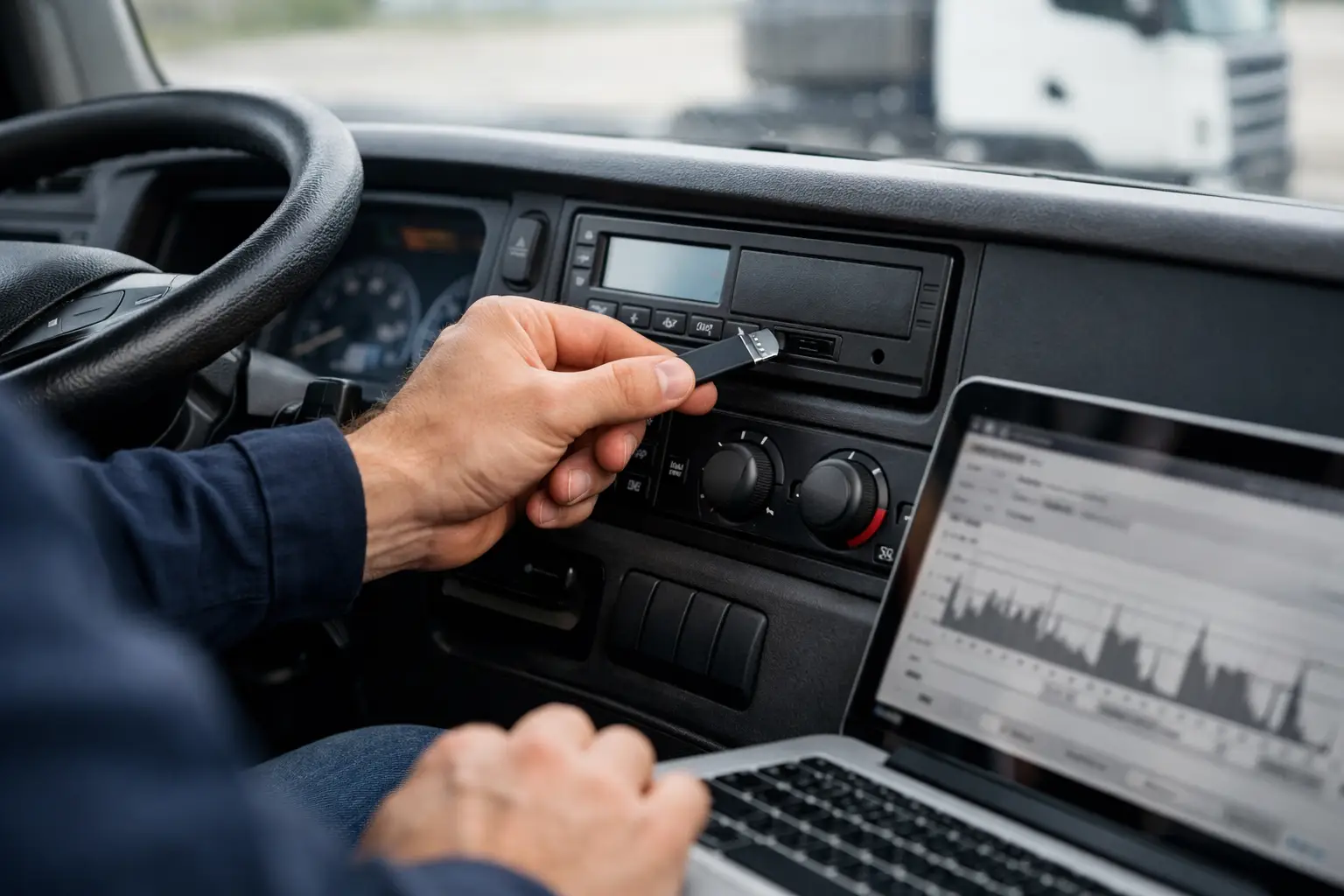
To carry out the download manually, you normally need a company card, a download device or card reader, and tachograph analysis software to store and review the files. The basic process is simple. Insert the company card into the digital tachograph head unit, authenticate, connect the download tool, and retrieve the vehicle unit data. For driver card data, the driver card is downloaded either through a card reader connected to a PC or via a compatible remote system.
The downloaded files are usually saved in the standard tachograph file format and then uploaded into your analysis platform for checks on driver hours, working time and infringements. Downloading the file is only half the job. If nobody reviews exceptions, missing mileage, unknown activity or rest breaches, the operator is still exposed.
What you need before you start
The exact setup depends on whether you are downloading at the depot or remotely, but the essentials are the same. You need a valid company card, access to the vehicle unit or driver card, a compliant download method, and a secure place to store the data.
A company card is the key that lets your business lock in and retrieve data from the vehicle unit. Without it, you cannot properly manage company records on the tachograph. If you operate multiple depots or rotating vehicles, card control needs to be tight. A misplaced or expired company card can hold up the entire process.
You also need to think beyond the act of download. Who is responsible for checking due dates? Where are the files stored? How do you know a download actually completed? What happens if a vehicle is away from base for three weeks? These are the points where manual processes often fail.
Manual downloads at the depot
Manual downloading still works for smaller fleets, especially where vehicles return to the same site every day and compliance responsibility sits with one person. In that setup, a depot team member can download vehicle units on site and collect driver card files at a fixed interval.
The benefit is low upfront complexity. The downside is that it depends on vehicles, drivers and admin staff all being in the right place at the right time. That can be fine for a handful of vehicles. It becomes harder when you have trampers, multi-site operations, hired vehicles or planners moving assets around at short notice.
There is also a time cost. Every manual download creates another task for the transport office. Someone has to chase the driver, connect the equipment, save the file, upload it, and confirm it is complete. When this sits alongside route planning, defect management, licence checks and daily dispatch, tachograph admin tends to get pushed back.
Common manual download mistakes
The most common problem is not usually the technical step. It is inconsistency. A driver card gets missed because the driver is on holiday. A vehicle download is delayed because the unit was out on a weekend job. A file is saved locally and not uploaded to the main system. None of those look serious on their own, but together they create gaps in the audit trail.
Another issue is assuming downloaded means analysed. Operators sometimes collect the data but do not act on infringement reports quickly enough. If an issue repeats over several weeks, the business may have to explain why there was no intervention after the first warning signs.
Remote downloads change the workload
If you want to know how to download a digital tachograph without depending on depot visits, the answer is remote download technology. This allows vehicle unit and driver card data to be collected automatically over the air, based on schedules you set.
For transport managers, the main advantage is not only convenience. It is control. Remote downloads reduce the risk of missed deadlines, cut the amount of chasing involved, and give the office a much clearer picture of what has been collected and what is outstanding.
This matters most in fleets where vehicles are moving constantly, drivers do not regularly report to the same location, or compliance is being managed across mixed assets. Remote downloads suit those real-world operating conditions far better than a clipboard and a reminder in a spreadsheet.
There is a trade-off. You need the right hardware in the vehicle and a platform that handles the data reliably. But once that is in place, the savings in admin time and the reduction in compliance exposure are usually much greater than the cost of continuing manually.
How often should you download?
The legal intervals matter, but they should not be the only thing driving your schedule. Many operators set more frequent download cycles to create a margin for error and spot issues earlier.
For example, downloading driver cards weekly or fortnightly gives you a better chance of catching repeated driving time breaches before they become habitual. Vehicle unit downloads can also be scheduled more frequently if the operation is high mileage, heavily audited or spread across multiple depots.
It depends on your fleet profile. A small local fleet with the same drivers and routes every week may manage comfortably with a lighter-touch process. A national haulage business with night trunks, agency drivers and changing vehicles needs tighter control. The point is to build a download schedule around operational risk, not only the minimum legal window.
Storage, analysis and audit trail
Knowing how to download a digital tachograph is one part of compliance. Keeping the files accessible, secure and reviewable is where many operators either stay in control or lose it.
Downloaded files should be stored so they can be retrieved quickly if requested. Your analysis process should flag infringements, missing mileage, unassigned driving and any overdue downloads. Just as important, there needs to be a record of what action was taken after an issue was found.
That audit trail matters. If an infringement is identified, the expectation is not only that you noticed it, but that you investigated it, spoke to the driver where needed, and recorded the outcome. A proper tachograph process supports training, management intervention and operator licence protection.
Why integrated systems matter
For many fleets, tachograph downloads sit in one system, vehicle tracking in another, and driver performance somewhere else entirely. That creates delay and duplication. A compliance manager might know a vehicle download is overdue but still have to ask the planner where the unit actually is.
An integrated fleet platform changes that. If remote tachograph downloads sit alongside GPS tracking, live driver hours, and vehicle visibility, the transport office can make quicker decisions. You can see whether a vehicle is likely to miss its next scheduled collection, whether a driver is close to a break threshold, and whether admin tasks are building up before they become a compliance issue.
That joined-up view is where operators start to reduce friction. Less manual chasing. Fewer spreadsheet workarounds. Better visibility across drivers, vehicles and trailers in one place. That is the difference between simply collecting tachograph data and actually using it to run the fleet better.
When manual is still enough, and when it is not
There are cases where manual downloads remain workable. If you run a very small fleet, all vehicles return to base daily, and one person owns compliance from start to finish, manual collection may still do the job.
But once the fleet grows, shifts become more varied, or vehicles spend longer away from base, manual processes usually become brittle. The first sign is often missed downloads. The second is growing admin time. After that, planners and compliance teams end up spending too much effort chasing data rather than acting on it.
That is why many operators move to remote downloading before they hit a serious problem, not after. One platform approach, such as Fleetalyse, can remove the practical barriers by combining remote downloads with live fleet visibility and compliance oversight in the same system.
If you are reviewing your process now, the right question is not only how to download a digital tachograph. It is how to make sure it happens every time, on schedule, without adding more pressure to the people already keeping the operation moving.
The best tachograph process is the one your team can keep running on its busiest day, not just when the office is quiet.