

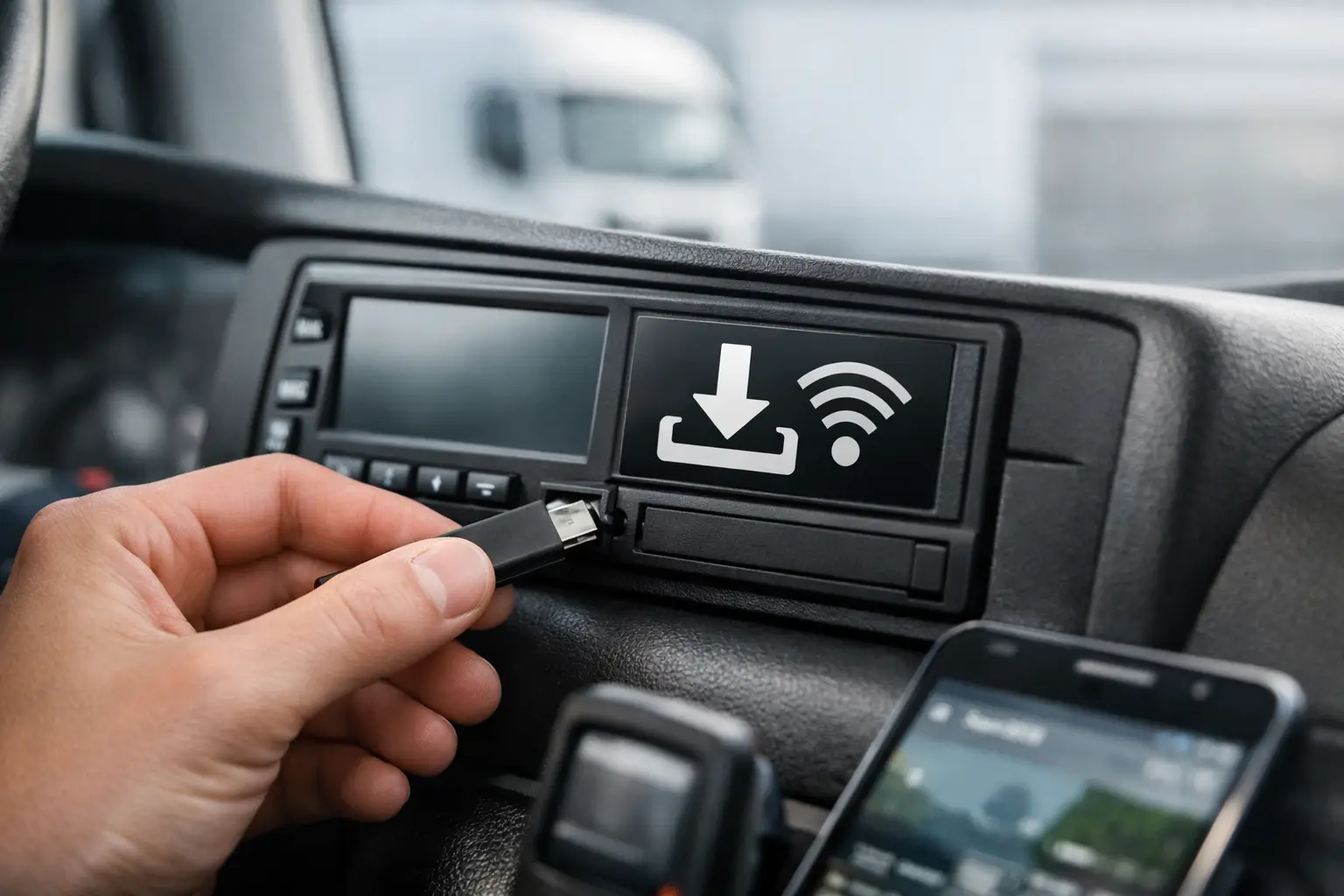

If you have ever looked at a tachograph display and paused at the tachograph remote download symbol, you are not alone. For many transport teams, that small icon raises a practical question straight away - is remote download actually active, or are we assuming compliance is covered when it is not?
That matters because tachograph compliance tends to go wrong in ordinary ways. A vehicle misses a scheduled download. A driver card is not collected in time. A depot assumes the system is working because the hardware is fitted, but no one checks whether data is being pulled as expected. Symbols on the unit can look minor, yet they often point to whether your process is genuinely under control.
What the tachograph remote download symbol means
In simple terms, the tachograph remote download symbol indicates that the unit supports or recognises remote download functionality. Depending on the tachograph make and model, the symbol may appear when remote communication is available, configured, or in use as part of a compatible fleet compliance set-up.
The key point is this: the symbol is not, by itself, proof that every legal download requirement has been met. It is a status indicator, not a compliance certificate. Transport managers sometimes assume that seeing the symbol means the vehicle unit and driver card data are both being captured correctly and on schedule. That is where mistakes happen.
You still need to know whether the remote download service is correctly connected, whether company card authentication is in place, and whether downloads are completing at the right intervals for your operation.
Why the symbol matters operationally
For a busy fleet, the tachograph remote download symbol is useful because it helps bridge the gap between hardware fitted in a vehicle and the day-to-day compliance job in the office. If your team is trying to reduce manual downloads, depot visits, and spreadsheet chasing, that symbol often becomes one of the first signs that the tachograph is set up for a more efficient process.
But there is a trade-off. Symbols can create false confidence if they are treated as the whole answer. A vehicle may display remote download capability while the back-office process is still incomplete. For example, the communication device may be installed, but the company card may not be hosted correctly. Or the platform may collect vehicle unit data reliably while driver card downloads still depend on drivers presenting cards or using separate kit.
For operators under pressure to protect the O-licence, the difference between capability and execution is where risk sits.
When you might see the tachograph remote download symbol
The exact appearance and behaviour of the tachograph remote download symbol depend on the manufacturer and generation of tachograph. On some units, the icon is visible within menus or status screens. On others, it appears during communication activity or configuration checks.
In practice, UK fleet operators tend to come across it in three situations. The first is during installation or commissioning, when a supplier is confirming that the tachograph and telematics hardware are communicating. The second is during troubleshooting, when a transport office is trying to understand why downloads have stopped or failed. The third is during routine checks, especially where a fleet has moved from manual collection to a remote system and wants reassurance that vehicles are set up correctly.
That last point is worth stressing. Remote download is not just a hardware feature. It is a process involving the vehicle unit, the driver card, the company card, mobile connectivity, software scheduling, and exception handling.
What the symbol does not tell you
This is where a lot of confusion comes from. The tachograph remote download symbol does not usually tell you whether downloads are arriving in your system on time, whether files are complete, or whether any legally required data is missing.
It also does not tell you whether a failed download has been retried, whether a vehicle has poor signal in a specific area, or whether a newly assigned driver card is overdue for collection. Those are management issues, not dashboard symbol issues.
If your compliance process relies on someone seeing the symbol and assuming all is well, the process is too thin. A stronger approach is to treat the symbol as one check among several. You also need automated schedules, exception reporting, and a clear view of which vehicles and cards have been downloaded and which have not.
Turning the symbol into a working compliance process
The most effective fleets do not spend much time worrying about symbols once the system is live. They use the platform behind the tachograph to monitor actual results. That means scheduled remote downloads, alerts for missed events, and a single place to check vehicle and driver status.
For transport managers, the practical question is not really, “What does the icon mean?” It is, “Can I prove that every required download is happening without chasing depots and drivers?”
A good remote download set-up should reduce office workload rather than move it around. If the process still depends on someone making manual checks across several systems, the admin burden remains. Where operators gain real value is when tachograph compliance sits alongside live fleet visibility, driver hours, and vehicle tracking in one platform. That gives dispatch and compliance teams the same operational picture instead of separate tools and separate assumptions.
Common reasons fleets still struggle after seeing the symbol
One reason is partial implementation. A fleet may fit the hardware but leave old processes in place because nobody fully trusts the remote process yet. Another is weak exception handling. Download failures happen from time to time because vehicles lose signal, cards are removed, or settings change. That is manageable, but only if the system flags the issue clearly and the team knows what to do next.
There is also the problem of disconnected software. A tachograph may support remote download, and the symbol may show that capability, but the data can still end up in a compliance tool that is separate from tracking, maintenance, and planning. That creates friction. The compliance manager sees one picture, while the planner sees another. Time is then lost reconciling data that should already sit together.
For mixed fleets, complexity increases again. You may have HGVs with full tachograph requirements, vans without them, and trailers that still need visibility for utilisation and planning. In that environment, remote download works best when it forms part of a broader fleet control process rather than a stand-alone compliance add-on.
What to check if you are unsure
If your team is unsure about the tachograph remote download symbol, start with the basics. Confirm the tachograph model and what that symbol means for that specific unit. Then check whether your company card is hosted correctly, whether download schedules are active, and whether recent vehicle and driver files have actually been received.
After that, look at exceptions rather than only successful downloads. Which vehicles are overdue? Which drivers have missing data? Are failures visible straight away, or do they only come to light when someone runs a report at the end of the month? Those questions tell you far more than the icon ever will.
It also helps to review how much manual work still exists in the process. If office staff are still arranging card collections, checking separate inboxes, or updating spreadsheets to prove compliance, the remote set-up is not delivering the operational benefit it should.
A better way to think about it
The tachograph remote download symbol is best treated as a signpost, not a finish line. It tells you the tachograph is part of a remote download environment, but it does not replace proper compliance control.
For UK operators, the real value comes when remote downloads are dependable, visible, and tied to the rest of the fleet operation. That is where less admin, faster checks, and stronger licence protection come from. A platform such as Fleetalyse is designed around that practical reality - not just showing that remote download is possible, but helping transport teams see that it is happening, spot exceptions early, and keep compliance connected to live fleet activity.
If a symbol on the dash leaves any doubt, the answer is not more guesswork. It is a process that shows you, clearly and every day, what has been downloaded, what has not, and what needs attention next.