


Fleet GPS tracking best practices for UK operators

Getting GPS tracking right the first time is harder than most fleet managers expect. The market offers dozens of systems, installation methods, and data configurations, and the wrong choices waste both time and budget. Applying solid fleet GPS tracking best practices from the outset separates operators who genuinely improve efficiency and compliance from those who end up with expensive hardware that nobody uses properly. This guide cuts through the noise with practical, sequenced advice on choosing, installing, and getting real value from your fleet tracking investment.
Table of Contents
- Key takeaways
- 1. Define your requirements before choosing a system
- 2. Understand your hardware options
- 3. Communicate with drivers before you install anything
- 4. Limit tracking to working hours
- 5. Plan your installation schedule carefully
- 6. Start with three alerts in the first 30 days
- 7. Use driver behaviour data to coach, not punish
- 8. Reduce idle time with geofences and alerts
- 9. Integrate GPS data with your other fleet systems
- 10. Measure ROI against a pre-deployment baseline
- My perspective on what actually makes or breaks GPS tracking adoption
- See how Fleetalyse supports your GPS tracking strategy
- FAQ
Key takeaways
| Point | Details |
|---|---|
| Match hardware to your fleet | Choose OBD-II, hardwired, or battery trackers based on vehicle type and operational need. |
| Communicate before you install | Fleets with written policies and driver discussions see 60% less pushback during rollout. |
| Start with three alerts only | Limit initial alerts to excessive idle, speeding, and after-hours movement for the first 30 days. |
| Integrate tracking with other systems | GPS data connected to dispatch, maintenance, and payroll delivers far greater return than location data alone. |
| Measure ROI against a baseline | Anti-idling policies monitored by GPS can reduce fuel consumption by 5 to 15%, often within a single quarter. |
1. Define your requirements before choosing a system
The single biggest mistake fleet operators make is shopping for GPS hardware before defining what they actually need the system to do. Fleet GPS tracking best practices begin with a structured requirements exercise, not a vendor demo.
Start by mapping your fleet composition. A mixed fleet of HGVs, vans, and trailers has different hardware requirements than a uniform van fleet. Consider whether you need real-time tracking with sub-minute updates or whether 5-minute breadcrumb reporting is sufficient for your operations. Real-time tracking suits customer-facing delivery fleets; breadcrumb reporting is often adequate for construction or utilities.
- Fleet size and vehicle types: HGVs and specialist vehicles may need hardwired units; light vans can use plug-and-play options
- Operational requirements: Decide between live tracking and historical route reporting based on your dispatch model
- Integration needs: Confirm whether the system can connect to your existing tachograph, maintenance, or payroll platform
- Compliance obligations: Under UK law, employee tracking policy must be transparent and documented before deployment
- Budget scope: Factor in hardware, installation, monthly data fees, and internal management time
Pro Tip: Write a one-page brief listing your top five operational problems before speaking to any vendor. This prevents you being sold features you will never use.
2. Understand your hardware options
Not all GPS trackers are built for the same purpose, and choosing the wrong hardware type causes problems that compound over time. The three main categories are OBD-II plug-in devices, hardwired units, and battery-powered asset trackers.
OBD-II plug-in devices are the fastest to deploy. They connect directly to a vehicle’s diagnostic port and take roughly one minute per vehicle to install, requiring no tools and no specialist. The trade-off is that they are easier to remove, which matters if you are tracking drivers who might be tempted to unplug them.
| Hardware type | Best suited for | Installation time | Key limitation |
|---|---|---|---|
| OBD-II plug-in | Light vans, company cars | Under 1 minute | Can be unplugged easily |
| Hardwired unit | HGVs, specialist vehicles | 30 to 60 minutes | Requires certified installer |
| Battery-powered asset tracker | Trailers, generators, equipment | Under 5 minutes | Battery life and temperature sensitivity |
Hardwired devices provide tamper resistance and work reliably on vehicles with no OBD-II port, such as older HGVs and plant equipment. Installation typically takes 30 to 60 minutes per vehicle with a certified technician. For large fleets, most vendors offer mobile installation teams who can complete a full rollout in one to three days.

Battery-powered asset trackers fill the gap for trailers, skips, and generators that are not connected to a vehicle power supply. One caution: cold weather can permanently damage lithium cells if charging occurs at very low temperatures, so storage and environment matter for depot-based fleets operating through winter.
Pro Tip: For trailers specifically, look at GPS trackers with magnetic mounts and a minimum five-year stated battery life. The Fleetalyse shop lists compatible options across all three hardware categories.
3. Communicate with drivers before you install anything
Driver acceptance is the make-or-break factor in any GPS rollout. Technology rarely fails; trust does. Research shows that 40% of fleet managers face initial driver resistance, but fleets that communicate through written policy and direct conversation see significantly less pushback.
The framing you choose matters enormously. Presenting tracking as a safety and efficiency tool rather than a surveillance mechanism changes the conversation. Drivers who understand that the data protects them in the event of a disputed incident are far more likely to accept the system.
Your written GPS tracking policy should cover what is tracked, when tracking is active, who has access to the data, how it will be used in performance conversations, and what the legal basis for processing is under UK GDPR. Share it before installation, not after.
4. Limit tracking to working hours
One of the most overlooked fleet GPS tracking best practices concerns when tracking is active. Off-hours tracking raises genuine privacy concerns under UK employment law and erodes driver morale more quickly than almost any other decision.
Configuring your system to track only during scheduled working hours, or when a vehicle is assigned to a driver, demonstrates respect for driver privacy and protects the company from potential legal challenge. This is not just good ethics. It is sound risk management. The data you do collect during working hours is richer and more actionable when drivers are not anxious about constant monitoring.
5. Plan your installation schedule carefully
For fleets of 25 to 50 vehicles, a realistic rollout takes two to four weeks. The hardware installation itself is the easy part. The harder work is data structure and driver communication, and rushing either one undermines the entire project.
Schedule installations on low-demand operating days to avoid disrupting service delivery. If you are using hardwired units, book your certified installer well in advance and sequence vehicles by operational priority so your highest-usage assets are tracked first. Brief drivers individually or in small groups before their vehicle is fitted, not in a blanket company-wide memo.
6. Start with three alerts in the first 30 days
Alert fatigue is real, and it kills adoption faster than almost anything else. When managers receive hundreds of notifications a day, they stop reading them. When drivers hear that every minor event is being flagged, they disengage from the system entirely.
A practical and proven approach is to begin with three core alerts in the first month: excessive idle, speeding above a defined threshold, and after-hours vehicle movement. These three capture the data with the highest operational and financial impact without overwhelming your team. After 60 days, once thresholds are tuned to your fleet’s real patterns, you can introduce geofence alerts and more nuanced behavioural triggers.
Pro Tip: Set your speeding alert threshold 5 to 10 mph above the road limit initially. This filters out brief limit changes and focuses your attention on genuinely risky behaviour.
7. Use driver behaviour data to coach, not punish
GPS tracking systems generate driver behaviour scores that flag harsh braking, sharp cornering, rapid acceleration, and prolonged speeding. The commercial case for monitoring these is strong: safer drivers cost less in fuel, fewer incidents, and lower insurance premiums.
The key is how you use the data. Coaching conversations tied to specific trip data, where a manager reviews a driver’s week and highlights two or three patterns to work on, produce lasting behavioural change. Punitive responses to every alert produce resentment and disengagement. Safety data should also be read in context. A spike in harsh braking events often reflects a route with a problematic junction or a vehicle with brake fade rather than reckless driving. Pattern analysis across time and routes reveals underlying issues that single-event alerts miss entirely.
8. Reduce idle time with geofences and alerts
Unnecessary idling is one of the most straightforward costs to address with GPS data. Fleets that implement anti-idling policies monitored by GPS typically see fuel savings of 5 to 15%, often achieving full return on investment within the first quarter of deployment.
Set idle alerts for any engine-on period exceeding five minutes when the vehicle is stationary. Geofences around depot, customer, and loading sites add a second layer of visibility, showing where idle time is concentrated. This combination allows you to target operational process changes, such as revised loading procedures or adjusted driver routes, rather than simply issuing blanket warnings.
9. Integrate GPS data with your other fleet systems
GPS tracking that sits as an isolated dot-on-a-map system delivers a fraction of its potential value. Fleet tracking data is most valuable when it connects with your maintenance schedule, payroll, dispatch, and fuel card systems.
When GPS mileage data feeds directly into maintenance reminders, service intervals are based on actual kilometres driven rather than calendar estimates. When trip data connects to payroll, overtime calculations become accurate and audit-ready. When fuel card transactions are cross-referenced with GPS routes, fuel theft and card misuse become immediately visible.
10. Measure ROI against a pre-deployment baseline
You cannot demonstrate the value of GPS tracking without knowing where you started. Before installation, record your current fuel costs per vehicle per week, average incident frequency, maintenance costs, and any customer complaint rates related to delivery timing or driver conduct.
Revisit these figures at 30, 90, and 180 days post-deployment. Concrete before-and-after comparisons make the business case for continued investment and justify the system to senior stakeholders who may question the expenditure. They also reveal where the system is underperforming, giving you a clear basis for adjusting configuration.
My perspective on what actually makes or breaks GPS tracking adoption
I’ve seen fleets spend considerable money on capable GPS technology and still not get meaningful results within the first year. What I’ve found time and again is that the technology is rarely the problem. The failure almost always sits in one of two places: the rollout approach or the data interpretation.
When operators rush installations to meet a deadline, skipping the driver communication phase, the distrust that follows is genuinely hard to recover from. Drivers who feel surveilled without explanation become uncooperative. Getting back to a position of mutual understanding takes far longer than the time saved by rushing.
The other pattern I’ve observed is what I’d call data noise paralysis. Fleet managers receive a flood of alerts, graphs, and driver scores and struggle to translate them into specific operational decisions. The fleets that get real value from tracking treat it as a decision-support system. They ask specific questions: which five drivers have the highest idle time this month, and which three routes show the most harsh braking events? That discipline turns data into action. Without it, even excellent tracking systems gather digital dust.
My honest take is that effective fleet tracking is 30% technology and 70% process change. The technology just makes the process visible.
— Vytautas
See how Fleetalyse supports your GPS tracking strategy
If you are reviewing your current setup or building a tracking programme from scratch, Fleetalyse offers GPS trackers, smart dashcams, and integrated telematics solutions built specifically for UK commercial fleets.
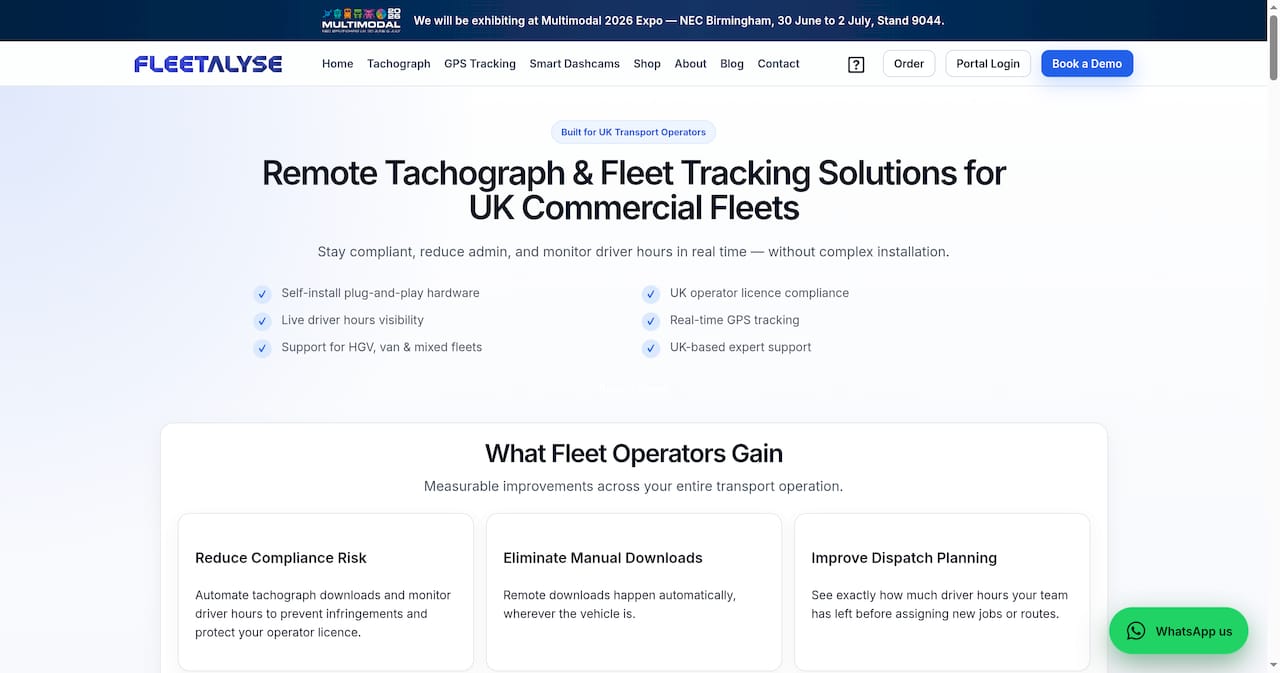
Whether you run a small van fleet, a mixed HGV and trailer operation, or a large commercial transport network, Fleetalyse provides hardware and platform options that cover real-time tracking, driver behaviour monitoring, and DVSA compliance in a single integrated system. The UK-based support team can advise on the right hardware combination for your fleet type and help you configure alerts and integrations from day one. Visit Fleetalyse to explore the full platform, or browse the GPS tracker shop to compare hardware options and get started.
FAQ
What are the most important fleet GPS tracking best practices?
Define your requirements before choosing hardware, communicate transparently with drivers through a written policy, start with no more than three alerts in the first 30 days, and integrate GPS data with your maintenance and payroll systems for maximum value.
How long does a GPS tracking rollout typically take?
For a fleet of 25 to 50 vehicles, expect two to four weeks from initial planning to full deployment. Hardware installation is fast, but driver communication and data configuration take the most time.
Should GPS tracking be active outside working hours?
Best practice under UK employment law is to limit tracking to scheduled working hours. Off-hours tracking raises privacy concerns, reduces driver trust, and can create legal exposure under UK GDPR.
Which GPS hardware type is best for HGVs and trailers?
Hardwired units suit HGVs because they are tamper-resistant and do not require an OBD-II port. Battery-powered asset trackers are the practical choice for trailers and non-powered equipment.
How quickly can GPS tracking reduce fuel costs?
Fleets with anti-idling policies monitored by GPS typically see fuel savings of 5 to 15%, with ROI often achieved within the first three months of deployment.