

Fleet maintenance scheduling automation: a UK guide

Fleet maintenance scheduling automation is defined as the use of telematics data, AI-driven software, and condition-based triggers to generate and assign vehicle service tasks without manual intervention. Fleets without automated preventive maintenance spend 3–5 times more on reactive repairs than those with structured scheduling in place. That cost gap exists because 70–80% of vehicle failures trace back to maintenance lapses, not random mechanical failure. For UK transport operators managing HGVs, vans, and trailers under DVSA and Operator Licence obligations, the case for automation is not theoretical. It is a direct line between compliance and commercial survival.
What does fleet maintenance scheduling automation actually require?
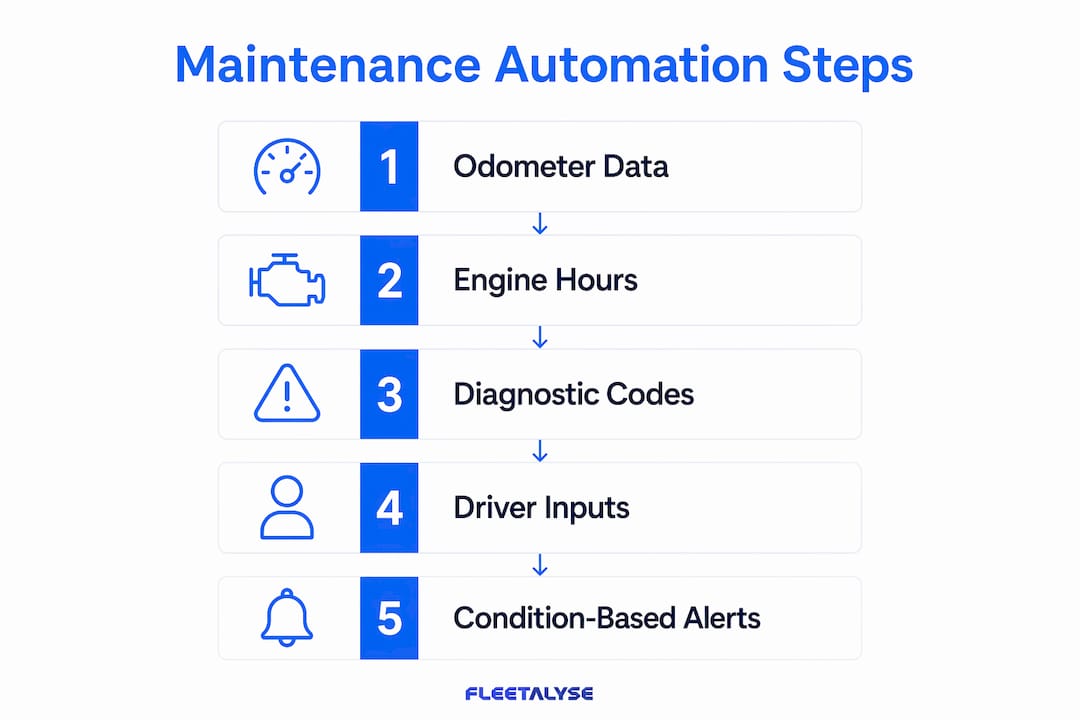
Automated maintenance scheduling is only as good as the data feeding it. Three inputs drive every reliable system: odometer readings, engine hours, and fault codes from OBD-II or CAN-bus connections. Without accurate, real-time data from these sources, any scheduling software is simply guessing.
The tools required fall into two categories: hardware and software. On the hardware side, plug-and-play telematics units capture mileage, engine hours, and diagnostic trouble codes directly from the vehicle. On the software side, a computerised maintenance management system (CMMS) processes those inputs and generates work orders automatically. Telematics integration removes manual data entry errors by updating odometer and engine hour readings in real time, then triggering a work order the moment a threshold is crossed.
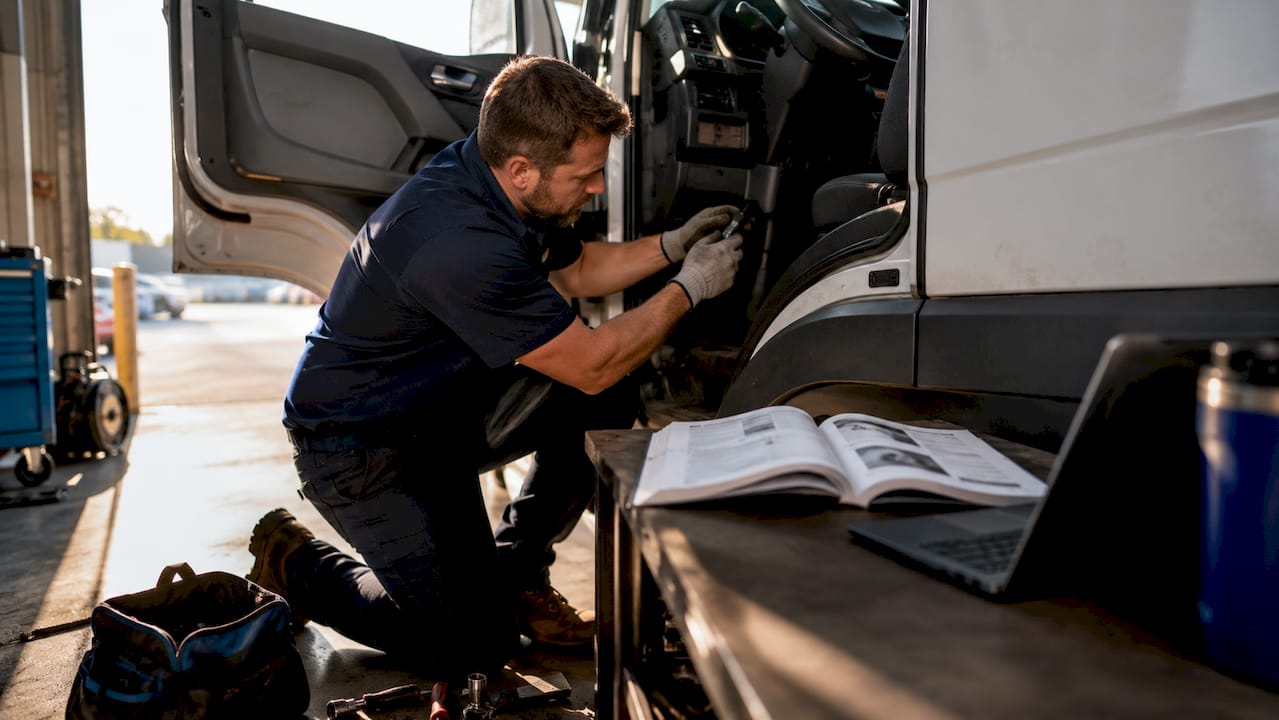
Integration with existing fleet management or ERP systems is not optional for larger operations. A telematics unit that feeds data into an isolated scheduling tool creates information silos. The most effective setups connect OBD-II telematics with ERP and workshop systems, enabling predictive scheduling and, in advanced deployments, digital twin simulations of component wear.
The table below summarises the core data inputs and what each one enables in an automated system.
| Data input | Source | What it enables |
|---|---|---|
| Odometer readings | Telematics unit / OBD-II | Mileage-based service triggers |
| Engine hours | CAN-bus / telematics | Hour-based triggers for HGVs and plant |
| Fault codes (DTCs) | OBD-II diagnostic port | Condition-based alerts and unscheduled work orders |
| Calendar time | System clock | Time-based interval scheduling |
| Driver behaviour data | Telematics / dashcam | Adjusted intervals for high-stress duty cycles |
Key hardware and software requirements at a glance:
- Plug-and-play telematics units with OBD-II or CAN-bus connectivity
- A CMMS capable of multi-trigger scheduling logic
- API or native integration with fleet management and ERP platforms
- Real-time data sync to avoid stale odometer readings
- Role-based access so workshop managers and transport managers see relevant data
How to set up automated preventive maintenance schedules
The UK industry standard for preventive maintenance uses a three-tier service structure. Understanding each tier before configuring your software prevents under-scheduling on heavy-duty assets and over-scheduling on lighter vehicles.
The three-tier service model
Service A covers routine checks: oil, filters, and fluid levels. It typically takes 2–3 hours and costs £230–£350. Service B is a mid-level inspection adding brake checks, tyre condition, and drivetrain components, running 4–6 hours at £600–£900. Service C is a full inspection covering all B tasks plus suspension, steering, and compliance-critical systems, taking 8–12 hours at £1,150–£2,150. Knowing these cost bands helps you build a business case for automation: a single avoided reactive repair at Service C rates pays for months of scheduling software.
Step-by-step setup
- Collect baseline data. Export current odometer readings, engine hours, and last service dates for every vehicle in the fleet. This is your starting point for all interval calculations.
- Define trigger thresholds. Set Service A at, for example, every 10,000 miles or 3 months. Set Service B at 20,000 miles or 6 months. Set Service C at 40,000 miles or 12 months. The gold standard trigger is “whichever comes first” across time, mileage, and engine hours.
- Configure duty cycle profiles. A van doing urban multi-drop runs accumulates brake and tyre wear far faster than a motorway-only HGV. Adjust intervals for each duty cycle profile rather than applying one setting fleet-wide.
- Connect telematics to the CMMS. Map your telematics data fields to the corresponding CMMS fields. Test that a simulated threshold breach generates a work order automatically.
- Assign technicians and notify. Configure the system to send work order notifications to the relevant workshop or mobile technician, with vehicle location data attached.
- Review and refine after 90 days. Pull a report on work orders completed versus overdue. Adjust thresholds where vehicles are consistently hitting mileage triggers well before time triggers, or vice versa.
Pro Tip: Use suppression logic in your CMMS to prevent redundant work orders. If a Service C is due, the system should automatically suppress the coinciding Service A and B tasks, combining them into a single workshop visit. This alone can cut unnecessary downtime significantly.
What are the most common mistakes in automated maintenance scheduling?
Automated scheduling fails most often not because the technology is wrong, but because the configuration is too simple. The most common mistake is relying solely on calendar-based schedules. A van sitting idle for three weeks still accumulates calendar time, triggering a service that the vehicle does not yet need. Mileage and engine hour triggers prevent this waste.
The second major mistake is applying generic OEM schedules uniformly. Duty cycle variations require customised, usage-based intervals because component degradation differs sharply between a refrigerated trailer doing overnight motorway runs and a tipper truck on a construction site. Treating them identically guarantees either over-maintenance or premature failure.
Common pitfalls to watch for:
- Stale odometer data caused by telematics units that sync infrequently
- No integration between the CMMS and the transport management system, creating duplicate records
- Manual overrides applied without a documented reason, breaking the audit trail
- Seasonal demand changes not reflected in interval recalculations
On the last point: schedules should auto-update intervals when operational patterns shift, such as a fleet moving from summer distribution to winter gritting contracts. Static thresholds set in january will be wrong by october if the duty cycle has changed.
Pro Tip: Every manual override should require a reason code and a manager sign-off within the system. This preserves your compliance audit trail and prevents technicians from quietly deferring work that DVSA inspectors will later flag.
How does telematics integration maximise maintenance automation?
Telematics is the data engine behind effective automated fleet maintenance. A telematics unit connected via OBD-II or CAN-bus feeds live mileage, engine hours, and fault codes into the scheduling platform continuously. This removes the single biggest source of scheduling error: outdated vehicle data entered manually by a driver or administrator.
AI-driven, condition-based maintenance scheduling reduces unplanned downtime by 45–60% within the first 12 months compared to calendar-based scheduling. The mechanism is straightforward: AI analyses historical fault patterns and usage data to predict when a component is likely to fail, then moves the service date forward before the failure occurs. This is fundamentally different from simply setting a mileage reminder.
Fleetalyse integrates GPS tracking, driver behaviour monitoring, and real-time vehicle data into a single platform, giving transport operators a live view of every asset alongside its maintenance status. Fleetalyse solutions connect telematics hardware directly to compliance and scheduling workflows, which is particularly relevant for HGV operators managing tachograph obligations alongside service intervals. The platform supports trailer GPS tracking as well, ensuring that non-powered assets do not fall outside the maintenance schedule simply because they lack an engine.
The table below shows how integration features translate into operational outcomes.
| Integration feature | Operational outcome |
|---|---|
| Real-time odometer sync | Work orders trigger at the correct mileage, not days later |
| Fault code alerts | Unscheduled repairs raised before roadside breakdown |
| Driver behaviour scoring | High-stress drivers flagged for earlier tyre and brake checks |
| Automated work order creation | Workshop receives job details without dispatcher involvement |
| Compliance data overlay | DVSA-relevant inspection records updated automatically |
For operators looking to connect telematics data directly to fleet maintenance workflows, the priority is ensuring the telematics platform and CMMS share a common vehicle identifier. Without a consistent asset ID, data from different systems will not merge correctly, and the automation breaks down at the point where it matters most.
Key takeaways
Automated fleet maintenance scheduling, built on telematics data and condition-based triggers, is the most reliable way to cut reactive repair costs and maintain DVSA compliance across a UK commercial fleet.
| Point | Details |
|---|---|
| Automation cuts reactive costs | Fleets without automated scheduling spend 3–5 times more on reactive repairs. |
| Use “whichever comes first” logic | Trigger services by mileage, engine hours, or calendar time, whichever threshold arrives first. |
| Apply the three-tier service model | Structure schedules around Service A, B, and C tiers with defined cost and time parameters. |
| Customise for duty cycles | Generic OEM intervals fail high-stress assets; tailor thresholds to each vehicle’s actual usage. |
| Integrate telematics fully | Real-time data sync removes manual entry errors and enables AI-driven predictive scheduling. |
Why I think most UK fleets are automating the wrong thing first
After working closely with transport operators across the UK, the pattern I see most often is this: a fleet invests in scheduling software, configures it with OEM intervals, and then wonders why breakdowns still happen. The software is not the problem. The data going into it is.
The operators who get the best results start with telematics hardware, not software. Once you have accurate, real-time mileage and engine hour data flowing from every vehicle, the scheduling logic almost writes itself. The operators who start with software and bolt telematics on later spend months correcting stale data and rebuilding trust in the system.
The second thing I would push back on is the idea that automation replaces human judgement. It does not. What it does is free up your transport manager to make better decisions by removing the administrative noise. A good automated system flags the exceptions. Your team handles them. That division of labour is where the real efficiency gain lives.
The continuous adjustment piece is also underrated. Dynamic interval recalculation based on live telematics data is not a set-and-forget feature. It requires a quarterly review of whether your thresholds still reflect how your fleet is actually being used. The fleets that treat automation as a living process, rather than a one-time configuration, are the ones that see sustained reductions in both downtime and repair spend.
— Vytautas
Fleetalyse: telematics-driven maintenance scheduling for UK fleets
Fleetalyse is built specifically for UK commercial fleet operators who need telematics, compliance, and maintenance visibility in one place.
The Fleetalyse platform combines GPS tracking, remote tachograph downloads, and driver behaviour monitoring with real-time vehicle data capture. That data feeds directly into maintenance scheduling workflows, so your service triggers are always based on actual usage rather than guesswork. Whether you operate HGVs, vans, or mixed assets, Fleetalyse supports HGV GPS trackers with tachograph integration and plug-and-play hardware that requires no professional installation. UK-based support means you get expert help when configuration questions arise, not a generic helpdesk.
FAQ
What is fleet maintenance scheduling automation?
Fleet maintenance scheduling automation is the process of using telematics data and software to trigger vehicle service tasks automatically, based on mileage, engine hours, or calendar time, without manual input.
How much can automation reduce unplanned downtime?
AI-driven, condition-based scheduling reduces unplanned downtime by 45–60% within 12 months compared to calendar-only scheduling.
What is the “whichever comes first” trigger method?
The “whichever comes first” method schedules a service when any one of three thresholds is reached: calendar time, total mileage, or engine hours. It is the gold standard approach for preventing both over-maintenance and missed services.
Do I need telematics hardware to automate maintenance scheduling?
Yes. Without real-time odometer and engine hour data from a telematics unit, scheduling software relies on manually entered figures, which introduces errors and defeats the purpose of automation.
How does automated scheduling support DVSA compliance?
Automated systems create a timestamped audit trail of every work order, service completion, and manual override. This record satisfies DVSA inspection requirements and supports Operator Licence renewal without manual paperwork.