


Multi-vehicle fleet monitoring steps: a practical guide

Multi-vehicle fleet monitoring is the systematic process of tracking, analysing, and managing a fleet of vehicles in real time using GPS, telematics hardware, and data platforms. For logistics operators running HGVs, vans, or mixed assets across multiple routes, the right monitoring steps determine whether your fleet runs at full efficiency or bleeds cost through idle time, missed maintenance, and preventable incidents. This guide covers the core multi-vehicle fleet monitoring steps in sequence, from hardware selection through to continuous data integration, so you can build a system that delivers measurable results rather than just dots on a map.
What are the essential multi-vehicle fleet monitoring steps?
Effective fleet monitoring begins long before a single tracker is installed. The foundation is objective clarity. You need to define what you are actually trying to achieve: whether that is full vehicle visibility, driver safety improvement, fuel reduction, or maintenance cost control. Without this, you will buy hardware that does not match your operational needs and configure alerts that nobody acts on.
GPS tracking hardware falls into three main categories: OBD-II plug-in devices, hardwired trackers, and wireless asset sensors. Hardware selection depends on vehicle type and operational requirements. OBD-II units suit light vans and cars where quick deployment matters. Hardwired trackers suit HGVs and vehicles where tamper resistance and CAN-bus data access are priorities. Devices such as the Samsara AG24 and Motive Vehicle Gateway are widely used in commercial logistics. Fleetalyse supports plug-and-play telematics units that do not require professional installation, which reduces setup time significantly.
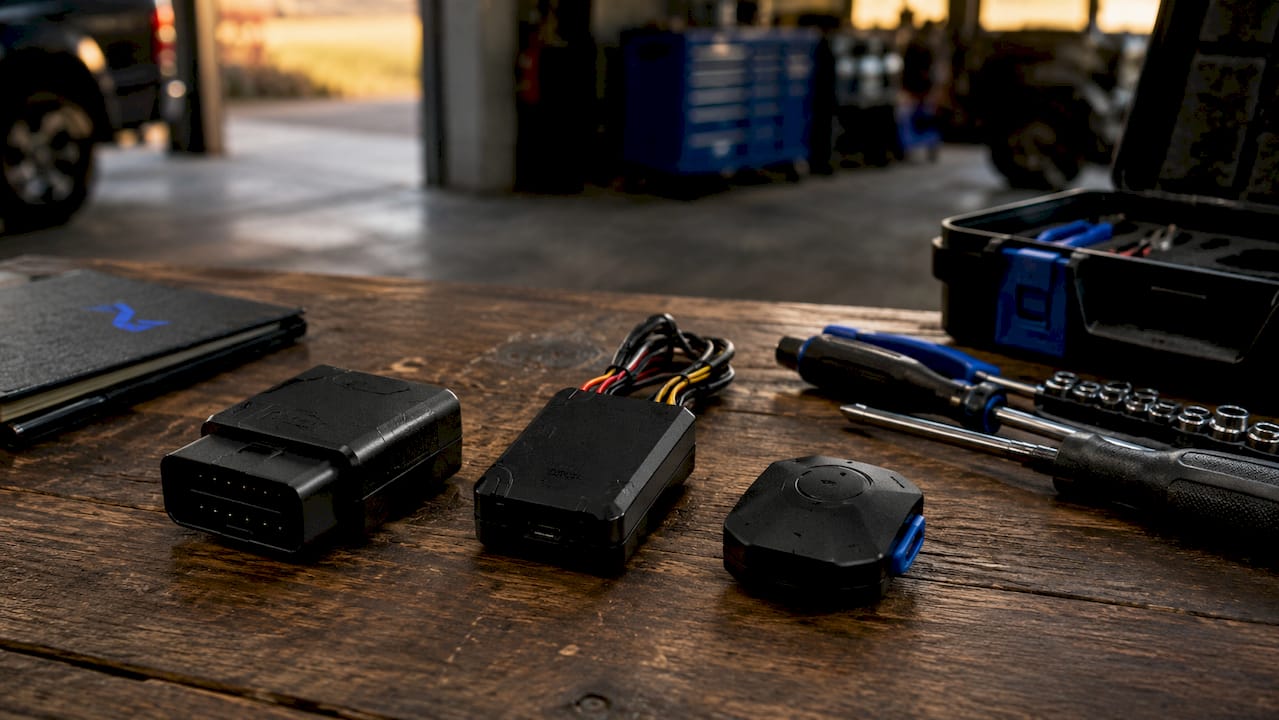
Software capability is equally critical. Your platform must support real-time alerts, geofencing, driver behaviour scoring, and reporting dashboards. Beyond that, you need to assess integration compatibility with your existing transport management system (TMS), warehouse management system (WMS), or maintenance management platform. Early integration planning prevents costly retrofitting later. Waiting until post-installation to address integration creates data silos that undermine the entire monitoring effort.
| Feature | OBD-II Plug-in | Hardwired Tracker | Wireless Sensor |
|---|---|---|---|
| Installation effort | Minimal | Moderate | Minimal |
| CAN-bus data access | Limited | Full | None |
| Tamper resistance | Low | High | Medium |
| Best for | Vans, cars | HGVs, trailers | Assets, trailers |
| Real-time alerts | Yes | Yes | Yes |
Pro Tip: Audit your network coverage across all regular routes before committing to a hardware supplier. Gaps in 4G coverage will produce false alerts and missing data, which erodes driver trust in the system.
How to deploy a fleet monitoring system step by step
A phased deployment is the most reliable approach. Rushing a full rollout without testing produces alert fatigue, poor data quality, and low adoption from drivers and dispatchers alike.
-
Define KPIs and objectives (Week 1). Set specific targets: fuel consumption per route, idling time per shift, driver safety scores, and vehicle uptime. These KPIs will determine which alerts and reports you configure.
-
Select and procure hardware (Weeks 1–2). Match device type to vehicle category. Order sufficient units for your pilot group, typically 5–10 vehicles that represent the full range of routes and vehicle types in your fleet.
-
Run a pilot deployment (Weeks 2–4). Install devices on your pilot vehicles and run the system for two to four weeks before wider rollout. Pilot programmes test installation accuracy, data reliability, and alert relevance. They also surface false positives before they overwhelm your operations team.
-
Configure alerts and geofences (Week 3). Set up the six core alert categories: location, speed, idling, geofence status, driver behaviour, and vehicle health. These six alert categories cover the vast majority of actionable events in a logistics operation. For geofences, prioritise your depot, frequent customer sites, fuel stops, and maintenance workshops. Geofences automate arrival and departure alerts and flag unauthorised stops without manual checking.
-
Set conservative thresholds initially. Idling alerts should trigger at 15–20 minutes, not five. Speed alerts should activate at 10 mph over the posted limit, not at the limit itself. Aggressive thresholds cause alert fatigue, and once staff start ignoring notifications, the system loses its value.
-
Assign driver IDs and set up scorecards (Week 4). Link each vehicle session to a named driver. Configure scorecards to track harsh braking, sharp acceleration, and cornering. Connect scorecard outcomes to a defined feedback or bonus structure from the outset.
-
Train your team and refine workflows (Weeks 4–6). Run briefings with dispatchers, fleet administrators, and drivers. Explain what the system measures and why. Adjust alert thresholds based on pilot feedback before the full rollout begins.
-
Phased full rollout (Weeks 6–10). Expand installation across the remaining fleet in batches. Maintain a feedback loop with drivers and operations staff throughout.
Pro Tip: Do not wait until the full rollout to involve drivers. Briefing them during the pilot phase reduces resistance and produces better data, because drivers who understand the system are less likely to tamper with devices or alter behaviour only when they know they are being watched.
How to integrate fleet data into your logistics operations
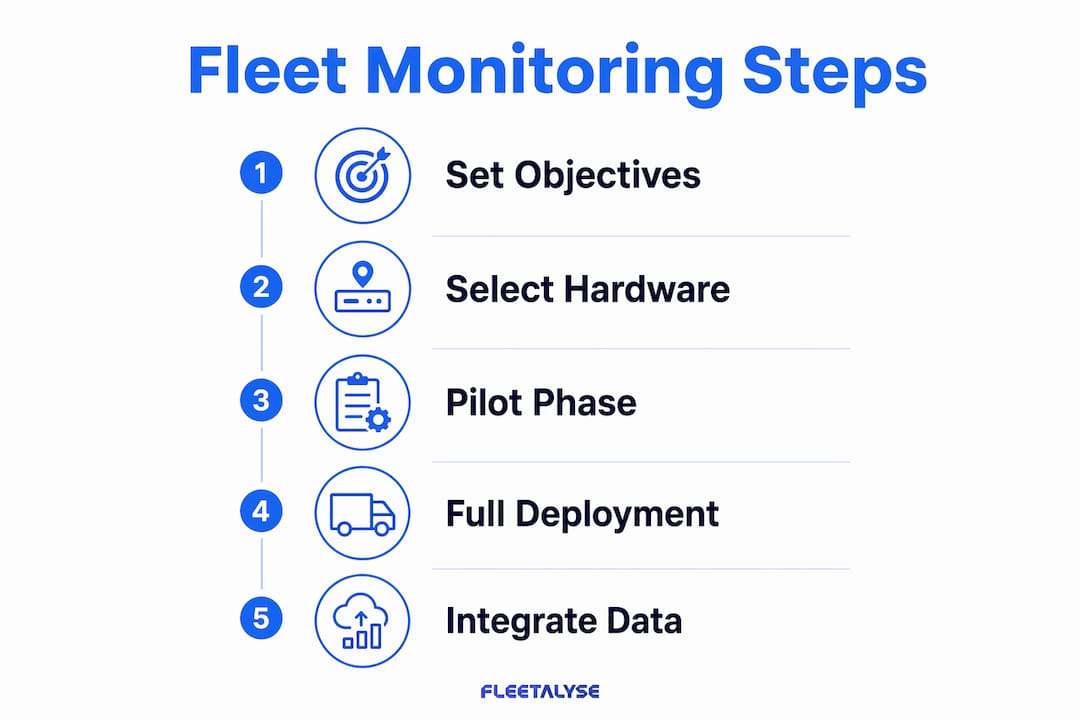
Data integration is where monitoring steps translate into operational gains. Real-time fleet monitoring can improve operational efficiency by up to 40% when embedded in a continuous loop of order input, route planning, execution, and performance analysis. That figure only holds when telematics data feeds directly into the systems your team already uses.
Linking your telematics platform to your TMS allows dispatchers to make routing decisions based on live vehicle positions rather than estimated schedules. Proactive GPS visibility reduces customer inquiry calls by 40–50%, which frees your operations team to focus on exceptions rather than status updates. Automated maintenance scheduling, triggered by engine hours or odometer readings from the telematics platform, removes the reliance on manual service logs. Fleetalyse supports automated maintenance alerts that connect directly to vehicle health data, reducing the risk of missed service intervals.
Driver behaviour data becomes useful only when it feeds a structured coaching process. Linking driver scorecards to defined bonus or feedback structures accelerates safety incident reductions by 20–30% compared to passive monitoring. Weekly scorecard reviews, shared with drivers in a one-to-one format, turn data into behavioural change rather than background noise.
Key integration benefits for logistics operators:
- Route planning tools receive live ETA updates, reducing late deliveries
- Maintenance platforms trigger service bookings automatically based on engine data
- Driver coaching sessions use scorecard data rather than anecdotal reports
- Fuel reports identify high-consumption vehicles and routes for targeted action
- Compliance reporting pulls tachograph and hours data without manual extraction
Pro Tip: Build your integration requirements into the implementation scope before installation begins. Retrofitting API connections to a TMS or CMMS after the hardware is live is significantly more complex and expensive than planning for it upfront.
What are the common pitfalls in fleet monitoring deployments?
The most frequent mistake fleet operators make is treating monitoring as a hardware procurement task rather than an operational change programme. Buying trackers without defined objectives produces data that nobody knows how to act on. Treating fleet monitoring purely as a hardware project leads to disappointment; pilot testing and user engagement determine success far more than device specification.
Alert fatigue is the second most common failure point. When every minor event triggers a notification, operations staff stop reading alerts entirely. The fix is conservative initial thresholds, reviewed and tightened incrementally as your team builds confidence in the data.
| Common mistake | Best practice |
|---|---|
| Buying hardware before setting objectives | Define KPIs and alert priorities first |
| Aggressive alert thresholds from day one | Start conservative; refine after pilot |
| Skipping the pilot phase | Run 5–10 vehicles for 2–4 weeks before full rollout |
| No driver engagement plan | Brief drivers before installation; link scores to incentives |
| Ignoring integration planning | Map TMS, WMS, and CMMS connections before procurement |
| Treating data as passive reporting | Build coaching workflows that convert data into action |
Legacy system integration is a genuine technical challenge for larger operators. Older TMS or ERP platforms may not support modern API connections without middleware. Identifying these constraints during the planning phase, rather than after installation, saves significant time and cost.
Key takeaways
Effective fleet monitoring requires clear objectives, phased deployment, and active data integration to deliver measurable operational improvements.
| Point | Details |
|---|---|
| Define objectives first | Set specific KPIs before selecting hardware or configuring alerts. |
| Run a pilot deployment | Test on 5–10 representative vehicles for 2–4 weeks before full rollout. |
| Set conservative alert thresholds | Start with 15–20 minute idling alerts and 10 mph speed buffers to prevent alert fatigue. |
| Integrate data into existing systems | Connect telematics to your TMS and maintenance platform for real operational gains. |
| Coach drivers using scorecard data | Link scorecards to incentives to reduce safety incidents by 20–30% within 60 days. |
What I have learned from fleet monitoring deployments
The gap between a fleet monitoring system that works and one that sits ignored on a dashboard is almost never about the hardware. I have seen operators spend considerable sums on telematics devices, configure them poorly, and then conclude that GPS tracking does not deliver value. The real issue is nearly always one of three things: no pilot phase, no driver engagement, or no integration with the systems that actually drive decisions.
The pilot phase is not optional. Running a representative group of vehicles for a few weeks before full rollout is the single most reliable way to catch installation errors, misconfigured alerts, and threshold settings that will overwhelm your team. Skipping it to save time almost always costs more time later.
Driver scorecards linked to incentive programmes are where the real safety gains come from. Passive monitoring tells you what happened. Coaching conversations, backed by scorecard data, change what happens next. The operators I have seen get the best results treat their telematics platform as a coaching tool first and a compliance tool second.
My strongest advice: resist the temptation to turn on every alert at maximum sensitivity on day one. Start with the six core categories at conservative thresholds, review them after four weeks, and tighten them incrementally. A dashboard your team trusts is worth far more than one that is technically comprehensive but practically ignored.
— Vytautas
How Fleetalyse supports your fleet monitoring programme
Fleetalyse brings together GPS vehicle tracking, smart AI dashcams, tachograph compliance, and driver behaviour monitoring in a single platform built for UK logistics operators. The system is designed to support every stage of the monitoring process, from initial hardware registration through to automated maintenance alerts and DVSA compliance reporting.
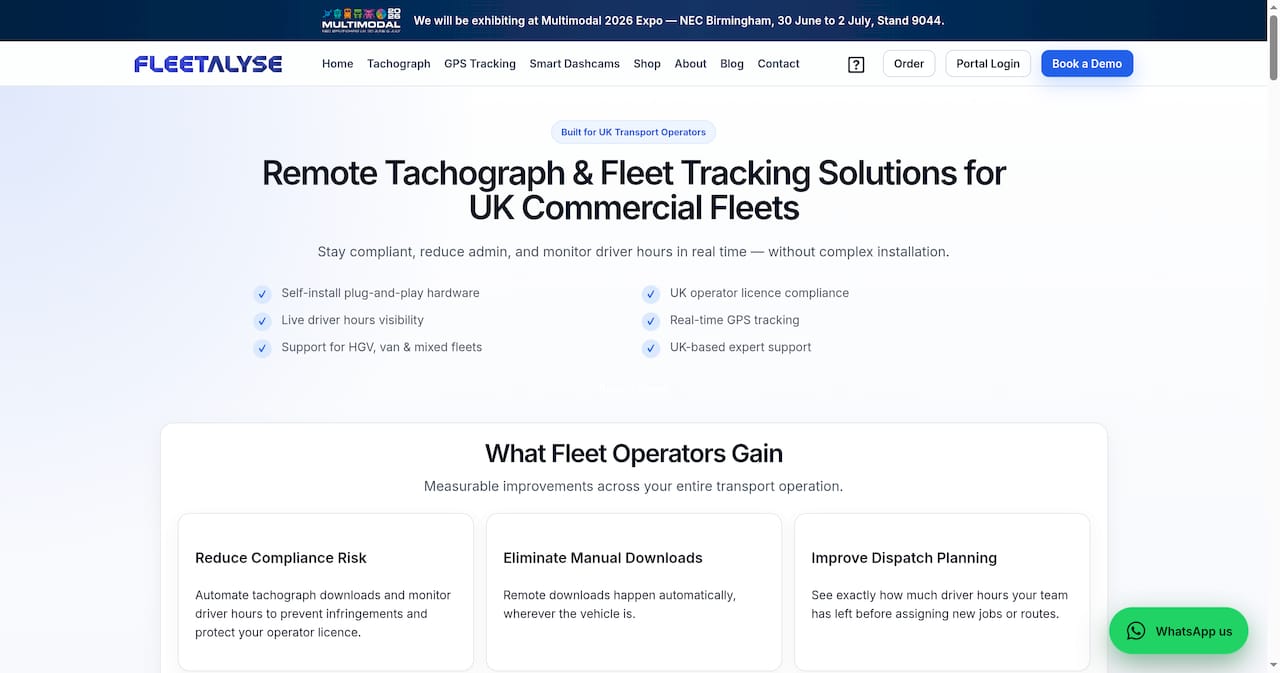
Whether you operate a mixed fleet of HGVs and vans or manage trailer assets across multiple depots, Fleetalyse provides the telematics infrastructure and UK-based support to make your monitoring programme work in practice. The platform integrates vehicle health data, driver scorecards, and remote tachograph downloads to reduce administrative workload and keep your Operator Licence requirements met. Visit Fleetalyse to see how the platform fits your operation.
FAQ
What is multi-vehicle fleet monitoring?
Multi-vehicle fleet monitoring is the use of GPS, telematics hardware, and software platforms to track, analyse, and manage a fleet of vehicles in real time. It covers vehicle location, driver behaviour, fuel consumption, and vehicle health across all assets simultaneously.
How many vehicles do you need before fleet monitoring is worthwhile?
Fleet monitoring delivers measurable value from as few as three to five vehicles, particularly when fuel costs, driver safety, and maintenance scheduling are priorities. The return on investment increases with fleet size, but the operational benefits apply at any scale.
What alert types should I configure first?
Configure the six core categories first: location, speed, idling, geofence status, driver behaviour, and vehicle health. These six categories cover the vast majority of actionable events and provide a solid foundation before adding more specific alerts.
How long does a fleet monitoring deployment take?
A phased deployment typically takes 6–10 weeks from hardware procurement to full fleet rollout. The pilot phase alone should run for 2–4 weeks to validate device accuracy and alert configuration before scaling.
How does fleet monitoring support DVSA compliance in the UK?
Telematics platforms that integrate tachograph data, driver hours monitoring, and vehicle inspection records provide the audit trail required under DVSA regulations and Operator Licence conditions. Automated reporting reduces the manual effort of compliance checks significantly.