

FORS logo guide for UK fleet operators

Your official FORS logo must be downloaded directly from the ‘Self printed logos’ section of your company dashboard on the FORS website. Generic files found elsewhere, including third-party logo libraries, do not include your unique FORS ID number and will not meet scheme requirements. Using one risks non-compliance, potential misrepresentation in tenders, and possible investigation by the scheme administrator.
Quick TL;DR checklist:
- Log in to your account at fors-online.org.uk
- Navigate to your company dashboard and open ‘Self printed logos’
- Select the correct variant for your accreditation tier (Bronze, Silver, or Gold)
- Download the file in the format you need (PDF, PNG, SVG, or EPS)
- Apply the logo only to vehicles, stationery, and digital materials while your accreditation remains valid
- Remove all FORS branding immediately if accreditation expires
Never use a logo without your FORS ID embedded in the file. A generic mark, however accurate it looks, cannot represent your accreditation status in a tender or audit.
Table of Contents
- Which FORS logo variants exist and when should you use each one?
- How to download your unique, ID-compliant FORS logo from the member dashboard
- What are the definitive do’s and don’ts for using the FORS logo?
- What are the technical specifications for file formats, colours, and sizes?
- Why does correct FORS logo use matter for audits and contracts?
- What should you do when your accreditation tier changes or lapses?
- What can non-members and third parties do with the FORS logo?
- How Fleetalyse supports FORS branding and broader compliance for UK fleets
- Key takeaways
- Why branding rules matter more than most fleet managers realise
- Fleetalyse keeps your FORS compliance evidence in one place
- Official sources and further reading
Which FORS logo variants exist and when should you use each one?
The scheme provides several distinct logo variants, and choosing the wrong one for a given application is itself a compliance issue. Each variant is tied either to your accreditation tier or to your relationship with the scheme.
Tier-based variants
The three primary marks correspond to the three accreditation levels: Bronze, Silver, and Gold. Each carries your unique FORS ID and must accurately reflect your current tier. Displaying a Gold mark when you hold Silver accreditation, for example, is misrepresentation under the scheme rules.

Role-based and relationship variants
Beyond the tier marks, FORS also provides logos for supporters, champions, and associates. These indicate a commercial or advocacy relationship with the scheme rather than direct fleet accreditation. The official FORS guidance is explicit that some associate marks are not permitted on vehicles, so you must check which variant applies to your specific relationship before applying any mark to livery.
Application variants
Within each tier or role category, you will typically find a full-colour version, a monochrome version, and an icon-only version. The icon-only variant suits small-scale digital uses such as email signatures or profile thumbnails. Colour variants are provided for use on light, dark, and neutral backgrounds.
| Variant | Allowed applications | Tier or role requirement |
|---|---|---|
| Bronze (full colour) | Vehicles, stationery, digital, email signature | Bronze accreditation |
| Silver (full colour) | Vehicles, stationery, digital, email signature | Silver accreditation |
| Gold (full colour) | Vehicles, stationery, digital, email signature | Gold accreditation |
| Monochrome | Stationery, print where colour is unavailable | Any accredited tier |
| Icon only | Email signatures, favicons, small digital use | Any accredited tier |
| Supporter / Champion | Stationery, digital, marketing materials | Supporter or Champion status |
| Associate | Stationery and digital only (not vehicles) | Associate relationship |
Key points on variant selection:
- Always confirm your current tier before downloading; the dashboard reflects your live accreditation status
- Associate marks must not appear on vehicle livery under any circumstances
- The monochrome variant is acceptable for single-colour print runs but must still use the supplied file, not a redrawn version
How to download your unique, ID-compliant FORS logo from the member dashboard
Getting the right file takes under five minutes if you follow these steps precisely.
- Go to fors-online.org.uk and sign in with your operator account credentials.
- From the main navigation, open your company dashboard.
- Locate the ‘Self printed logos’ section within the dashboard.
- Select the variant that matches your current accreditation tier and intended application (vehicle, stationery, digital).
- Choose your file format: EPS or SVG for vehicle vinyl and large-format print; PDF or high-resolution PNG for office stationery and digital use.
- Download the file and verify that your FORS ID number is visible within the logo artwork before sending it to a sign-writer or printer.
If your FORS ID does not appear on the downloaded file, do not use it. Contact the FORS communications team directly through the contact details listed on fors-online.org.uk to request a corrected file or to confirm your account is linked to the correct accreditation record.
If you cannot access the dashboard at all, check that your account email matches the registered operator record. Persistent access issues should be reported to the FORS helpdesk rather than resolved by sourcing a file from elsewhere.
Pro Tip: Create a shared, access-controlled folder (for example, in SharePoint or Google Drive) labelled with the accreditation tier and download date. Store every variant in one place so sign-writers, printers, and your marketing team always pull from the same verified source. This single step eliminates the version confusion that leads to non-compliant livery.
What are the definitive do’s and don’ts for using the FORS logo?
The FORS External Design Guidelines (FORS-GUIDELINES-v18.pdf) set out strict rules that apply to every operator regardless of fleet size. Breaching them can trigger a formal investigation and, in serious cases, removal of accreditation status.
What you must never do
- Redraw, recreate, or trace the logo from scratch; only the supplied files are permitted
- Recolour the mark outside the approved colourways, including adding gradients, tints, or brand overlays
- Distort, stretch, compress, or rotate the logo
- Add drop shadows, outlines, glows, or any other visual effects
- Place the logo on a background that reduces legibility or contrast below the minimum standard
- Use the logo after accreditation has expired or lapsed
- Apply an associate or supporter mark to vehicle livery
What you must do
- Use only the file downloaded from your dashboard with your FORS ID embedded
- Maintain the prescribed clearspace around the logo on all applications
- Observe minimum size rules for print and screen (see the technical specifications section below)
- Apply the correct tier variant at all times; update all materials promptly after a tier change
- Contact the FORS communications team if you are unsure whether a specific application is permitted
Misuse and investigations
Misuse of the FORS logo can be reported to the scheme administrator, and the FORS Provider controls the intellectual property rights to the mark. If a report is made, the administrator may open an investigation, issue a remediation request, and set a deadline for corrective action. Failure to cooperate can result in suspension or removal of accreditation. The scheme’s supplier and supporter manual confirms that operators must notify the FORS Provider promptly and cooperate fully in any IP infringement or misuse investigation.
Pro Tip: Before sending artwork to a sign-writer, run a quick visual check against the official guidelines PDF: correct tier label, FORS ID visible, no background clash, no distortion. A two-minute check at artwork stage prevents a costly vehicle re-wrap.
What are the technical specifications for file formats, colours, and sizes?
Sign-writers and in-house print teams need precise specifications to produce compliant livery. The official usage guidelines publish these details, and the summary below covers the most common requirements.
File formats
- EPS or SVG: use for vehicle vinyl, large-format banners, and any print application where the artwork will be scaled significantly; vector formats preserve sharpness at any size
- High-resolution PDF: suitable for stationery, letterheads, and professional print runs
- PNG (high resolution): use for digital applications, email signatures, and web pages; confirm the file is high-resolution before use in print
- Avoid JPEG for logo use; compression artefacts degrade edge quality, particularly on vehicle livery
Colour specifications
The official guidelines provide colour values across four systems so your supplier can match the mark precisely regardless of their printing process:
- Pantone: the reference standard for spot-colour print and vinyl cutting
- CMYK: use for full-colour offset and digital print
- RGB: use for on-screen digital applications
- HEX: use for web and digital design tools
Always supply your sign-writer with the Pantone reference for vehicle livery. RGB and HEX values are screen-optimised and will not produce accurate colour in print.
Minimum sizes and clearspace
The FORS design standards published by TfL and the external guidelines both specify minimum reproduction sizes to protect legibility. The clearspace rule requires a defined exclusion zone around the logo on all four sides; no other text, imagery, or graphic element may enter that zone.
| Format | Ideal use | Minimum size / notes |
|---|---|---|
| EPS / SVG | Vehicle vinyl, large-format print | No upper limit; scale freely |
| High-res PDF | Stationery, professional print | Observe print minimum size |
| PNG (high-res) | Web, email signature, digital | Observe screen minimum px value |
| Pantone colour | Vehicle livery, spot-colour print | Match supplied Pantone reference exactly |
| CMYK | Offset and digital print | Use supplied CMYK breakdown |
| RGB / HEX | Screen, web, digital design | Do not use for physical print |
For reflective and specialist materials: when applying the logo to reflective vehicle panels or safety-rated materials, confirm with your sign-writer that the chosen colourway maintains sufficient contrast after the reflective coating is applied. The appearance of colours shifts on retroreflective film, and a mark that passes the contrast check on standard vinyl may not do so on Class 2 reflective sheeting.
Why does correct FORS logo use matter for audits and contracts?
FORS accreditation is not a legal government requirement, but it is commonly mandated in public and private sector contracts covering vans, HGVs, and other commercial vehicles. That contractual reality makes branding accuracy a commercial risk, not just an administrative one.
Procurement teams carrying out pre-qualification checks will verify your accreditation tier against the mark displayed on your vehicles and tender documents. A mismatch, whether it shows a higher tier than you hold or uses an expired logo, can be treated as misrepresentation. In a competitive tender, that finding alone can disqualify a bid.
From an audit perspective, incorrect branding is a finding that requires documented remediation. The scheme administrator can set a remediation window, and you will need to demonstrate corrective action within that period. Failure to act within the window risks escalation.
If you receive a notice about branding misuse, act on these points immediately:
- Acknowledge receipt of the notice in writing to the scheme administrator
- Identify every asset carrying the non-compliant mark (vehicles, stationery, website, email signatures)
- Remove or replace the mark within the timeframe specified in the notice
- Document each remediation step with photographs or version-controlled files
- Confirm completion to the scheme administrator before the deadline
- Review your internal processes to prevent recurrence
Keeping a compliance checklist current is one of the most practical ways to catch branding issues before an auditor does.
What should you do when your accreditation tier changes or lapses?
Operators frequently underestimate how quickly branding obligations change after a tier upgrade or downgrade. The moment your new tier is confirmed, your old mark is no longer valid for new applications, and a controlled rollout plan is the only way to avoid a period of mixed or incorrect branding across your fleet.
After a successful tier upgrade
- Download the new ID-compliant logo files from your dashboard immediately
- Audit every asset carrying the previous tier mark: vehicles, stationery, email signatures, partner portals, and your website
- Plan a phased replacement schedule that prioritises vehicles (highest visibility and audit risk) followed by stationery and digital assets
- Brief your sign-writer with the new EPS or SVG files and the correct Pantone reference
- Update email signature templates centrally so all staff adopt the new mark simultaneously
- Record the replacement date for each asset in your asset register
When accreditation lapses or expires
The scheme rules are unambiguous: all FORS branding must be removed from vehicles, stationery, and digital assets promptly when accreditation expires. Continuing to display the mark after expiry can be treated as misrepresentation. If the scheme requests confirmation of removal, you must provide it.
Pro Tip: Build a simple asset register in a spreadsheet: one row per logo placement (vehicle registration, stationery item, web page, email template), with columns for current tier mark, date last updated, and responsible owner. When a tier changes or accreditation lapses, you have an instant inventory of everything that needs updating, which makes the process auditable and far less stressful.
What can non-members and third parties do with the FORS logo?
If your organisation is not directly accredited but works alongside FORS operators, the rules on logo use are strict and the consequences of getting them wrong fall on both parties.
Supporter, champion, and associate marks
FORS provides distinct marks for supporters, champions, and associates. These are not interchangeable with the accredited operator marks and carry their own usage restrictions. Associate marks, in particular, are not permitted on vehicles. If you hold one of these statuses, download only the mark that corresponds to your specific relationship with the scheme and apply it only to the applications that status permits.
Requesting permission as a non-member
If you want to reference FORS accreditation in joint marketing materials or on a partner’s behalf, you must seek written permission from the FORS communications team before using any FORS branding. The official FORS guidance directs all such enquiries to the communications team, whose contact details are listed on fors-online.org.uk.
Checklist for seeking permission or a partner logo:
- Confirm your relationship with the scheme (supporter, champion, associate, or none)
- Identify the specific application you need the mark for (website, brochure, joint tender document)
- Contact the FORS communications team in writing with a clear description of the intended use
- Wait for written approval before producing any materials
- Retain the approval correspondence as evidence
If a partner incorrectly displays your FORS branding
If a supplier, subcontractor, or partner uses your FORS mark on their own materials without your knowledge or permission, notify them in writing to remove it and inform the FORS communications team. You are responsible for ensuring your accreditation mark is not misused by third parties on your behalf, and proactive notification demonstrates good faith to the scheme administrator.
How Fleetalyse supports FORS branding and broader compliance for UK fleets
Maintaining correct FORS branding across a mixed fleet is an ongoing operational task, not a one-off project. Accreditation expiry dates, tier changes, vehicle additions, and staff turnover all create opportunities for the wrong mark to appear in the wrong place. Fleetalyse addresses this directly through its compliance and asset management features.
Practical ways Fleetalyse helps fleet operators stay on top of branding obligations:
- Automated expiry alerts: Fleetalyse can flag upcoming accreditation renewal dates so your team has time to prepare updated logo files and plan a vehicle rollout before the deadline, rather than reacting after the fact
- Asset registers and audit trails: the platform’s recordkeeping tools support a central log of logo placements by vehicle registration, making it straightforward to demonstrate corrective action during an audit
- Driver behaviour and compliance evidence: Fleetalyse’s driver behaviour monitoring and GPS tracking generate the operational compliance data that underpins FORS accreditation at Silver and Gold level, so your branding and your underlying compliance record stay aligned
- Fleet data analysis: the fleet analysis tools give compliance managers a single view of vehicle activity, maintenance status, and accreditation-relevant data, reducing the administrative load of preparing for audits
For operators managing van fleets or mixed HGV and van assets, keeping branding consistent across a large number of vehicles is where a structured platform makes the most practical difference. Fleetalyse integrates with maintenance and asset workflows so that logo rollouts and removals are recorded alongside other vehicle events, giving you a complete, auditable history.
To learn more about how Fleetalyse supports transport compliance across your fleet, visit fleetalyse.co.uk or speak to the UK-based support team.
Key takeaways
The official FORS logo must always be downloaded from your member dashboard, must carry your unique FORS ID, and must be removed immediately if your accreditation expires or changes tier.
| Point | Details |
|---|---|
| Download from the dashboard only | Use the ‘Self printed logos’ section; generic files are not ID-compliant and breach scheme rules. |
| Match the mark to your current tier | Bronze, Silver, and Gold marks are not interchangeable; update all assets immediately after a tier change. |
| Never modify the supplied files | No recolouring, distortion, or redrawing; use only the official EPS, SVG, PDF, or PNG files as downloaded. |
| Remove branding on expiry | All FORS marks must come off vehicles, stationery, and digital assets the moment accreditation lapses. |
| Fleetalyse for compliance management | Fleetalyse provides automated expiry alerts, asset registers, and audit trails to keep branding obligations on track. |
Why branding rules matter more than most fleet managers realise
There is a tendency in fleet operations to treat logo compliance as a minor administrative task, something to sort out when a vehicle goes in for a wrap or when a tender is imminent. That framing gets operators into trouble.
The FORS mark is not just a badge. It is a representation of your accreditation status, and the moment that status changes, every instance of the old mark becomes a potential liability. A procurement manager reviewing a tender submission will check your accreditation status against the mark on your vehicles and documents. A discrepancy does not just raise a question; it can end the bid.
What makes this genuinely difficult is the operational reality of a busy fleet. Vehicles are added, wrapped, and rebranded on different schedules. Email signature templates drift. A subcontractor uses an old version of your logo on a joint document. None of these feel like urgent problems until an audit or a tender loss makes them visible.
The practical answer is not a more complicated process. It is a simpler one: a single, version-controlled asset folder, an expiry date in your compliance calendar, and a named owner for each logo placement. Those three things, done consistently, remove almost all the risk. Fleetalyse’s compliance tools make it straightforward to build exactly that structure into your existing fleet management workflow, so branding checks happen alongside the operational checks you are already running.
Fleetalyse keeps your FORS compliance evidence in one place
Correct FORS branding is only one part of the accreditation picture. The underlying compliance data, driver behaviour records, vehicle tracking history, and maintenance logs, is what auditors examine when they look beyond the logo. Fleetalyse gives UK fleet operators a single platform to manage all of it.
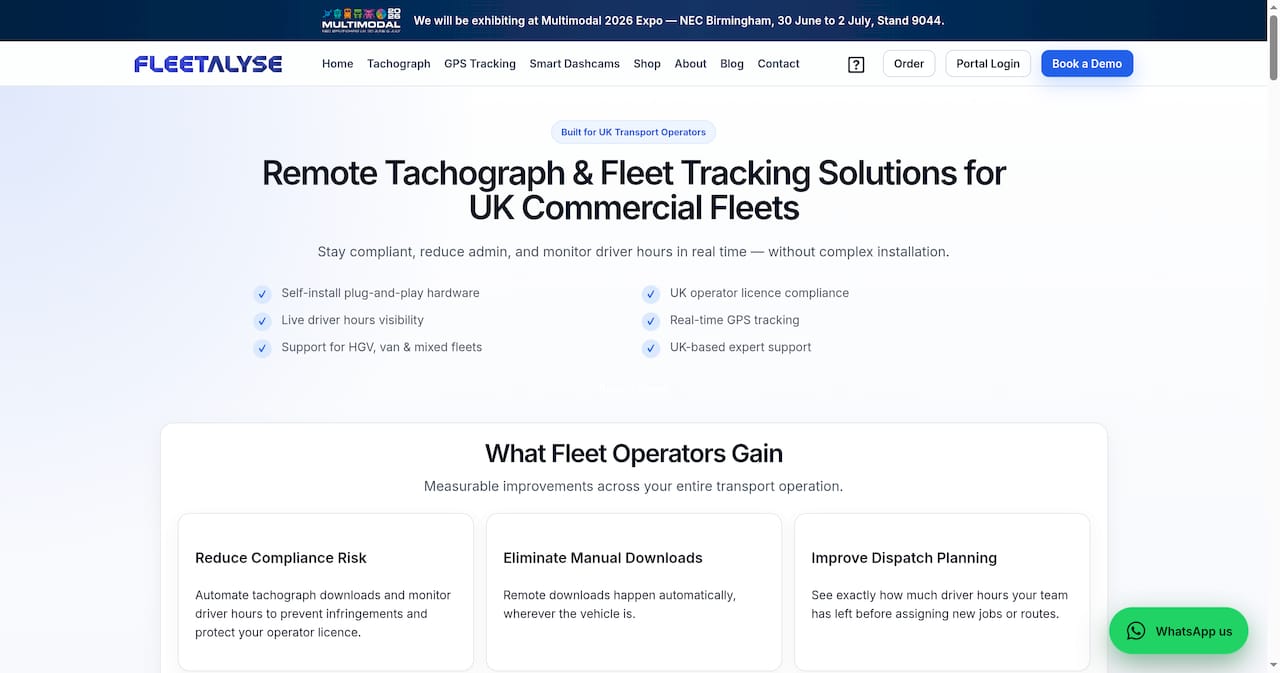
With automated accreditation expiry alerts, a structured asset register for logo placements, and driver behaviour monitoring that generates audit-ready evidence, Fleetalyse reduces the administrative burden of staying FORS-compliant across a mixed fleet. The platform’s fleet analysis tools give compliance managers real-time visibility into vehicle and driver activity, so nothing falls through the gaps between renewal cycles. UK-based support means you get practical help from people who understand the specific demands of FORS accreditation, not a generic helpdesk response. Visit fleetalyse.co.uk to see how the platform fits your fleet, or contact the team to arrange a walkthrough.
Official sources and further reading
The documents below are the authoritative references for FORS logo use. Always verify requirements against these primary sources rather than third-party summaries.
- FORS logo download page: the official starting point for all accredited operators. Contains the dashboard link, download instructions, and a summary of permitted uses. This is where you access your unique, ID-compliant logo files.
- FORS External Design Guidelines (FORS-GUIDELINES-v18.pdf): the definitive reference for do’s and don’ts, clearspace rules, colour specifications, minimum sizes, and correct versus incorrect usage examples. Download and share this with your sign-writer and print supplier.
- FORS design standards published by TfL: the Transport for London design standards document that underpins FORS branding requirements, particularly relevant for operators working on London contracts.
- FORS supplier and supporter manual (PDF): covers the legal and contractual framework for logo use, misuse reporting procedures, IP ownership, and obligations on expiry. Required reading for any operator who has received a misuse notice or is preparing for an audit.
This article provides general guidance on FORS logo usage and compliance obligations. For definitive advice on your specific accreditation status or a formal interpretation of scheme rules, contact the FORS communications team directly or consult the official documentation linked above.