
Apply 15 Working Days Early for Company Tachograph Cards, UK Fleets
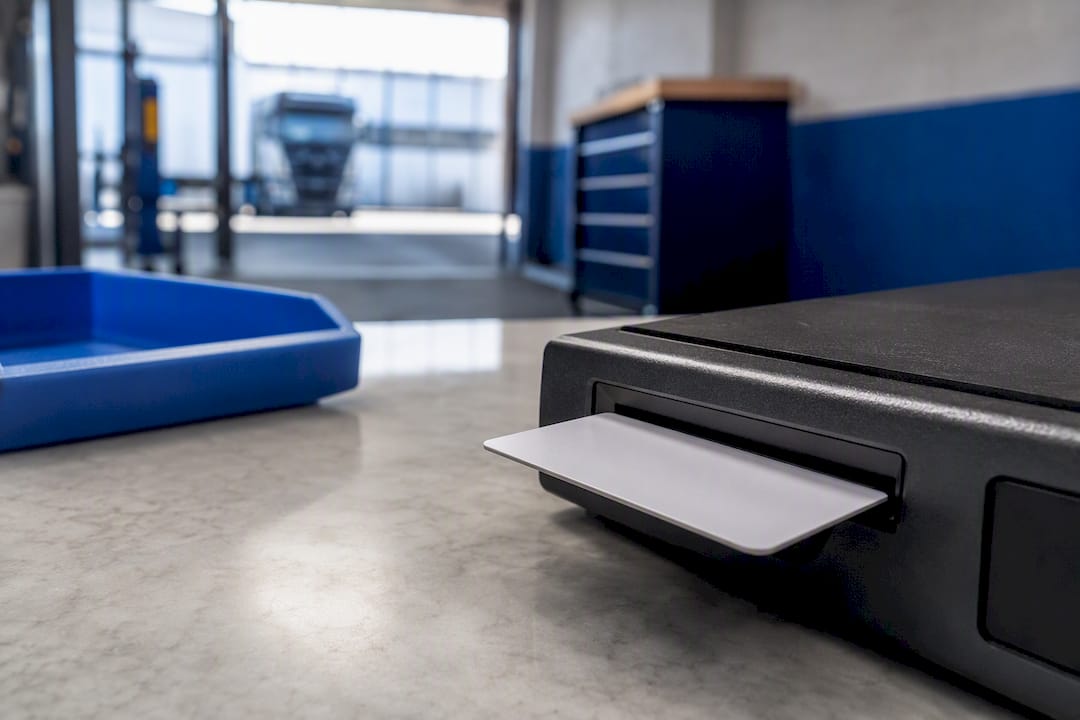
You need a company digital tachograph card to lock vehicle units to your operator and download the data they hold, and DVLA issues, renews and replaces every card through its online service. Cards have a validity period, so the only action worth taking today is checking your expiry date and applying well before it runs out.
TL;DR:
- Renew your company tachograph card at least 15 working days before expiration to avoid delays in data access and compliance issues.
- Lock in vehicle data with your company card before manual downloads or vehicle departure to maintain record integrity and prevent data contamination.
- Consolidate all depots under a single company identifier to streamline downloads, record keeping, and renewal management across multiple locations.
- Use remote download systems to reduce physical card handling, lower the risk of damage or loss, and automate renewal alerts for multiple sites.
- Regularly check and record your card’s expiry and status to ensure continuous compliance and promptly report or replace lost or faulty cards.
Table of Contents
- How to apply, renew or replace a company tachograph card
- Using your company card: locking in, downloading data and who holds it
- Managing the card’s lifecycle: validity, renewal and closing accounts
- Looking after your card: INS169B’s dos and don’ts
- Troubleshooting a faulty, lost or stolen company card
- Cutting manual card handling with automated remote downloads
- A working checklist for operators managing cards across depots
- Reduce card handling with Fleetalyse’s remote download tools
- Sources
How to apply, renew or replace a company tachograph card
DVLA handles every company tachograph card through a single online channel. First applications, additional cards, renewals and replacements all now go through the same digital process, and paper first applications are no longer accepted.
You will need your operator details, a company identifier (if you already hold one), and payment details ready before you start. First-time applicants must register the business and confirm who is authorised to act on the company’s behalf; renewals and replacements simply reference the existing card number and identifier.
- Go to the GOV.UK service and select whether you’re applying for a first card, an additional card, a renewal or a replacement.
- Enter your company details, including trading name, address and operator licence reference where applicable.
- Confirm card quantity. DVLA expects a justified number of cards per company, so state clearly how many depots or vehicle units need coverage rather than over-ordering.
- Submit and pay online. Applications are processed digitally, and DVLA notifies you once the card is issued.
- Contact the Digital Tachograph Team on 0300 300 2079 (Monday to Friday, 8am to 5pm) if your application stalls or you need to query documentation requirements.
Renewals follow the same route but move faster once DVLA already holds your company record, which is one reason consolidating everything under a single identifier pays off later.
Using your company card: locking in, downloading data and who holds it
The card’s job is administrative, not operational. It authorises your business to interact with a vehicle unit; it does not let anyone drive, and DVSA guidance is explicit that company cards carry no driving authorisation whatsoever.
Two actions define daily use:
- Lock in at the start of a vehicle’s association with your operator, which stops rival companies pulling data from a unit that isn’t theirs.
- Lock out when a vehicle leaves your fleet or before a manual data download, protecting the integrity of the record you’re about to extract.
Manual downloads use a handheld device or laptop connected to the vehicle unit, with the company card inserted to prove you’re entitled to the data. Many operators now skip this step entirely through remote download systems that pull vehicle unit data over a mobile connection instead, though the card itself remains the legal authorisation behind either method.
If you run several vehicles under one operating name, use a single company identifier rather than juggling separate cards per depot. It keeps your download history in one place and avoids the confusion of matching cards to sites months later.
Pro Tip: Lock out before every manual download, not just at the end of a vehicle’s life with your fleet. An unlocked unit can let another operator’s card pull partial data, muddying your own compliance record.
Managing the card’s lifecycle: validity, renewal and closing accounts
A company card lasts five years, and DVLA typically sends a renewal reminder up to 90 days before expiry. Don’t rely on that reminder as your only trigger; postal delays and inbox filters happen.
- Diarise your renewal date the day the card arrives, not when the reminder lands.
- Apply at least 15 working days before expiry. Miss this window and you lose the ability to lock in, lock out or download data until the new card arrives, which stalls compliance checks and, potentially, your Operator’s Licence record-keeping.
- Update DVLA immediately if your company name or address changes, since a mismatch between your card details and your licence record can complicate audits.
- Return the card to DVLA if you cease trading. INS169B sets out the return address and process, and leaving an active card unreturned is a loose end auditors notice.
Looking after your card: INS169B’s dos and don’ts
INS169B is blunt about card care because a damaged chip means a locked-out fleet. Keep the card flat, dry and away from magnets, and never bend it to fit a slim wallet.
- Don’t leave the card visible in a cab or office where it could be lifted casually.
- Do restrict card custody to one or two named staff so you always know who’s holding it.
- Do record the card number and expiry date somewhere separate from the card itself.
- Do use a rigid card holder rather than a loose pocket, given the pressure a glovebox or clipboard can put on the chip.
Consolidating everything under one address, as INS169B recommends, also simplifies renewals when you’re managing several depots from a head office.
Troubleshooting a faulty, lost or stolen company card
Before assuming your card has failed, test it in a different vehicle unit. A card that won’t lock in on one VU but works fine on another points to a unit fault, not a card fault, and returning a working card wastes DVLA’s time and yours.
- Check the vehicle unit’s own manual for card-reader error codes first.
- If the card genuinely fails across multiple units, return it to DVLA with a covering letter explaining the symptoms.
- Report lost or stolen cards immediately and apply for a replacement through the same GOV.UK service used for renewals.
- Have your company identifier, existing card number and a description of the fault ready before calling the Digital Tachograph Team.
Cutting manual card handling with automated remote downloads
A company card still has to authorise data extraction, whether that download happens with a handheld reader at the depot or automatically over a mobile network. What automation changes is how often a person has to physically handle the card at all.
Fleetalyse’s remote tachograph downloads pull vehicle unit and driver card data on a schedule, flag renewal dates before they become a problem, and centralise records across every depot under one dashboard.
- Fewer manual downloads means fewer chances to lose, bend or leave a card exposed.
- Renewal alerts remove the reliance on DVLA’s postal reminder as your only backstop.
- Operators running several sites see the biggest gain, since consolidating download data from multiple locations manually is where card administration usually breaks down.
Fleets with a handful of vehicles at one yard may not need this. Fleets juggling several depots and frequent manual downloads generally do.
A working checklist for operators managing cards across depots
Check every company card’s expiry date this week, not next quarter, and consolidate identifiers wherever you’re running more than one under the same business. Name one person as card administrator with clear responsibility for custody and renewal timing. If your team is still driving to depots for manual downloads, weigh whether automated remote downloads would remove that admin load entirely.
— Vytautas
Reduce card handling with Fleetalyse’s remote download tools
Managing physical cards across several depots is where compliance slips: a card left in a cab overnight, a renewal missed because the postal reminder went astray, a download that never happened because the handheld reader was at the wrong site. Fleetalyse’s platform pulls tachograph data remotely, tracks renewal dates automatically, and gives you one dashboard for every vehicle and driver record instead of a filing drawer of card numbers.
Contact Fleetalyse if you’re running multiple vehicles or sites and manual downloads have become a recurring headache rather than an occasional chore. Explore the remote tachograph download service or check the driver behaviour monitoring tools to see how much of your current card administration could run itself.
Sources
- Gov
- Digital tachograph company card information (INS169B)
- Digital tachograph company cards | nidirect
- Apply-company-tachograph-card