
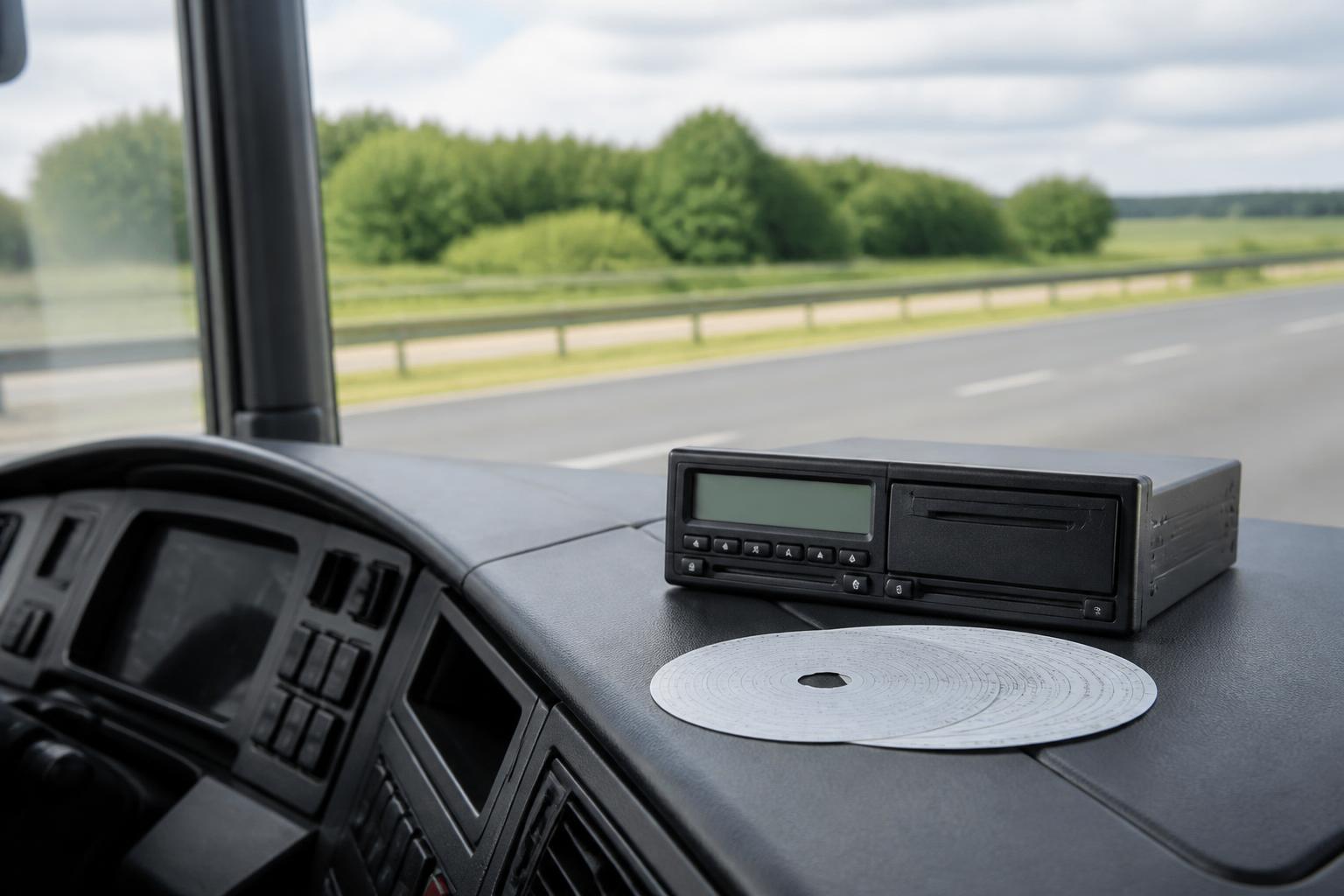
Keeping on top of driver working hours is not just a payroll or HR task. For UK fleet operators, it sits alongside Tachograph rules, daily scheduling, vehicle availability and roadside compliance. If the records do not line up, the problem usually appears somewhere else first, a driver runs out of legal time, a delivery has to be rebooked, or an audit turns into a document chase.
The key point is that driver working hours are not the same as driver hours. Most HGV operators have to manage both at the same time. One set of rules controls driving, rest and breaks for road safety. The other controls working time for mobile workers. Good compliance depends on understanding where those rules overlap, where they differ, and how to see the whole picture across the fleet.
What driver working hours means for UK fleet operators
For UK fleet operators, driver working hours usually means the Road Transport Working Time rules that apply to mobile workers, alongside the separate drivers' hours rules that are recorded through the Tachograph.
These are two different frameworks.
Driver hours rules deal with how long a driver can drive, when they must take driving breaks, and what daily and weekly rest they need. In most HGV operations, these are the familiar EU-derived rules retained in Great Britain, with some GB domestic rules applying in specific cases. In practice, if your vehicles and journeys are in scope for Tachograph use, your drivers are often in scope for drivers' hours rules as well.
Working time rules are different. They look at the total amount of work a mobile worker does, not just driving. That includes loading, unloading, vehicle checks, cleaning, transport-related admin and other duties connected with the service. A driver can be compliant on driving time and still breach working time limits if the wider shift pattern is not controlled.
That distinction matters in planning. A route can fit within legal driving limits but still create a working time issue because of waiting at a customer site, handballing, paperwork or a night schedule. Equally, a driver may have available driving time left but cannot be assigned more work if doing so would take them over the weekly or night work limits.
For operators, the practical lesson is simple. You cannot manage compliance from Tachograph driving data alone. You need visibility of driving, other work, breaks, periods of availability and shift patterns in one place. That is why we focus on one platform for tracking, Tachograph and driver hours, rather than treating each compliance task as a separate admin process.
Which drivers and journeys are covered?
In the UK, the Road Transport Working Time rules generally apply to mobile workers who are part of the crew of a vehicle used for the carriage of goods or passengers by road, where the operation is subject to EU or AETR drivers' hours rules. For most haulage fleets running HGV vehicles in commercial transport, that means the working time rules are usually in scope.
This is why HGV operators should start from the assumption that both sets of rules apply unless a clear exception says otherwise.
Typical in-scope operations include goods vehicles over 3.5 tonnes used for commercial carriage, where the vehicle is fitted with a Tachograph and the journey falls under the retained EU drivers' hours regime in Great Britain or AETR on relevant international journeys. In those cases, the driver is usually a mobile worker for working time purposes as well.
There are, however, areas where operators need to check the detail.
First, not every commercial vehicle operation falls under the same drivers' hours regime. Some journeys may come under GB domestic rules instead of the retained EU rules. When that happens, the working time position may also differ.
Second, there are specific exemptions and derogations from Tachograph and drivers' hours rules. These can depend on vehicle type, use, distance from base, whether the operation is own-account or hire and reward, and the nature of the goods or service. Operators should be especially careful with specialist vehicles, local authority work, agricultural operations, recovery vehicles and mixed-use fleets.
Third, van fleets create confusion. Light commercial vehicles are often outside Tachograph scope, but that does not mean working time can be ignored. General working time and health and safety duties still apply, even where the road transport mobile worker rules do not.
Where the UK differs from the EU generally, the main issue is not that the core road transport working time structure is completely different, but that operators in Great Britain must apply the retained UK version of these rules, alongside UK enforcement practice and any domestic exceptions. Northern Ireland follows a different legal route because of post-Brexit arrangements. If you operate across borders, check which regime applies to the vehicle, route and base.
For mixed fleets, this is where joined-up fleet visibility matters. If some drivers move between in-scope HGV work and other duties, or between vehicle types, your records need to show clearly which rules applied on which days.
The limits that matter in day-to-day planning
For day-to-day planning, there are three working time limits that matter most.
The first is the 48-hour average weekly working time limit. This is averaged over the applicable reference period, usually 17 weeks, although it can be extended to 26 weeks under a workforce or collective agreement. This is not an opt-out system in the way the general Working Time Regulations can be for other sectors. In road transport mobile worker rules, the average matters and must be monitored.
The second is the 60-hour maximum working week. A mobile worker must not work more than 60 hours in any single week, even if the average over the reference period stays below 48. This is the limit that often catches operators during peak demand, holiday cover, breakdown disruption or seasonal spikes.
The third is the night work limit. If a driver does night work, working time must not exceed 10 hours in any 24-hour period, unless there is a relevant workforce agreement that allows otherwise. For transport operations, "night time" is defined in the regulations, and a worker counts as doing night work if they work during that period. Operators need to know exactly how night time is defined in their case and how their agreements are set up.
These limits affect more than legal compliance. They shape resourcing.
A planner may see a route as operationally possible because the vehicle is available and the driver has driving time left. But if that driver is already close to 60 working hours for the week, or is in a night work pattern, the job may need to move to another driver. Without that visibility, the issue is found too late, usually by a transport office phone call, a manual check or a driver saying they cannot legally continue.
This is also why spreadsheets tend to fail as fleets grow. Weekly averages, single-week peaks, night work exposure and mixed duties are hard to track accurately when data comes from separate Tachograph downloads, time sheets and vehicle schedules. We see the best results when operators use live fleet status, automated Tachograph collection and clear exception reporting to spot risk before the shift is built.
What counts as working time, breaks and availability?
Working time includes more than driving. For mobile workers, it generally covers the time from the start to the end of work during which the worker is at their workstation, at the employer's disposal and exercising their functions.
In practice, that usually includes:
- driving
- loading and unloading
- supervising loading or unloading
- vehicle safety checks and defect reporting
- cleaning and technical maintenance linked to the trip
- transport-related paperwork and admin
- time spent waiting where the likely duration is not known in advance
- any other work for the same or another employer
That last point matters for payroll and declarations. If a driver works for more than one employer, the total working time across those roles counts for compliance. Operators need a process for collecting that information.
A break is not working time. To count as a break, the driver must be able to use the time freely, with no requirement to carry out work. Working time break rules are separate from drivers' hours break rules, even though the same period can sometimes satisfy both if it is recorded and taken correctly.
Periods of availability are also not working time, but they are not the same as breaks. A period of availability is usually time when the worker is not required to remain at their workstation but must be available to answer calls to start or resume work, and the expected duration is known in advance. Common examples include waiting at a ferry, waiting with a known slot time, or travelling as a second crew member when not actively working.
This is where record quality becomes important. If waiting time is genuinely known in advance, it may be a period of availability. If the driver is simply delayed with no known duration, it is more likely to count as working time. The classification affects compliance calculations and can affect payroll checks too.
Operators should make sure drivers understand the difference between:
- other work
- break
- period of availability
- rest
If those categories are used inconsistently, the Tachograph record may still exist, but the working time calculation behind it can be wrong. Clear driver briefings, standard depot processes and regular exception reviews are much more effective than trying to reconstruct the day afterwards.
What records must operators keep?
Operators need records that show compliance with working time rules, not just driving time rules. In practice, that means keeping enough information to demonstrate total working time, breaks, periods of availability and the basis of the calculations.
Tachograph data is a major part of that record, but it is not the whole record.
For in-scope HGV fleets, the Tachograph provides evidence of driving, other work, availability, breaks and rest, provided the mode is used correctly. Remote downloads make this easier to maintain consistently, especially where vehicles are away from base for long periods.
But operators often need supporting records as well, such as:
- duty rosters and shift schedules
- time sheets or clocking records
- records of other employment or agency work
- manual entries and explanations for missing data
- records showing how weekly working time averages are calculated
- any workforce agreements affecting night work or reference periods
Records should be retained for at least two years for working time purposes. They also need to be usable. In an audit, DVSA investigation or internal compliance review, a stack of disconnected files is not much help if nobody can quickly show what a driver actually did over the relevant period.
Joined-up reporting matters because enforcement questions rarely stay in one lane. A roadside stop may begin with driver hours, then move into missing records, mode errors, undeclared other work or scheduling practices. An incident review may start with a safety event and then examine shift length, night work and whether the driver had been under pressure for several weeks.
This is where a single system has a practical advantage. If vehicle movement, Tachograph activity and driver reporting sit together, it is much easier to validate whether the record makes sense. A vehicle shown by GPS as active at a customer site while the driver record shows break time is a prompt to investigate. So is a long shift with no matching movement, which may point to yard duties or missing entries rather than a transport issue alone.
How to manage driver working hours without spreadsheets
The most reliable way to manage driver working hours is to build one workflow for compliance and operations, instead of trying to reconcile separate tools at the end of the week.
A practical setup looks like this.
Start with live vehicle and driver visibility. GPS tracking shows where the fleet is, how jobs are progressing and whether delays are likely to push a shift beyond plan. If a vehicle is still on site late in the day, the transport office can check the likely effect on both driver hours and working time before the problem becomes a breach.
Add remote Tachograph downloads so driver and vehicle files are collected automatically and on time. That reduces missed downloads and gives the office current activity data without waiting for the vehicle to return. For fleets comparing hardware options, our tracking and compliance options for commercial fleets are built around that joined-up view, whether you start with Fleetalyse-ready trackers or deploy unlocked Teltonika devices.
Then use exception reporting, not just raw data. Planners and transport managers do not need another spreadsheet full of timestamps. They need alerts for approaching weekly working time limits, repeated night work exposure, missing driver card data, mode misuse and vehicles whose live activity does not match the expected record.
Next, bring in safety context. If a driver is repeatedly working close to limits, harsh events or fatigue-related concerns may start to appear as well. Connected Smart dashcams for driver behaviour visibility can add useful context to operational reviews, especially where the issue is not a single infringement but an emerging pattern of pressure, distraction or rushed driving.
A simple operating workflow usually includes:
- Daily check of live fleet status and active shifts.
- Review of drivers approaching legal or internal thresholds.
- Automated Tachograph downloads to keep records current.
- Investigation of exceptions, including unknown waiting time, missing entries and night work exposure.
- Weekly review of working time totals and rolling averages.
- Follow-up with payroll and transport admin where records of other work or availability need confirming.
- Management reporting that shows trends by driver, depot, customer or route pattern.
This is where Fleet insight matters. When planning, tracking and compliance data sit together, the office can make earlier decisions. Reassign a job. Swap a trailer. Delay a non-urgent run. Move a night trunk to another driver. Those are operational decisions, but they depend on compliance visibility.
With Fleetalyse, operators can combine GPS, Tachograph downloads, connected cameras and reporting in one platform instead of juggling separate logins and manual exports. That matters for HGV fleets, but also for mixed operations where vans, trailers and other assets affect the same delivery plan.
Behind the scenes, details such as IoT SIMs, CAN data, mapping through OpenStreetMap, and hardware choices including Teltonika all support that visibility, but the day-to-day benefit is simpler. Fewer blind spots, fewer manual checks, and a clearer view of which shifts are drifting towards risk.
If you are still relying on spreadsheets to track working time, the first improvement is not a more complicated spreadsheet. It is a process that captures the data once, links it to the vehicle and driver, and shows exceptions while there is still time to act. That is how we help operators keep driver working hours under control without adding more admin than the compliance task already demands.
Are driver working hours the same as driver hours?
No. Driver working hours cover working time rules, while driver hours cover driving limits and rest requirements. Many UK transport operations must manage both at the same time.
What is the weekly limit for driver working hours?
For most mobile workers, working time must average no more than 48 hours a week, usually over the relevant reference period, with a maximum of 60 hours in any single week.
Does loading and vehicle checks count as working time?
Yes, in most cases. Duties such as loading, unloading, walkaround checks, cleaning, paperwork and other job-related tasks usually count as working time.
Do breaks under working time rules replace Tachograph breaks?
No. Operators need to check both sets of rules. A break that helps with one requirement does not automatically mean every other legal requirement has been met.
How long should working time records be kept?
Operators should keep working time records for the required retention period and make sure they can be produced if requested. A clear digital record is easier to review than separate spreadsheets.