
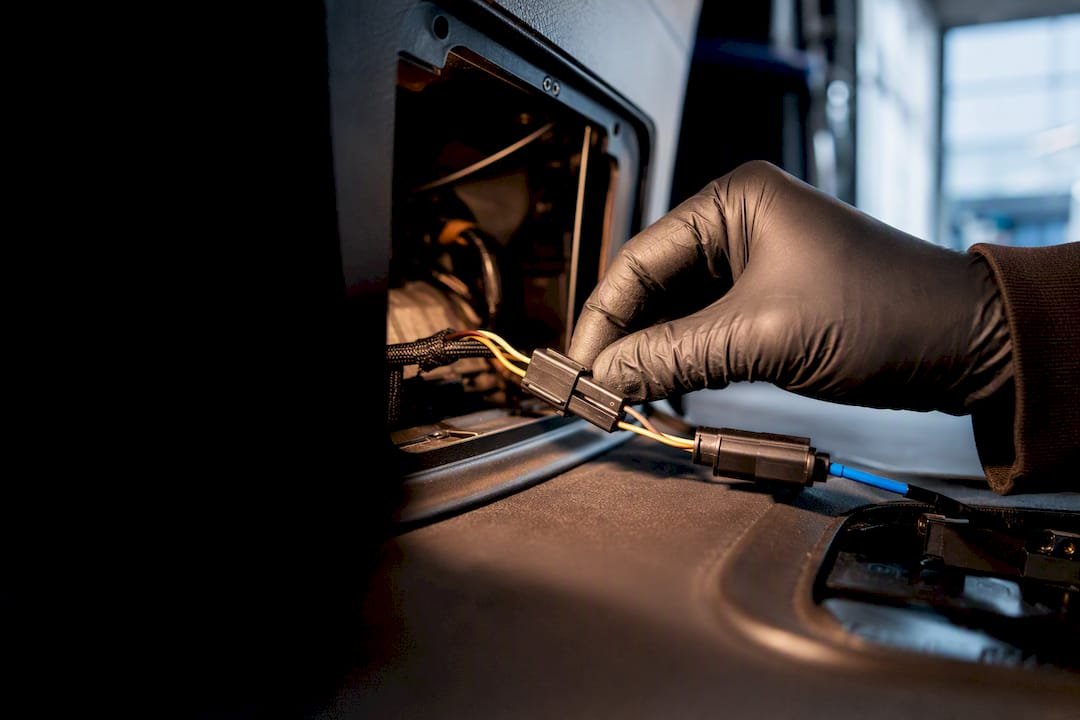
6 Procurement Checks for Mixed Fleet CAN Bus Telematics (UK Fleets)
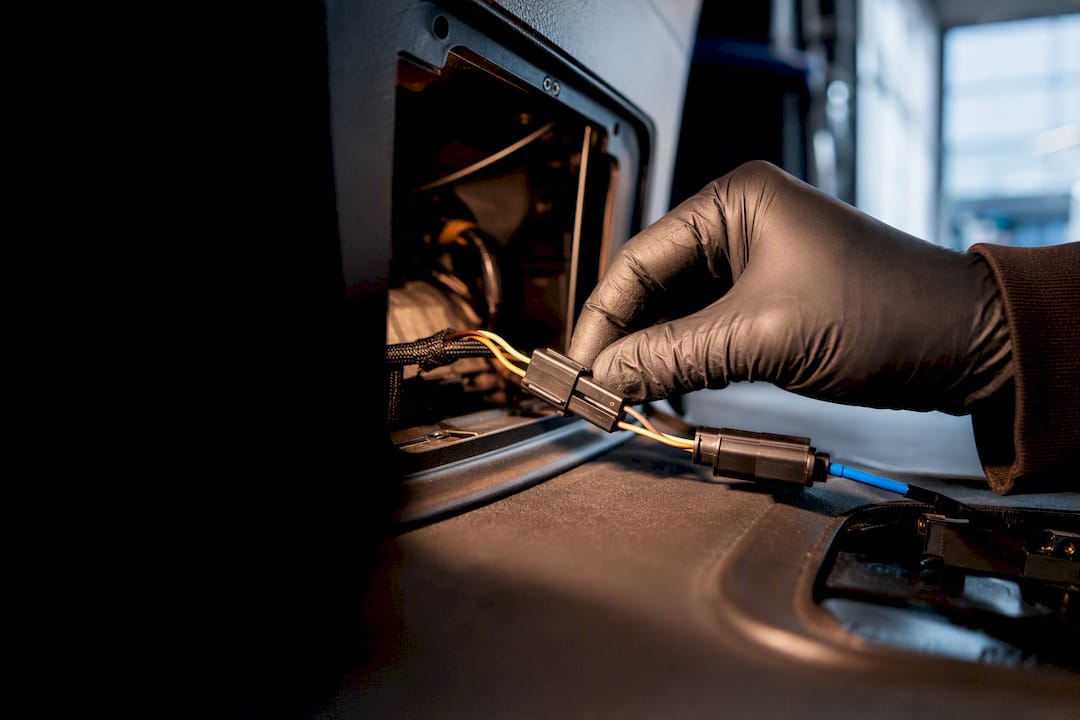
CAN bus telematics reads a vehicle’s own internal messages, engine faults, fuel rate, RPM, idling and more, straight from the wiring already fitted at the factory. For fleet operators, that translates into fewer roadside breakdowns, sharper fuel benchmarking and driver coaching based on real behaviour, not guesswork. The rest of this guide explains how the signals get captured, decoded and turned into something you can act on.
TL;DR:
- CAN bus telematics can provide critical signals such as fuel rate, engine load, speed, idling time, and fault codes, which support predictive maintenance and driver coaching.
- Accurate data decoding relies on using vehicle-specific DBC files, especially in mixed fleets with diverse models and manufacturer standards like J1939 and OBD-II.
- Proper installation requires correct termination, grounding, and error-frame monitoring; high error counts indicate wiring faults that compromise data integrity.
- Security measures like encrypted uploads and signed firmware are essential, but physical access to bus wiring poses the primary risk of data injection or interception.
- A detailed procurement checklist should specify signals needed, DBC coverage, data export options, ownership rights, security SLAs, and an initial vehicle test to avoid costly later adjustments.
Table of Contents
- What is CAN bus and how does it feed telematics systems?
- Which vehicle signals can telematics read from CAN?
- How do telematics devices connect to and log CAN data?
- Why do you need DBC files to decode CAN bus data?
- Is CAN bus telematics secure, and what are the data-privacy risks?
- What should a CAN bus telematics procurement checklist include?
- Why integrated telematics cuts admin, not just breakdowns
- See what integrated CAN bus telematics looks like in practice
- Sources
What is CAN bus and how does it feed telematics systems?
The Controller Area Network is the wiring standard that lets a vehicle’s electronic control units talk to each other without a mile of dedicated cabling for every sensor. A modern HGV or van can carry anywhere from a dozen to well over sixty ECUs, covering everything from the engine and transmission to the tachograph and dashboard cluster, all sharing the same two wires. Instead of each unit getting its own line, messages are broadcast onto the bus with a priority identifier, and an arbitration process decides which message wins when two try to transmit at once. Lower identifiers win, which is why safety-critical signals are usually assigned the lowest numbers.
CAN-FD (Flexible Data-rate) is the newer variant, carrying more data per frame at higher speeds, and it’s increasingly common on newer commercial vehicles alongside classic CAN. For fleet purposes, the distinction matters mainly when specifying hardware: a device built only for classic CAN can miss frames on a CAN-FD network.
This is what separates CAN bus monitoring from a plain GPS tracker. Location tells you where a vehicle is; CAN tells you what’s happening inside it, engine load, fault codes, fuel consumption, whether the alternator is charging correctly. Two standards dominate how those messages are structured: J1939, used almost universally across heavy commercial vehicles, and OBD-II, the standard fitted to light vehicles and cars. Knowing which one applies to a given asset determines what a telematics device can realistically extract, and it’s the first question worth asking before you buy anything.
Which vehicle signals can telematics read from CAN?
Once a device is wired into the bus, the range of signals available is wider than most operators expect. The core set that turns up in almost every mixed-fleet deployment includes:
- Fuel rate — instantaneous consumption, useful for building per-route or per-driver fuel benchmarks
- Engine RPM and load — flags over-revving, poor gear selection or excessive idling
- Vehicle speed — cross-checked against GPS for a more reliable reading on hills or in tunnels
- Idling time — a direct cost signal, since idling burns fuel with zero productive output
- Engine hours — the true measure of wear, more accurate than mileage for scheduling servicing
- Diagnostic trouble codes (DTCs) — early warnings before a fault becomes a breakdown
- Coolant temperature — an overheating trend often precedes a costly failure
- Battery/charging state — catches a failing alternator before it strands a driver
Each signal maps onto a specific operational job. DTCs and coolant temperature feed predictive maintenance, letting you schedule a garage visit before a component fails on the road rather than after. Fuel rate and idling data build the benchmarks used to compare drivers or routes, and the same figures can feed into emissions and journey reporting where operators need to demonstrate efficiency gains. RPM and speed patterns, combined with harsh braking or acceleration events where the platform supports them, form the backbone of driver behaviour scoring.
There are limits worth knowing before you set expectations internally. Not every signal is captured at the same resolution: some platforms sample fuel rate several times a second, others aggregate it into a per-trip average, which is fine for a fuel league table but useless for diagnosing a specific event. Ask any prospective provider exactly what sample rate and aggregation level you’re getting for each signal, because “we read fuel data” can mean very different things.
How do telematics devices connect to and log CAN data?
Hardware options split broadly into three categories, and the right one depends on the vehicle and how much control you need over data quality.
- OBD2 plug-and-play devices are the fastest to fit, simply plugging into the diagnostic port with no wiring skills required, but they’re generally limited to standard OBD-II PIDs and less suited to HGVs running J1939 at full depth.
- Hardwired harness devices connect directly into the CAN lines, usually behind the dashboard or at the ECU, giving access to a fuller signal set and manufacturer-specific parameters, at the cost of a proper installation.
- SD card loggers with cellular upload sit somewhere in between, recording continuously to local storage while pushing summarised data over the mobile network, useful where connectivity is patchy or where you want a complete raw archive for later analysis.
A device like the CANedge3 illustrates the hardwired end of that spectrum well: two CAN/LIN channels, SD storage alongside 3G/4G upload, and built-in GNSS/IMU so location and motion data land alongside the engine signals in one file. It ships with J1939 and NMEA DBC files pre-loaded, which removes a chunk of the decoding work covered in the next section.
Upload strategy matters as much as the hardware itself. Batch upload via SD card is cheap and simple but means data arrives late, sometimes days late if nobody swaps the card. Real-time cellular push gets alerts to you as events happen, which is what predictive maintenance actually needs, but it costs more in data and requires stable coverage. A hybrid approach, filtering at the device and only pushing the signals that matter over the network, tends to strike the best balance for larger mixed fleets.
Installation constraints are where good intentions go wrong. Every CAN network needs correct termination, and a missing or wrong-value 120 ohm resistor causes signal reflections and persistent errors that can look like an intermittent fault for months. Grounding needs to be solid and shared correctly with the vehicle chassis, and on HGVs and trailers, physical access to the right connector often means routing through cramped areas behind trim panels or under the cab.
Pro Tip: Before signing off any installation, ask the fitter to pull an error-frame count from the bus. A handful is normal noise; a high, climbing count almost always points to a termination or grounding fault that will cause data gaps later.
Why do you need DBC files to decode CAN bus data?
Raw CAN frames arrive as strings of hexadecimal numbers with no inherent meaning; a DBC file is what translates that hex into engineering units like litres per hour or degrees Celsius. Without one, the frames stay unreadable, and this single fact explains more telematics integration failures than any hardware issue.
The complication is that CAN isn’t one uniform language, even within a single manufacturer. J1939 standardises parameter groups across heavy commercial vehicles reasonably well, and OBD-II does the same for light vehicles and cars, but manufacturers routinely layer proprietary signals on top for anything beyond the basics, transmission specifics, body control functions, trailer-specific parameters. A DBC file built for one engine model can be entirely wrong for another from the same manufacturer two years later.
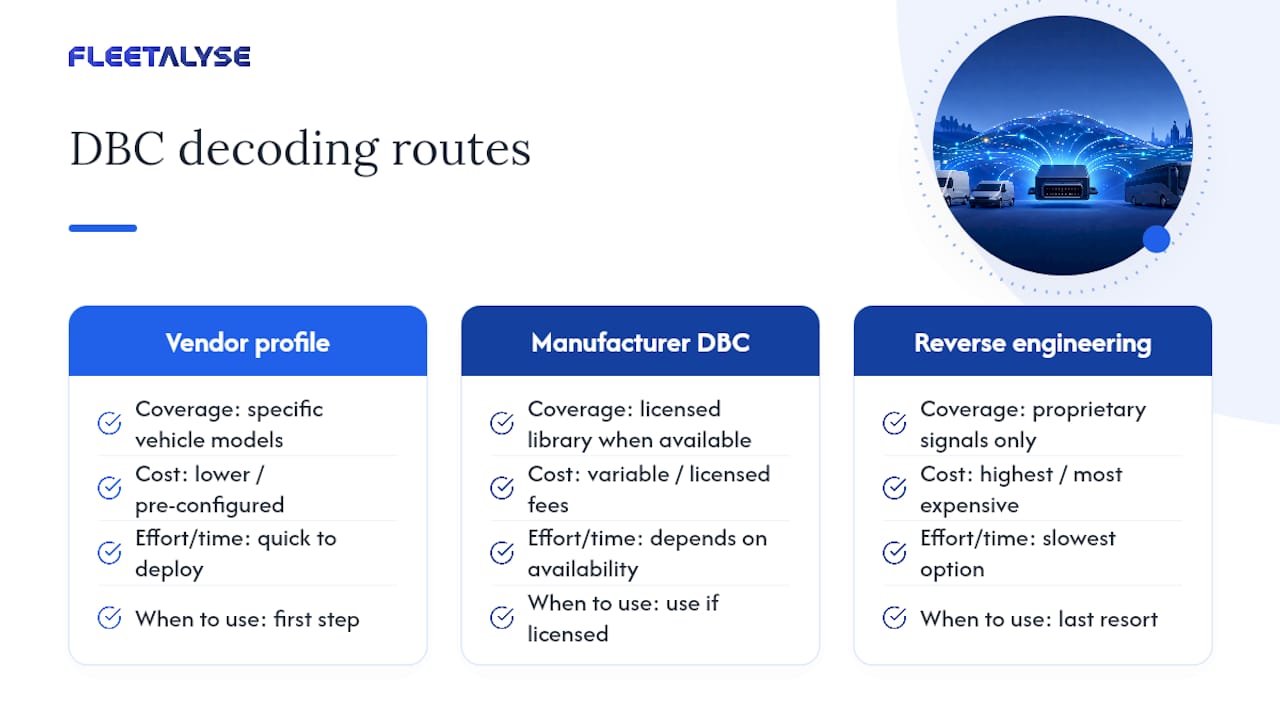
For a mixed fleet running HGVs, vans and trailers from several manufacturers, this is the crux of the whole exercise. Three practical routes exist: use a vendor’s pre-configured profile that already covers your specific vehicle models, source a manufacturer DBC library directly where one is licensed and available, or commission reverse engineering for anything genuinely proprietary, which is the slowest and most expensive option and should be a last resort rather than a first step. Open tools such as CANgaroo are useful for engineers who want to inspect and verify decoded signals on a bench before trusting them in production.
Is CAN bus telematics secure, and what are the data-privacy risks?
CAN was designed in the 1980s for reliability inside a closed vehicle network, not for security against outside interference, and it has no native authentication built into the protocol itself. Any device with physical access to the bus can, in principle, read or inject messages. That’s rarely the weak point in a fleet telematics deployment, but the upload chain from device to cloud is exactly where operators should apply scrutiny.
The standard mitigations are well established rather than exotic:
- Encrypted upload (TLS/HTTPS) so data can’t be intercepted in transit
- Signed firmware updates, preventing a compromised update from being pushed to a device fleet-wide
- Access control at the platform and API layer, restricting who can view or export driver-linked data
- Physical security of the device itself, since a device left accessible in an unlocked cab is a softer target than the protocol
Data protection adds a second layer of obligation. The moment telemetry is tied to an identifiable driver, whether through a driver ID card, a linked employee record, or simply a vehicle assigned to one person, it becomes personal data under GDPR, and that brings retention limits, access rights and a lawful basis for processing into scope. Operators need a clear retention policy for CAN-derived driver data, not an indefinite archive kept “just in case”.
Operational reliability deserves equal attention, because a security-hardened system that produces bad data is no safer in practice. A persistently rising error-frame count is the single clearest early warning sign of a wiring problem, usually incorrect termination or a poor ground connection, and it tends to show up as intermittent signal dropouts long before anyone notices a pattern. Left unresolved, that shows up downstream as gaps in maintenance alerts or fuel figures that quietly stop making sense, exactly when you need them to be reliable. Roadworthiness obligations under gov.uk’s maintenance guidance don’t disappear because a sensor feed went quiet, so treat data integrity as a compliance issue, not just a technical nuisance.
What should a CAN bus telematics procurement checklist include?
Specifying a system properly before you sign a contract saves far more time than fixing it afterwards. Work through this in order:
- List the exact signals you need, by vehicle type, not just in general terms. Fuel rate and DTCs might be non-negotiable for HGVs; idling and speed might matter more for a van fleet doing multi-drop deliveries.
- Confirm DBC coverage for your specific models, not just “J1939 support” as a blanket claim. Ask for a signal list against your actual vehicle make, model and engine year.
- Check API and data export options. If the platform can’t export raw or decoded data on request, you’re locked into whatever dashboard it ships with today.
- Establish data ownership in writing. Confirm the fleet, not the vendor, owns the historical data, and that it stays accessible if you switch providers.
- Ask about the security SLA. Encrypted upload, signed firmware and retention policy should all be documented, not just implied.
- Get the installation plan in writing, including who handles termination checks, warranty terms on the hardware, and escalation contact if a device starts throwing errors.
The questions worth putting directly to any installer or provider: which vehicle models have you fitted this to before, what happens if a signal isn’t in your standard DBC library, what’s the warranty on the harness and the unit separately, and who do I call at 6am if a device fails on a live route.
Watch for three red flags. Vendor lock-in through proprietary file formats with no export path, vague answers about DBC coverage for your specific fleet mix, and security practices that sound improvised rather than documented, are all signs the relationship will cost you more later than it saves now.
Pro Tip: Ask for a signal-by-signal test on one vehicle from each make and model in your fleet before committing to a fleet-wide rollout. A provider confident in their DBC coverage will do this without hesitation; one that hesitates is telling you something.
Why integrated telematics cuts admin, not just breakdowns
The technical case for CAN bus telematics is easy to make. The harder, less discussed question is whether reading all this data actually reduces the workload on a fleet office, and that’s where most of the real return sits.
Automated processes, tachograph downloads pulled remotely rather than chased down in person, driver hours flagged automatically instead of checked manually against paper records, matter more day to day than any single dashboard chart. That’s admin time given back to people who’d rather be managing the fleet than compiling spreadsheets.
Mixed-fleet DBC support isn’t a nice-to-have either. Any operator running HGVs, vans and trailers from different manufacturers already knows how quickly “one platform for everything” breaks down when the DBC coverage doesn’t stretch to every model on the yard. And when something does go wrong, at 6am on a Tuesday, UK-based support that understands DVSA obligations, not a generic helpdesk reading from a script, is what actually gets a vehicle back on the road. Worth reading the broader case for integrated telematics if you want the operational argument in full.
— Vytautas
See what integrated CAN bus telematics looks like in practice
The platform is designed for operators managing mixed fleets of HGVs, vans and trailers, where mixed-brand DBC coverage and UK compliance rules are important. Rather than bolting CAN data onto a tracking app as an afterthought, the platform pairs driver behaviour monitoring with remote tachograph downloads and fleet analytics that turn engine, fuel and fault-code signals into something a compliance manager can actually act on, without the manual chasing that eats an office’s week.
If you’re specifying hardware, the range of compatible GPS trackers gives you a straightforward starting point without a long-term lock-in on kit. UK-based support is available to address questions about DVSA requirements or Operator Licence obligations. Explore the fleet analysis platform or get in touch to talk through what your specific vehicle mix needs before you commit to anything.
Sources
- CANedge3: 2x CAN Bus Data Logger (SD + 3G/4G + GPS/IMU) — CSS Electronics
- SAE J1939 — Wikipedia
- CAN newsletter engineering overview