
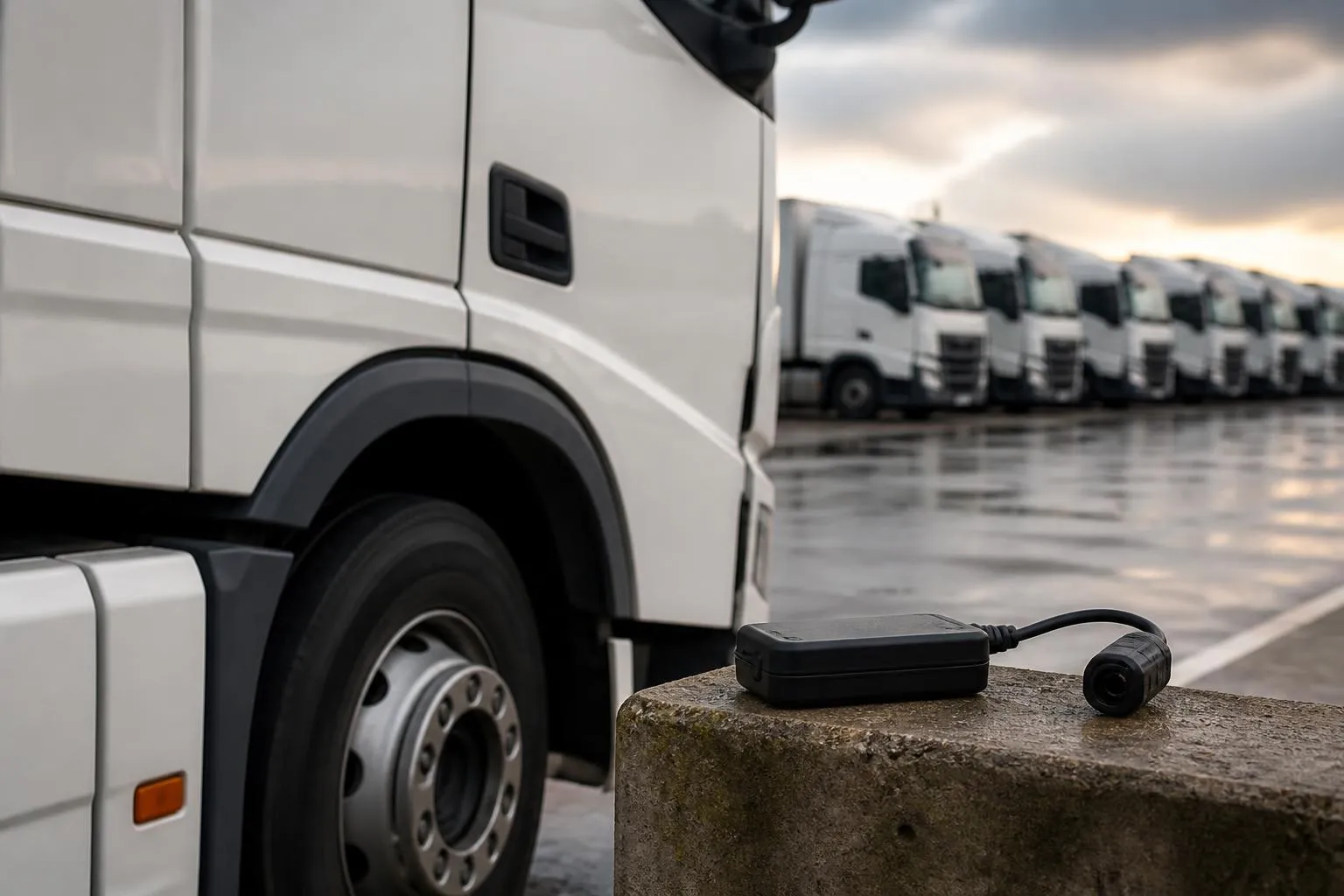
Buying HGV fleet software is not really about maps, dashboards or a longer feature list. For a UK operator, the real test is whether the system reduces compliance blind spots in the middle of a working week. Can it show which vehicles are active, which drivers are close to a limit, which downloads are due, which defects are unresolved, and who needs chasing before a problem turns into a prohibition, missed delivery or DVSA question.
That is why buyers looking at HGV fleet software with compliance reporting should focus less on generic fleet tech language and more on operational control. The best systems do not just store data. They help a transport office see risk early, act on exceptions and cut the admin that comes from switching between separate tracking, Tachograph, camera and reporting tools.
What UK operators should expect from HGV fleet software
At a basic level, UK operators should expect live GPS tracking, vehicle and driver visibility, historical journey data and standard reporting. For HGV work, that is only the starting point. A transport operation also needs software that reflects UK compliance routines, especially around driver hours, Tachograph management, vehicle checks and audit trails.
A credible platform should let an operator see:
- live vehicle location and status
- driver identification where available
- route history and stop times
- remote Tachograph downloads for vehicle units and driver cards
- alerts for missing or overdue downloads
- exception reporting on driver hours and working patterns
- vehicle and driver records in one place
- reporting that can be exported and shared internally
- access controls for transport managers, office staff and other users
In the UK, that matters because road transport compliance is not just about proving what happened after the event. Operators need to demonstrate effective systems and management control. If a driver card download is overdue, if a vehicle unit has not been captured on time, or if repeated hours issues are being missed, the weakness is often not a lack of data. It is that the data sits in too many places and no one sees the pattern soon enough.
For that reason, software for HGV fleets should support routine transport office workflows, not just fleet visibility. A planner may care about where the vehicle is. A transport manager may care about whether the driver can legally complete the next leg. A compliance lead may care about whether records are complete and whether exceptions are being reviewed. One platform should serve all three jobs.
UK buyers should also expect support for mixed fleets. Many operators do not run only artics or rigids. They may have vans, trailers, plant, support vehicles or subcontracted assets alongside the HGV operation. Separate systems for each vehicle type often create more manual reconciliation, not less. A platform that can handle HGV and broader commercial fleet requirements is usually more practical than one built around a narrow use case.
Hardware flexibility matters too. Some operators want a managed rollout with supplied devices. Others want to use existing equipment, especially where they already standardise on Teltonika or need a staged installation plan. Being able to start with Fleetalyse-ready trackers, use unlocked Teltonika hardware, and build around operational needs is often more useful than being forced into one rigid device package.
Finally, UK operators should expect the supplier to understand real buying behaviour. Most fleets do not shortlist software from a feature matrix alone. They look at how quickly the office can use it, what blind spots it removes, and whether it cuts spreadsheet work. That is covered well in how fleet teams actually narrow down tracking options.
How compliance reporting differs between platforms
Many systems claim to include compliance reporting. In practice, that can mean very different things.
The most basic level is static reporting. This usually gives you scheduled or on demand reports showing events that have already happened. For example:
- vehicle activity reports
- journey summaries
- download status lists
- driver hours summaries
- overspeed or idling reports
- simple maintenance due lists
These reports are useful, but they rely on someone remembering to run them, read them and interpret them. In a busy office, that often means issues are picked up late. A weekly report may tell you that a driver card was not downloaded on time, but by then the breach in process has already happened.
The next level is exception reporting. This is more useful operationally because it highlights what needs attention, not just what exists in the data. Instead of reading ten pages of normal activity, the office sees the handful of vehicles or drivers that fall outside expected rules. A good exception report might flag:
- overdue vehicle unit downloads
- overdue driver card downloads
- repeated infringements or patterns that need review
- missing driver assignment
- vehicles with unusual inactivity or unexpected movement
- unresolved defects or checks
- assets not reporting as expected
This is where software starts to reduce blind spots. The office no longer has to search manually for risk. The system surfaces it.
The best platforms go one step further and add workflow. That means the software does not stop at showing an issue. It helps the operator deal with it. For example, if a download is overdue, the system should let the user see who is affected, assign follow up, record action, and confirm when the issue is cleared. If a driver hours concern appears, the office should be able to review it against live vehicle movement, discuss it with the planner, and keep a record of intervention.
That distinction matters. Reports tell you something happened. Exceptions tell you something needs attention. Workflows help you prove you managed it.
For UK operators, this is especially important when dealing with audits, internal reviews or customer standards. A spreadsheet showing a problem is weaker than a system record showing the issue, who reviewed it, what was done, and when it was resolved. Good software creates that management trail naturally.
It is also worth checking how configurable reports are. Some systems have attractive dashboards but little depth once you need to filter by depot, customer contract, fleet group or vehicle type. Others can export data but make it awkward to use. Practical reporting should let an operator sort by the way the business actually runs, not by a fixed software structure.
If a supplier talks about compliance reporting, ask to see three things live. First, how overdue items are identified. Second, how exceptions are prioritised. Third, how actions are recorded. That will tell you far more than a brochure description.
Why combining GPS and Tachograph data changes daily fleet control
On their own, GPS and Tachograph data each solve part of the problem. GPS shows where the vehicle is and where it has been. Tachograph data shows regulated driving activity and driver hours. When those data sets are brought together properly, daily control improves because the office can see movement, utilisation and legal driving position in context.
This changes decisions in real time.
Take a simple example. A vehicle is delayed on route. GPS shows location, dwell time and revised ETA. Useful, but incomplete. If the planner also sees the relevant driver hours position, they can judge whether the same driver can complete the work, whether a swap is needed, or whether the job should be reallocated before the issue becomes critical.
The same applies to depot departures, customer waiting time, route deviations and unplanned stops. GPS tells you what the vehicle did. Tachograph records help explain whether the driver was available, on break, driving, or nearing a legal limit. Joined up data gives a truer picture of both service risk and compliance risk.
For the transport office, the operational gains usually include:
- better visibility of which drivers can still complete assigned work
- fewer last minute assumptions about available driving time
- clearer review of route delays against legal hours position
- easier investigation of utilisation and non productive time
- stronger evidence when discussing planning issues internally
This joined up view is particularly useful in mixed operations where some vehicles are tightly scheduled and others are less time critical. Without integrated data, planners and compliance staff often work from different systems and different assumptions. One may be looking at a live map, another at a Tachograph portal, and a third at a spreadsheet. That slows decisions and creates room for error.
There is also a practical benefit in record accuracy. When vehicle movement, driver activity and reporting all sit together, it becomes easier to spot anomalies. Missing driver data, unexplained mileage, vehicles moving outside expected patterns, or downloads that do not line up with operational reality are easier to challenge quickly.
For UK operators, that is more relevant than broad pan-European claims about mobility platforms or telematics ecosystems. The day to day need is simpler. You need to know where the vehicle is, what the driver has done, what they can still do legally, and whether the records are complete.
This is where Fleet insight matters. A system that combines live mapping, remote downloads and transport reporting makes it easier to move from raw information to practical control. Mapping based on OpenStreetMap, supported by data from installed devices and Tachograph records, is not just a visual extra. It becomes part of how the office interprets legal and operational status together.
Questions to ask when comparing all-in-one and separate systems
Some operators prefer specialist tools for each task. One provider for tracking, another for Tachograph analysis, another for cameras, another for asset tracking. In some businesses that can work, especially where strong internal processes already exist. But in many transport offices, every extra system adds more logins, more exports, more duplicated records and more room for missed action.
When comparing an all-in-one platform with a stack of separate tools, ask practical questions.
How many places will staff need to check each day?
If the planner uses one screen, the compliance team another, and management a third, issues can sit between systems. A single view is not always essential, but fewer disconnected tools generally means fewer blind spots.
How is driver and vehicle data matched?
Separate systems often rely on manual reconciliation. Vehicle registrations, driver names, card numbers and unit records do not always align cleanly. If your office spends time checking whether one report refers to the same asset as another, admin rises quickly.
What happens when something needs action?
A report in one system may require follow up in another. For example, a driver hours concern may need route context from the tracking platform, or an incident may need camera footage plus vehicle movement data. If that process depends on staff exporting, emailing and rekeying, response times lengthen.
How easy is installation and scaling?
Some fleets want a straightforward purchase path and fixed hardware options. Others need flexibility because vehicles are acquired at different times, some devices are already fitted, or the business wants to trial a subset before a wider rollout. Access to commercial fleet tracking and compliance tools in one place can simplify that decision.
What is the user access model?
Check whether the supplier offers clean role based access through a Customer Portal, and whether day to day users can get where they need quickly through a clear Tracker login. Multi site or multi role operators should not have to overexpose data just because permissions are crude.
How are contracts and payments handled?
This sounds secondary, but it matters for rollout. If hardware, subscriptions and add ons are split across multiple suppliers, administration becomes harder. A straightforward purchasing route, whether through account management or online checkout with Stripe, saves time. UK buyers should also check how VAT is handled on hardware and services, and whether the commercial terms fit phased deployment.
What about connectivity and hardware choice?
If you are fitting new devices, ask whether the platform supports Fleetalyse-ready trackers, whether unlocked Teltonika units can be used, and how IoT SIMs are managed. For some fleets, access to CAN data may also matter where vehicle behaviour, ignition, fuel or other operational signals are part of the reporting requirement.
What is the fallback if one part fails?
In separate systems, one provider may blame another for missing data or delayed updates. In an all-in-one setup, accountability is usually clearer. That can make support faster, especially when the issue affects daily compliance routines.
There is no universal answer. A large operator with mature internal systems may still prefer best of breed tools. But many UK fleets find that one platform with strong core functions creates less admin than several specialist products loosely tied together.
Where Fleetalyse fits for HGV and mixed commercial fleets
Fleetalyse is positioned for operators that want practical visibility across tracking, Tachograph management, cameras and reporting without stitching together multiple disconnected products.
For HGV fleets, that means bringing together live GPS tracking, remote Tachograph downloads and reporting in one operational environment. Instead of treating tracking as one job and compliance as another, the platform is built around the fact that transport offices need both at the same time. Vehicle location, driver activity and reporting are more useful when reviewed together than when split across separate portals.
For mixed commercial fleets, the same approach helps where the business runs HGV, vans, trailers and other assets together. A single platform is often easier to manage than one system for heavy vehicles, one for light commercial vehicles and another for non powered assets. That is especially true where the office needs one picture of utilisation, exceptions and fleet status.
The hardware model is also practical. Buyers can start with Fleetalyse-ready trackers, choose unlocked Teltonika hardware where that suits existing standards, or plan a tailored rollout. That flexibility matters for fleets that do not replace vehicles all at once, or that want to phase deployment depot by depot.
Smart dashcams are another area where joined up systems help. Camera footage is far more useful when linked to vehicle location, event timing and fleet records, rather than sitting in a separate safety platform that the transport office rarely opens. Operators comparing options can look at connected camera coverage for commercial fleet incidents and driver events alongside their tracking and compliance needs, instead of treating cameras as a standalone purchase.
The platform also reflects the buying patterns of UK operators. Some want a quick route through the Shop. Others need a broader consultation on Solutions, installations and rollout structure. Either way, the emphasis is on operational visibility rather than generic telematics language.
For businesses that want fewer systems to manage, Fleetalyse offers a more joined up way to handle tracking, remote downloads, Smart dashcams and reporting. That does not remove the need for good internal process. No software can do that. But it can make those processes easier to run, easier to monitor and easier to evidence.
For operators who need the legal entity for procurement or supplier setup, the business trades as Fleeta Limited T/A Fleetalyse.
Choosing software for an HGV fleet comes down to one question. Will it help your team spot issues early and act on them with less effort? If the answer depends on multiple portals, manual exports and separate data sets, the blind spots have not really gone away. If the system brings together GPS, Tachograph records, reporting and camera visibility in a way the office can use every day, that is where control starts to improve.
What is HGV fleet software with compliance reporting?
It is software that combines fleet visibility with reports on operational and compliance-related activity, such as vehicle movements, Tachograph data, driver hours and exceptions needing follow-up.
Is GPS tracking enough for HGV compliance management?
No. GPS helps with live visibility and route history, but compliance reporting usually also needs Tachograph workflows, driver hours visibility and reporting that highlights issues before they become admin problems.
Why do operators prefer one platform over separate systems?
One platform can reduce duplicate data entry, separate logins and spreadsheet work. It also makes it easier to view vehicles, drivers, compliance and safety information in one operational workflow.
What should I ask a supplier during a software comparison?
Ask how reports are produced, what exceptions are flagged, how remote Tachograph downloads work, what hardware is supported, and how easily fleet managers can use the system day to day.
Can Fleetalyse support mixed fleets as well as HGV operations?
Yes. Fleetalyse is positioned for HGV, van, trailer, asset and mixed fleets, with tools that bring tracking, compliance visibility and reporting into one platform.