

Common mistakes choosing telematics platforms: UK guide

The most costly telematics selection errors are predictable, and most happen before a single device is fitted. Here is the shortlist of what to avoid, with a one-line fix for each:
- Buying on price alone. The cheapest device rarely survives a mixed HGV and van fleet. Ask for a hardware failure rate and warranty claim data instead.
- Ignoring integration requirements. 89% of fleet professionals want a single connected platform. Confirm API availability and test an actual data exchange before signing.
- Skipping a structured pilot. Deploying across 50 vehicles without a 10-vehicle proof of concept is how data corruption and rework costs multiply.
- Poor installation and no post-install verification. Wrong power taps and skipped CANBUS validation cause ghost alerts and repeated engineer visits. Demand a commissioning checklist from every vendor.
- Underestimating total cost of ownership (TCO). Monthly subscription, SIM costs, hardware replacement, and engineer call-out fees rarely appear in the headline quote. Review the hidden costs of telematics before committing.
- Neglecting change management and driver training. A platform nobody uses correctly delivers no ROI. Budget for training from day one.
- Enabling every alert by default. Alert fatigue is real. Start with severe events and geofence breaches, then layer in complexity once your team reliably responds to the baseline.
- Unclear data ownership. If you cannot export your own data in a standard format, you are locked in. Confirm data portability in the contract.
- Weak SLA transparency. “24/7 support” means nothing without a documented first-response time and escalation path.
- Ignoring scalability and roadmap. A platform that handles 20 vehicles cleanly may fracture at 200. Ask how the vendor has handled fleet growth for existing customers.
Table of Contents
- Why the right telematics platform changes fleet outcomes
- Common telematics selection errors explained in depth
- How to evaluate telematics vendors before you commit
- Installation, commissioning and post-install verification
- How to run a pilot and measure ROI
- What to ask every telematics vendor — and when to walk away
- UK compliance checklist: DVSA, operator licence, GDPR and driver consent
- Customisation versus out-of-the-box functionality: finding the right balance
- Key takeaways
- The part of telematics procurement most fleet managers get wrong
- Fleetalyse gives UK fleets a verified path from procurement to live data
- Useful UK sources and further reading
Why the right telematics platform changes fleet outcomes
Choosing the wrong telematics platform is not just an IT inconvenience. For UK commercial operators, it directly affects DVSA compliance, Operator Licence standing, driver safety records, and the accuracy of the data you rely on to make operational decisions every day.
Telematics devices capture speed, braking, acceleration, and cornering events once correctly installed and commissioned. That data feeds your tachograph compliance checks, your driver behaviour scores, your fuel reporting, and your maintenance scheduling. If the data is wrong because of a poor device or a botched installation, every downstream decision is compromised.
UK-specific stakes include:
- DVSA and Operator Licence duties. Transport managers must demonstrate driver hours compliance and vehicle roadworthiness. Telematics that integrates with tachograph data makes this manageable; a siloed system that cannot export records in a usable format creates manual work and audit risk.
- GDPR and driver privacy. Collecting location and behaviour data on employees carries legal obligations under UK GDPR. Your platform must support documented consent processes, data minimisation, and defined retention periods.
- Operational KPIs. Fuel consumption, idling time, route adherence, and maintenance triggers all depend on accurate, timely data. A platform that delivers delayed or incomplete feeds makes these KPIs unreliable.
The consequences of a poor choice are concrete: data silos that force manual reconciliation between systems, installation churn that takes vehicles off the road for repeat engineer visits, and hidden ongoing costs that erode the business case within 12 months.
Common telematics selection errors explained in depth
Buying on price without assessing hardware quality
Budget devices often lack the sensor accuracy or build quality to survive the vibration, temperature variation, and power fluctuations of a working HGV or refrigerated van. The result is intermittent connectivity, corrupted odometer readings, and fuel data that bears no resemblance to actual consumption. When you factor in replacement hardware, repeat installation visits, and the staff time spent investigating bad data, the “cheaper” option frequently costs more over a three-year contract.

Ignoring integration from the start
Lack of integration is one of the most commonly cited reasons telematics projects underdeliver. If your platform cannot connect to your transport management system, your workshop software, or your fuel card provider, your team ends up re-keying data between systems. That is not just inefficient; it introduces transcription errors into compliance records.

Skipping installation quality and post-install verification
Incorrect installation practices are a leading cause of hardware failure and data corruption in telematics deployments. Wrong power taps, poor cable management, miscalibrated cameras, and skipped post-install verification all create problems that surface weeks after go-live, when the installer has long since moved on.
Complex fleets often require CANBUS validation and specific wiring harnesses. Skipping the post-install data verification checklist leads to ghost alerts and repeated troubleshooting visits that pull vehicles out of service. For a fleet of 30 vehicles, even two repeat visits per vehicle at typical engineer day rates adds up to a material unplanned cost.
Statistic callout: GPS accuracy in commercial telematics systems can reach approximately 99.88% under normal conditions, but real-world accuracy depends directly on device quality and installation standard. A poorly fitted device on a well-designed network still delivers bad data.
Pro Tip: After every installation, run a 24-hour data soak test before declaring the vehicle live. Check that odometer readings match the vehicle’s dashboard, that ignition-on and ignition-off events fire correctly, and that any CANBUS feeds (fuel level, engine RPM) are returning plausible values.
Underestimating total cost of ownership
The headline monthly fee rarely reflects what you will actually spend. SIM costs, firmware update fees, hardware replacement outside warranty, engineer call-out charges, and the internal staff time to manage the platform all contribute to the real TCO. Operational downtime from logistics inefficiencies compounds this further during rollout, particularly when vehicles are off the road for installation or rework.
Alert fatigue and data saturation
Enabling every available alert from day one overwhelms your operations team. When every driver generates 15 notifications per shift, the genuinely serious events get buried. Start with a minimal viable monitoring set: severe harsh-braking events, speeding above a defined threshold, and geofence breaches. Once your team responds reliably to those, layer in secondary alerts such as idling duration and lane departure warnings.
Neglecting change management and training
A telematics platform is only as useful as the people interpreting and acting on its data. Drivers who do not understand why the system is fitted, or who feel it is punitive rather than supportive, will find ways to undermine it. Managers who have not been trained on the reporting tools will ignore dashboards and revert to spreadsheets. Poor communication and lack of support are consistently cited as reasons telematics deployments fail to deliver their promised outcomes.
How to evaluate telematics vendors before you commit
Turn each common mistake into a concrete evaluation criterion. A structured procurement process protects you from the most expensive errors.
The core evaluation checklist
- Integration and API capability. Request API documentation before the demo. Ask for a sample integration test log showing a successful data exchange with a TMS or fuel card system. If the vendor cannot produce this, treat it as a red flag.
- Data ownership and portability. Confirm in writing that you own your data, that you can export it in a standard format (CSV, JSON, or equivalent) at any time, and that your data is returned or deleted within a defined period if you leave.
- CANBUS coverage for your vehicle types. Not all devices support all CANBUS protocols. Provide your exact vehicle list and ask the vendor to confirm coverage for each make and model, including any specialist bodies or refrigeration units.
- Firmware and update policy. Ask for the firmware changelog for the past 12 months. A vendor who cannot produce this has no documented update process, which means security patches and bug fixes are not being applied systematically.
- Hardware warranty and failure rates. Request the vendor’s documented device failure rate and the warranty replacement process. Acceptable evidence is a written warranty policy and a case study showing how a hardware failure was handled for an existing customer.
- SLA specifics and support model. “24/7 support” is not an SLA. Ask for the documented first-response time by severity, the escalation path to second-line technical support, and the name of the UK-based contact who will own your account.
- Deployment readiness and lead times. Ask how long a full deployment of your fleet size typically takes, what the vendor’s current installation capacity is, and what happens if a device fails during the rollout window.
- Device lifecycle and end-of-life policy. Understand when the current hardware generation reaches end-of-life and what the upgrade path looks like. A device discontinued in 18 months means another procurement cycle sooner than you planned.
- Scalability evidence. Ask for a reference customer who has grown from a similar fleet size to a significantly larger one on the same platform. Platforms can break under behavioural scale — more edge cases, provisioning complexity, and human workarounds — rather than raw traffic volume.
- Roadmap transparency. Ask to see the product roadmap for the next 12 months. A vendor who refuses to share any roadmap information is either not investing in the platform or does not want you to know they are not.
When scoring vendors, weight integration depth and support structure most heavily. Hardware flexibility and TCO matter, but a platform your team cannot connect to your existing systems will never deliver its potential regardless of how good the hardware is.
Pro Tip: Use a simple scoring matrix: rate each vendor 1–5 on integration, support, hardware, scalability, and TCO. Weight integration and support at 30% each. A vendor who scores 5 on hardware but 2 on integration will cost you more in the long run than one who scores 3 across the board.
Installation, commissioning and post-install verification
A clean installation is the foundation of accurate data. These steps apply whether you are fitting plug-and-play OBD devices or hardwired units with CANBUS harnesses.
Step-by-step installation checklist
- Confirm the correct device variant for each vehicle make, model, and year before the installation date.
- Select a mounting location that avoids direct sunlight on the device, excessive vibration, and interference with airbag deployment zones.
- Use the manufacturer-specified power source. Tapping into an ignition-switched circuit is correct; tapping into a permanent live without an ignition sense wire causes the device to report the vehicle as running when it is parked.
- Manage cables with proper clips and conduit. Loose cables that chafe against metal edges cause intermittent power loss and corrupt data streams.
- For CANBUS-connected devices, use the correct wiring harness for the vehicle. Confirm the harness part number against the vehicle’s build date, not just its model name, as manufacturers change CANBUS configurations mid-production run.
- For camera systems, set the field of view during installation and document the angle. A camera that has shifted in its mount after a week of road use is useless for incident review.
Post-install verification steps
- Ignition sense check: confirm the platform shows ignition-on within 30 seconds of starting the engine and ignition-off within 60 seconds of switching off.
- Odometer validation: compare the platform’s odometer reading against the vehicle dashboard after a 10-mile test drive. A discrepancy of more than 1% warrants investigation.
- Fuel data check: for CANBUS-connected fuel feeds, compare the platform’s fuel level reading against a physical dipstick or dashboard gauge at the start and end of the test drive.
- Engine data validation: confirm RPM, coolant temperature, and fault code feeds are returning values within expected ranges for the vehicle type.
- Connectivity and latency check: verify that position updates are arriving at the expected frequency (typically every 30–60 seconds when moving) and that there are no gaps in the track log during the test drive.
- Camera calibration: review a short clip from each camera to confirm the field of view covers the intended area and that image quality is acceptable in both daylight and low-light conditions.
Pro Tip: For mixed fleets with both HGVs and vans, run CANBUS validation on at least one vehicle of each type before committing to a full rollout. CANBUS coverage that works perfectly on a Volvo FH may return no data at all on a Ford Transit Custom of a certain build year. Catching this in a two-vehicle test saves you from discovering it across 40 vehicles.
For multi-unit rollouts, document the QA result for each vehicle in a commissioning log. A sample verification on 10% of the fleet is not sufficient when installation quality directly affects compliance data. Every vehicle should have a signed-off checklist before it is declared live.
How to run a pilot and measure ROI
A pilot is not a soft launch. It is a structured test with defined pass/fail criteria, and it should run long enough to capture real operational conditions including weekends, night shifts, and adverse weather.
Recommended pilot structure
- Select 8–15 vehicles covering your main fleet types: at least one HGV, one van, and one specialist vehicle if applicable.
- Choose routes that represent your typical operational mix, including urban, motorway, and rural legs.
- Run the pilot for a minimum of four weeks. Shorter pilots miss weekly patterns and do not generate enough data to validate fuel or maintenance savings claims.
- Assign a named internal owner who reviews the data daily and logs any anomalies, false positives, or missing events.
- At the end of the pilot, compare actual outcomes against the KPI targets you set at the start. A vendor whose platform does not meet the agreed thresholds during a controlled pilot will not improve at scale.
Pilot KPI measurement table
| KPI | Definition | Target threshold |
|---|---|---|
| Device uptime | % of scheduled operating hours with active data feed | ≥ 99% |
| GPS position accuracy | % of position fixes within 10 metres of verified location | ≥ 99% |
| Event accuracy (harsh events) | % of flagged harsh-braking/acceleration events confirmed as genuine on review | 89% |
| False positive rate | % of alerts that do not correspond to a real event | ≤ 5% |
| Installation rework rate | % of fitted devices requiring a return visit within 30 days | ≤ 2% |
| Support first-response time | Time from ticket raised to first substantive vendor response | ≤ 4 hours |
| Fuel data variance | Difference between platform fuel consumption and actual fuel card spend | ≤ 3% |
Review fleet telematics investment guidance to align your pilot KPIs with your broader procurement criteria before you start. Fuel logistics downtime during the pilot period can distort your TCO calculations, so track any fuelling-related delays separately from platform performance metrics.
What to ask every telematics vendor — and when to walk away
Ten questions to ask before signing
- What is your documented device failure rate, and what is the warranty replacement process?
- Can you provide API documentation and a sample integration test log today, before we proceed to contract?
- Which CANBUS protocols does your hardware support, and can you confirm coverage for our specific vehicle list?
- What is your SLA for first response and resolution by severity level, and is that SLA contractually binding?
- Who is our named UK-based account contact, and what is their escalation path if they cannot resolve an issue?
- How do you handle firmware updates — are they automatic, scheduled, or manual, and how are we notified?
- What is the end-of-life timeline for your current hardware generation, and what does the upgrade path look like?
- Can you provide a reference customer of similar fleet size who has been on the platform for more than two years?
- What does your standard deployment project plan look like, and what are the dependencies on our side?
- How do you support data portability if we decide to leave — what format is the data exported in, and how long does it take?
Red flags that should stop the deal
- No documented installation QA process. If the vendor cannot show you a commissioning checklist or a sample QA report, installation quality is inconsistent.
- Opaque or bundled billing. If the vendor cannot break down hardware, SIM, software, and support costs separately, hidden fees will appear later.
- No API documentation available pre-contract. Integration capability that cannot be evidenced before signing is integration capability that may not exist.
- One-size-fits-all claims. A vendor who tells you their platform works identically for a 5-vehicle courier fleet and a 500-vehicle HGV operator has not thought seriously about your requirements.
- Weak or outsourced second-line support. If escalated technical issues go to an offshore call centre with no UK-based engineering resource, complex installation or CANBUS problems will take days to resolve.
- Resistance to a pilot. Any vendor who discourages a structured pilot is protecting their platform from scrutiny. That alone is sufficient reason to look elsewhere.
Reviewing a telematics contract checklist before you reach the commercial stage will help you spot unfavourable clauses around data ownership, auto-renewal, and SLA remedies before they become problems.
UK compliance checklist: DVSA, operator licence, GDPR and driver consent
UK fleet operators carry specific legal obligations that your telematics platform must support, not just accommodate. Verify each of the following before you sign:
- DVSA and Operator Licence alignment. Confirm the platform can export driver hours data in a format compatible with your tachograph analysis workflow. If you operate vehicles requiring a tachograph, the telematics system should complement, not duplicate, your tachograph compliance process. Read the UK transport compliance guide for a fuller picture of how telematics fits into your licence obligations.
- UK GDPR compliance. Your vendor must act as a data processor under a written Data Processing Agreement (DPA). Confirm the DPA is in place before any data is collected. It should specify the lawful basis for processing, data retention periods, and the vendor’s obligations in the event of a breach.
- Driver consent and communication. Collecting location and behaviour data on employees requires a documented consent or legitimate interest process. Drivers must be informed in writing what data is collected, how it is used, how long it is retained, and their rights of access. Failure to document this process is a source of both employment tribunal risk and ICO enforcement action.
- Data retention and access rights. Define the retention period for raw event data, video footage, and driver scores. Footage retained longer than necessary increases your data protection liability. Confirm that drivers can request access to their own data and that the platform supports subject access requests.
- Data export rights. Your contract must confirm that you can export all your data at any time in a machine-readable format. A vendor who restricts data export is creating a dependency that will cost you at contract renewal.
- Breach notification timeframes. UK GDPR requires notification to the ICO within 72 hours of becoming aware of a qualifying breach. Your DPA must require the vendor to notify you within a shorter window — 24 hours is a reasonable contractual standard — so you have time to assess and report.
- Data anonymisation and pseudonymisation options. For analytics and reporting purposes, confirm whether the platform supports pseudonymisation of driver identifiers, which reduces privacy risk when sharing data internally or with third parties.
Document your driver communication process and retain signed acknowledgement forms. In a labour dispute, evidence that drivers were properly informed about telematics monitoring is often the difference between a straightforward resolution and a protracted legal process.
Customisation versus out-of-the-box functionality: finding the right balance
Every telematics vendor will tell you their platform is configurable. The practical question is whether that configurability is accessible to your operations team without specialist development resource, or whether every change requires a support ticket and a two-week wait.
Out-of-the-box functionality covers the features the platform delivers on day one: standard driver behaviour scoring, basic geofencing, trip reporting, and fuel consumption summaries. For most UK fleets, these cover 80% of daily operational needs. The risk of choosing a platform purely on its out-of-the-box feature list is that you end up paying for capabilities you will never use while lacking the specific configuration your operation requires.
Customisation matters most in three areas. First, alert thresholds: a harsh-braking threshold appropriate for a city courier is too sensitive for a motorway HGV fleet. Second, reporting: your transport manager needs different views from your finance director and your workshop supervisor. A platform that forces everyone onto the same dashboard creates friction. Third, integration mapping: connecting your telematics data to your existing systems often requires field mapping and transformation logic that goes beyond a standard API connection.
The practical test is to bring a real operational scenario to the vendor demo. Ask them to show you how you would configure a custom alert for a specific vehicle group, export a report in your preferred format, and map a data field to your TMS. How long that takes and whether it requires vendor involvement tells you more about real-world configurability than any feature matrix.
Plug-and-play options, such as OBD-connected devices, offer faster deployment and lower installation cost but typically provide less CANBUS depth than hardwired units. Understanding the trade-offs between self-install and hardwired telematics before your procurement decision prevents you from discovering the limitations of a plug-and-play device after you have committed to a 36-month contract.
Key takeaways
Avoiding the most common telematics selection errors requires a structured procurement process, a verified installation standard, and a vendor who treats your data as yours.
| Point | Details |
|---|---|
| Verify integration before signing | Request API documentation and a live integration test log from every vendor before contract stage. |
| Demand a commissioning checklist | Every fitted device should have a signed-off post-install verification covering ignition sense, odometer, and CANBUS feeds. |
| Run a structured pilot | Test 8–15 vehicles for at least four weeks with defined KPI thresholds before committing to a full rollout. |
| Confirm data ownership in writing | Your contract must guarantee data portability in a standard format and define the process if you leave the vendor. |
| Use Fleetalyse for UK-specific compliance | Fleetalyse supports DVSA alignment, driver behaviour monitoring, and UK-based installation support to reduce rollout risk. |
The part of telematics procurement most fleet managers get wrong
Most procurement guides focus on feature comparison. The vendor with the longest feature list wins the demo, and the fleet manager signs a three-year contract based on a polished presentation rather than evidence of operational performance.
The real differentiator is not what a platform can do in a demo environment. It is how the vendor behaves when something goes wrong at 6 AM on a Monday, when a CANBUS feed has stopped returning data on 12 vehicles and your transport manager is trying to close the week’s tachograph analysis. That is when you find out whether “UK-based support” means a knowledgeable engineer who understands your vehicle types, or a first-line helpdesk reading from a script.
My strong view is that the installation and post-install verification stage is where most telematics projects succeed or fail, and it receives the least attention in procurement. Fleets spend weeks evaluating dashboards and reporting features, then hand the physical installation to whoever is cheapest and available. The data that flows from a poorly commissioned device is worse than no data at all, because it looks plausible while being wrong.
If budget or time is limited, prioritise in this order: get the installation right first, run a genuine pilot second, and invest in training third. A well-installed platform with basic features will outperform a feature-rich platform with a botched rollout every time. A staged rollout, starting with one depot or one vehicle type, gives you the chance to identify and fix commissioning issues before they replicate across the whole fleet.
Fleetalyse gives UK fleets a verified path from procurement to live data
Choosing a telematics platform is one decision. Getting accurate, compliant, actionable data from it is another. Fleetalyse is built specifically for UK commercial operators who need both, without the risk of a generic platform that was never designed for HGV compliance or mixed-asset fleets.
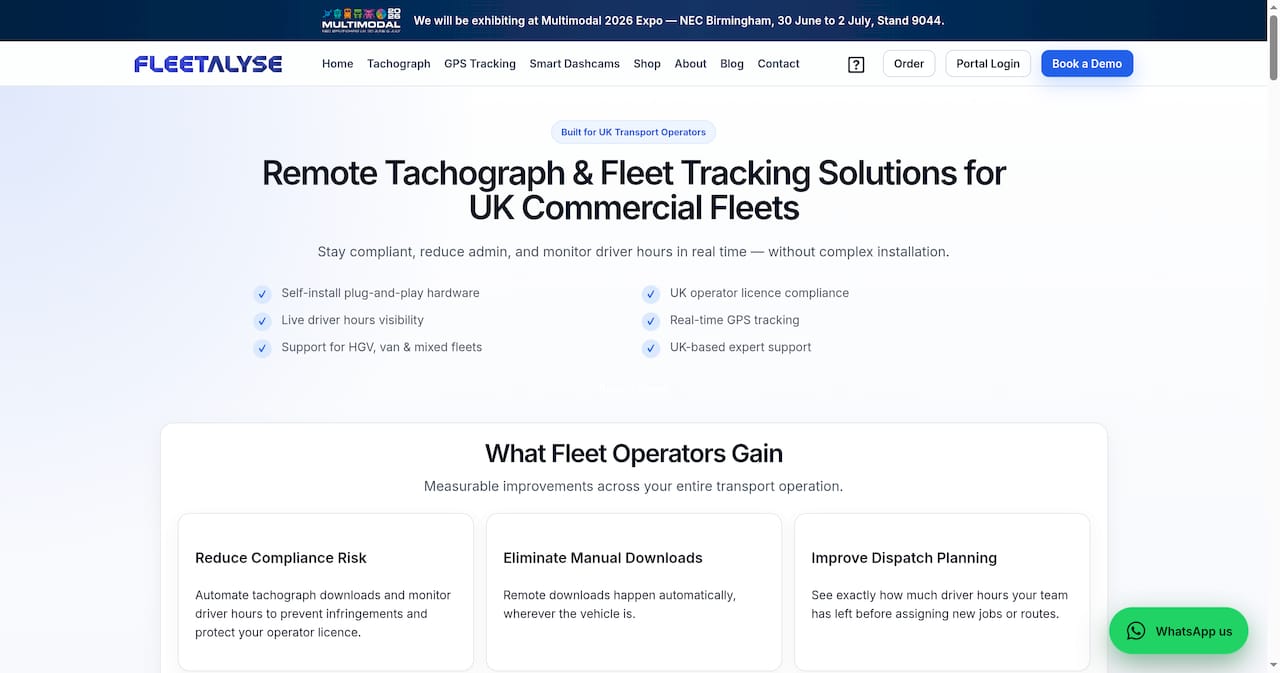
Fleetalyse combines UK-based installation support, plug-and-play and hardwired hardware options, and a platform that covers driver behaviour monitoring, remote tachograph downloads, and fleet analysis software in a single connected environment. Every deployment follows a structured commissioning process, so the data your team relies on for DVSA compliance and operational decisions is accurate from day one. Support is UK-based, which means when a CANBUS feed drops or a firmware question arises, you speak to someone who understands your vehicles and your regulatory obligations.
If you are at the procurement or pilot stage, speak to the Fleetalyse team about your fleet’s specific requirements and get a deployment plan that maps to your vehicle types and compliance needs.
Useful UK sources and further reading
The following sources support the claims and checklists in this article and are worth reviewing directly as part of your procurement process:
- Telematics installation mistakes that cost fleets money — Techsbook. Covers the most common hardware and wiring errors in telematics deployments; useful for briefing your installation team and setting QA standards.
- Why fleets feel let down by telematics technology — BriefGlance. Research-backed analysis of why telematics projects underdeliver, including the 89% single-platform preference finding; useful for framing your integration requirements.
- Telematics partner selection guide — ERM Telematics. Structured framework covering hardware quality, software capability, deployment readiness, support, and roadmap alignment; use it alongside your own vendor scoring matrix.
- Common telematics mistakes in fleet management — Fuel Logic. Practical overview of setup, communication, and training failures; useful for change management planning.
- How accurate is GPS technology? — Wex Telematics. Technical background on GPS accuracy standards; useful for setting pilot KPI thresholds.
- Telematics explained — Carrot Insurance Services. Plain-language overview of what fitted telematics devices capture; useful for driver communication and consent documentation.
- Hidden costs of telematics — Fleetalyse. Detailed breakdown of TCO components that rarely appear in vendor quotes; review before finalising your business case.
- Van telematics installation best practices — Fleetalyse. Step-by-step installation and commissioning guidance for van fleets; share with your installation team before rollout.
- Fleet telematics implementation guide — Fleetalyse. Covers the full implementation sequence from procurement through to live operations; useful for project planning.
- Telematics contract review checklist — Fleetalyse. SLA, data ownership, and exit clause guidance to review before signing any vendor agreement.