
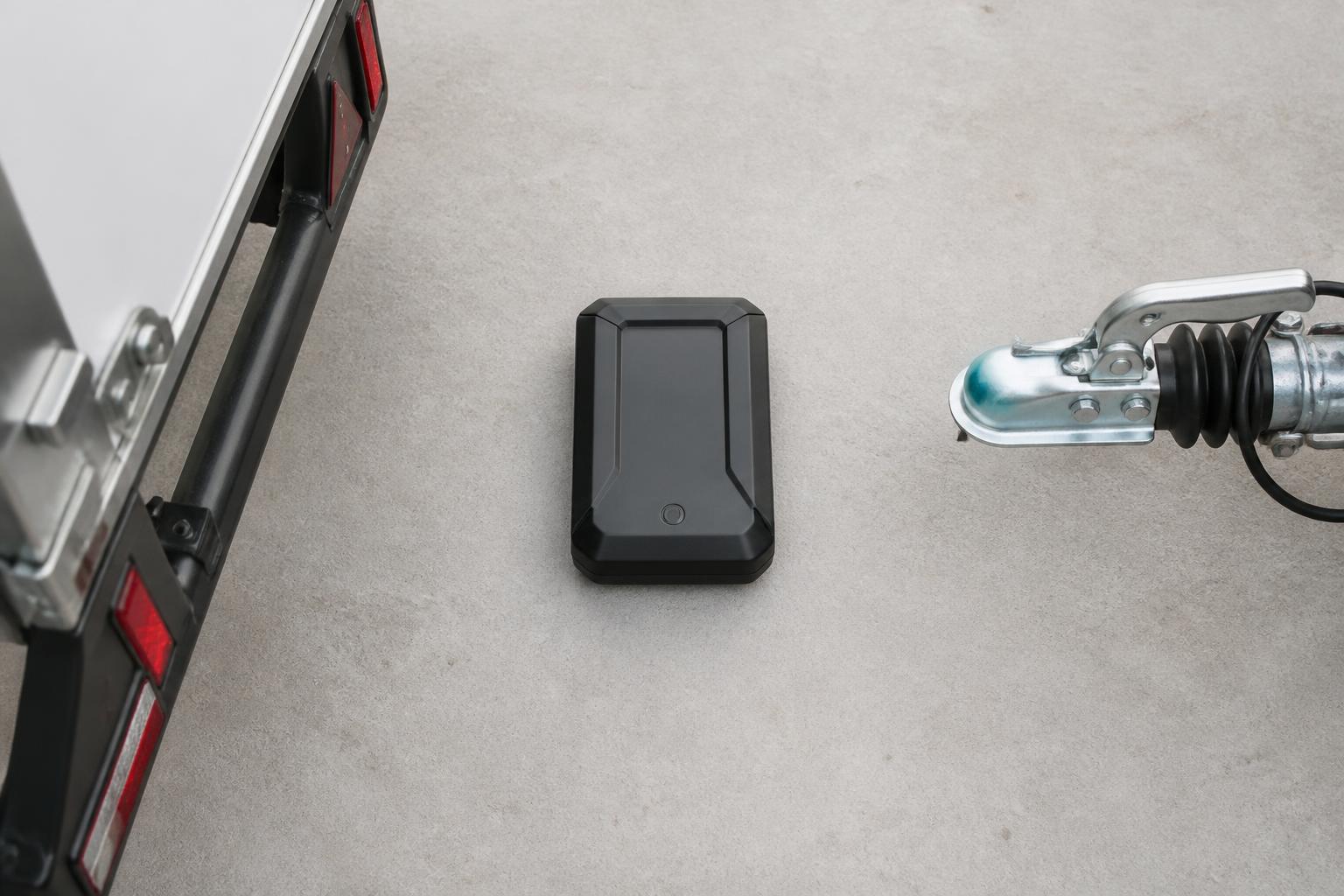
Blind spots in trailer operations usually come from one simple problem. The trailer is doing work, but nobody can see it clearly once it is dropped, parked in a customer yard, left at a depot, or moved by another unit. A trailer tracking device closes that gap by giving us a live or scheduled position for the trailer itself, not just for the tractor unit pulling it.
In daily fleet work, that matters because trailers are often the asset that gets lost in spreadsheets, whiteboards and phone calls. When we know where each trailer is, how long it has been there, and whether it has moved in or out of the places we care about, planning gets tighter, allocation gets quicker, and fewer hours disappear into chasing assets that should already be on a bay, at a customer site or back in the yard.
What a trailer tracking device actually does
A trailer tracking device is fitted to the trailer and reports its own location independently. In practice, it records GPS position, movement events, time stamps and, depending on the hardware and setup, battery status, heading and geofence activity. Some devices can also report sensor inputs such as door status, temperature or coupling related events where the trailer specification and installation support that.
The key point is that a trailer is often unpowered for long periods. Unlike a van or HGV unit, it does not necessarily have a permanent electrical supply available for a tracking unit. That means trailer tracking hardware is usually designed around low power operation. It wakes on movement, reports on a schedule, sends an alert when it enters or leaves a geofenced area, then returns to a low power state to preserve battery life. That is how a trailer can still be tracked when it is standing in a yard for days or weeks.
This is the main difference from standard vehicle tracking. Vehicle tracking in a powered HGV or van can normally report more frequently because the device is connected to a regular power source. It may also have access to ignition status, CAN data, driver identification inputs and other vehicle signals. A trailer tracking device is built for a different job. It prioritises long operating life, reliable wake-up behaviour and practical location reporting for an asset that may sit still, be shunted around a yard, or be hauled by different units over time.
That difference affects expectations. If a transport office is used to seeing a truck update every few seconds on a live map, they need to understand that trailer reporting may be event based or interval based to protect battery life. For most operators, that is not a weakness. It is the sensible trade-off that makes the device workable across a real trailer fleet.
At Fleetalyse, we usually advise customers to think first about the operational question they need answered. Is it “Where is this trailer right now?” Is it “Has this trailer left the customer site yet?” Is it “Which idle trailers have not moved for 14 days?” Once that is clear, the right reporting pattern and hardware choice become much easier to define.
Where trailer tracking helps in daily transport operations
The most obvious use case is finding assets quickly. A trailer that is not where the planner expected can disrupt a full day of work. Without visibility, the office starts ringing drivers, depots and customers to work backwards from the last known movement. With a trailer tracking device, we can check the latest reported position, confirm whether it is still on site, and see when it last moved.
That has a direct effect on idle time. A unit arriving to collect a trailer should not spend part of its shift searching around a depot or waiting while the office confirms which bay or yard it is in. Even when the trailer is on the correct site, knowing that it has been stationary there since a given time helps the planner decide whether to send a vehicle now or re-sequence the work.
Trailer allocation is another daily gain. In mixed fleets, especially where HGV, van, trailer and other assets are managed together, the problem is not just location. It is matching the right trailer to the next job. If we can filter trailers by location, status, movement history and operational group, the transport team can make better use of what is already in the fleet before hiring in extra equipment or delaying a load.
This becomes more valuable where fleets run a combination of curtain-siders, box trailers, refrigerated units, skeletal trailers or specialist assets. Even where the tracking data is basic, simply knowing which assets are active, which are parked, and which have been away from base for an unusual length of time improves utilisation.
Yard control is another practical area. Many operators know the frustration of a yard list that is already out of date by the time the shift changes. Trailer visibility does not replace proper yard processes, but it gives the office and yard team a shared operational picture. Geofences around depots, overflow yards and regular customer sites help identify arrivals, departures and exceptions without waiting for someone to update a spreadsheet manually.
For subcontracted work and trailer interchange, the value is often in proving movement rather than policing it. If a trailer was left at a customer RDC at 14:10 and moved out at 06:20 the next morning, that timeline helps resolve avoidable disputes. It also supports better detention conversations because the operator is working from actual asset movement rather than assumptions.
Security matters too. A trailer parked remotely, left over a weekend or stored off-site is harder to protect if nobody knows when it moves. Motion alerts and out-of-hours geofence alerts give the business a chance to react quickly when a trailer moves unexpectedly. That does not stop theft by itself, but it shortens the time between movement and response.
If you want a broader view of how trailer and asset visibility reduces day to day guesswork, our guide to trailer and asset tracking that cuts blind spots covers the operational side in more detail.
What data matters most before you buy
The first buying check is battery life, but not as a headline claim on a product sheet. Battery life depends on reporting frequency, wake-up rules, signal conditions, temperature and how often the trailer actually moves. A device that lasts a long time on one reporting profile may drain much faster on another. We recommend checking expected life against your real operating pattern, not an ideal lab scenario.
Update frequency is the next point. Ask how often the device reports when stationary, when moving and when crossing a geofence. For some operators, one or two location updates per day while parked is enough, plus movement alerts. For others, especially where trailers are turned quickly between sites, they may need more frequent reporting during active movement. The right answer depends on how the fleet works.
Geofencing should be standard, but the detail matters. You need geofences that are easy to create, sensible to manage at scale and reliable enough to support operational alerts. A system that lets us define depots, customer sites, service locations and risk areas clearly is much more useful than one that only shows dots on a map. At Fleetalyse, mapping and location context matter because the value comes from turning raw positions into actions.
Installation approach is another major check. Some trailer devices are straightforward to fit, while others need a more structured install depending on the trailer build, mounting position and any extra sensors. Think about who will install them, how long each fit will take, whether the trailer can stay in service during rollout, and how the mounting method holds up under vibration, washdown and yard impacts. If self-install is part of your plan, our article on self-install fleet tracking without losing control sets out how to keep standards consistent.
Durability matters more on trailers than many buyers expect. The device may be exposed to road spray, dirt, impact, vibration and long periods outdoors. Check the enclosure rating, mounting security and whether the hardware is designed for commercial transport conditions rather than light asset use.
Reporting reliability is just as important as the device specification. A tracker that reports well in a brochure but struggles with network coverage, delayed uploads or inconsistent wake-ups will create new uncertainty instead of removing it. This is where the wider setup matters, including IoT SIMs, roaming behaviour where relevant, and the quality of the platform receiving the data.
Buyers should also ask how the hardware fits with the rest of the fleet estate. If you already track powered vehicles, run remote Tachograph downloads, monitor driver hours, or use Smart dashcams, there is a strong case for keeping trailer visibility in the same operational system where possible. Separate maps and separate logins usually mean separate blind spots.
That is one reason many operators come to us for a combined setup using Fleetalyse-ready trackers or unlocked Teltonika hardware. The hardware choice matters, but so does how the data lands in Fleet insight for planners, transport managers and compliance staff.
How trailer data fits with compliance and fleet workflows
Trailer tracking is not a compliance tool in the same way as a Tachograph system, but it supports compliance work by giving context to movement, location and asset use. In the UK, trailer visibility is especially useful when it sits alongside vehicle GPS, remote Tachograph downloads and driver hours monitoring in one platform.
For example, if a driver is nearing the end of available time, the transport office needs to know not only where the unit is but where the trailer and load are likely to end up. If the trailer can be dropped safely at a known site and collected later, that decision depends on having confidence in trailer location and site status. Combining trailer positions with planning data gives the office more room to make lawful, workable choices.
It also improves operational oversight when reviewing exceptions. A late delivery, a missed collection or a disputed waiting period is easier to understand when vehicle movement and trailer movement can be seen together. In many fleets, the issue is not that there is no data. It is that the data sits in different systems and nobody has time to reconcile it properly.
That is why operators increasingly want one platform for tracking, Tachograph and driver hours. If the planner, compliance team and fleet manager are all working from the same operational picture, decisions are quicker and handovers are cleaner.
Trailer visibility also supports yard discipline. A geofence around the depot can show when trailers return, how long they stay, and whether they are leaving again without being allocated correctly. For fleets with multiple operating centres, that can help identify imbalance between sites and reduce unnecessary shunting or repositioning.
For mixed fleets, the same principle applies across HGV, van and trailer operations. A van fleet may be tracked continuously from vehicle power, while a trailer fleet reports on lower power intervals, but both can still feed a single map and reporting structure. That matters when businesses have grown by adding systems over time and now need a more coherent workflow.
Where UK rules differ from wider EU practice, the main point is to keep the compliance discussion grounded in the UK operating environment. Driver hours and Tachograph rules still require proper management in their own right, and trailer tracking does not replace those obligations. It supports them by improving planning and evidence around what happened, where, and when.
What to plan for in a rollout across a working fleet
A successful rollout starts with asset naming. This sounds basic, but poor naming causes confusion from day one. Before fitting devices, decide how each trailer will appear in the platform. Most operators use fleet number, registration where applicable, trailer type and home depot. The key is consistency. If half the fleet is named by unit number and the rest by registration or nickname, planners will waste time searching and second-guessing.
Next, decide what alerts actually matter. Too many fleets switch on every possible notification and then ignore the lot. Start with a small set of actionable rules such as out-of-hours movement, arrival at key customer sites, departure from depot, low battery warning and prolonged inactivity. If an alert does not lead to a clear action by a named person, it probably should not be live.
User access also needs thought. The transport office, yard team, workshop and management may all need different levels of visibility. Through the Customer Portal and role based setup, access should reflect real responsibilities. A planner may need live map and allocation views. A workshop user may only need battery status and install records. Senior management may only need exception reporting and utilisation trends.
Exception handling is where many projects either become useful or drift into the background. Decide in advance what happens when a trailer does not report as expected. Who checks whether it is in a low signal area, parked indoors, out of battery or genuinely missing? What is the escalation path? How long do we wait before contacting the site or driver? A rollout works better when those steps are agreed before the first missing update causes a scramble.
Installation planning should also match the working fleet, not an ideal empty yard. If trailers are out continuously, the rollout may need to happen during scheduled inspections, maintenance windows or depot dwell times. For larger fleets, a phased approach usually works best. Start with a defined group such as one depot, one trailer type or one customer contract. Check reporting behaviour, refine naming and alerts, then expand.
A small trial should be measured against operational questions, not just whether the dots appear on the map. Did the team find trailers faster? Did yard searches reduce? Were customer collections planned with fewer phone calls? Did geofence alerts prove reliable enough to use in daily control? Those are the signs that the setup is ready to scale.
As the deployment grows, keep hardware records tidy. Each installed device should be linked clearly to the trailer asset, install date and any service notes. If your setup includes a Tracker login for hardware administration, make sure internal ownership is clear and not tied to one person who becomes a single point of failure.
Commercially, it also helps to settle procurement and account structure early, especially if you are mixing hardware supply, staged installs and software access across sites. Some buyers want a straightforward monthly service, others prefer to purchase hardware separately, including Teltonika devices, then manage rollout in phases. If payments are handled online, processes around Stripe, VAT and account records should be aligned with the fleet asset list so finance and operations are not working from different versions.
For UK operators, data handling and supplier clarity matter too. Make sure the contract entity, support route and platform ownership are understood from the start. Where we supply and support the service, that sits with Fleeta Limited T/A Fleetalyse.
A trailer tracking device works best when it is treated as part of the operating system, not as a standalone gadget. Once trailer visibility sits alongside vehicle GPS, Tachograph, driver hours, Smart dashcams and reporting in Fleetalyse, the office spends less time chasing missing information and more time acting on it. That is the real gain, fewer blind spots, better allocation, and tighter control of the fleet you already run.
Does a trailer tracking device need external power?
Not always. Many trailer units are battery powered because trailers are often unpowered when parked. Power setup affects reporting frequency, maintenance needs and how long the device can run between service intervals.
Can trailer tracking help with theft recovery?
Yes, but that is only part of the value. For most operators, the bigger benefit is knowing where trailers are, whether they are moving, and which assets are underused or left in the wrong place.
How often should a trailer tracker send updates?
It depends on the job. More frequent updates improve live visibility but use more battery. Fleets usually balance reporting intervals against operational need, risk level and how often trailers move.
Is trailer tracking useful for small fleets?
Yes. Even a small operator can lose time chasing parked trailers, checking customer sites or working out what is available. Tracking can reduce phone calls, manual checks and avoidable delays.
What should be visible in the tracking platform?
At minimum, operators should be able to see current location, recent movement, map history, geofence events and asset status. Clear reporting and simple search matter as much as the hardware itself.