
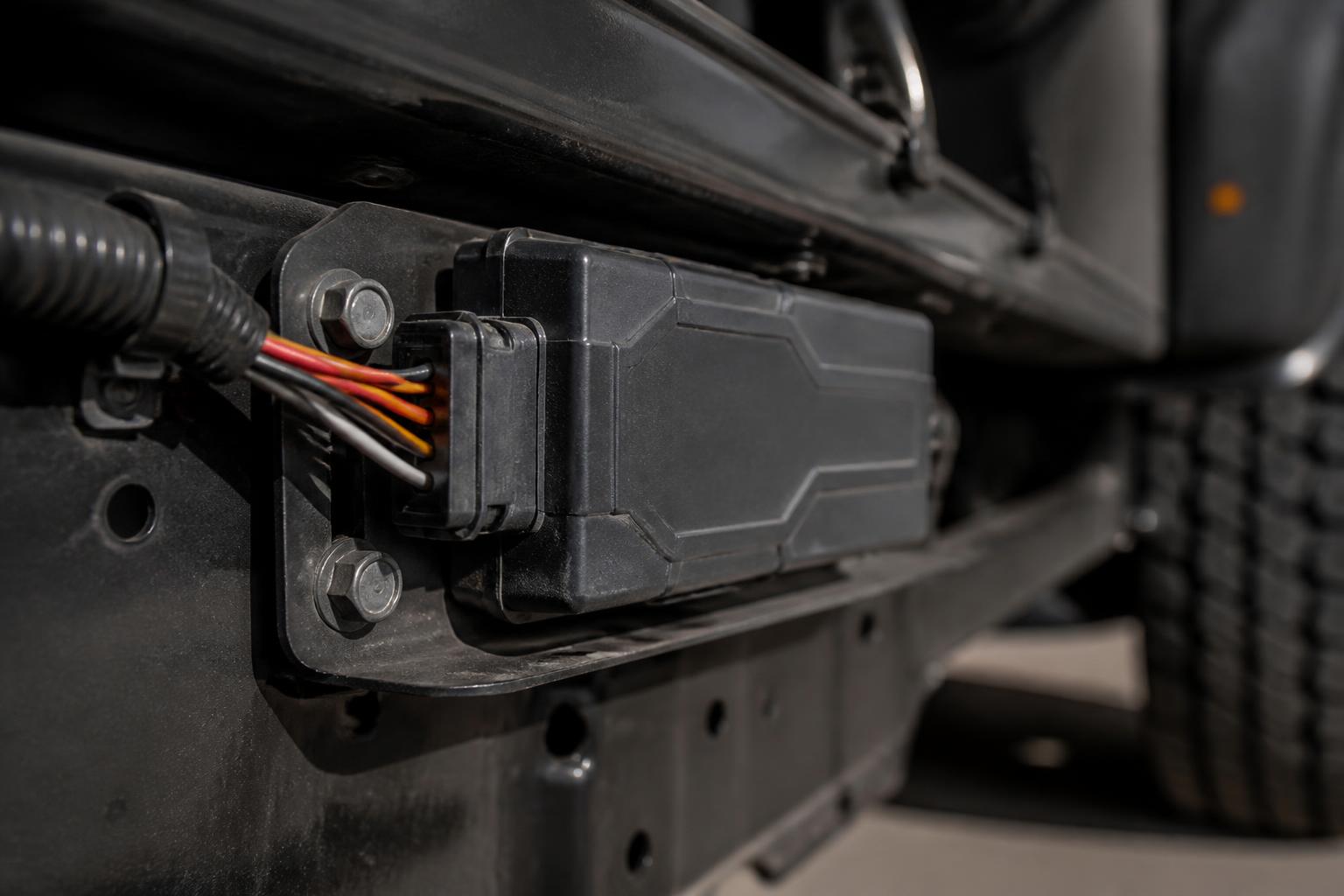
If you want clearer fleet visibility, the right Teltonika GPS trackers give you more than a moving dot on a map. They provide a reliable stream of vehicle status, movement history, ignition events, location updates and, where needed, deeper vehicle data that helps us run HGV, van and trailer operations with fewer blind spots.
The important part is not simply buying a tracker with a recognised name on it. It is choosing hardware that suits the asset, wiring it correctly, configuring the right reporting profile, and feeding the data into a platform that supports dispatch, utilisation, compliance visibility and safety in one place. That is where we focus at Fleetalyse, whether a fleet wants Fleetalyse-ready trackers, unlocked Teltonika devices, or a wider rollout that combines GPS, Tachograph tools and Smart dashcams.
What Teltonika trackers do in a working fleet
Teltonika builds telematics devices used to capture GPS position and a range of vehicle and asset events. In a working fleet, that normally starts with live location, trip history, ignition status, speed, stops, movement and geofence activity. Depending on the model and installation, it can also include I/O events, driver identification, CAN data and power-related alerts.
For UK operators, the practical use is straightforward. We need to know where vehicles are, whether they are moving, whether they have arrived, how long they have been on site, and whether the route or timing matches the plan. A good tracking setup helps us answer those questions without calling drivers for updates that the system should already provide.
For vans and HGV units, a hard wired Teltonika device usually forms the base layer of visibility. It reports location through mobile data, stores event history when signal drops, and sends updates back once coverage returns. In day to day operation, that means the traffic office can check delayed arrivals, confirm departures, review dwell time and see whether a vehicle has been used outside expected hours.
For trailers and unpowered assets, the requirement changes. There may be no permanent ignition feed, the unit may spend long periods parked, and battery preservation matters more than second by second reporting. In those cases, a battery powered or low power asset tracker is often the better fit than a standard vehicle unit.
The point is that Teltonika hardware is flexible, but fleets only benefit when the setup matches how the asset is actually used. A parcel van doing frequent urban drops needs different reporting from a long distance artic. A trailer in a drop yard needs different behaviour again. We treat the tracker as part of an operational workflow, not as a box to tick.
How to choose the right device for HGV, van and trailer use
Choosing the right tracker starts with the asset and the working environment.
For an HGV tractor unit, we would usually look at a hard wired tracker with stable power, reliable GPS and mobile coverage, and enough inputs for the information you actually want to use. HGV fleets often need more than breadcrumb mapping. They may want ignition state, external input monitoring, panic input, immobilisation output where appropriate, and integration with CAN data. In larger operations, the tracker also needs to sit comfortably alongside Tachograph downloads and driver hours visibility, rather than becoming another standalone feed.
For vans, the decision is often about balancing installation time, reporting detail and fleet scale. If the vehicle is on daily multi drop work, live updates and event history matter because dispatch relies on timely visibility. If the van is used more simply, a lighter setup may be enough. The mistake is over specifying every vehicle when the operation only uses a small part of the data, or under specifying and then finding that the office cannot see what it needs.
For trailers, power availability is the first question. If a trailer is regularly coupled and can be wired in a way that supports the required reporting, that opens more options. If it spends long periods uncoupled, battery life and wake up behaviour become critical. In trailer tracking, the reporting interval should match the operational risk. A depot trailer that only needs location checks and movement alerts can be configured very differently from a trailer carrying higher value loads on a wider network.
Installation environment also matters. Some devices are better suited to hidden installation, some to easier service access, and some to harsher conditions. Waterproofing, antenna performance and tamper considerations all affect long term reliability. On mixed fleets, standardising where possible helps support and replacement, but forcing one model across every asset can create avoidable compromises.
We also advise buyers to think about the level of reporting they will genuinely use. A tracker can be capable of many inputs, but capability is not the same as operational value. If the office only needs live map visibility, trip history and geofence alerts, that should shape the configuration. If the fleet wants exception reporting, PTO activity, door events or CAN data, the chosen model and installation need to support that from the outset.
Where fleets want flexibility, unlocked hardware is worth considering. That allows the business to avoid being tied too tightly to one connectivity or software arrangement and can simplify future changes. We cover that in more detail in our guide to how unlocked GPS trackers give fleets more control.
What data matters beyond live location
Live location is useful, but it is only the start. In practice, the data that helps a fleet run better is often the event data around the journey.
Ignition status is one of the most useful examples. It helps distinguish parked time from active use, supports utilisation checks, and gives a clearer picture of when a shift or job started and finished. For some fleets, ignition events are also a simple way to trigger reports or alerts without adding unnecessary complexity.
Movement data matters as well. A vehicle can move without a valid ignition event in some circumstances, and a trailer has no ignition at all. Movement alerts help with unauthorised use, yard activity and theft visibility. For parked assets, that can be more important than frequent map updates.
Geofences are another practical tool. In a UK fleet, we commonly use them around depots, customer sites, ports, service locations and restricted areas. Arrival and departure events can support dispatch updates, dwell time checks and proof of attendance. They are also useful for spotting vehicles that have entered a site but remained idle too long, or trailers that have left a designated area unexpectedly.
CAN data becomes important when a fleet wants a fuller operational picture from the vehicle itself. Depending on the vehicle and the installation method, CAN data may provide access to values such as fuel level, fuel consumption related fields, odometer, engine hours and other manufacturer dependent parameters. The exact availability varies by vehicle make, model and interface, so this needs checking before rollout rather than assumed. In HGV operations, this type of data can improve maintenance planning, utilisation reviews and exception reporting.
Event history is often undervalued until there is a dispute or an audit trail is needed. A proper record of trips, stops, route playback, geofence events and key input changes helps us answer questions after the fact, not just in real time. That matters when a customer challenges an ETA, when a vehicle is reported on the wrong site, or when management wants to review how an asset was actually used over the week.
Inputs and outputs should be chosen for a reason. Common examples include door open status, PTO operation, temperature related inputs for specialist work, driver ID, immobilisation controls and panic alerts. Not every fleet needs them, but where they support the process, they are far more useful than generic tracking alone.
The value comes from turning raw events into useful Fleet insight. That means the platform should not just collect data, it should present it in a way that operations staff can act on quickly.
How Teltonika hardware fits into fleet workflows
Tracker data only becomes valuable when it fits the way the fleet already works. In most transport offices, that means helping dispatch, supporting utilisation checks, highlighting exceptions and giving management a clearer view of compliance related activity.
For dispatch, the immediate benefit is knowing which vehicle is closest, which one is still on site, and which one has already cleared a delivery point. A live map backed by reliable trip data allows the office to make decisions without chasing updates by phone. When that map is paired with OpenStreetMap based views and sensible event filtering, the result is faster checking and less guesswork.
Utilisation checks are another major use case. Tracking data helps us see whether vehicles are being used as planned, whether spare assets are actually moving, and whether certain units are underused or overused. That matters for mixed fleets where vans, HGV units and trailers may all have different duty cycles. It also helps identify out of hours use and long periods of avoidable idling or standing time.
Exception reporting is where a lot of value appears after rollout. Rather than watching every vehicle all day, transport teams can work from alerts and reports. Late departures, long dwell times, route deviations, unauthorised movement, missed geofence arrivals and unusual usage patterns are all easier to manage when the system surfaces exceptions clearly.
There is also a compliance angle, especially in UK goods vehicle operations. GPS tracking is not a replacement for legal records, and where Tachograph rules apply, the Tachograph remains the regulated source for driver activity. The UK position here is specific and fleets should not treat GPS movement as a substitute for statutory records. But tracking still supports compliance visibility by showing where vehicles were, when they moved, and whether the pattern of use lines up with the operational plan. When combined with remote Tachograph downloads and driver hours management, it becomes much easier to spot issues early.
This is one reason many fleets prefer a single platform approach. At Fleetalyse, we bring together GPS tracking, Tachograph tools and Smart dashcams so the office is not jumping between separate portals and spreadsheets. A tracker event, a route issue and a driver facing incident can then be reviewed in context rather than as disconnected records. If you are comparing systems, our overview of Teltonika fleet software for one clear view explains what to look for.
Video is increasingly part of the same workflow. Smart dashcams add context that location data alone cannot provide. If a harsh event, complaint or incident occurs, the office can review footage alongside the tracking history. For fleets looking at a combined setup, our 4G camera and vehicle visibility options show how Smart dashcams fit into day to day operation.
What to check before rollout and installation
Before buying devices in volume, it is worth checking the practical details that affect rollout success.
First, define the vehicle groups and use cases. Separate HGV units, vans, trailers and other assets, then decide what each group actually needs to report. This avoids fitting identical hardware everywhere when the reporting requirement is different.
Second, plan the installation method. Decide where devices will be mounted, what power source will be used, whether additional inputs are needed, and how tamper resistant the installation should be. On newer vehicles, especially where CAN data is required, it is worth confirming compatibility before scheduling a large batch. Installation quality has more impact on reliability than many buyers expect.
Third, check the configuration profile. Reporting intervals, sleep modes, geofence behaviour, roaming settings, movement sensitivity and event triggers should be set for the fleet, not left on a generic template. A trailer unit with the wrong wake up profile can waste battery. A van on an overactive reporting plan can generate more noise than value.
Fourth, confirm the connectivity arrangement. If the devices use IoT SIMs, make sure coverage, roaming behaviour and data management suit the routes being run. UK only operation is one thing. Cross border work is another. Since the UK is no longer in the EU, fleets travelling into EU member states should check roaming terms and device behaviour outside the UK before rollout, rather than assuming continuity.
Fifth, understand how support and access will work. Buyers should know who handles provisioning, who manages firmware updates, how replacements are dealt with, and whether the hardware is locked or unlocked. If a fleet wants buying flexibility, future migration options or mixed deployment across systems, unlocked Teltonika hardware may be the better route.
It is also sensible to review the software access model early. Teams often need different permissions for office staff, managers and installers. If devices, subscriptions or accessories are being bought online, confirm how account setup works, whether the Customer Portal covers the required admin tasks, and whether a Tracker login is separate from other account functions. Payment and ordering processes matter too, especially for businesses that need clear invoicing, PO handling and VAT records. Where online card payment is offered through Stripe, that may suit some buyers, while others will want account based purchasing for fleet rollout.
Finally, check whether the setup will scale. A solution that works for ten vehicles may become awkward at one hundred if naming conventions, alerting rules, installation records and reporting standards are not thought through. We prefer to set these foundations properly at the start, whether the fleet is ordering from the commercial fleet tracking hardware shop or planning a broader deployment across multiple asset types.
At Fleetalyse, we support fleets that want a practical route into Teltonika based tracking, from Fleetalyse-ready trackers to customised rollouts using unlocked hardware. The aim is simple. Better visibility, fewer separate systems, and tracking data that supports real transport decisions. Fleeta Limited T/A Fleetalyse works with UK commercial operators who need GPS, Tachograph, Smart dashcams and reporting to function as one operational system, not as a collection of disconnected tools.
Are Teltonika trackers suitable for small fleets as well as larger operators?
Yes. They can work for owner-drivers, small van fleets and larger mixed operations. The key is choosing hardware and reporting that match the vehicles and the way the fleet is actually run.
Can Teltonika trackers be used on trailers and non-powered assets?
Yes, if the device is suited to the asset and power setup. Trailer and asset tracking usually needs different hardware choices from standard vehicle installations.
What is the difference between unlocked Teltonika hardware and Fleetalyse-ready trackers?
Unlocked Teltonika hardware gives buyers flexibility on setup and rollout. Fleetalyse-ready trackers are prepared for use with Fleetalyse, which can simplify deployment and ongoing management.
Do GPS trackers help with compliance as well as location?
They can. While a tracker is not a Tachograph, location and event data can support compliance visibility by showing vehicle activity, route history and exceptions alongside other fleet systems.
What should a fleet operator ask before buying trackers?
Ask about installation method, reporting outputs, support for your vehicle types, access to data such as CAN data, and how the hardware will fit your wider fleet workflow.