
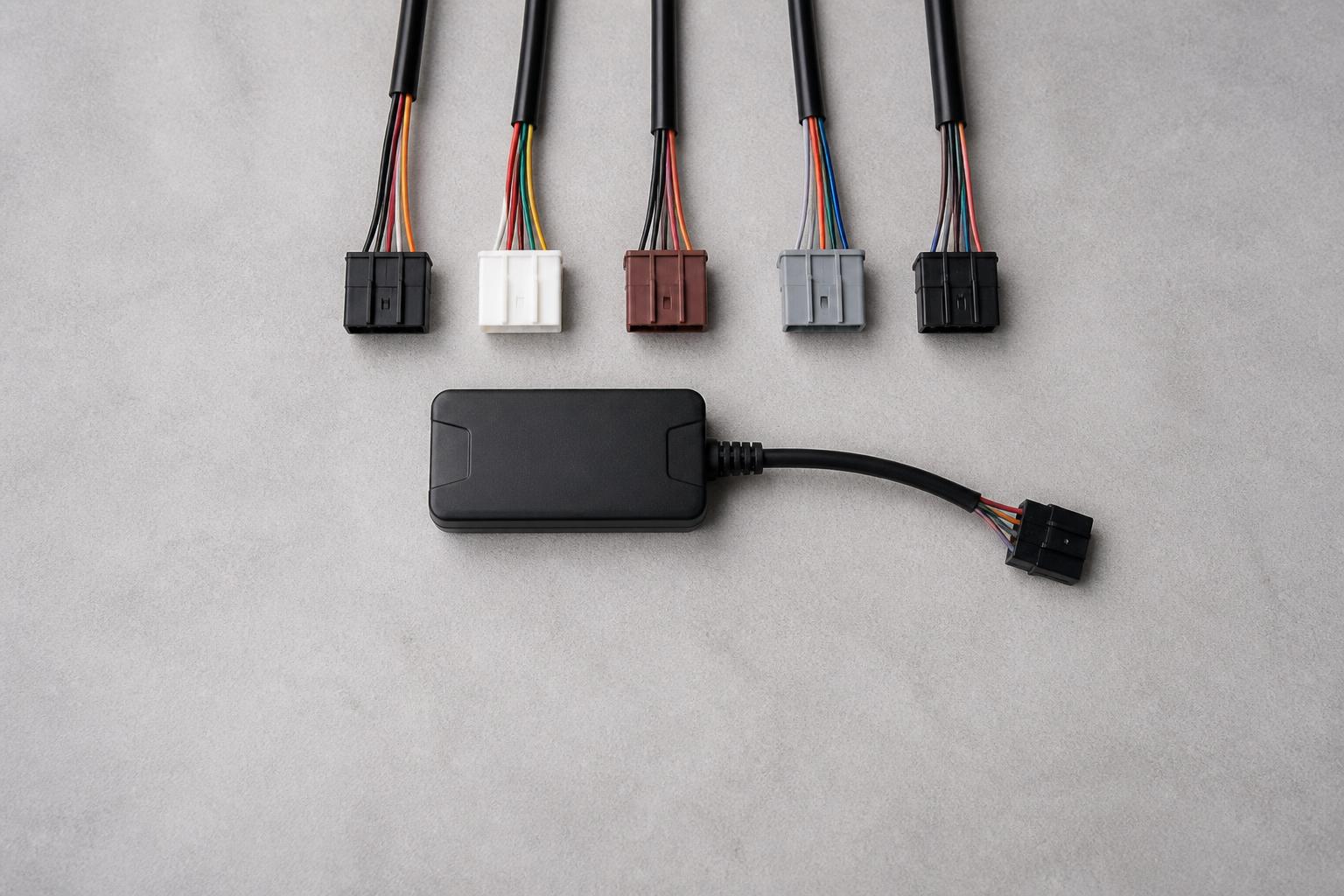
For a commercial fleet, an unlocked tracker gives you more choice over how you deploy tracking and who manages the data. In practice, it usually means the hardware is not tied to one provider’s closed setup, one fixed tariff, or one limited software view. You can install the unit in the vehicles you need, use appropriate IoT SIMs, and connect that hardware into the platform that actually supports your transport operation.
That matters because most fleets are not buying GPS in isolation. They are trying to improve dispatch, vehicle visibility, driver management, Tachograph workflows, incident review and reporting without creating another login, another spreadsheet and another disconnected system. That is where unlocked GPS trackers for commercial fleets become useful, especially when they are part of a wider rollout plan rather than a one off hardware purchase.
What unlocked GPS trackers actually mean for a commercial fleet
In fleet terms, unlocked GPS trackers are tracking devices that are not restricted to one software environment or one narrow commercial arrangement. The exact setup varies by device and provider, but the practical point is simple. You are not forced into a sealed box where the hardware, connectivity, data access and reporting are all controlled in one rigid package.
Operators usually ask for unlocked hardware for one of four reasons.
First, they want flexibility. A haulage operator might need to fit trackers to HGV units now, add vans later, and then bring in trailers or plant. If the hardware can move into a platform that supports mixed assets, that rollout is easier to manage.
Second, they want continuity. Some fleets already have installed devices, or they have bought hardware as part of a previous contract. They do not want to rip out working kit just to change software.
Third, they want better control of the operating model. A fleet may want a simple install in some vehicles, a deeper CAN data feed in others, and different reporting views for transport, workshop and management teams. Unlocked hardware gives more room to build around the operation rather than around a fixed bundle.
Fourth, they want to avoid duplicate systems. GPS on one screen, Tachograph downloads in another, camera footage somewhere else, and maintenance or utilisation reports in a spreadsheet is a common problem. We see this regularly when fleets start to outgrow basic tracking and need a joined up view. If that sounds familiar, our piece on when transport fleets outgrow spreadsheets covers the point where separate workarounds stop being efficient.
In the UK, this is especially relevant for operators balancing vehicle visibility with compliance. Unlike a simple consumer tracker, a commercial fleet setup often needs to support route oversight, idling review, out of hours movement alerts, geofences, proof of activity, and in many cases links to driver hours and Tachograph processes. The tracker is only one part of the job.
When unlocked hardware makes sense for HGV, van and mixed fleets
Unlocked hardware is not automatically the right answer for every fleet. It makes the most sense where you need room to scale, vary the install, or combine tracking with wider fleet workflows.
For HGV fleets, unlocked trackers are often useful where the operator wants more than a dot on a map. If you need live vehicle visibility, location history, ignition status, route review, geofences and the option to bring in CAN data, a more flexible hardware choice helps. This is common in general haulage, pallet networks, temperature controlled transport, container work and other operations where planners need to see what is happening now, not what happened after the shift.
For van fleets, the case is slightly different. Vans are often deployed in larger numbers, with mixed routes and tighter turnaround times. Here, unlocked hardware can help when you are rolling out in phases, using a mix of owned and leased vehicles, or expecting to move vehicles in and out of service regularly. Ease of installation matters more, and so does the ability to standardise reporting across different vehicle types.
For mixed fleets, unlocked hardware is often the most practical choice of all. If you run HGV, vans, trailers and other mobile assets, a locked setup can quickly become awkward. One supplier may be fine for trucks but weak on trailers. Another may support cameras but not Tachograph workflows. Another may track assets but not give enough reporting. Mixed fleets usually benefit from selecting hardware and software with the wider estate in mind.
It also makes sense when you are planning a staged rollout. Many operators do not want to commit every vehicle on day one. They may start with a high visibility part of the fleet, prove the reporting, train dispatch and transport teams, then expand. Unlocked devices support that approach because they give more freedom over how the estate is built out.
On the other hand, if you only need basic vehicle location for a small number of vans and have no intention of integrating anything else, a fixed bundled product may be enough. The key is to decide whether you are buying tracking as a standalone tool or as part of your operating system for the fleet.
If you are comparing options across vehicle types, our guide to GPS tracking that works for HGV and van fleets is a useful starting point.
What to check before buying the tracker itself
The hardware decision should start with the vehicle, the install environment and the data you actually need.
Power options come first. Some trackers are hard wired into the vehicle electrical system. Others are designed for simpler installs or for temporary deployment. For most commercial vehicles, a hard wired unit is the normal choice because it gives reliable power, supports ignition detection and is less likely to be removed or forgotten. For trailers and non powered assets, battery powered options may be more appropriate, but you need to balance battery life with update frequency and reporting expectations.
Installation method matters next. If the tracker is going into HGV units that stay in service full time, a discreet professional fit is usually the right approach. If you are dealing with leased vans, short term vehicles or fast fleet changes, you may need a simpler installation method with less downtime. Either way, you should check where the device will be fitted, what the signal performance is likely to be, and whether the installation affects access for maintenance or replacement.
Vehicle compatibility is another practical check. A tracker may physically fit the vehicle but still not deliver the data you want. If you intend to capture CAN data, you need to confirm compatibility with the specific vehicle make, model and age profile. This is particularly important in mixed fleets where one data approach may not work consistently across all vehicles.
CAN data itself deserves a clear decision. Basic GPS tracking gives you location, movement, routes, stop times and related event data. That is enough for many fleets. CAN data can add a wider operational picture, depending on the vehicle and setup, such as fuel related information, mileage, engine parameters or other telemetry. Useful as that is, not every fleet needs it on every vehicle. The right question is not “can the tracker read CAN data?” but “what decisions will we make from that data, and who will use it?”
It is also worth separating simple tracking from wider fleet data. Plenty of fleets buy a tracker expecting a full management view, then realise the hardware only solves vehicle location. If you also need driver identification, Tachograph status, safety event review, camera integration, utilisation reporting or exception alerts, you should check whether the platform supports those workflows from the start.
At Fleetalyse, we support buyers who want Fleetalyse-ready trackers for a straightforward route into the platform, and we also support unlocked Teltonika hardware where a more tailored commercial rollout makes sense. If you are at the point of comparing hardware options, you can review our fleet tracking and hardware options in one place.
How tracking data fits into daily transport operations
The value of GPS data shows up in the day to day running of the fleet, not in the installation report.
For dispatch, live vehicle visibility helps planners assign work based on actual position rather than assumption. That is useful in HGV and van operations alike. When a customer calls for an ETA, the office can respond from live data instead of ringing the driver. When a route changes, the nearest available vehicle is easier to identify.
For vehicle visibility, the basics still matter. Knowing whether a vehicle is moving, stopped, on site, delayed or out of area reduces guesswork. A map layer built on OpenStreetMap gives transport teams a practical view of where the fleet is and where exceptions are building up. The point is not to watch every vehicle all day. It is to spot the vehicles and jobs that need intervention.
For driver management, tracking data supports conversations with evidence. That may mean reviewing unauthorised use, repeated idling, route deviations, start times or time on site. In HGV operations, it also helps put driver hours into context. A driver may still be legal on time, but if the vehicle is held unexpectedly, dispatch needs to know early enough to replan the work.
For asset oversight, trackers help beyond powered vehicles. If you are managing trailers or other mobile equipment, location visibility reduces time spent chasing assets that should be on customer sites, in yards or back at base. It also supports utilisation review. Assets that are rarely moved can be identified, and assets that spend too long in the wrong place can be flagged.
For exception handling, alerts often deliver more value than passive map viewing. Common examples include out of hours movement, geofence entry and exit, prolonged idling, battery issues, or a vehicle failing to move when it should be on a job. This is where Fleet insight becomes operationally useful. The right alerting and reporting setup helps transport teams work by exception rather than by constant manual checking.
The same principle applies to customer service and incident handling. If a delivery is disputed, route history and stop data provide a factual record. If an incident occurs, GPS data alongside Smart dashcams gives a much clearer picture of timing, location and vehicle activity. That is one reason many fleets now assess tracking and camera visibility together rather than as separate purchases.
How to avoid creating another disconnected fleet system
The biggest risk with any tracking rollout is not the hardware. It is adding one more standalone tool to an already fragmented process.
Before rollout, buyers should look past the map screen and ask how the data will be used across the operation. Reporting is the first check. If the system can show a vehicle live but cannot produce the reports your team actually uses, you will end up exporting data and rebuilding it elsewhere. That is exactly how duplicate effort creeps back in.
Tachograph workflows are the next major check for UK operators. If your fleet runs under drivers’ hours rules, location data alone is not enough. You should assess whether the platform can sit alongside remote downloads, driver card and vehicle unit visibility, and compliance review. UK fleets operate under retained GB rules in Great Britain, while Northern Ireland follows the EU framework in areas where EU rules continue to apply. The day to day need is the same, your transport team needs one clear view of vehicle activity and Tachograph status, not separate systems that have to be cross checked manually. Our article on simplifying Tachograph downloads across mixed fleets looks at this in more detail.
Smart dashcams should also be part of the decision early, not bolted on later. Safety events, disputed incidents and driver coaching are much easier to manage when camera footage and tracking data sit together. If camera footage lives in one portal and GPS in another, every review takes longer and the operational value drops.
Platform visibility matters just as much as the feature list. Ask who in your business needs access and what they need to see. Transport managers, planners, compliance staff and business owners often need different views. A proper Customer Portal should support those day to day roles without forcing teams to share one generic account. The same applies to administration. If ordering, renewals or subscription changes are involved, practical account handling through Stripe, clear VAT treatment and visible service records all make a difference once the rollout is live.
You should also understand how devices are managed after installation. If the setup includes unlocked Teltonika units, know how provisioning works, how IoT SIMs are handled, and what the support path is if a vehicle goes offline. If users need access controls, device level settings or audit trails, check whether those are available through the platform or through a separate Tracker login. The less jumping between systems, the better.
This is the main reason we build around one operational view at Fleetalyse. Fleets rarely need another isolated tracker map. They need live GPS, Tachograph workflows, Smart dashcams and reporting that fit together in one place for HGV, van, trailer and mixed fleets. Some buyers want the speed of Fleetalyse-ready trackers. Others want the flexibility of unlocked Teltonika hardware. In both cases, the goal is the same, better visibility without more system sprawl.
Fleetalyse is a trading name of Fleeta Limited T/A Fleetalyse, and our approach is built around practical UK transport operations rather than generic telematics bundles. If you are planning a rollout, the right starting point is not just which tracker to buy, but how that tracker will support the way your fleet actually runs.
Are unlocked GPS trackers suitable for small fleets?
Yes, if the operator wants flexibility on hardware choice or plans to standardise across a mixed fleet. The main test is whether the tracker supports the visibility and reporting the business actually needs.
Do unlocked GPS trackers work for trailers and non-powered assets?
They can, but the hardware must match the asset. Trailer and asset tracking often needs different power arrangements, reporting intervals and installation methods from vehicle trackers.
Is live location enough on its own for a commercial fleet?
Usually not. Most operators also need reporting, driver oversight, compliance visibility and a clear view of exceptions, not just dots on a map.
What is the difference between a basic tracker and a fleet-ready setup?
A basic tracker provides location data. A fleet-ready setup connects that data to operational workflows such as reporting, Tachograph activity, Smart dashcams and wider fleet management.
Can unlocked trackers be used in a mixed fleet?
Yes. They are often considered where a business runs HGV, vans, trailers or plant and wants a more consistent approach to hardware and visibility across different asset types.