
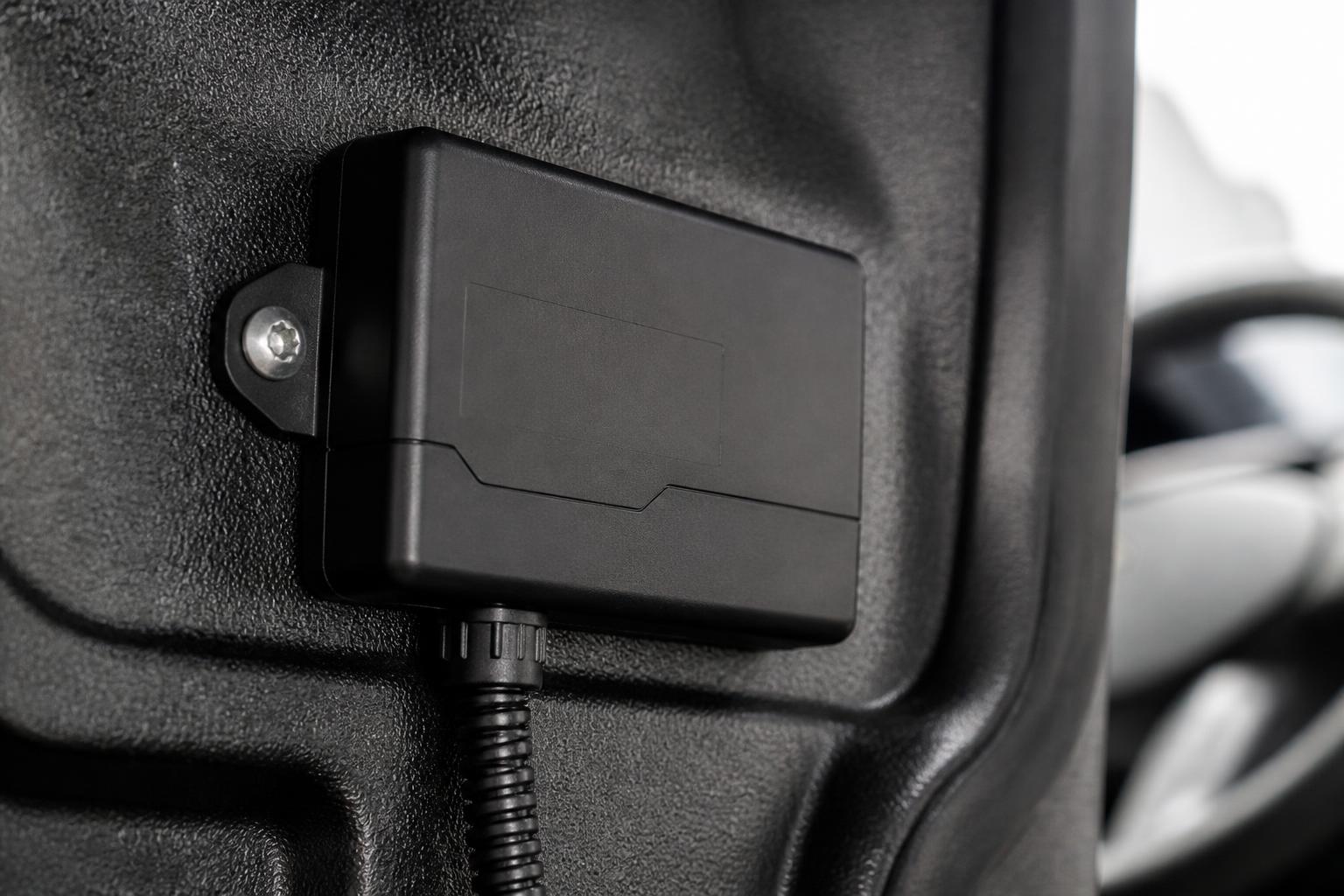
Choosing a tracker for day to day fleet control is less about the dot on a map and more about whether your operation can act on what it sees. In a working fleet, a tracker needs to tell traffic office staff what is moving, what is delayed, what has stopped somewhere unexpected, which vehicle is nearest, and whether the information can be trusted without ringing the driver for a manual update.
For most UK operators, the right commercial vehicle tracker is the one that fits the way the fleet actually runs. That means reliable live location, sensible update rates, clear journey history, useful alerts, and a platform that supports dispatch, compliance and safety in one place. If the hardware is awkward to deploy, if the data is thin, or if the system creates another layer of admin, it will not help daily control for long.
What a tracker should do in a working UK fleet
In a working fleet, tracking should support decisions minute by minute. A planner should be able to open the map and see which HGV or van is active, stopped, idling, off route, or arriving on site. A transport manager should be able to check where a late vehicle actually is, not where it was half an hour ago. A customer service team should be able to give realistic arrival information without passing calls around the office.
That is the practical job of a tracking system. Location is only the start.
A useful tracker gives dispatch visibility. You should be able to see the nearest suitable vehicle, check whether it is free to take another job, and review whether a route is progressing normally. If a vehicle has been stationary too long at a delivery point, the office should be able to spot it and decide whether to intervene. If a driver has diverted, the system should show that clearly enough to ask the right question.
It should also support utilisation. Many fleets discover that some vehicles are heavily used while others are barely moving, simply because no one has had a clean view of actual activity. Journey history, stop reports and usage patterns help us rebalance work, justify fleet size and identify underused assets.
Exceptions matter more than perfect maps. In real operations, the office needs to know what has changed from plan. That usually means alerts for unexpected movement, out of hours use, geofence entry or exit, prolonged idling, low vehicle battery on some asset types, or a unit going offline. The best systems bring those exceptions to the surface instead of making staff hunt through screens.
For a closer look at how tracking removes daily blind spots, see how a fleet tracker cuts blind spots in daily operations.
Which fleet problems a tracking system should solve first
When operators compare systems, it helps to start with the problems that cost the most time or create the most risk. That keeps the buying decision grounded in operations, not features lists.
The first issue is usually missing visibility. If the office relies on phone calls, text messages or guessed ETAs, the team is spending time chasing information that should already be on screen. Live tracking should replace routine “where are you now?” calls with a shared operational view.
The second is manual updates. Many fleets still keep traffic whiteboards, spreadsheets or handwritten notes to track jobs and vehicle status. That is manageable with a handful of vehicles, but it breaks down quickly when work changes through the day. A tracking system should reduce those workarounds, not sit beside them as another thing to maintain.
Route uncertainty is another common problem. This is not only about proving where a vehicle went after the event. It is about knowing during the shift whether a route is slipping, whether a vehicle has left the planned area, or whether there is enough time left in the day to add work. If the system only helps after a complaint arrives, it is too late for daily control.
For regulated operations, driver hours context matters as well. GPS on its own does not tell us whether a driver can legally continue or whether a break is due. In the UK, that becomes especially important in HGV fleets using Tachograph data for compliance and planning. A map without hours context can still leave the office making poor decisions. Where tracking sits beside remote downloads and driver hours visibility, planners can see not just where the vehicle is, but whether the job is still workable.
Asset oversight is often overlooked at purchase stage. Operators may start with powered vehicles, then realise they also need visibility of trailers, plant, generators or other mobile assets. If trailer swaps, drop yards and unattended equipment are part of your operation, make sure the system can cover those from the start or expand without forcing a separate platform later.
Mixed fleets have another layer of complexity, since vans, HGV units, trailers and assets may all need different hardware and reporting. We cover that in more detail in how mixed fleets get one view of vehicles and compliance.
What data matters and how accurate it needs to be
Most buyers ask first about GPS accuracy. That matters, but the better question is whether the data is accurate enough for the decisions you need to make.
For daily fleet control, you should expect reliable live position, direction of travel, speed, ignition status where relevant, stop duration, and full journey history. The system should show timestamps clearly and make it easy to move from live view to historical playback without exporting data first.
Update frequency matters because it affects how useful the map is in live operations. A vehicle updating every few minutes may be enough for basic oversight, but it can feel slow for urban multi drop work or active dispatch. On the other hand, not every asset needs the same reporting rate. A trailer in a yard has different requirements from a same day delivery van. Good systems let the hardware and reporting profile match the asset.
Journey history needs to be dependable enough for customer queries, internal reviews and incident checks. If a driver says they attended site, or a customer disputes arrival time, the route trace and stop record should be clear enough to answer the question quickly.
Alerts are another core data function. Buyers should look for practical alerting, not a huge menu that no one uses. Common examples are geofence entry and exit, out of hours movement, ignition on, excessive idle time, harsh events where supported, and loss of communication. Alerts should be configurable per fleet or vehicle group, otherwise users end up switching them off.
Then there is vehicle status. Depending on hardware and integration, a tracker may provide more than location, including voltage, engine state and odometer estimates. This can improve maintenance planning and asset health checks, especially in larger fleets where manual mileage capture is inconsistent.
CAN data can add value where the fleet needs richer vehicle information. That may include more accurate odometer data, fuel related metrics, engine parameters and other operational signals, depending on vehicle make, model and installation method. It is useful, but not every fleet needs it on day one. We usually advise operators to be clear about the decisions they want to improve first, then assess whether CAN data supports those decisions or just adds complexity.
Accuracy also includes map presentation. A clear map based on OpenStreetMap can be entirely suitable if the platform makes vehicle status, routes and exceptions easy to interpret. Fancy visuals are less important than whether a traffic operator can answer a live question in seconds.
How hardware choice affects rollout and long-term use
Hardware choice has a direct effect on installation planning, fleet coverage and what happens when the business changes.
Installed devices are the standard choice for vehicles that need dependable power, regular reporting and a tidy permanent fit. For HGV and van fleets in daily use, hard wired units generally make the most sense. They are harder to tamper with, better suited to long term operation, and can support extra inputs or integrations depending on model and install.
For operators who want a straightforward route into the platform, Fleetalyse-ready trackers simplify rollout. They are selected to work cleanly with Fleetalyse, which reduces compatibility questions and speeds up deployment. That matters when the priority is getting the fleet visible quickly rather than designing every detail from scratch.
Unlocked Teltonika hardware is useful where flexibility matters. Some operators want standardised hardware across divisions, specific input options, or the ability to support a mixed estate with different install requirements. Teltonika devices are widely used in commercial fleets for that reason. An unlocked approach can also help where the fleet wants more control over future expansion, replacement cycles or specialist use cases. We cover that in choosing Teltonika trackers for clearer fleet visibility.
Trailers and non powered assets need a different conversation. The right device may depend on whether the asset moves daily, sits for long periods, needs door or movement alerts, or must report from remote locations. Battery powered units may suit some assets, but reporting intervals, battery life expectations and mounting method all need to be considered properly before rollout.
Mixed fleets often end up with more than one hardware type, and that is normal. The key is making sure those devices still report into one operational view. It is no use having excellent van tracking, separate trailer tracking and another system again for compliance if the office has to cross check three platforms to answer one customer call.
Also check the practicalities of fitment. Who installs the units, where, and when? Can installs be staged around vehicle availability? What is the process for vehicle changeover, replacement or decommissioning? If the rollout plan ignores workshop access and operational downtime, projects slip quickly.
Connectivity matters too. Devices rely on mobile networks, and in the UK that means planning for patchy coverage in some rural, coastal or industrial areas. Quality IoT SIMs help with resilience, but no mobile system is perfect everywhere. What matters is how well the device stores and forwards data when signal returns, and whether the platform handles those gaps sensibly.
Why platform design matters as much as the device
A strong device on a weak platform still creates admin. For daily control, the platform is where the value is realised.
Start with the map. It should load quickly, show vehicle groups clearly, and make status obvious without endless clicking. Dispatch users need to filter by depot, fleet type, job type or region. They need to search a registration and get to the answer quickly. They also need practical tools such as geofences, route history, nearest vehicle views and status summaries.
Reporting matters just as much. A system should give us stop reports, journey reports, usage summaries and exception reporting without forcing manual spreadsheet work. If every weekly review becomes an export and reformat exercise, the software is not reducing workload.
User access is another point buyers often leave too late. Different teams need different views. Traffic office staff, workshop teams, managers, subcontract coordinators and customers should not all see the same thing. Role based access keeps the system usable and reduces the risk of people changing settings they should only view.
That is where the Customer Portal can make a difference. If customers or internal stakeholders need limited visibility, a controlled portal is usually better than sending screenshots or giving full system access. It keeps communication cleaner and protects the main operational environment.
Workflow matters as well. Tracking should not sit in isolation if your operation also depends on compliance and safety data. For many fleets, the real gain comes when tracking sits alongside Tachograph visibility and Smart dashcams in one platform. Then the office can move from location, to driver hours, to incident footage, to reporting without logging into multiple systems. That is often the difference between software that gets used every day and software that only comes out when there is a dispute.
Fleet insight is not a separate luxury. It is the result of having tracking, status, compliance and reporting connected well enough that patterns become visible. Which sites create long delays, which routes generate repeated idling, which vehicles are underused, which depots need different planning rules. That is what platform design should support.
For self service and day to day administration, details matter too. If users can manage basics through a Customer Portal, view billing, or control access through a clean Tracker login, the system creates less friction across the business.
How to assess cost, support and implementation risk
Price matters, but structure matters more. Buyers should ask what is included in the monthly cost, what depends on hardware choice, whether installation is separate, and what happens when vehicles join or leave the fleet. Check whether prices are shown with or without VAT, and whether there are minimum terms or staged rollout options.
Do not assess cost in isolation from admin impact. A cheaper tracker can become expensive if it creates duplicate data entry, requires separate compliance tools, or leaves the office maintaining spreadsheets because reporting is weak. In practice, one joined up system often costs less to run operationally than several cheaper systems that do not speak to each other.
Support should be tested before rollout, not after. Ask who handles onboarding, what the installation process looks like, how faults are reported, and how quickly hardware swaps are managed. If your fleet runs early starts, nights or weekends, check whether support arrangements reflect that reality.
Implementation risk usually comes from poor planning rather than bad intentions. We recommend checking these points early:
- Which vehicles, trailers and assets are in phase one
- Which hardware type is going on each asset class
- Who is fitting devices and on what timetable
- What reports and alerts are needed from day one
- Which users need access, and at what permission level
- Whether tracking needs to sit alongside Tachograph and Smart dashcams immediately or in a later phase
- How historical records, driver lists or vehicle groups will be set up
Data access is worth checking as well. Buyers should know how they can retrieve their operational data, what reporting is available natively, and whether they are locked into one hardware route later. This is one reason some fleets prefer unlocked hardware options such as Teltonika.
Billing and account management should be straightforward. If online payments or renewals are part of the setup, systems such as Stripe can simplify administration, but the important point is transparency. The fleet should know what it is paying for and who to contact when something changes.
Finally, look at the legal trading details and accountability behind the service. For UK buyers, clear company information matters. In our case, that means dealing with Fleeta Limited T/A Fleetalyse, with products and rollout options designed around practical fleet operations rather than consumer tracking.
The best choice is the one that helps your office control the fleet with less chasing, fewer blind spots and less switching between systems. If a tracker improves visibility but adds another admin layer, it is not the right fit. If it gives live location, dependable history, useful alerts and sits inside a platform built for dispatch, compliance and safety, it will support daily control properly.
What is a commercial vehicle tracker?
It is a device and software setup that shows where commercial vehicles are, where they have been and how they are being used. In practice, UK operators use it for live visibility, journey history, utilisation and exception management.
Is GPS tracking enough on its own for a fleet?
Usually not. GPS location is useful, but most operators also need reporting, alerts, driver context, compliance visibility and a practical way to review vehicles, drivers and jobs in one place.
Can a tracker help with compliance?
Yes, indirectly and sometimes directly. Tracking helps provide operational context around vehicle use, routes and timings, and it becomes more useful when viewed alongside Tachograph information and driver hours processes.
What should mixed fleets look for?
Mixed fleets should check that the system can handle HGV, vans, trailers and assets in one view. The main issue is not just hardware fitment, but whether reporting and workflows still make sense across different vehicle types.
Does the device matter more than the software?
Both matter. The device affects install options and data capture, while the software determines whether the information is actually usable for dispatch, reporting, compliance checks and daily fleet decisions.