
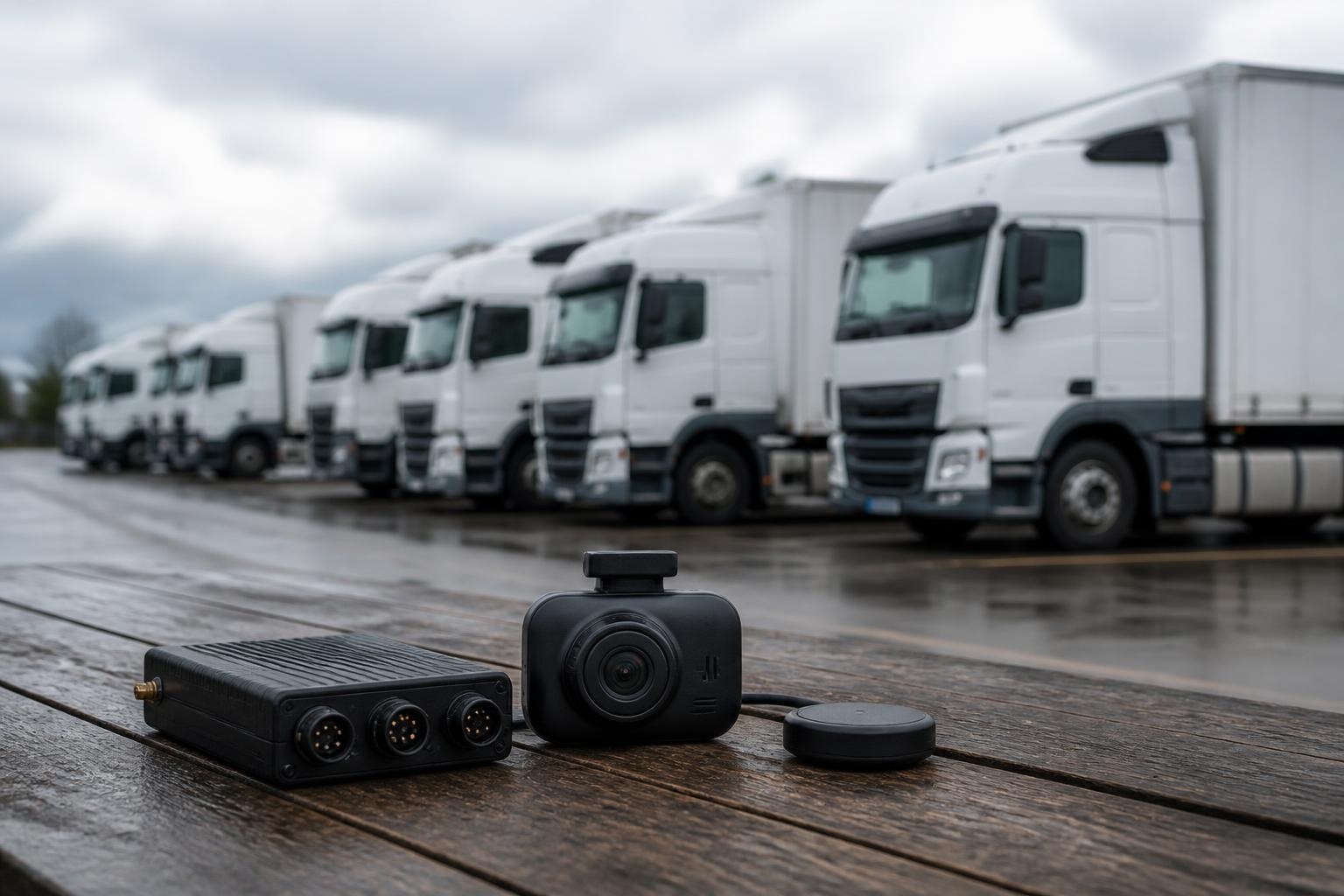
When logistics firms compare software, the fastest way to waste time is to start with price lists and feature grids. The better route is to work backwards from the jobs the system must handle every day, who will use it, and which manual tasks you want to remove first. For most UK operators, that means vehicle visibility, driver hours oversight, Tachograph downloads, incident evidence, trailer or asset location, and reporting that helps somebody act, not just read.
That is why buyers looking at vehicle tracking and compliance software for logistics firms usually get further when they compare workflows before subscriptions. If the software saves a few pounds per vehicle but adds another login, another spreadsheet, and another daily check for the transport office, it often costs more in practice.
What logistics firms should compare before looking at price
Before comparing costs, we recommend listing the operational requirements that matter to your fleet type. An HGV operator running planned trunking work has different needs from a mixed fleet with vans, trailers, plant and subcontracted delivery work. The software should fit the operation you actually run.
Start with fleet composition. Check whether the system handles:
- HGV units
- vans
- trailers
- non powered assets
- mixed fleets across several depots
- owner-driver or subcontractor visibility where required
A lot of products are strong in one category and weaker in another. A van-focused platform may be fine for live GPS, but limited once you need Tachograph workflows and driver hours visibility. A compliance-led product may cover HGV rules well, but offer weak trailer tracking or poor mapping for day-to-day traffic management.
Then look at how the operation is managed. Ask practical questions:
- Do planners need one live map for all vehicles and assets?
- Do transport managers need immediate visibility of infringements risk and missing downloads?
- Do you need office staff to see vehicle status without asking drivers?
- Do you need proof of route, stop history and attendance at customer sites?
- Are trailers swapped regularly between units?
- Do you need alerts for out of hours movement or unauthorised use?
- Does the business need to reduce calls between drivers and the traffic desk?
For UK operators, Tachograph and driver hours oversight is often where software choice becomes more specific. If your fleet falls under drivers' hours rules, compare how the system supports the actual compliance routine, not just whether it says "tachograph compatible". In the UK, you also need to think about how your internal process lines up with DVSA expectations and your own audit trail. A system that leaves remote downloads half automated and the rest managed by diary reminders is not really reducing compliance admin.
Another early check is how many people need access and what they need to see. A transport manager, workshop lead, owner, planner and payroll administrator may all need different views. If access is too broad, people get noise. If it is too restricted, they go back to asking for screenshots and exported spreadsheets.
We see the strongest buying decisions happen when operators define the non-negotiables first. If useful, our guide on how fleet managers really shortlist tracking software goes into that process in more detail.
Single platform or separate tools for tracking and compliance
The key trade-off is simple. Separate tools can look flexible at the start, but every split between systems creates another handoff. One platform can simplify daily work, but only if it covers the important jobs properly.
Many logistics firms already know the pain points of disconnected systems:
- one portal for GPS
- another for Tachograph downloads
- another for camera footage
- spreadsheets for expiry dates or exceptions
- manual reports stitched together for management
That setup usually creates duplicate data entry and blind spots between teams. A planner sees where the vehicle is, but not whether the driver is nearing a limit. The compliance team sees the download status, but not the operational reason for a delayed movement. Management gets reports, but not one current picture.
When comparing a single platform against separate tools, ask where the daily joins happen. For example:
- Can you move from a vehicle's live location to its compliance status in the same view?
- Can you check a driver, vehicle and trailer without changing systems?
- Can incident review pull together route history and camera evidence?
- Can a missing download, overrun risk or unusual stop be seen alongside operational context?
This is where combining live tracking, Tachograph management and safety workflows matters. If each function sits in isolation, the office still spends time reconciling events manually.
That said, "single platform" should not mean "closed platform". Hardware choice matters. Some operators want a managed route with Fleetalyse-ready trackers. Others already have installer relationships or standardise on Teltonika hardware across the fleet. The practical question is whether the software gives you one operational view without forcing a rigid hardware approach.
We built Fleetalyse around that day-to-day transport need. Operators can start with Fleetalyse-ready trackers, choose unlocked Teltonika devices where that suits the rollout, and bring tracking, compliance and camera data into one place. For teams comparing one-screen control against a stack of portals, our article on choosing transport manager software for one-screen control is a useful next read.
How vehicle visibility works in day-to-day transport operations
Live visibility is not just a map with moving dots. In transport operations, useful visibility means seeing the right vehicles, the right exceptions and the right context quickly enough to act.
When buyers compare live GPS tracking, they should check:
- map speed and refresh behaviour
- clarity of vehicle status
- stop and journey history
- geofence support
- trailer and asset visibility
- search and filtering by depot, fleet type or status
- mobile access for managers away from the desk
The map itself matters more than many buyers expect. A clean interface based on OpenStreetMap can be easier to work with than a crowded screen full of low value detail. The real test is whether somebody in the traffic office can answer routine questions quickly. Where is vehicle X? Has it left site? How long has it been stationary? Which trailer is on that customer yard? Which vehicles are nearest for a recovery or collection?
Exception reporting is just as important as live location. A transport office does not need to watch every movement all day. It needs the system to pull out what needs attention. Depending on the fleet, that may include:
- unauthorised movement
- out of hours use
- excessive idling
- delayed arrival
- route deviation
- missed geofence event
- battery or device issues on tracked assets
For trailer and asset fleets, visibility should be practical rather than decorative. If an operator has dozens or hundreds of non powered assets, the software must help narrow down what needs action, not simply show a long list of last known pings.
History and playback also matter for customer queries and internal review. A good system should make it straightforward to confirm attendance, reconstruct a route, and review stop durations without exporting raw data first.
Buyers often focus heavily on the driver-facing side of telematics, but office usability is where the return is usually won or lost. If it takes too many clicks to find the current state of a vehicle, planners will revert to phone calls. If alerts are noisy or unreliable, staff stop trusting them.
Comparing compliance tools for driver hours and Tachograph work
For HGV operators, this is usually the section that separates a basic tracking product from a proper transport operations platform.
Start with remote download capability. Ask exactly how the software handles:
- remote vehicle unit downloads
- remote driver card downloads
- scheduling and frequency
- download failure alerts
- audit trail of completed downloads
- visibility of missing or overdue data
A lot of systems say they support remote downloads, but the operational detail matters. You want to know whether downloads can be scheduled reliably, whether the office can see exceptions clearly, and whether somebody has to chase failures manually every day.
Then look at driver hours visibility. This should not be limited to a compliance specialist's back-office screen. In a working transport operation, planners and managers often need an at-a-glance view of available time, upcoming limits, rests and potential issues. The level of detail may differ by role, but the information should be visible enough to support real decisions.
When comparing software, check whether it helps with:
- seeing current and upcoming driver hours position
- spotting likely overrun risk before it becomes a problem
- identifying missing card data
- reviewing working time patterns where relevant
- reducing manual checks across multiple driver records
In the UK, operators need to align software use with their legal responsibilities around drivers' hours and record management. Software helps, but it does not replace operator control. The right system should make that control easier by surfacing what needs attention early.
Also compare how the software handles mixed fleets. Not every vehicle in a logistics business will be under the same compliance regime. If your operation includes HGV, vans and support vehicles, the platform should allow those differences without forcing everything into an HGV-only workflow.
The biggest gain is usually admin reduction. If the office is still compiling separate download logs, chasing card data manually, and maintaining parallel spreadsheets for oversight, the software is only doing part of the job. Bringing vehicle location and Tachograph compliance into one operational view often removes that gap. We cover that specifically in our guide to tracking tacho dates and vehicle locations in one view.
Where Smart dashcams and fleet reporting add practical value
Camera integrations are most useful when they solve operational problems, not when they simply add another source of footage.
Smart dashcams can add value in three main areas. First, incident evidence. When a complaint, collision or near miss occurs, transport teams need footage quickly and in context. The best setup links camera events with vehicle movement and time data so the office can investigate without piecing together several records manually.
Second, driver coaching and safety management. Depending on the camera setup, operators can review triggered events, identify recurring patterns and focus conversations on evidence rather than assumptions. That is more practical than broad scorecards with no route or operational context.
Third, reducing time spent on disputed claims. When route history and video are accessible together, it is much easier to establish what happened and respond confidently.
CAN data can also be useful, provided it is tied to a management question. For some fleets, engine and vehicle data supports better oversight of utilisation, driving style, idling or fault trends. For others, it becomes noise. The comparison question is not "does it have CAN data?" but "what will we do with it every week?"
Reporting should follow the same rule. Good reporting supports decisions. Weak reporting creates exports that nobody uses. Ask whether reports can help with:
- fleet usage review
- idling and efficiency trends
- exception management
- vehicle activity by depot or contract
- safety event review
- management visibility across mixed fleets
At Fleetalyse, we focus on Fleet insight that helps operators act. That means clear reporting tied to transport workflows, not a long menu of charts for their own sake.
Rollout, hardware and support questions that affect the result
Software comparison should always include the rollout model. A platform can look strong in a demo and still become difficult if the hardware path, installation planning and support are unclear.
Start with hardware options. Some operators want a straightforward managed route with Fleetalyse-ready trackers. That can be the fastest way to deploy where the priority is proven compatibility and a simpler setup path. Others want the flexibility to use unlocked Teltonika hardware, especially if they already work with installers or have a wider telematics standard in the business.
When comparing hardware routes, ask:
- which devices are supported now, not just planned
- whether self-install is realistic for your fleet type
- what vehicles need professional installation
- how trailers and non powered assets will be tracked
- what power and sleep behaviour looks like in real use
- what network setup and IoT SIMs are included or expected
Installation planning matters most in commercial fleets that cannot afford unnecessary downtime. For HGV and mixed fleets, buyers should ask how installs will be phased, what vehicle access is required, and how the project handles out-of-hours or depot-based fitting. A good rollout plan should reflect actual transport schedules.
Support is another area where comparisons often stay too vague. Ask what happens after devices go live. Who helps with onboarding? How are users added? What does the Customer Portal cover? How are invoices and account details managed? Is there a Tracker login for day-to-day users separate from billing administration?
For commercial buyers in the UK, procurement and account setup also need to be straightforward. If the service is transacted online, check how payments are handled, whether Stripe is used, and how VAT is shown on invoices and account records. The legal trading identity should also be clear, in our case Fleeta Limited T/A Fleetalyse.
Finally, compare support in terms of operational usefulness, not just response promises. The real question is whether the team behind the platform understands transport workflows well enough to help when an operator is planning a mixed rollout, adding trailers, reviewing a Smart dashcams project, or deciding between Fleetalyse-ready trackers and Teltonika options.
If hardware flexibility is part of your shortlist, our article on choosing Teltonika fleet software for one clear view is worth reading alongside this one.
The firms that compare fleet software well usually reach the same conclusion. The best result does not come from the lowest line-item price or the longest feature list. It comes from choosing a system that gives the traffic office, compliance team and management one reliable working view of vehicles, drivers and exceptions, with less manual joining in between.
That is what we built Fleetalyse to do for UK commercial operators. If your fleet needs live GPS, Tachograph visibility, Smart dashcams, reporting and flexible hardware options without extra admin, that is the comparison that matters most.
What makes fleet software suitable for a logistics firm?
It should support daily transport workflows, not just show dots on a map. UK operators usually need GPS visibility, Tachograph compliance, reporting and support for mixed vehicle types in one workable setup.
Is one platform better than using separate systems?
Often yes, if your team is losing time moving between tools and spreadsheets. A single platform can make visibility, compliance and reporting easier to manage, especially across HGV and van fleets.
What should I check in GPS tracking software?
Look at live vehicle visibility, map quality, alerts, trailer or asset tracking, reporting and how easily planners or transport managers can use it during the working day.
Why does remote Tachograph capability matter?
It can reduce manual collection work and improve compliance visibility. For operators managing driver hours across several vehicles or depots, that can save time and lower the risk of missed downloads.
Do dashcams need to be part of the same platform?
Not always, but integrated Smart dashcams can make incident review and driver management simpler. It is useful when footage, vehicle location and reporting can be checked together.
How important are hardware and rollout options?
Very important. Software choice is only part of the decision. Buyers should check tracker compatibility, installation planning, support and whether the setup suits a customised commercial rollout.