
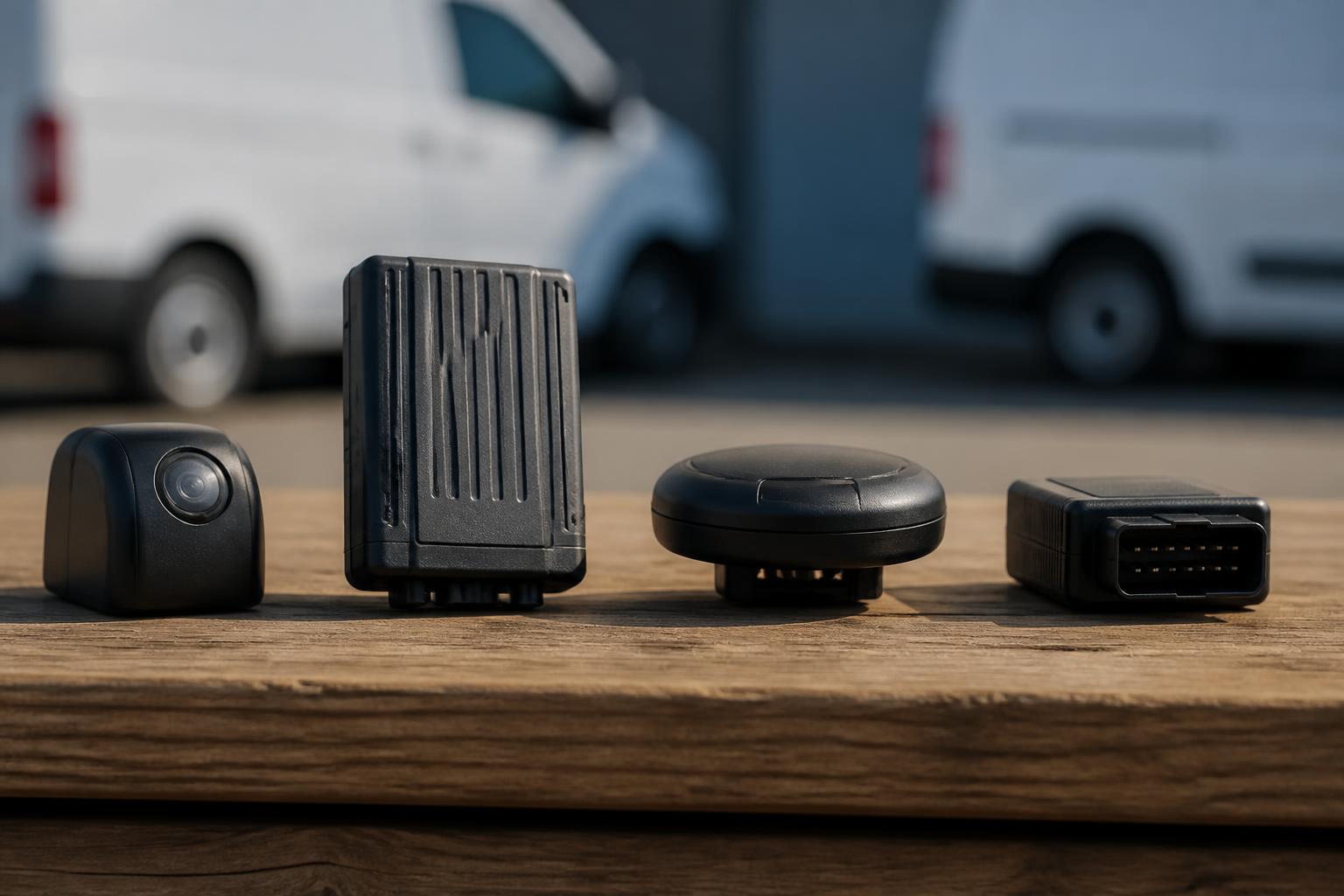
When operators compare telematics suppliers, the real question is usually simpler than the product lists make it look. They want to know whether one platform will give them day to day control of vehicles, drivers, compliance and incidents, without adding another login, another spreadsheet, or another device that only solves one problem.
That matters because many UK fleets have ended up with tracking from one supplier, Tachograph downloads from another, cameras from a third, and reports built by hand around all of them. Comparing fleet telematics companies properly means looking past feature checklists and asking how the system works in live transport operations. For us, that means bringing GPS, driver hours visibility, Smart dashcams and reporting together in Fleetalyse so the office can see what is happening and act on it quickly.
What UK operators usually mean when they compare telematics suppliers
In practice, UK operators are not usually comparing telematics in the abstract. They are comparing a few distinct types of supplier.
The first group is pure tracking providers. These suppliers focus on vehicle location, trip history, geofences and basic alerts. That can be enough for a small van fleet that mainly wants proof of movement, estimated arrival times and a simple view of utilisation. It is less useful for fleets that also need compliance visibility, driver management and evidence around incidents.
The second group is compliance led providers. They tend to centre the offer around Tachograph downloads, driver card management, driver hours and infringement visibility. For HGV operators, that can be essential, but on its own it still leaves a gap if the transport team also needs live GPS, camera footage and operational reporting in one place.
The third group is camera led suppliers. These businesses often lead with road risk, claims defence and in cab visibility through Smart dashcams. Again, that can solve a real problem, but if the camera portal sits separately from tracking and compliance data, the office still spends time switching systems and matching events manually.
The fourth group is broader fleet software providers. These are the suppliers operators usually mean when they want one system to cover several jobs. The value here is not only that the features exist. It is that the platform links them together in a way that reflects how a transport office actually works.
For a UK haulage, logistics or mixed commercial fleet, what you are really buying is not just hardware in a vehicle. You are buying visibility, workflows and response time. Can the planner see where the vehicle is? Can the transport manager see whether a remote download has completed? Can the office review a harsh event and camera clip without chasing across separate systems? Can reports be produced without exporting data and rebuilding it in Excel?
That is why comparisons should focus on the operating model, not just the device spec. The best buying decision is usually the one that reduces blind spots across the fleet, not the one that wins on a single feature. We cover that point in more detail in our guide to telematics that cuts fleet blind spots.
It is also worth separating UK needs from wider EU assumptions. In the UK, operators often prioritise domestic transport workflows, OCRS awareness, Tachograph administration, and practical depot to road visibility. EU wide capability can still matter, especially for cross border work, but many fleets are not trying to buy a pan European transport management stack. They are trying to run HGV, van, trailer and asset operations with fewer gaps and fewer admin steps.
Which functions matter most in day-to-day fleet use?
The answer depends on the fleet, but most operators should rank functions by how often they affect daily decisions.
For many fleets, GPS tracking is first because it underpins everything else. Live vehicle location helps with traffic response, customer updates, route checking, proof of attendance and utilisation. Historical playback matters too, especially when you need to investigate delays, mileage queries or route deviation. A platform using mapping such as OpenStreetMap should make the location view clear and usable, not just technically available.
For HGV operators, Tachograph functionality is usually just as important as tracking. The key point is not simply whether remote downloads are possible. It is whether the process is reliable and visible. You need to know which vehicle units and driver cards have downloaded, what is due, and where exceptions need attention. The practical question is whether the system helps your team stay ahead of compliance work, rather than creating another queue to monitor.
Driver hours visibility also matters daily. A transport office does not want to wait until the end of a shift to discover a problem that could have been seen earlier. Good driver hours information helps with planning, reallocating work and avoiding avoidable pressure on drivers. In UK operations, that often means using the telematics platform as an operational aid alongside the formal compliance process, not as a replacement for it.
Smart dashcams are often the next priority because they connect safety with evidence. Operators do not only need footage after a serious collision. They also need context around harsh braking, distraction alerts, reversing issues, customer site incidents and disputed events. The useful comparison point is whether camera events appear as part of the same operational picture as vehicle movement and driver activity.
Reporting and alerts should be judged by actionability. A long list of possible alerts is not the same as a useful system. In day to day use, most teams need a small number of alerts that people will actually respond to, such as movement out of hours, geofence entry or exit, missed downloads, or camera events needing review. Reports should answer regular management questions without custom work every week.
That is why we usually advise operators to prioritise in this order.
First, visibility of vehicles and assets through GPS.
Second, compliance workflows tied to Tachograph data and driver hours.
Third, incident and behaviour visibility through Smart dashcams.
Fourth, reporting and alerts that support the way the office already works.
If all four sit in one platform, the gain is cumulative. A planner can see the live vehicle. A compliance user can check the latest download status. A manager can review an event with footage attached. That is very different from having four separate products that each do their own job in isolation.
How do you tell whether a platform will reduce admin?
The quickest way is to test the workflows, not the brochure.
Start with the dashboard. Ask what the first screen shows for a mixed operational team. If one person handles planning, compliance and customer calls, they should not need to bounce between modules just to answer basic questions. A good dashboard should surface overdue actions, fleet status, recent events and obvious exceptions.
Then look at the reporting process. Ask how many steps it takes to get a weekly fleet report, a driver activity view, or proof of a vehicle visit to site. If the answer involves multiple exports, manual joins and spreadsheet clean up, the platform may have data but still create admin. The real measure is whether the office can get from question to answer quickly.
Data visibility is another strong test. Can you see location, event history, camera triggers and compliance status against the same vehicle record? Can you filter by fleet group, vehicle type or depot? If you run a mixed fleet, can the platform cope with HGV units, vans, trailers and plant without forcing each into a separate process?
Also check user access. A system that reduces admin for the transport team can still create friction if every user has to share one account or ask head office for basic access changes. We provide a Customer Portal so account management and service visibility are straightforward, and a clear Tracker login so day to day users can get straight into the operational view they need.
The next point is exception handling. Admin usually grows where the system cannot cope with the cases that happen every week. What happens when a vehicle is off road, replaced, moved between depots or assigned to a different contract? What happens when a tracker stops reporting, or a download fails? If the platform makes these situations visible and manageable, the office spends less time chasing.
Hardware and connectivity also affect admin more than buyers sometimes expect. Devices using stable IoT SIMs reduce the risk of avoidable communication gaps. Where deeper vehicle information is needed, CAN data can add useful context, but only if it is presented clearly and tied to the rest of the fleet record.
A useful buying exercise is to write down five regular tasks from your office and ask each supplier to show exactly how they are done. For example:
- Find the nearest available vehicle
- Check whether yesterday's Tachograph downloads completed
- Review a harsh event and any linked footage
- Confirm whether a vehicle attended a customer site
- Produce a simple utilisation or mileage report
That exercise tells you more than a feature matrix. If the tasks are smooth inside one platform, admin usually falls. If they rely on workarounds, it will not.
What should you ask about hardware and rollout?
This is where many comparisons become too theoretical. A telematics platform is only as useful as the rollout behind it.
First, ask what hardware options are available. Some fleets want a fast start with standard installed devices. Others need specific inputs, mixed vehicle support, or a plan for phased deployment. We support straightforward starts with Fleetalyse-ready trackers, supply unlocked Teltonika hardware where buyers want flexibility, and also plan customised rollouts for more complex commercial fleets.
Second, ask how the supplier handles different vehicle types. A van only deployment is different from an HGV fleet with Tachograph requirements, and both are different again from trailers, assets or mixed operations. The hardware plan should reflect ignition behaviour, power arrangements, installation access and the data you actually need from each asset class.
Third, ask what is installable and what is preconfigured. Buyers should know whether devices arrive ready for Fleetalyse, whether any additional setup is needed, and how vehicles are assigned inside the platform. If you are ordering through our fleet tracking hardware shop, the practical aim is to make selection and deployment clear rather than forcing buyers into generic hardware choices.
Fourth, ask about camera rollout in operational terms. Smart dashcams are not just another tracker. You need to know where footage is stored, how events are surfaced, what the connectivity requirements are, and what happens if the fleet includes a mix of artics, rigids and vans. Our connected camera options for commercial fleets are designed around that reality.
Fifth, ask about installation planning. Who books installs? Can rollout be phased by depot or vehicle type? What lead times apply? How are replacements handled if a vehicle leaves the fleet? These are ordinary transport questions, but they often decide whether the system goes live cleanly or drifts into a half deployed estate.
For buyers interested in Teltonika, it is worth checking whether the hardware is locked to one use case or can support a broader telematics plan over time. Likewise, if you need CAN data, ask exactly which vehicles can provide it and how that data will appear in Fleet insight, not just whether it is technically possible.
Finally, ask how the supplier deals with account setup. Hardware, vehicles, groups, users and alerts should be configured in a way that matches your operation from the start. A rollout that ignores the structure of the fleet usually creates admin later.
How should you compare cost, support and long-term fit?
Start with pricing structure, not just headline monthly cost. Ask what is included in the subscription, what is a one off hardware charge, what requires installation, and whether there are separate charges for cameras, remote downloads or additional users. In the UK, always check whether prices are quoted excluding VAT or including it. For business buyers, the practical comparison is usually on the ex VAT figure, but quotations should be clear.
Payment process matters too. If hardware or subscriptions are purchased online, the checkout and invoicing process should be straightforward. Where relevant, we use Stripe for secure payment handling, and our account setup is tied back to the operational service rather than left as a disconnected ecommerce transaction.
Support should be judged on operational usefulness. When a fleet calls support, it is rarely to discuss theory. It is because a vehicle is not reporting, a user cannot see a download, a camera event needs checking, or a new unit must be added quickly. Ask who handles onboarding, what training is included, and how issues are escalated. A supplier may have a good platform and still be a poor fit if the support model does not suit transport operations.
Training is another area where buyers should be specific. Different users need different outcomes. A planner needs live visibility and search. A compliance user needs Tachograph workflows. A manager needs reports and exception views. If everyone gets the same generic walkthrough, adoption tends to be weaker and admin creeps back in.
Long term fit is about fleet shape and change. A supplier may suit a van fleet today but not support HGV compliance needs later. Another may work well for trucks but offer little for trailers or non powered assets. If your operation is mixed, or likely to become mixed, compare how each platform handles vehicles, trailers and assets in one estate. Our fleet software solutions for HGV, van and mixed operations are built around that long term view.
It is also sensible to ask how easy it is to expand. Can you start with tracking and add Smart dashcams later? Can a compliance led deployment be widened to include vans and assets? Can the same platform support owner drivers, subcontracted units or multiple depots under one account structure? The right answer is usually not the biggest bundle on day one. It is a platform that lets the fleet add capability without starting again.
When comparing fleet telematics companies, the strongest choice is usually the one that removes duplication over time. If tracking, Tachograph, cameras and reporting all have to be bought, logged into and supported separately, the apparent saving on one line item often disappears into office time and missed visibility.
That is the standard we work to at Fleeta Limited T/A Fleetalyse. We bring together the parts of telematics that UK operators actually use every day, so the fleet can see more, chase less and run with better control from one platform.
What do fleet telematics companies usually provide?
Most provide GPS vehicle tracking, location history, alerts and reporting. Some also add Tachograph tools, Smart dashcams, trailer or asset tracking, and data for compliance and driver management.
Is the cheapest tracking system usually the best choice?
Not always. A low monthly price can still create extra admin if tracking, Tachograph, camera footage and reports sit in separate systems. Buyers should compare total workflow impact, not just line-item cost.
What matters most for an HGV fleet?
HGV operators usually need strong visibility on vehicle location, Tachograph activity, driver hours, route progress, exceptions and compliance reporting, with information that transport teams can use quickly each day.
Can one platform cover mixed fleets?
Yes, if the supplier supports HGV, vans, trailers, assets and different hardware setups in one system. Buyers should check how clearly the platform handles each fleet type and user workflow.
Why do some operators want several functions in one platform?
Using one platform can make it easier to see vehicles, drivers, compliance and incidents together. That can reduce duplicate data entry, missed information and the need to switch between separate tools.