
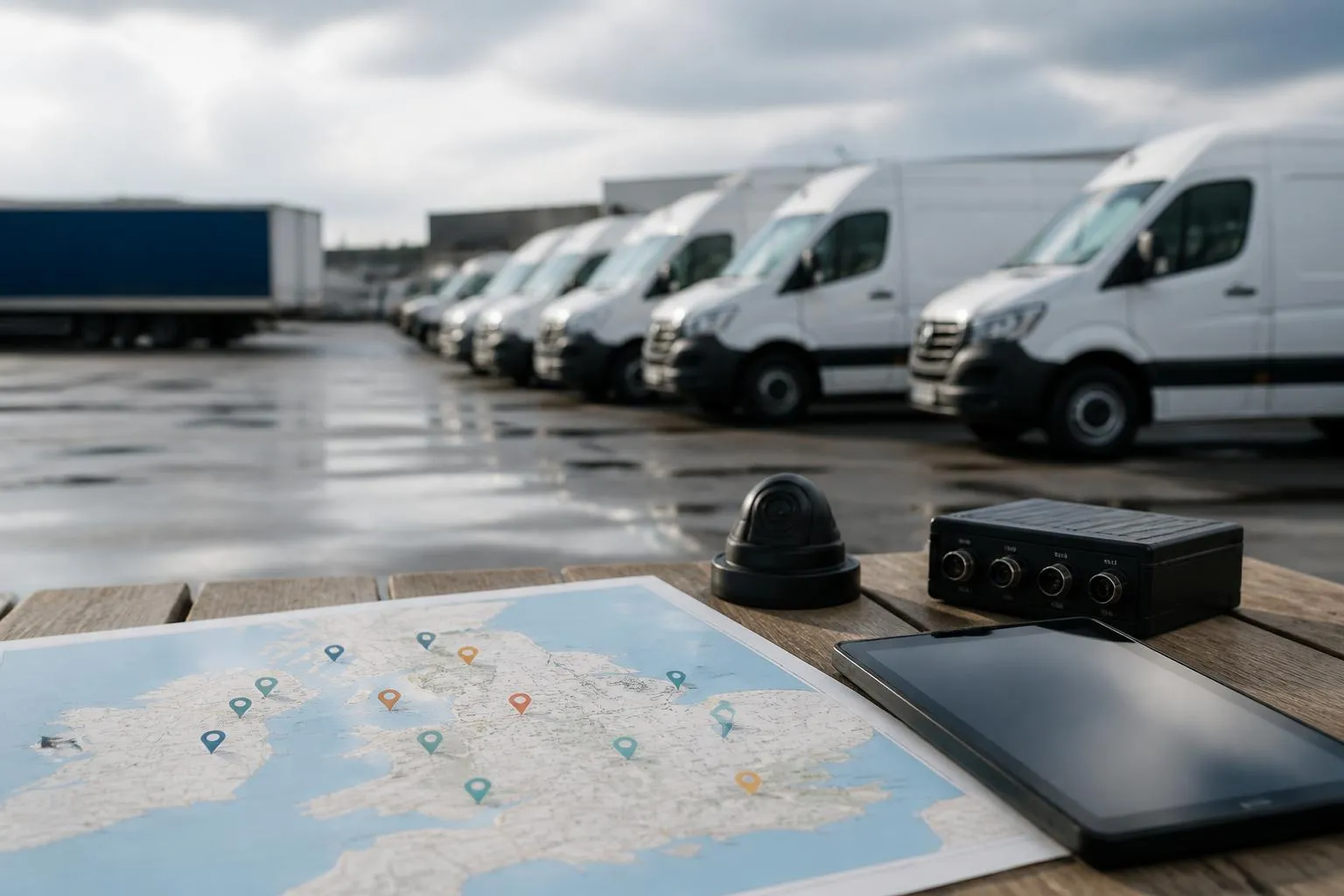
Choosing between fleet visibility tools is not really about who has the nicest live map. For a UK operator, the better question is whether the system shows what your traffic office, compliance team and managers need to act on today, without switching between separate logins, exports and spreadsheets.
Good fleet visibility software for transport operators should bring together vehicle location, trailer and asset status, driver activity, Tachograph compliance, safety events and reporting in one practical workflow. If a platform only shows dots moving on a map, you will still end up doing the real work somewhere else.
What transport operators actually need to see each day
In practical UK transport terms, fleet visibility means seeing the current position and status of the whole operation, not just vehicle location. That includes HGV units, vans, trailers, plant, powered assets and the drivers linked to them. It also means seeing the exceptions quickly enough to do something useful with them.
Most operators want a daily view that answers a short list of operational questions.
Where are the vehicles now, and which are moving, idling, stopped, off route or out of hours?
Which drivers are assigned, and are there any immediate issues with driver hours, missing card data or upcoming rest requirements?
Which trailers or assets are detached, stationary too long, at the wrong site or due attention?
Which vehicles have compliance gaps, such as overdue remote downloads, inspection issues or missing mileage context?
Which jobs, depots or customer locations are creating avoidable delays?
A useful system should let us move from overview to detail quickly. That usually means a map view for immediate location, a list or status board for exceptions, and a vehicle or driver timeline for investigation. The point is not to admire the map. The point is to spot the one unit that has been idling at a customer for 90 minutes, the trailer that never left the yard, or the driver whose available time changes the plan for the afternoon.
For UK operators, compliance status is part of visibility, not a separate back office concern. If we have to open one platform for GPS, another for Tachograph downloads, another for camera footage and a spreadsheet for utilisation, we do not actually have visibility. We have fragments.
That is why mixed fleet support matters as well. Many businesses are not running one clean fleet type. They may have HGV units, vans for support work, trailers, generators, refrigerated assets or subcontracted equipment. If the platform only works well for one asset class, the office still ends up managing blind spots manually.
How to compare systems beyond live GPS maps
Once basic tracking is covered, most systems start to look similar at first glance. The real differences appear in the day-to-day views, filters, alerts and history.
Start with status visibility. Can the platform show clear operational states such as driving, stopped, idle, ignition on, out of geofence, out of hours or no recent contact? Can we sort those statuses across the whole fleet, or only click into each vehicle one by one? A map without a strong list view often slows dispatch and fleet control.
Next, look at alerts. Useful alerts are not just movement notifications. We should be able to set practical triggers around geofences, after-hours use, unauthorised movement, prolonged idling, battery issues, trailer detachment, missed downloads or camera events. The better question is whether those alerts are easy to tune so the team sees exceptions worth acting on, rather than hundreds of messages that get ignored.
History matters just as much as live data. A platform should make it easy to review route playback, stop duration, site arrivals and departures, and time spent by location. This is where operators often identify wasted hours, disputed delivery timings, recurring congestion points and underused assets. If historical reporting is awkward to export or difficult to read, the data tends to stay unused.
Utilisation is another key comparison point. We should be able to see which vehicles are earning their keep and which are standing too long. That can include engine hours, mileage, days used, dwell time and assignment patterns. For mixed fleets, trailer and asset utilisation can be just as important as vehicle mileage.
Support for mixed fleets deserves proper scrutiny. Some systems are built mainly for vans, then adapted for HGV use. Others focus on HGV units but treat trailers and assets as secondary. If you operate combinations of units, trailers and non-powered assets, ask how each appears in the same workflow. Can we see them together, assign them cleanly and report on them without workarounds?
Map detail is still relevant, but mostly in service of decision-making. Platforms using OpenStreetMap can provide clear, practical mapping without locking the value of the system to the map layer itself. What matters more is whether the map, list and history views work together.
When comparing products, it is worth reading how operators actually shortlist systems in practice. Our guide on how fleet managers narrow down tracking platforms in the real world covers the operational checks that usually matter more than brochure features.
Why Tachograph and driver hours visibility changes the decision
For many UK operators, the biggest difference between tracking tools and a true fleet platform is what happens around Tachograph and driver hours data.
If remote Tachograph downloads sit in a separate system, the transport office ends up chasing card and vehicle files manually, checking download schedules separately and piecing together compliance status from more than one place. That creates duplicate admin and increases the chance that something gets missed.
When driver hours visibility sits alongside tracking, dispatch and compliance teams can make better decisions in the same workflow. We can look at a vehicle’s location and the driver’s available time together. We can see whether a delay at a customer site risks pushing a driver into a break requirement or reducing the options for the next job. That is operationally useful, not just a compliance record.
Remote downloads also change the admin model. Instead of planning around physical returns to depot or ad hoc card handling, we can automate much of the collection process and monitor exceptions. The important comparison point is not simply whether a supplier says it supports remote downloads. Ask how the download status is shown, how exceptions are flagged, whether missing files are obvious, and how easily transport staff can see upcoming issues before they become infringements or audit problems.
This matters particularly in the UK because operators need to manage domestic obligations and the practical realities of enforcement and record keeping here, not just a generic EU feature set. Where rules differ between the UK and the EU generally, the system needs to support the workflow that applies to the operation in front of us. A platform that treats Tachograph data as an add-on can leave the office translating between systems and rules manually.
For many fleets, combining tracking and compliance visibility removes the need for a separate admin routine. Instead of one person downloading reports from one tool, another checking positions in another, and someone else maintaining a spreadsheet of due actions, the team can work from one operating view. That is one of the clearest reasons to compare beyond GPS alone.
We cover this in more depth in our article on cutting compliance blind spots when choosing HGV fleet software.
Where Smart dashcams and safety data fit into fleet visibility
Safety visibility is often separated from fleet visibility during procurement, but in day-to-day operations the two are closely linked. If a harsh event, collision alert or risky driving pattern appears in one system and the vehicle movement history sits somewhere else, review takes longer and coaching becomes less consistent.
Smart dashcams are useful when they are part of the operating picture, not just a standalone evidence tool. The obvious use is incident review. When a complaint comes in, or there is a near miss, we want to check the vehicle location, speed context, route history and footage together. That shortens response time and reduces argument over what happened first.
The second use is driver coaching. Camera-led visibility can help identify repeated behaviours such as distraction, close following, harsh braking or poor observation. But the value depends on workflow. Can the transport manager review events quickly, relate them to route conditions and discuss them with the driver in a structured way? Or does the footage sit in a separate portal that only gets opened after something serious happens?
This is where integrated safety data stands out. If the same platform shows location history, event timing and video context, coaching becomes easier and more consistent. It also helps distinguish between one-off events and patterns that need intervention.
Operators should also compare how camera events are filtered. Too many low-value alerts create fatigue. Too little context makes footage hard to use. A practical system should make it simple to review the right event, at the right time, with enough location and journey detail around it.
Our connected camera options for incident review and driver coaching show how Smart dashcams fit into a broader visibility model rather than sitting as a separate safety purchase.
Hardware, rollout and integration questions to ask before buying
Software comparison is only half the decision. The hardware model, installation plan and integration approach will affect rollout speed, data quality and long-term flexibility.
First, ask what hardware is supported. Some operators want a simple, standard route with Fleetalyse-ready trackers. Others want the option to use unlocked Teltonika devices, especially if they need a particular installation method or want more control over hardware choice. The important point is to understand whether the platform supports the device strategy you actually need, rather than forcing every fleet into one model.
Next, ask what data the hardware can provide. Basic GPS location is straightforward. Beyond that, requirements may include ignition status, power events, odometer context, driver identification inputs and CAN data. For HGV and mixed commercial fleets, CAN data can be useful where vehicle-level operational detail matters, but the practical question is what the platform does with that data once collected.
Installation planning also deserves more attention than it usually gets. A rollout across a few vans is different from a staged HGV and trailer deployment across multiple depots. Ask who plans the install sequence, what vehicle downtime is needed, how mixed hardware types are handled, and how assets without their own power source are covered. If there are remote Tachograph components, dashcams and trackers involved, the install plan should reflect the whole package rather than treating each item as a separate project.
Connectivity matters too. IoT SIMs are easy to overlook until coverage or data management becomes a problem. Ask how SIM provision is handled, what happens if a unit roams or loses signal temporarily, and how device communication is monitored. Visibility is only as good as the continuity of data coming back from the field.
Then look at user setup and access. Can managers and office staff get to the information they need through a straightforward Customer Portal? Is there a clean Tracker login for day-to-day use? If the business needs to order additional hardware or expand the rollout, is that process simple enough to handle without starting from scratch? For operators that want a standard buying route, our online hardware and tracking shop gives a practical starting point.
Commercial setup also matters. Buyers should understand how billing works, whether hardware and service are separated clearly, and how taxes such as VAT are shown at checkout and on invoices. Where online payment is used, services such as Stripe may be part of the transaction flow, but the operational question is whether ordering and account setup are straightforward for the fleet team.
Finally, ask about rollout support for the real fleet shape you run. A small owner-driver operation may want a fast start with minimal complexity. A larger multi-site operator may need phased deployment, mixed hardware, tailored reporting and specific driver or trailer workflows. We support both standard and customised approaches through Fleetalyse, and where needed through Fleeta Limited T/A Fleetalyse as the contracting business.
How to judge value for a haulage or mixed fleet operation
The easiest mistake in fleet software buying is to compare monthly line items without comparing the work each system removes.
For a haulage or mixed fleet operation, value usually comes from four places.
First, fewer systems. If tracking, Tachograph downloads, driver hours visibility, cameras and reporting sit together, the office spends less time moving between platforms and reconciling data manually.
Second, less spreadsheet work. Many operators are not paying for software with money alone. They are paying with admin time spent maintaining utilisation sheets, download logs, incident records and exception trackers outside the system. A platform that replaces those side processes usually creates more value than one extra map feature.
Third, better reporting. Useful reporting is not about volume. It is about whether the team can pull clear information on vehicle use, stops, route history, exceptions, driver activity and safety events without building manual workarounds every week. That is what supports planning, customer queries, internal review and management decisions.
Fourth, day-to-day usability. A system can be technically capable and still create friction. If staff cannot get from a fleet overview to a vehicle history, a driver issue or a camera event in a few clicks, they will revert to old habits. The best visibility tools are the ones the traffic office actually uses throughout the day, not just when someone asks for a report.
When comparing options, it helps to write down the current admin chain for a few common jobs. For example, checking whether a driver can take an extra run. Investigating a late arrival. Reviewing a disputed complaint. Confirming whether a trailer has moved. If one platform shortens those workflows materially, that is operational value.
That is what we focus on in Fleet insight through Fleetalyse. Not visibility as a slogan, but visibility that reduces separate systems, cuts manual checking and gives transport teams one place to run more of the working day. If you are comparing platforms for a haulage, logistics or mixed commercial fleet, that is the standard worth using.
What is fleet visibility software for transport operators?
It is software that shows where vehicles, trailers and assets are, along with driver activity, compliance status, safety events and reporting in one operational view.
Is live GPS tracking enough on its own?
Usually not for a transport operator. Live GPS helps with location, but many fleets also need Tachograph, driver hours, reporting and camera visibility to manage daily operations properly.
Why does remote Tachograph data matter in a comparison?
Because it affects compliance workload. If Tachograph data sits inside the same platform as tracking and reporting, transport teams can work from one system instead of several.
Should HGV and van fleets use the same visibility platform?
Often yes, if the business runs a mixed fleet. A single platform can make reporting and oversight easier, provided it supports the different workflows each vehicle type needs.
What should I ask about hardware before choosing a platform?
Ask which trackers are supported, whether Teltonika devices can be used, what installation is required, what data is available and how the rollout will be managed.