

Electronic proof of delivery for UK fleets: a practical guide
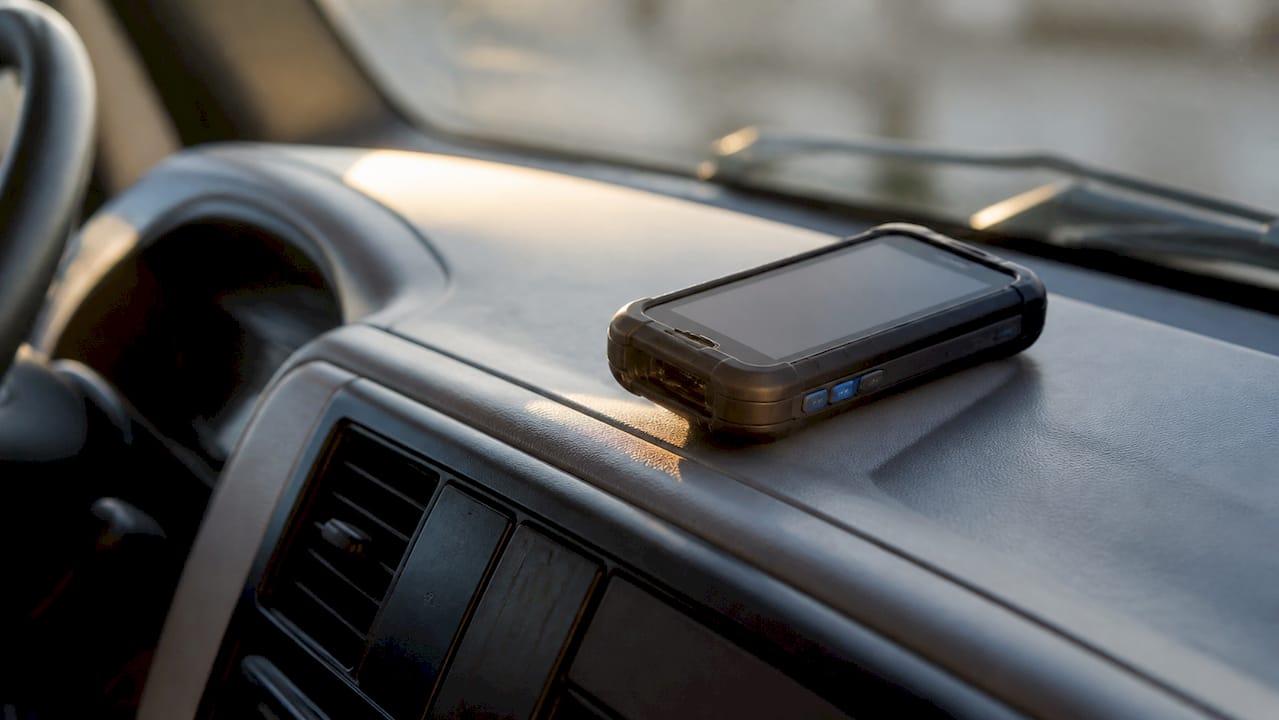
Electronic proof of delivery (ePOD) is a digital record captured at the point of handover, replacing paper delivery notes with timestamped GPS data, photographs, e-signatures, and barcode scans stored on a central platform. For UK fleet operators, the practical payoff is immediate: disputes are resolved faster, invoice cycles shorten, and every delivery generates an auditable evidence trail that holds up under scrutiny.
A single ePOD record typically contains recipient name and e-signature, timestamped GPS coordinates confirming the delivery location, photographs of the consignment at handover, barcode or QR scan confirming the correct item, and date, time, and driver ID.
That combination turns a delivery event into a verifiable fact, not just a driver’s word against a customer’s claim.
Key takeaways
Electronic proof of delivery reduces delivery disputes and accelerates invoice cycles by replacing paper notes with timestamped GPS, photo, and signature records that form an immutable audit trail.
| Point | Details |
|---|---|
| Make all proof fields mandatory | Lock signature, photo, and scan fields so drivers cannot skip them under time pressure. |
| Test offline sync before go-live | Confirm the app stores and syncs data reliably in areas with poor mobile signal. |
| Pilot on one route first | Run a 6 week pilot on 5 vehicles before scaling to validate integrations and ROI. |
| Check UK GDPR compliance | Confirm data residency, retention periods, and the vendor’s data processing agreement before signing. |
| Fleetalyse supports ePOD workflows | Fleetalyse provides the GPS tracking and fleet analytics foundation that ePOD systems rely on for location verification and compliance reporting. |
Table of Contents
- What electronic proof of delivery actually means in practice
- What core features should you expect from an ePOD system?
- How does the ePOD workflow actually run?
- What operational and financial benefits does ePOD deliver?
- What integrations and UK compliance points should you check before buying?
- How should you evaluate ePOD vendors before committing?
- What does a realistic ePOD rollout look like for a UK fleet?
- What pitfalls should you avoid, and what actually keeps capture rates high?
- The case for ePOD is clear, but the execution gap is where most fleets struggle
- Fleetalyse gives your fleet the GPS and compliance foundation ePOD depends on
- Sources
What electronic proof of delivery actually means in practice
Paper delivery notes have always had the same weakness: they get lost, damaged, or disputed, and chasing a signature from three weeks ago is rarely productive. ePOD replaces that paper trail with a digital record captured on a driver’s smartphone or rugged handheld device, then uploaded automatically to a cloud dashboard where operations, finance, and customer service teams can access it within minutes of delivery.
Proof-of-delivery records typically include recipient name, signature, and time/date. ePOD systems extend that baseline by adding photos, GPS coordinates, and barcode scans to create a stronger, auditable record. The result is a structured data object rather than a scanned piece of paper.
A typical ePOD record contains the following fields:
| Field | Description |
|---|---|
| Recipient name | Captured manually or auto-populated from the job |
| E-signature | Drawn on-screen by the recipient |
| Timestamp | Server-verified date and time of capture |
| GPS coordinates | Latitude/longitude at the moment of capture |
| Photo attachments | One or more images of the consignment or delivery point |
| Barcode/QR data | Item or consignment reference scanned at handover |
| Driver ID | Linked to the logged-in driver account |
| Job reference | Tied to the originating order in the TMS or WMS |
This structure applies across delivery contexts: parcel drops, pallet deliveries, cash-on-delivery (COD) collections, and regulated goods such as pharmaceuticals. The proof type may vary, but the underlying data model stays consistent.
What core features should you expect from an ePOD system?
Not all proof-of-delivery software captures evidence in the same way, and the right proof type depends on what you are delivering. Understanding the feature set before you buy prevents costly gaps later.
Signature capture remains the most common proof type for B2B pallet deliveries and any consignment requiring a named recipient. The driver presents a touchscreen; the recipient signs; the signature is embedded in the record with a timestamp.
Timestamped GPS confirms where the driver was at the exact moment of capture. This is particularly useful when a customer claims non-delivery: the coordinates either confirm the correct address or reveal a discrepancy worth investigating.
Photo evidence is the workhorse for parcel and doorstep deliveries. A photograph of the parcel at the delivery point, combined with GPS, creates a record that is difficult to dispute. Photo-plus-GPS is the recommended proof method for doorstep parcel deliveries, while signature plus recipient ID is recommended for high-value or regulated items such as pharmaceuticals.

Barcode and QR scanning confirms the correct item was delivered to the correct address. This matters most in multi-drop routes where picking errors are a real risk.
OTP (one-time password) verification adds a second layer of identity confirmation. The recipient receives a code by SMS; the driver enters it in the app before the delivery is marked complete.
Geofence validation checks that the driver is physically within a defined radius of the delivery address before the app allows proof capture to begin. This prevents records being created from a car park two streets away.
Offline capture is non-negotiable for UK fleets operating in rural areas or buildings with poor mobile signal. A capable system stores signatures, photos, and GPS locally on the device and syncs automatically when connectivity returns. Vendor guidance consistently emphasises testing offline behaviour before full rollout, because a system that silently fails in a signal blackspot is worse than paper.
| Proof type | Best suited for | Key evidence captured |
|---|---|---|
| E-signature | B2B pallets, named-recipient deliveries | Signature, timestamp, recipient name |
| Photo + GPS | Parcel, doorstep, unattended delivery | Image, coordinates, timestamp |
| Barcode/QR scan | Multi-drop, warehouse, returns | Item reference, scan time |
| OTP verification | High-value, age-restricted, COD | Code confirmation, timestamp |
| Signature + ID check | Pharmaceuticals, regulated goods | Signature, ID reference, timestamp |
How does the ePOD workflow actually run?
The driver’s experience is where ePOD either earns its keep or creates friction. A well-designed system makes proof capture feel like a natural part of the delivery sequence, not an additional administrative step bolted on at the end.
- Job assignment and route loading. The driver opens the app at the start of shift. Jobs are pre-loaded from the TMS or dispatcher, complete with delivery address, consignment reference, and any special instructions.
- Proximity check. As the driver approaches the delivery address, the geofence triggers. The app confirms the driver is within the permitted radius before unlocking the capture screen.
- Barcode or QR scan. The driver scans the consignment label to confirm the correct item is being delivered. A mismatch triggers an alert rather than proceeding silently.
- Proof capture. Depending on the job type, the driver photographs the parcel, collects a signature, enters an OTP, or completes a combination of these steps. Mandatory fields lock the workflow so the driver cannot mark a delivery complete without completing every required step.
- Upload and sync. The completed record uploads to the cloud dashboard in near real-time. If the device is offline, the data queues locally and syncs when signal is restored.
- Exception handling. If a recipient refuses to sign, the driver logs a refusal reason. If an OTP fails, the system records the failed attempt as an exception for the back-office team to follow up. Failed verification steps are recorded as exceptions rather than silently dropped, preserving the audit trail even for unsuccessful deliveries.
- Dashboard visibility. Operations and customer service teams see the completed record immediately, including all attachments and metadata. The TMS or ERP can receive the data via API, auto-attaching the POD to the relevant invoice or consignment record.
Pro Tip: Set up automated customer notifications that trigger the moment a delivery is confirmed. Sending the ePOD summary directly to the recipient reduces inbound calls to your customer service team and gives the customer a timestamped record they can reference themselves.
What operational and financial benefits does ePOD deliver?
The business case for ePOD is clearest when you look at where paper POD processes leak time and money. Disputes, delayed invoicing, and manual chasing are the three biggest cost centres, and ePOD addresses all three directly.
Reduced delivery disputes. When a customer claims a parcel was not delivered, a timestamped photograph with GPS coordinates is a far stronger response than a driver’s recollection. The evidence either confirms delivery or reveals a genuine error, both of which are better outcomes than an unresolved dispute.
Faster invoice cycles. Paper POD requires collection, scanning, and manual matching before an invoice can be raised. ePOD data is available immediately, which means invoices can go out the same day as delivery rather than waiting for paperwork to return to the depot.
Faster cash flow for carriers. Submitting an ePOD package to a factoring company immediately on delivery can enable same-day funding where the factor accepts electronic submissions or API integrations. For owner-operators and smaller hauliers, this is a material improvement in working capital.
Fewer missed deliveries. Geofence validation and mandatory proof capture reduce the temptation to mark a delivery complete without attending the address. The data also reveals patterns: if a particular driver or route consistently generates exceptions, that is visible in the dashboard.
Customer experience. Automated delivery confirmations with photo evidence give recipients confidence without requiring them to contact your team. That reduces inbound call volume and improves satisfaction scores.
To calculate ROI before and after implementation, collect these metrics:
- Average number of delivery disputes per month and the cost to resolve each one
- Average days from delivery to invoice raised
- Average days from invoice to payment
- Volume of factoring submissions and current funding lag
- Driver time spent completing paper POD per shift
- Customer service calls related to delivery queries per week
Pro Tip: Run the ROI calculation on your highest-dispute route first. A single busy multi-drop route often generates enough dispute data to make the financial case for the whole fleet within a pilot period.
What integrations and UK compliance points should you check before buying?
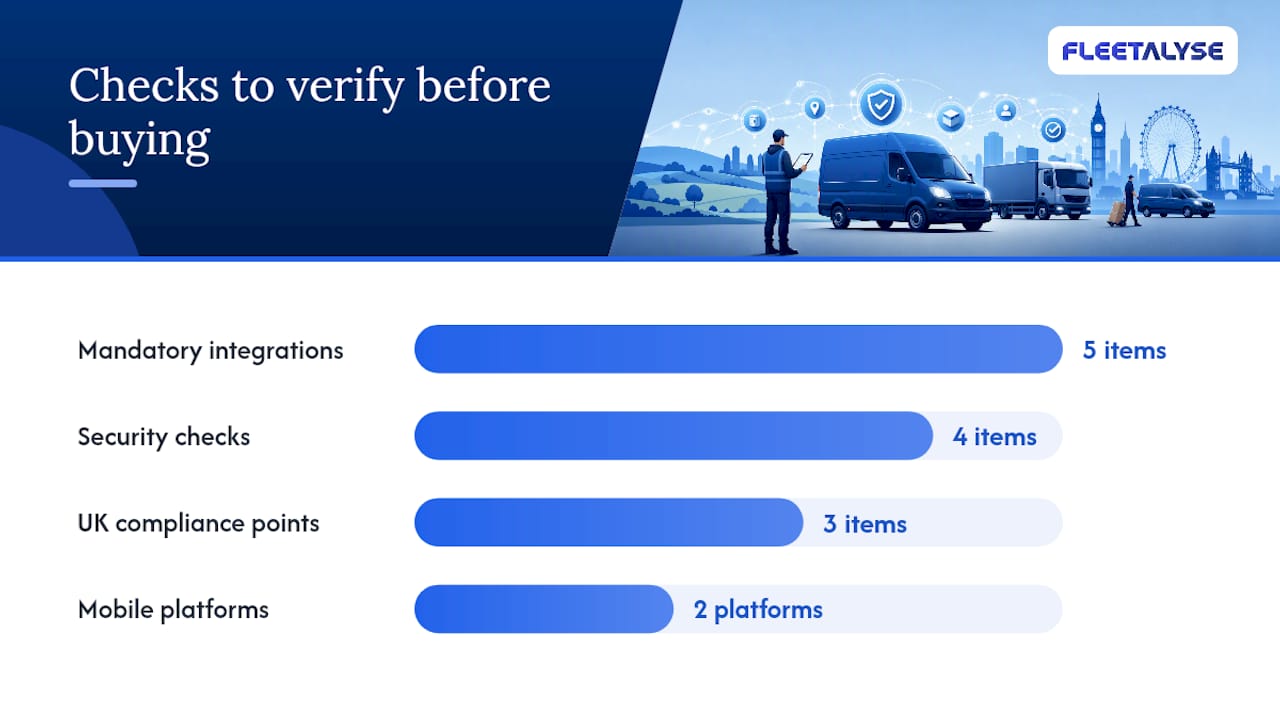
A capable ePOD system that cannot connect to your existing TMS, telematics platform, or factoring portal creates a data silo rather than solving one. Integration depth is often the difference between a system that genuinely reduces admin and one that adds a parallel workflow.
Mandatory integrations to verify:
- TMS or WMS: bidirectional job data (jobs in, POD data out)
- Telematics platform: GPS and driver ID correlation
- ERP or accounting system: auto-attachment of POD to invoices
- Factoring portal: electronic submission or API for same-day funding
- Customer portal: automated POD sharing with recipients
Mobile platform support: confirm the app runs on both iOS and Android, and check whether it supports the specific device models your drivers already use. Rugged Android handhelds are common in UK warehouse and pallet operations; consumer iPhones are more typical in parcel and courier fleets.
UK-specific compliance points:
- GDPR and data retention. Recipient signatures and photographs are personal data under UK GDPR. Your vendor must be able to confirm where data is stored (UK or EEA servers are preferable), how long records are retained, and how deletion requests are handled. Many vendors keep ePOD records searchable for several years, which suits audit requirements but must be balanced against data minimisation obligations.
- Admissibility of e-signatures. Digital proof of delivery is generally admissible when captured contemporaneously as a routine business record. Electronic signatures commonly carry the same legal effect as pen-and-paper signatures provided consent is in place and the signature is properly linked to the record. The Electronic Communications Act 2000 and the Electronic Signatures Regulations 2002 govern this in the UK.
- DVSA and operator licence record-keeping. ePOD records that confirm delivery times and locations can support your operator licence compliance evidence, particularly where delivery schedules intersect with drivers’ hours rules. Linking your ePOD platform to your telematics and tachograph data creates a joined-up audit trail for DVSA inspections. See the guidance on proving transport compliance to the DVSA for practical detail on what inspectors look for.
Security checklist:
- Data encrypted in transit (TLS 1.2 or higher) and at rest
- Role-based access control so drivers see only their own jobs
- Immutable audit logs that cannot be edited after capture
- Multi-factor authentication for administrator accounts
Pro Tip: Ask the vendor to confirm their UK GDPR data processing agreement before signing any contract. A reputable supplier will have this ready; one that hesitates should prompt further questions about data handling practices.
How should you evaluate ePOD vendors before committing?
The procurement process for proof-of-delivery software is where most fleets either get it right or spend twelve months regretting a hasty decision. A structured evaluation saves time and surfaces the gaps that a polished sales demo will not show you.
Procurement checklist:
- Does the system support all proof types your operation requires (signature, photo, GPS, scan, OTP)?
- What integrations are native versus requiring a third-party connector?
- How does the app behave with no mobile signal?
- What is the pricing model: per driver, per device, per delivery, or flat subscription?
- Is UK-based support included, and what are the response time commitments?
- What is the minimum contract length, and are there exit clauses?
- How are software updates delivered, and do they require driver retraining?
Demo script: tasks to run with every vendor
- Create a test job with mandatory photo, signature, and barcode fields
- Complete the delivery workflow on a test device, including the geofence check
- Force the device into offline mode (aeroplane mode) and complete a delivery
- Restore connectivity and confirm the offline record syncs correctly
- Export the completed POD as a PDF and as a data file (CSV or JSON)
- Submit a test POD to a factoring portal or simulate the API call
- Search for the record by date, driver, and consignment reference
Red flags to watch for:
- Mandatory fields that can be bypassed with a single tap
- Offline mode that stores data but does not sync reliably on reconnection
- Pricing that changes significantly at higher driver counts without clear thresholds
- No UK data residency option or vague answers about GDPR compliance
- A demo environment that looks nothing like the production app
Providers with a UK presence and established track records in the domestic market include Podfather, which is UK-based and widely used across pallet and parcel fleets, Track-POD, which has a strong UK customer base with multi-stop route optimisation built in, and Webfleet (TomTom WEBFLEET), which integrates ePOD capability within a broader telematics platform suited to fleets already using TomTom hardware.
What does a realistic ePOD rollout look like for a UK fleet?
A phased rollout reduces risk and gives you real performance data before committing the whole fleet. The most common mistake is going live across all vehicles simultaneously, which makes it impossible to isolate problems when they arise.
| Stage | Duration | Key activities |
|---|---|---|
| Pilot scoping | Week 1–2 | Select 5 vehicles on a single route type; define success metrics |
| Configuration | Week 2–3 | Set up job types, mandatory fields, integrations, and user accounts |
| Driver training | Week 3–4 | Hands-on session covering app workflow, offline behaviour, and exception logging |
| Pilot live | Week 4 | Run ePOD alongside paper POD; compare dispute rates and invoice cycle times |
| Review and adjust | Week 8 | Analyse pilot data, fix configuration gaps, update training materials |
| Full rollout | Week 10 | Expand to remaining vehicles; retire paper POD process |
Pilot checklist:
- Define success criteria before go-live (target capture rate, dispute reduction, invoice cycle time)
- Select a route with a mix of delivery types to stress-test all proof modes
- Assign a named internal champion who owns the pilot and escalates issues
- Confirm integration with factoring portal and TMS is working before drivers go live
- Schedule a mid-pilot review at week 6 to catch problems early
Roles and responsibilities:
- IT or systems administrator: device provisioning, integration configuration, user account management
- Operations manager: route selection, driver briefing, exception monitoring
- Finance: factoring portal testing, invoice cycle measurement
- Drivers: daily use, exception logging, feedback on app usability
- Vendor support: configuration assistance, bug resolution, training materials
Practical implementation guides recommend a small, measured pilot that validates integration with factoring portals, TMS, and customer portals before scaling to the whole fleet. That advice holds particularly well for UK fleets where factoring is common and where a failed integration can delay payment cycles rather than accelerate them.
For fleets running HGVs, vans, and trailers on the same network, the mixed fleet tracking setup guide covers device compatibility considerations that apply equally to ePOD hardware planning.
What pitfalls should you avoid, and what actually keeps capture rates high?
The most common reason ePOD implementations underperform is not the technology. It is the workflow design. When proof capture feels optional or burdensome, drivers find ways around it, and the audit trail develops gaps precisely where you need it most.
Pro Tip: Lock every critical field as mandatory in the system configuration before go-live. A driver who can skip the photo step will skip it when pressed for time. The system should make the right behaviour the only available behaviour, not the recommended one.
Common pitfalls:
- Making proof fields optional rather than mandatory, which produces incomplete records under time pressure
- Poor photo quality standards with no guidance on what a valid photo looks like (distance, angle, lighting)
- Offline sync failures that are not surfaced to the driver or back office until hours later
- Data mapping mismatches between the ePOD system and the TMS, causing jobs to appear unmatched
- Insufficient driver training, particularly on exception logging when a recipient is absent or refuses to sign
Best practices that sustain high capture rates:
- Lock completion behind sequential milestones: the driver cannot mark a job delivered without passing through arrived, scanned, and captured states in order
- Define a photo standard in writing: one image showing the parcel at the delivery point with the address visible where possible
- Test uploads to your factoring portal during the pilot, not after full rollout
- Run a weekly audit of capture rate by driver and route; address gaps within 48 hours rather than at month-end
- Keep the driver app updated; outdated versions are a common source of sync failures
Ongoing quality audit checklist:
- Capture rate: percentage of deliveries with a complete ePOD record
- Exception rate: percentage of deliveries logged as exceptions, and reason codes
- Sync lag: average time between capture and record appearing in the dashboard
- Dispute rate: number of delivery disputes raised per 1,000 deliveries
- Invoice cycle time: average days from delivery to invoice raised
For a deeper look at how proof-of-delivery tracking fits into broader fleet operations, the Fleetalyse guide covers the practical mechanics in detail.
The case for ePOD is clear, but the execution gap is where most fleets struggle
The technology behind electronic proof of delivery is mature and well-proven. What separates fleets that see a genuine reduction in disputes and faster invoice cycles from those that end up with a partially-used app is almost always the same thing: whether the workflow was designed to make proof capture unavoidable rather than advisory.
The fleets that get the most from ePOD treat it as a compliance tool first and a customer service tool second. When every delivery generates an immutable, timestamped record, the dispute conversation changes entirely. You are no longer asking a driver to recall what happened three weeks ago; you are presenting a photograph, a GPS coordinate, and a signature captured at the moment of handover.
The one piece of advice worth carrying into any ePOD procurement: pilot narrow, prove the ROI on a single route, and only then scale. The temptation to roll out across the whole fleet simultaneously is understandable, but a phased approach surfaces integration problems, training gaps, and configuration errors before they affect every driver and every customer. A six-week pilot on ten vehicles will tell you more than any vendor demo.
*— Vytautas
Fleetalyse gives your fleet the GPS and compliance foundation ePOD depends on
Effective ePOD starts with accurate, real-time location data, and that is exactly what Fleetalyse delivers for UK commercial fleets. The platform combines GPS vehicle tracking, driver behaviour monitoring, and fleet data analysis in a single dashboard, giving you the telematics backbone that ePOD systems need to validate delivery locations and correlate driver activity with job records.
Fleetalyse’s plug-and-play hardware works across HGVs, vans, and trailers without requiring professional installation, which keeps rollout costs predictable. UK-based support means you are speaking to someone who understands DVSA requirements and operator licence obligations, not a generic helpdesk. For fleets looking to connect GPS tracking hardware to an ePOD workflow, or to use fleet analysis tools to monitor delivery performance and compliance in one place, Fleetalyse is a practical starting point. Book a demo to see how the platform fits your current setup.
Sources
- What is Proof of Delivery? Confirmation, Documents, & FAQs
- What is ePOD (Electronic Proof of Delivery)? | Shipsy
- Electronic Proof of Delivery (ePOD) - Verified Deliveries
- Electronic Proof of Delivery (ePOD) Guide | O Trucking | O Trucking
- What Is Digital Proof of Delivery and Why It Matters - LegalClarity
This article is general information, not a substitute for advice from a qualified lawyer. Consult a qualified legal professional about your own circumstances before acting on anything here.