

A motorway incident rarely gives a transport manager much time to reconstruct what happened. The driver reports that a car moved across the HGV's path, the other party tells a different story, and the insurer wants evidence before memories become unreliable. If the camera has missed the number plate, lost its time settings or overwritten the relevant clip, a recording exists, but it may not be useful.
That's why choosing the best dash cam for trucks isn't a retail exercise based on resolution alone. A commercial camera needs to withstand long hours and vibration, capture the road clearly, preserve evidence properly and fit the way your fleet already handles GPS, driver behaviour, tachographs and incident review.
UK operators already work in an environment where video evidence is processed at scale. Police forces across England and Wales have received over 50,000 dashcam videos since 2017, with more than 35 pieces of footage submitted every day. Just over 10% of incidents in that dataset led to court prosecution, 9.6% resulted in a Fixed Penalty Notice and 10.5% led to a driver awareness course, as reported by Fleet News' summary of the UK dashcam evidence trend.
The right purchase depends on the job. A standalone dual-channel camera may suit an owner-driver who mainly needs incident footage. A connected fleet system makes more sense when the operation needs cloud evidence, GPS context, driver coaching and structured alerts. London work introduces another question altogether, because an incident camera and a DVS compliance camera system aren't automatically the same thing.
Table of Contents
- Introduction Why Truck Dash Cams Matter More Than Ever
- What Makes a Dash Cam Suitable for Trucks and HGVs
- Detailed Comparison of Truck Dash Cam Options and Evaluation Criteria
- Evidence Standards Privacy and London DVS Compliance Explained
- How Dash Cams Work With Telematics Driver Behaviour and Fleet Operations
- Choosing and Implementing the Right System for Your Fleet
- Our Recommendation for UK Haulage and Mixed Fleets
Introduction Why Truck Dash Cams Matter More Than Ever
A collision on a busy roundabout can leave three competing accounts of what happened. For an HGV operator, the useful camera is the one that gives the claims handler and transport manager dependable evidence, not a high-resolution image. It should help establish the road view, vehicle position and relevant driver or vehicle activity.
The purchase decision should start with the investigation that follows an incident. A standalone recorder may save footage to an SD card, while a connected system can link video with location, time and an event from the vehicle or telematics platform. That extra context can reduce the need to reconstruct events from memory and makes footage easier to review across a mixed fleet.
Practical rule: Buy for the investigation you'll need to conduct, not the specification sheet you'll read before installation.
Video evidence is already part of UK road policing and claims work. Police forces accept public submissions covering collisions and driving offences, so a clip must be usable under scrutiny. Timestamp accuracy, readable number plates and controlled evidence handling matter more than a headline pixel count. A fleet system should also make it clear who can access footage, how it is retained and how an incident is exported.
For fleets, the buying decision has three layers:
- Incident evidence: Can the camera show what happened ahead, beside or inside the cab?
- Operational context: Can the team match footage to GPS position, driver behaviour and vehicle activity?
- Compliance scope: Does the system support the requirements of the routes and vehicles being operated, particularly in London?
Those questions separate an incident-evidence dash cam from a DVS compliance camera system. The former is intended to document events and support investigations. The latter may form part of a wider safety and visibility arrangement for specific operating requirements. Treating them as interchangeable can leave gaps in compliance or evidence coverage.
The right choice also depends on rollout. An owner-driver may need a reliable dual-channel recorder, while a mixed fleet may need connected video, driver coaching and central incident review. This guide compares those approaches and explains how camera choice should fit telematics, privacy controls and day-to-day fleet operations.
What Makes a Dash Cam Suitable for Trucks and HGVs
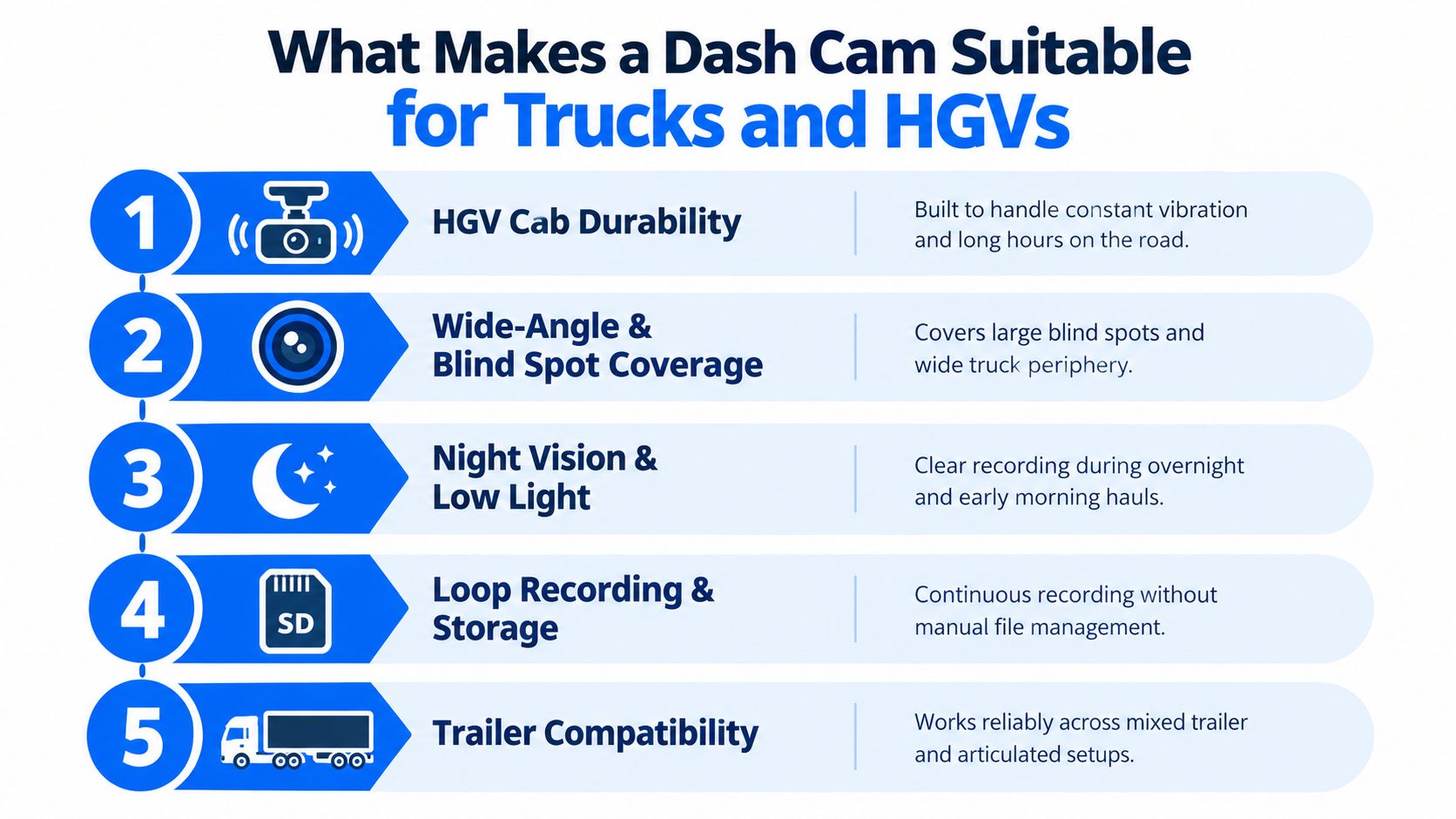
A truck camera operates in a harsher environment than a typical car accessory. The cab experiences vibration, temperature changes, long running periods and frequent starts and stops. Articulated work also creates a fitment problem, because a camera facing through the tractor unit's windscreen won't automatically provide useful visibility around the trailer or along the vehicle's blind-spot areas.
A suitable commercial setup therefore starts with physical fitment. The mount must stay stable, the power connection must be dependable and the lens must remain correctly aligned. A loose camera that gradually points at the bonnet is technically recording, but it isn't producing dependable evidence.
The commercial essentials
Number-plate capture matters more than a broad but soft image. A wide field of view can show the overall scene, while excessive distortion or poor night performance can make a plate difficult to read. Test footage should include motorway travel, urban junctions, low light and glare.
Storage and evidence handling deserve equal attention. Loop recording prevents the camera from stopping when storage fills, but it doesn't solve the problem of overwritten incident clips. Event locking, cloud backup and controlled export provide a stronger route to preserving material for an insurer or authority.
Connectivity changes the workflow. An SD-card-only device requires someone to locate the vehicle, remove or copy the card and identify the relevant file. A 4G-connected system can support remote review and event-led investigation, subject to the supplier's documented functionality and the fleet's data arrangements.
Trailer compatibility is another dividing line. A front and cabin camera may be sufficient for an owner-driver, but a mixed operation may need a defined standard for tractor units, vans, rigid vehicles and unattended trailers. The camera must be evaluated as part of the vehicle configuration, not in isolation.
Standalone versus integrated hardware
Independent UK buying guidance has identified Verizon Connect Integrated Video, Samsara C25-I, Viofo A129, Vantrue N2 Pro and Anker Roav S1 among leading options for truckers, as outlined in Expert Market's UK truck dash cam guidance. The list is useful because it includes both fleet-grade integrated systems and consumer-style dual-channel cameras.
That split is the key buying signal. Standalone cameras can offer strong image quality at a simpler entry point, while integrated systems are designed to connect video with tracking, events and management workflows. Neither category is automatically right for every operator. The correct choice depends on whether the camera is primarily an evidential recorder or one component of a wider telematics programme.
Detailed Comparison of Truck Dash Cam Options and Evaluation Criteria
The simplest way to compare truck cameras is to judge both categories against the same operational questions. Image quality comes first, but it shouldn't be the only test. A camera that records a sharp clip yet leaves the team searching through vehicle cards, manually matching times and handling files without an audit trail may create work rather than remove it.
| Evaluation Criteria | Integrated Fleet Video System | Standalone Dual-Channel Camera |
|---|---|---|
| Forward image and plates | Designed for fleet incident review, with performance dependent on camera specification, mounting and conditions | Often strong value for forward detail, but results depend heavily on model and installation |
| Multi-camera coverage | Can support broader vehicle or cab visibility where compatible hardware is deployed | Usually front and rear or front and cabin, with limited expansion |
| Connectivity | 4G connectivity can support remote access, event clips and centralised review | Commonly relies on SD cards, local access or Wi-Fi transfer |
| Evidence resilience | Cloud workflows and controlled access can strengthen preservation and auditability | Manual file handling can introduce gaps, overwriting and inconsistent custody |
| Driver behaviour | Can link footage to telematics events and coaching workflows | Usually records behaviour without creating a structured fleet scorecard |
| Alerts and intervention | May support event-based alerts and in-cab workflows, depending on the platform and subscription | Generally offers recording and camera alerts rather than wider operational escalation |
| Fleet rollout | Better suited to common policies across HGVs, vans and mixed assets | Practical for individual vehicles or limited deployments |
| Cost and complexity | Higher commercial commitment, with hardware, connectivity and platform considerations | Lower operational complexity, but more manual administration |
What to test before buying
Start with the number plate. Request or record sample footage from the camera at the speeds and routes your vehicles cover. Check daytime contrast, night glare, rain, dirty windscreens and vehicles approaching from an angle. A specification such as 4K doesn't guarantee useful evidence if compression, exposure or mounting is poor.
Then assess coverage. A forward-facing camera documents the road ahead, but it may not show a cyclist beside the cab, activity at the passenger side or events inside the vehicle. Dual-channel devices such as the Viofo A129 and Vantrue N2 Pro can be suitable where a simple front and secondary view is enough. Integrated offerings such as Verizon Connect Integrated Video and Samsara C25-I are more relevant when the fleet needs video tied to a broader management platform.
The Anker Roav S1 sits in the same buying conversation for operators prioritising a straightforward camera installation. For buyers considering wider three-channel coverage, the Rexing V5 3-channel dash cam is a useful reference point, particularly when comparing forward, rear and in-cab visibility against a connected fleet system.
AI needs careful scrutiny. Ask what the camera detects, where the alert appears, how clips are retained and who reviews them. A fatigue or distraction function is only operationally useful when the business has a fair escalation and coaching process. Otherwise, the fleet can end up with alert volume but no safety improvement.
Evidence Standards Privacy and London DVS Compliance Explained
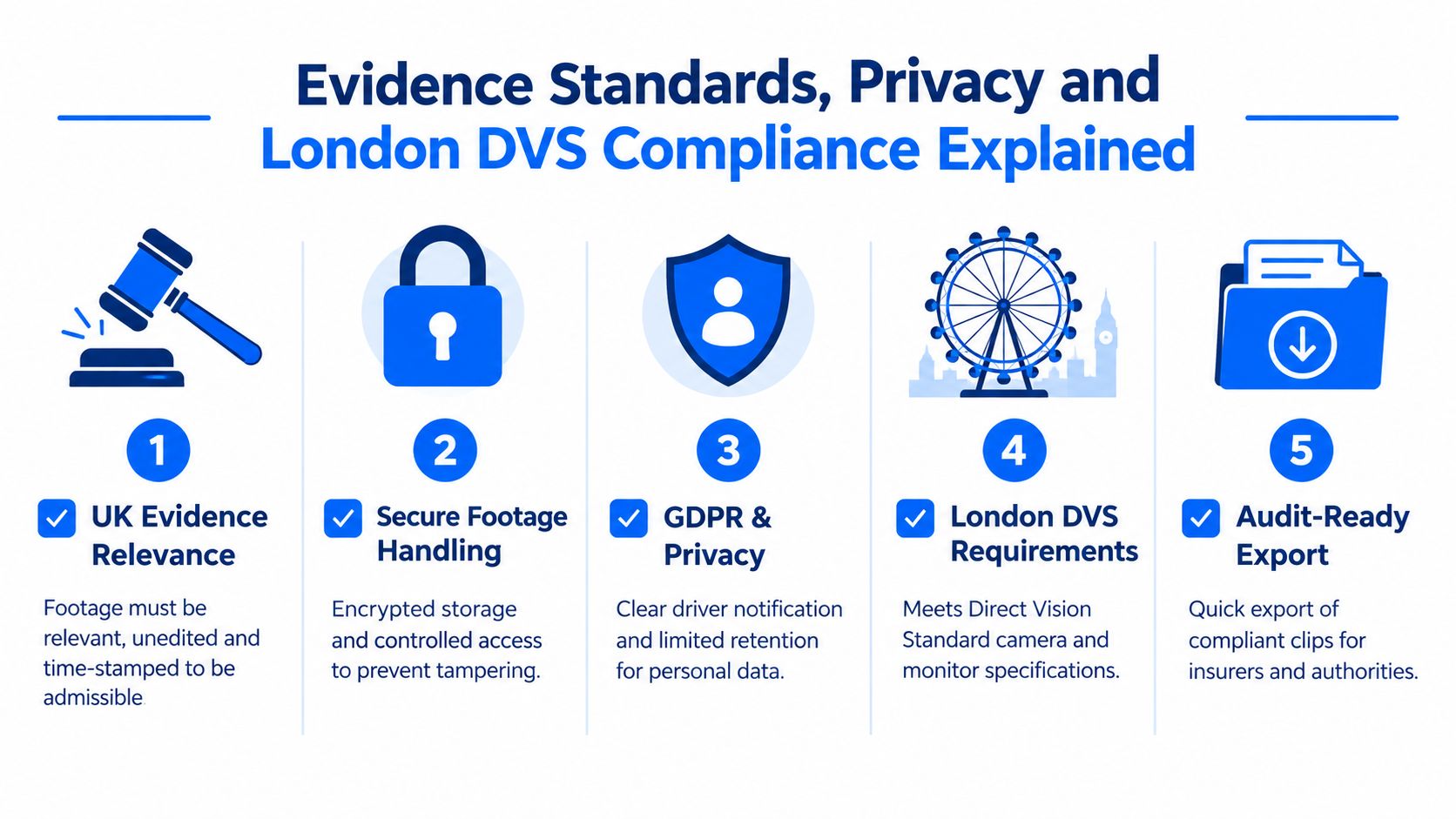
A dash cam recording isn't automatically strong evidence. UK legal guidance indicates that footage can be used in civil and criminal proceedings when it is relevant, authentic, unedited and supported by accurate time and date stamps and chain of custody, as explained in UK guidance on dash cams and road traffic law. Those conditions should shape procurement from the start.
The practical test is simple. Can the business show where the clip came from, confirm that it hasn't been altered and explain how it was stored from capture to export? An SD card can contain valuable material, but a manual process makes consistency harder. Cloud backup, role-based access and tamper-resistant evidence handling can create a more defensible workflow, provided the operator understands the supplier's controls and retention settings.
Evidence camera or compliance camera system
These are related but separate buying decisions.
An incident-evidence dash cam records the road, cab or vehicle surroundings to support claims, investigations and coaching. A DVS compliance camera system forms part of the equipment required for certain HGVs operating in London. In London, HGVs over 12 tonnes need a camera monitoring system to meet Direct Vision Standard and Progressive Safe System requirements, and the phase two compliance deadline was 4 May 2025, according to Fleet DVS guidance for HGV cameras in London.
A forward-facing recorder may therefore be useful without satisfying the complete urban safety requirement. Transport managers should confirm the vehicle's weight category, operating area, required camera views, monitors and any other Progressive Safe System elements before treating a general dash cam as compliant.
Privacy must be designed into the rollout
In-cab recording and driver monitoring involve personal data and workplace trust. Tell drivers what is recorded, why it is recorded, who can access it and how long it will be retained. Limit access to people with a genuine operational, safety, claims or compliance need, and avoid using footage for unrelated personal monitoring.
A written policy should cover incident review, coaching, disclosure to insurers or authorities, retention and deletion. It should also explain how drivers can raise concerns or challenge an interpretation. For a practical discussion of the relationship between cameras and vehicle location, use dash cams with GPS tracking for fleet operations.
How Dash Cams Work With Telematics Driver Behaviour and Fleet Operations
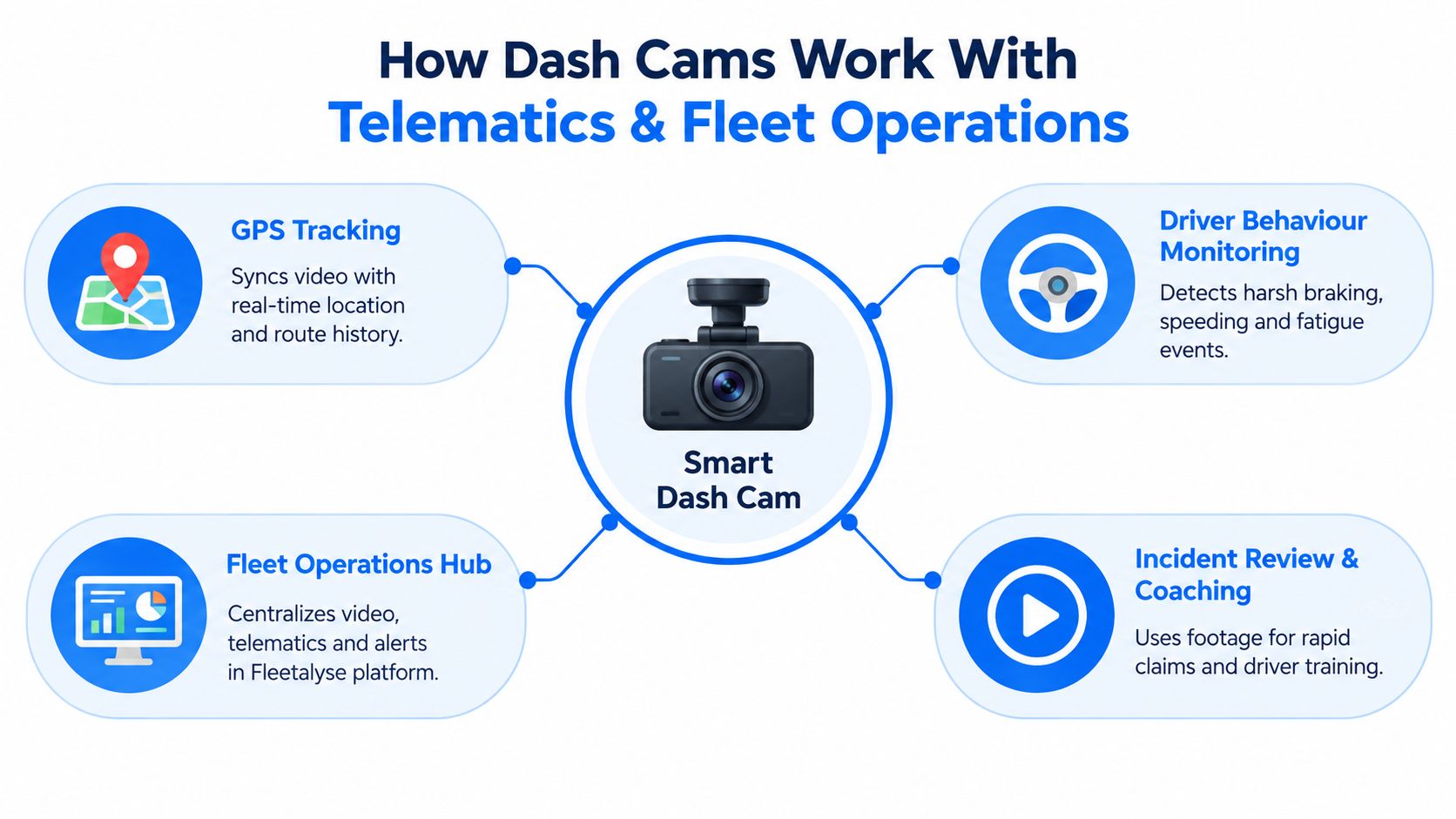
Video becomes far more useful when it answers three questions together: where was the vehicle, what happened, and what should the operator do next? GPS tracking supplies the location and route history. Vehicle or driver behaviour data can flag harsh braking, speeding or idling. The camera adds visual context, helping a manager distinguish a genuine risk from an event caused by traffic, road layout or another road user.
That connection also changes incident review. Instead of asking a depot to find a vehicle and manually search a card, a manager can start with a time, location or telematics event and move into the associated clip. The same principle applies to route checks and asset control. Teams familiar with tools that let them see your car's route history will recognise the value of placing visual evidence alongside movement data, although commercial fleet requirements are broader than consumer route viewing.
Use the camera inside existing workflows
A commercial telematics programme can combine:
- GPS tracking: HGVs, vans, trailers and containers can be monitored through location history, geofences and movement alerts.
- Behaviour review: Harsh events, speeding and idling can be assessed alongside the relevant footage rather than in a disconnected report.
- Operational planning: Historical playback and route intelligence can help planners review journeys and investigate delays or unexpected movements.
- Vehicle data: CAN bus integrations can provide fuel usage, true odometer readings and selected diagnostics where compatible hardware and vehicle connections support them.
- Compliance administration: Remote tachograph downloads can sit alongside vehicle activity, while maintenance reminders help teams manage service and MOT dates.
The tachograph process still has its own legal clocks. Driver card data must be downloaded at least every 28 days, while vehicle unit data must be downloaded at least every 90 days, and roadside checks require the current day plus the previous 28 days of driver data to be ready for production, according to UK remote tachograph download guidance. The camera doesn't replace that process. It should sit beside it.
Coaching matters more than alert volume
Research from the University of Nottingham found that camera monitoring paired with driver coaching reduced harsh braking by 16%, over-speeding by 34% and harsh cornering by 31% in HGV operations, as reported in the University of Nottingham HGV safety research.
That evidence points to a practical model. Use footage to understand an event, discuss one behaviour with the driver and record the outcome. AI-powered systems may add fatigue or distraction alerts, including indicators such as head nodding, yawning, face rubbing and prolonged idling, but those functions must be deployed lawfully and explained clearly. A camera platform that generates alerts without ownership, review rules or driver communication isn't a safety process.
For guidance on connecting the components properly, see how to link fleet tracking and dash cams.
Choosing and Implementing the Right System for Your Fleet
Start with the route profile, not the camera brand. A national trunking fleet may prioritise forward evidence, cloud access and consistent GPS correlation. A London distribution operation needs to check DVS scope before it compares lens quality. A mixed HGV and van fleet should decide whether one connected platform is more valuable than a collection of unrelated devices.
Use this procurement sequence:
- Define the incident views. Decide whether you need forward-only, front and rear, in-cab or wider side and blind-spot coverage. Record the reason for each view.
- Map the operating area. Separate London-regulated vehicles from those working elsewhere. Don't assume an evidence camera meets DVS requirements.
- Check existing hardware. Confirm whether the vehicle supports an FMS cable interface or a behind-tachograph harness. For smaller vehicles or selected assets, self-install plug-and-play hardware may be appropriate.
- Set the evidence workflow. Agree who receives alerts, who can view clips, how incidents are escalated and how exports are retained.
- Brief drivers before fitment. Explain the purpose, privacy controls, coaching process and circumstances in which footage may be shared.
- Pilot the operating process. Test night footage, number plates, connectivity, event matching, data access and maintenance ownership before a wider rollout.
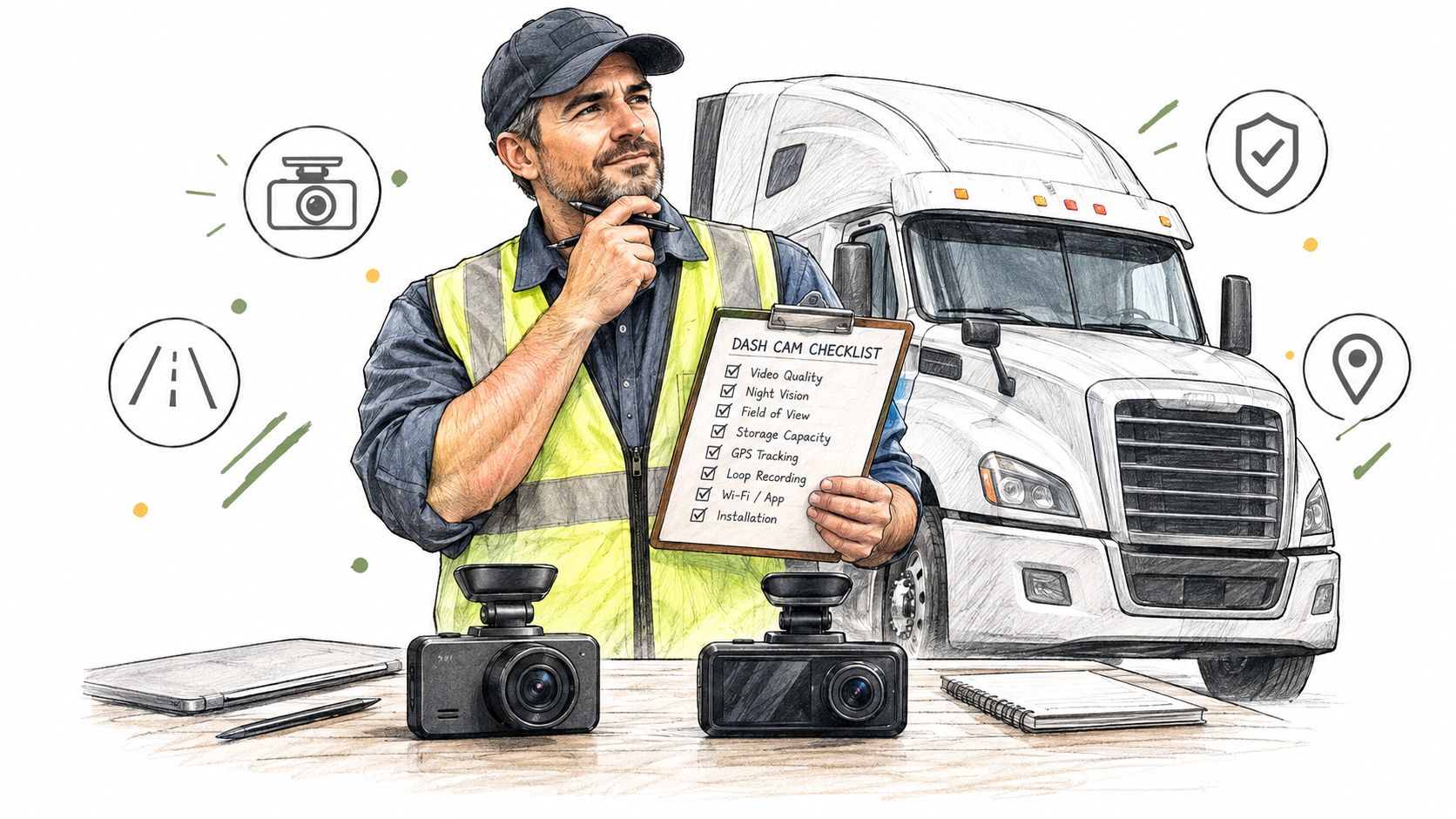
Fitment deserves its own check. A badly routed cable, obstructed view or unstable mount can undermine an otherwise capable system. Review dash camera fitting for commercial vehicles before installation, and make sure the process doesn't create avoidable downtime or interfere with vehicle controls.
Commercial terms also need scrutiny. Ask about connectivity, hardware ownership, subscriptions, support, replacement arrangements and export access. The cheapest camera may become the expensive choice if every claim requires a depot visit and manual file handling.
Our Recommendation for UK Haulage and Mixed Fleets
For an owner-driver or small operation that mainly needs reliable incident footage, a standalone dual-channel camera can be a sensible choice. The Viofo A129, Vantrue N2 Pro and Anker Roav S1 appear in UK buying guidance alongside integrated options, giving buyers a useful starting shortlist. Choose this route when manual retrieval is acceptable and the camera doesn't need to feed a wider behaviour or tracking workflow.
For long-haul fleets, a connected integrated video system is usually the stronger operational fit. GPS correlation, remote access, event-led review and structured coaching reduce the gap between an incident happening and the transport team understanding it. The University of Nottingham findings on camera monitoring and coaching reinforce why video should support behaviour improvement, not sit in storage.
For London distribution, treat DVS compliance as a separate procurement gate. Confirm the required camera monitoring system and Progressive Safe System equipment for affected HGVs over 12 tonnes before selecting an incident camera. A dual-purpose arrangement may be possible, but only after the complete compliance specification has been checked.
For mixed HGV and van fleets, standardise the workflow rather than forcing identical hardware everywhere. Fleetalyse provides GPS tracking, remote tachograph downloads, smart 4G dashcams, driver behaviour monitoring, route tools, maintenance reminders and connections for compatible commercial vehicles and assets. That makes it an option for operators wanting camera events and wider fleet telemetry managed through one commercial platform, subject to vehicle compatibility and lawful deployment.
If you're evaluating the best dash cam for trucks, visit Fleetalyse to review commercial GPS tracking, smart dashcams and remote tachograph options for HGV and mixed fleets. Ask for a practical discussion of your routes, London exposure, vehicle connections, evidence workflow and driver coaching requirements before committing to hardware.