

Fleet dash cam guide for UK fleets: 2026 edition
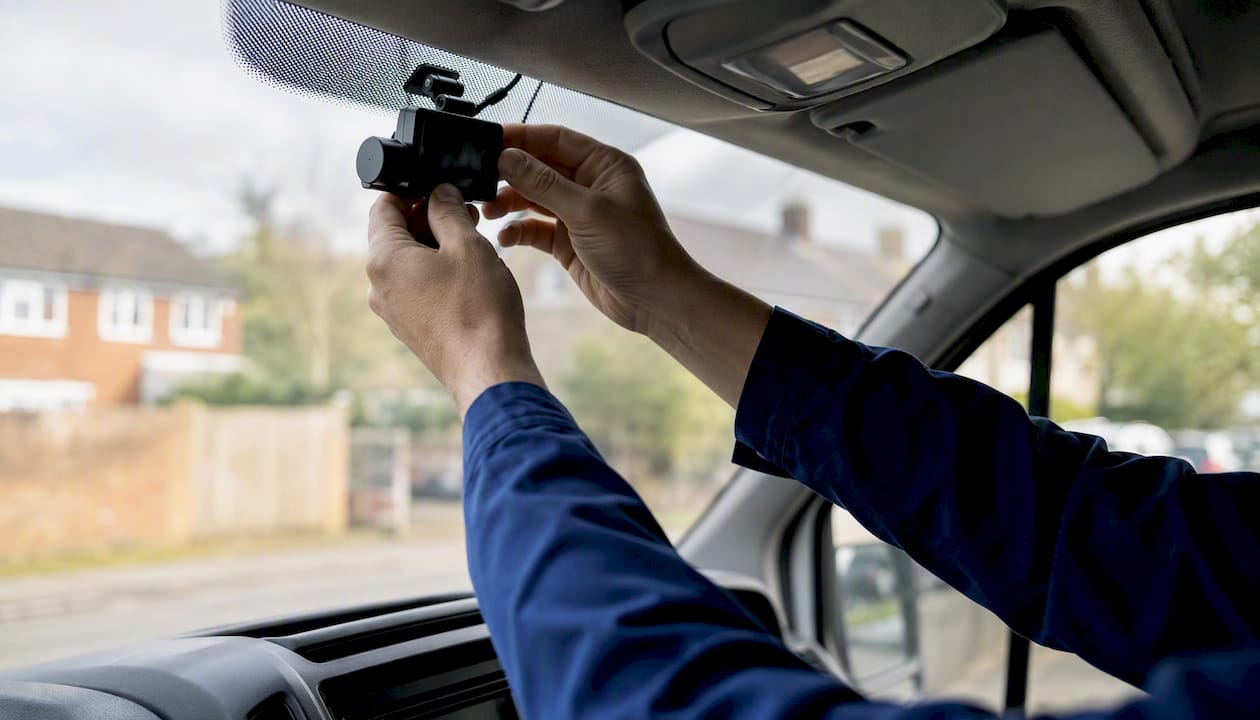
For most commercial UK fleets, the right choice is a 4G-connected, dual-facing fleet dash cam with cloud incident upload and integrated telematics. That single configuration covers the three things that matter most: incident evidence you can retrieve remotely, driver coaching data tied to GPS events, and a defensible audit trail for insurers and the DVSA.
The immediate next step is straightforward:
- Define two or three measurable goals before you buy anything (collision rate, claims cost, harsh-braking frequency).
- Run a small pilot on five to ten vehicles using a Fleetalyse-compatible connected dashcam kit before committing to a full fleet rollout.
- Request a Fleetalyse demo to see live view, event capture, and coaching workflows in action on your own vehicle data.
Skipping the pilot is the most common and most expensive mistake fleet managers make. A pilot on a representative sample of your fleet will tell you more than any spec sheet.
Table of Contents
- What do you actually want your dash cams to achieve?
- How do you choose the right fleet dash cam for your operation?
- What features actually matter on a fleet vehicle camera?
- Which camera configuration suits your fleet?
- SD card or connected cloud storage: which works for UK fleets?
- How do you integrate dash cams with telematics and install them correctly?
- How do you roll out dash cams and get drivers on board?
- What ROI can you realistically expect from a fleet dash cam system?
- What can AI driver monitoring do today, and what should you be cautious about?
- What are your legal obligations under UK GDPR and ICO guidance?
- How does Fleetalyse approach dash cam deployment for UK fleets?
- Key takeaways
- The trade-offs most fleet managers underestimate
- Fleetalyse gives UK fleets a connected dashcam platform that actually works
- Useful sources and further reading
What do you actually want your dash cams to achieve?
Before you compare hardware, get specific about outcomes. Fleets that deploy cameras without defined goals tend to collect footage nobody reviews, which wastes the subscription cost and frustrates drivers who feel surveilled for no purpose.
The four primary objectives UK fleets use in-vehicle cameras for are:
- Incident evidence and liability defence: capturing footage that proves fault (or disproves false claims) in the event of a collision.
- Driver coaching: using event-triggered clips to identify and correct risky behaviours such as harsh braking, tailgating, or mobile phone use.
- Theft and vandalism deterrence: parking-mode recording and visible camera presence that discourages opportunistic damage.
- Live monitoring and asset recovery: real-time location plus video for high-value loads or passenger transport.
Your fleet type shapes which of these you weight most heavily. An urban delivery van fleet running tight city routes will prioritise incident evidence and coaching. A long-haul HGV operator with overnight parking will care more about parking-mode recording and asset security. A mixed fleet needs a system that handles both without requiring two separate platforms.
Once you have chosen two or three priority goals, translate them into KPIs with a measurement window. Useful metrics include:
- Collision rate per 100,000 miles
- Average claims cost per incident
- Near-miss events per driver per month
- Harsh-braking and harsh-acceleration frequency per 10,000 miles
- Time from incident to clip retrieval (a proxy for system reliability)
Research consistently shows that in-vehicle monitoring systems reduce risky driving behaviours most effectively when paired with structured coaching, not surveillance alone. That finding has a direct procurement implication: a camera system without a coaching workflow built into the platform is worth considerably less than one that connects footage to driver scorecards and manager reviews.
Set a baseline measurement window of eight to twelve weeks before deployment so you have a genuine before/after comparison.
How do you choose the right fleet dash cam for your operation?
A procurement checklist keeps vendor conversations honest. Work through these criteria in order, weighted by the goals you defined above:
- Connectivity: — Does the device offer 4G LTE with a managed SIM, or does it rely on Wi-Fi offload or SD-only? For most UK fleets, cellular connectivity is the minimum for remote clip retrieval.
When you speak to vendors, ask these specific questions: Can you demonstrate a live view from a vehicle right now? What is your average clip upload success rate? Are SIM data charges included in the subscription or billed separately? How does your platform support ICO subject access requests?
Pro Tip: Ask vendors for evidence of upload reliability under UK mobile network conditions, not just headline specs. A camera that uploads 95% of triggered events on a motorway may drop to 70% on rural routes with patchy 4G coverage. That gap matters when you need footage for an insurance claim.
Fleetalyse’s smart dashcam selection guidance covers the specific questions worth asking during procurement, including how to evaluate connectivity claims against real-world UK network performance.
What features actually matter on a fleet vehicle camera?
Spec sheets can be misleading. Here is what each feature does in practice and when it genuinely changes the outcome.
Video resolution
1080p Full HD is sufficient for reading number plates and capturing incident detail in most conditions. 2K adds meaningful clarity for HGVs where the cab-to-bumper distance is greater. 4K generates large files that strain onboard storage and upload bandwidth; it is rarely justified for standard fleet use unless you are operating in a sector where forensic detail is regularly required.
Dual-facing versus single-facing
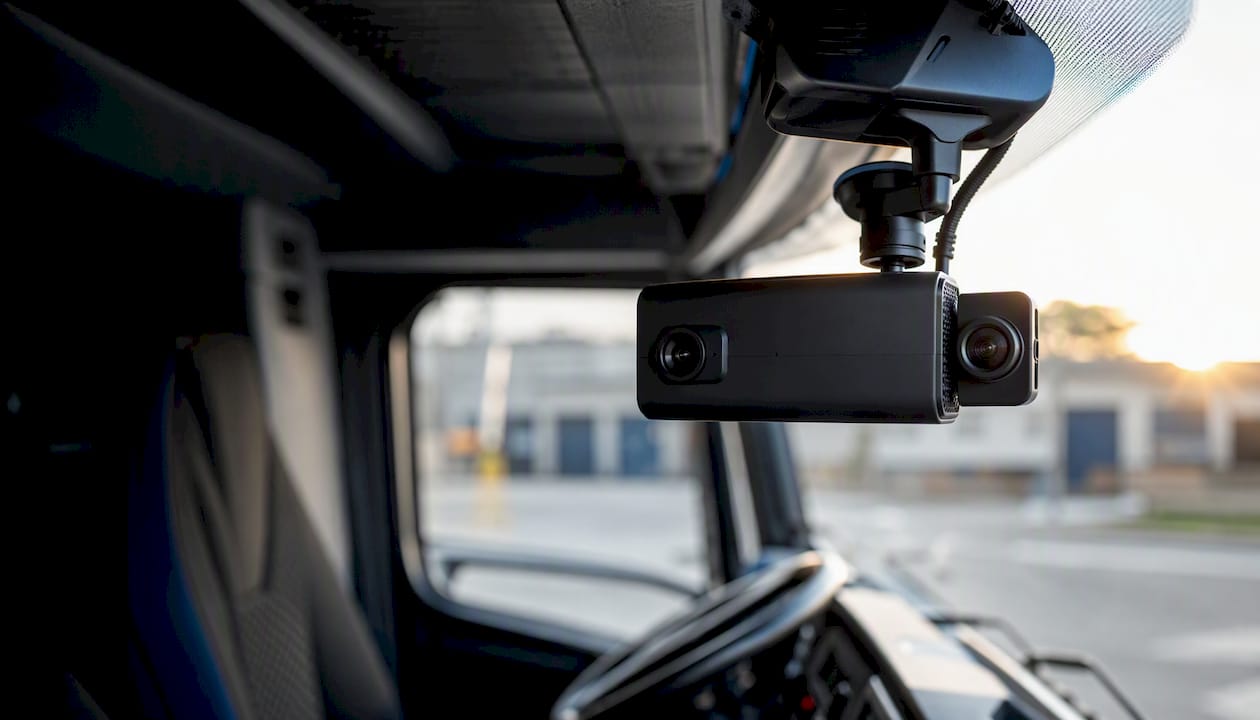
A forward-facing-only camera captures road events but tells you nothing about driver behaviour inside the cab. A dual-facing setup adds an inward-facing lens that records the driver, enabling distraction detection, seatbelt compliance checks, and coaching conversations grounded in actual footage rather than inference. For any fleet running a coaching programme, dual-facing is not optional.
Event-triggering and AI detection
G-force sensors trigger recording on impact or harsh braking. AI-enhanced systems go further, detecting lane departure, forward-collision risk, driver distraction (phone use, drowsiness), and generating automatic clip tags. The practical difference is the volume of manual review required: a G-force-only system flags every speed bump; an AI-filtered system surfaces the events that actually warrant attention.
Connectivity options
| Connectivity type | Upload method | Remote access | Best suited to |
|---|---|---|---|
| SD card only | Manual retrieval | None | Low-budget, low-risk fleets |
| Wi-Fi offload | Depot-based upload | Delayed (hours/days) | Fleets with fixed depot returns |
| 4G LTE with managed SIM | Continuous or triggered | Near real-time | Most UK commercial fleets |
| 5G | Continuous high-res | Real-time | High-value or passenger fleets |
For UK routes, 4G LTE with a managed SIM is the practical standard. 5G coverage outside major urban centres remains patchy in 2026, so specifying 5G hardware without confirming coverage on your actual routes adds cost without guaranteed benefit.
Power and installation
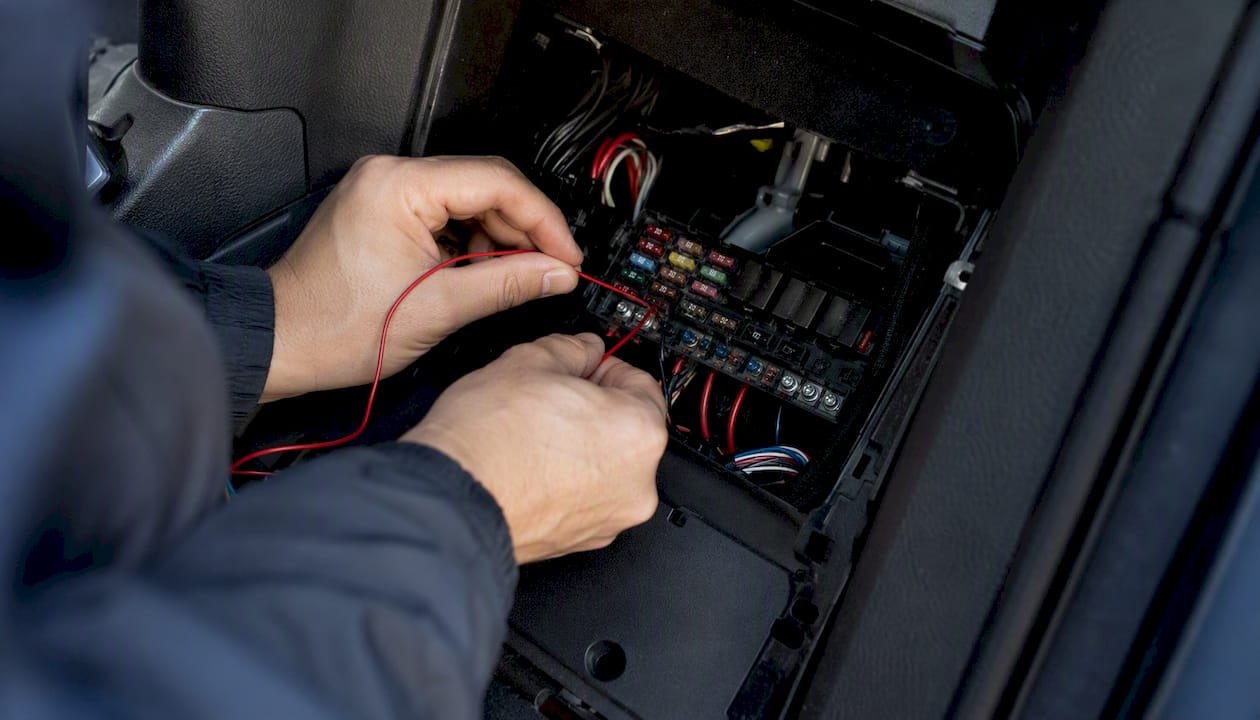
Hardwired installation draws power directly from the vehicle’s fuse box, supports parking mode without draining the battery, and is more vibration-resistant for HGVs. OBD-port devices are faster to install and suit light commercial vehicles, but they lose power when the ignition is off, which eliminates parking-mode recording.
Platform features
Look for: live view accessible from a browser or mobile app, clip tagging and search by driver or event type, role-based access so drivers can see their own footage but not colleagues’, and an API or data export that connects to your telematics platform. Fleetalyse’s driver behaviour monitoring converts video events directly into coaching workflows, which removes the manual step of downloading clips and sharing them individually.
Which camera configuration suits your fleet?
The right setup depends on what your vehicles carry, where they operate, and what your primary risk is.
Front-only is the entry point. It captures road events, proves fault in rear-end collisions, and deters tailgating. It is appropriate for low-risk, light-duty fleets where driver coaching is not a priority and budget is tight. The limitation is obvious: you have no visibility of what is happening inside the cab.
Front plus driver (dual-facing) is the configuration most UK fleet managers should default to. It covers liability defence and coaching in a single device, and the incremental hardware cost over front-only is modest relative to the coaching value. For urban delivery fleets, passenger transport operators, and any fleet with a history of distraction-related incidents, this is the baseline.
Multi-camera systems add side, rear, or trailer-facing lenses. Long-haul HGV operators benefit significantly from rear and trailer-facing cameras, particularly for loading bay incidents and reversing claims. Passenger transport operators running minibuses or coaches need internal cabin cameras in addition to road-facing lenses. The trade-off is installation complexity and higher data volumes.
Pro Tip: For mixed fleets running both HGVs and light vans, resist the temptation to standardise on a single camera model across all vehicle types. A dual-facing unit that mounts cleanly in a Transit cab may not suit an HGV’s windscreen geometry or power requirements. Specify by vehicle category, not by fleet.
For haulage-specific configuration advice, Fleetalyse’s fleet dashcam buyer’s guide for haulage covers the additional considerations for long-haul and multi-drop HGV operations.
When to choose plug-and-play over an integrated telematics solution: if you are running fewer than ten vehicles and your primary goal is incident capture, a standalone plug-and-play device is a reasonable starting point. Above that threshold, or where coaching and compliance reporting are priorities, an integrated telematics-connected system pays for itself in reduced admin time within the first year.
SD card or connected cloud storage: which works for UK fleets?
| Storage model | Retrieval speed | Tamper resistance | Bandwidth cost | Scalability |
|---|---|---|---|---|
| SD card only | Hours to days (manual) | Low | None | Poor |
| Periodic Wi-Fi upload | Hours (depot-dependent) | Medium | Low | Moderate |
| 4G continuous cloud | Minutes (remote) | High | Medium (SIM cost) | High |
The operational difference is most visible when you need footage quickly. An insurer or police officer requesting clip evidence after an incident does not want to wait for a driver to return to depot and hand over an SD card. With a 4G-connected system, a fleet manager can retrieve the relevant clip remotely within minutes of the event, which accelerates claims resolution and reduces the risk of footage being lost or overwritten.
SD-only systems carry a specific risk for UK fleets: cards can be removed, corrupted, or simply full when an incident occurs. Tamper resistance is not a theoretical concern; it is a documented problem in disputed liability cases.
UK-specific considerations worth noting:
- Mobile data costs on UK networks are manageable for most fleets when SIM plans are negotiated as part of a fleet contract rather than purchased individually.
- Cross-border routes into Europe require roaming data agreements; confirm your SIM provider’s roaming terms before deploying on international haulage.
- For evidence admissibility, footage stored on a tamper-evident cloud platform with an unbroken chain of custody is more defensible than an SD card that has passed through multiple hands.
- Remote retrieval capability is increasingly expected by UK insurers when assessing claims; some insurers now factor connected camera systems into fleet insurance premium calculations.
For fleets considering the technical detail of 4G-connected storage, Fleetalyse’s 4G dashcam guide for UK fleets covers bandwidth management and SIM provisioning in depth.
How do you integrate dash cams with telematics and install them correctly?
Integration done well means GPS location data and video events appear in the same timeline, so a harsh-braking alert at 14:32 on the A1 links directly to the clip from that moment. Without that correlation, managers spend time manually matching events across two systems.
Integration goals to confirm before deployment:
- GPS and video timestamps are synchronised to the same clock source.
- Event triggers (harsh braking, impact, lane departure) appear in both the telematics dashboard and the camera platform simultaneously.
- The camera platform offers an API or native integration with your fleet management system.
- User accounts support single sign-on or at minimum role-based access so drivers, managers, and compliance officers see only what is appropriate for their role.
Installation checklist:
- Confirm the vehicle’s fuse box location and identify a suitable always-on and ignition-switched feed for hardwired installs.
- Mount the camera on a vibration-resistant bracket, positioned to avoid obstructing the driver’s sightline and within the wiper-swept area for forward-facing lenses.
- Activate and provision the SIM card before the vehicle goes into service; confirm APN settings for your network.
- Apply the latest firmware update before the first recording session.
- Create driver and manager user accounts with appropriate role permissions.
- Run a live-view check from the platform to confirm camera angle, image quality, and connectivity.
Testing protocol:
- Trigger a test event (a controlled harsh-braking manoeuvre in a safe environment) and confirm the clip uploads within the expected window.
- Retrieve the clip remotely from the platform to verify the full retrieval workflow.
- Check that the event appears correctly tagged in the telematics dashboard with GPS coordinates.
- Confirm the reporting integration pulls the event into any compliance or coaching reports you have configured.
Fleetalyse’s dash camera fitting guidance covers mounting positions, power wiring, and common installation errors in detail, and the unlocked GPS tracker hardware available through the Fleetalyse shop is designed for plug-and-play deployment alongside the dashcam platform.
Pro Tip: Do not skip the post-install test drive. A camera that appears to be working at the depot may have a loose power connection that causes it to drop offline on rough roads. A ten-minute test route that includes speed bumps and a sharp stop will catch 90% of installation faults before the vehicle enters service.
How do you roll out dash cams and get drivers on board?
Driver resistance is the most common reason fleet camera programmes underperform. Cameras installed without explanation feel punitive; cameras introduced as a safety and support tool, with clear rules about who sees what, tend to generate far less friction.
Pilot phase
Run a pilot on a representative sample of several vehicles. Measure:
- Event capture rate (are triggers firing as expected?)
- Clip upload success rate (is connectivity reliable on your actual routes?)
- Time from event to clip availability in the platform
- Driver response to the system (gather feedback formally, not just informally)
Driver communication
Before any camera goes live, brief every affected driver in writing and in person. Cover:
- Why the cameras are being installed (safety, liability protection, coaching)
- What footage is recorded and for how long it is retained
- Who has access to footage and under what circumstances
- How footage will and will not be used in disciplinary processes
- The driver’s right to request access to their own footage under UK GDPR
A written policy document signed by each driver is both good practice and a compliance requirement under ICO guidance.
Adoption tactics
- Share coaching clips in one-to-one sessions rather than group settings to avoid public embarrassment.
- Introduce a driver scorecard visible to each driver on a mobile app so they can track their own progress.
- Recognise improvement publicly (team meetings, internal communications) rather than only flagging poor performance.
- Tie scorecard performance to a tangible incentive: a quarterly bonus, an extra day’s annual leave, or a fuel-efficiency reward.
- Involve a driver representative or union liaison in the policy design phase to build legitimacy from the outset.
What ROI can you realistically expect from a fleet dash cam system?
The clearest financial returns come from three areas: faster claims resolution, fewer successful false claims, and reduced incident frequency through coaching.
Core benefit areas:
- Claims resolution speed: Connected cameras with remote clip retrieval cut the time from incident to evidence submission from days to hours, reducing legal costs and settlement delays.
- False claim defence: Footage that disproves a fraudulent or exaggerated claim can save multiples of the annual system cost in a single incident.
- Coaching-driven incident reduction: Peer-reviewed evidence confirms that monitoring combined with structured coaching reduces risky driving behaviours and lowers crash risk. The coaching component is what converts camera data into a measurable reduction in risky driving behaviors and crash risk.
- Insurance premium impact: Demonstrating a connected camera system and a coaching programme to your insurer can support premium negotiations. Some insurers now offer discounts for fleets with verified telematics and video evidence capability; reviewing your coverage with this data in hand is worth doing annually.
KPIs to track from day one:
- Claims frequency (number of claims per 100 vehicles per year)
- Average cost per claim
- Time to settle (days from incident to closure)
- Harsh events per 10,000 miles (a leading indicator of future claims)
- Near-miss events per driver per month
A simple ROI calculation: add up your annual hardware amortisation, SIM/data costs, platform subscription, and installation labour. Compare that total against the reduction in claims costs and any insurance premium savings. For most UK fleets running more than a moderate number of vehicles, the system pays for itself within a year to a year and a half when coaching is active. Fleets with a history of disputed liability claims often see payback within the first year.
Reviewing your fleet insurance coverage in light of camera and telematics data is a practical step that many operators overlook; fleet insurance cost analysis shows how improved evidence capability can influence purchasing decisions.
What can AI driver monitoring do today, and what should you be cautious about?
AI-enhanced dashcam systems can now detect lane departure, forward-collision risk, driver distraction (phone use, eating, drowsiness), and seatbelt non-compliance in near real-time. They generate automatic clip tags and in-cab audio alerts that prompt the driver to correct behaviour before an incident occurs.
What AI does well:
- Filtering out low-value events (speed bumps, potholes) so managers review meaningful clips rather than hundreds of false positives.
- Generating distraction scores that feed directly into coaching workflows.
- Triggering in-cab alerts that give drivers immediate feedback without requiring manager intervention.
What to be cautious about:
- False positives are real. AI distraction detection can flag a driver adjusting their mirror or reaching for a water bottle as a distraction event. Set detection thresholds conservatively at first and review false positive rates during the pilot before adjusting.
- Lighting conditions affect accuracy. Inward-facing cameras in poorly lit cabs or with direct sunlight glare produce lower-quality detection results. Test in the actual lighting conditions your drivers operate in.
- Punitive use destroys trust. Using AI-flagged events as the basis for immediate disciplinary action, without human review, is both unfair and counterproductive. Every AI-flagged event should be reviewed by a manager before any action is taken.
Pro Tip: Start with a higher event threshold during the first month of AI deployment. A system generating fifty alerts per driver per week will be ignored; a system generating five meaningful alerts will be acted on. Calibrate for signal quality, not volume.
What are your legal obligations under UK GDPR and ICO guidance?
In-vehicle cameras record personal data. Under UK GDPR, you need a lawful basis for that processing, and the ICO’s guidance on CCTV and vehicle-mounted cameras sets out what is expected of fleet operators.
Practical compliance checklist:
- Lawful basis: — Legitimate interests is the most commonly used basis for fleet cameras. Document your legitimate interests assessment (LIA) before deployment.
Pro Tip: Treat your privacy notice as a living document. When you add new camera types (for example, adding inward-facing lenses to a fleet that previously had forward-only cameras), update the notice and re-brief drivers before the new hardware goes live. Failing to do so is one of the most common ICO compliance gaps in fleet camera programmes.
This article provides general guidance on UK data protection considerations for fleet cameras. Confirm your specific compliance obligations with a qualified data protection adviser or the ICO directly.
How does Fleetalyse approach dash cam deployment for UK fleets?
Fleetalyse is built around the premise that a dashcam is only as useful as the platform it connects to. A camera that uploads clips to an isolated portal, disconnected from GPS data and driver scorecards, adds administrative work rather than removing it.
What Fleetalyse provides:
- Smart 4G dashcams that integrate directly with the Fleetalyse telematics platform, so video events and GPS data appear in a single dashboard.
- Driver behaviour monitoring that converts triggered clips into structured coaching workflows, with scorecards visible to both drivers and managers.
- Plug-and-play hardware options, including unlocked GPS trackers compatible with the dashcam platform, designed for rapid deployment without specialist installation contractors.
- UK-based support for installation, SIM provisioning, firmware updates, and troubleshooting, with compliance awareness built into the platform design (DVSA and ICO-relevant workflows).
The deployment model follows a pilot-to-rollout structure: start with a small vehicle sample, validate connectivity and event capture on your actual routes, then expand with driver briefings and coaching workflows already in place. Ongoing maintenance, firmware updates, and support are handled through the Fleetalyse platform rather than requiring separate vendor relationships.
- Single dashboard: GPS tracking, tachograph data, driver behaviour scores, and dashcam footage in one place.
- Coaching integration: Video events feed directly into driver coaching reports without manual clip downloading.
- UK compliance support: Retention policies, access controls, and SAR-ready clip export aligned with ICO expectations.
- Local support team: UK-based engineers and account managers who understand DVSA requirements and can assist with installation queries.
Pro Tip: When evaluating any connected dashcam platform, ask to see a live demonstration using a real vehicle on your network, not a recorded demo. Fleetalyse’s team can walk you through a live view session on a test vehicle before you commit to a pilot.
Key takeaways
A 4G-connected, dual-facing fleet dash cam integrated with a telematics platform is the most defensible and cost-effective configuration for the majority of UK commercial fleets, provided it is paired with a structured coaching programme and a compliant data retention policy.
| Point | Details |
|---|---|
| Configuration baseline | Dual-facing 4G-connected cameras with cloud upload cover liability defence and coaching in a single device. |
| Define KPIs first | Set collision rate, claims cost, and harsh-event frequency baselines before deployment to measure genuine ROI. |
| Pilot before full rollout | A pilot on a representative sample of vehicles validates connectivity and event capture on your actual routes. |
| UK compliance is non-negotiable | ICO-compliant retention policies, driver privacy notices, and role-based access controls must be in place before cameras go live. |
| Fleetalyse as your platform | Fleetalyse connects 4G dashcams, GPS tracking, and driver coaching in one dashboard with UK-based compliance support. |
The trade-offs most fleet managers underestimate
There is a version of this conversation that focuses almost entirely on hardware specs: resolution, frame rate, field of view. Those details matter, but they are not where most fleet camera programmes succeed or fail.
The real variable is whether the footage gets used. A 4G-connected system with a coaching workflow that a manager actually runs every fortnight will outperform a higher-spec camera whose clips sit unreviewed in a portal. The research on this is consistent: monitoring without intervention produces modest safety gains; monitoring with structured coaching produces meaningful ones.
The cost trade-off is also worth being honest about. Connected cameras with managed SIMs cost more per vehicle per month than SD-only devices. For a fleet of fifty vehicles, that difference is real money. The question is not whether the connected system is more expensive, it is whether the faster evidence retrieval, remote access, and coaching capability justify the premium. For most fleets running more than twenty vehicles with any history of disputed claims, the answer is yes. For a small fleet with a clean claims record and a tight budget, an SD-based system with a clear retrieval process is a legitimate starting point.
Driver trust is the third variable that gets underweighted. Cameras introduced without explanation, or used primarily as a disciplinary tool, generate resentment that shows up in driver turnover and union disputes. The fleets that get the most from their camera programmes treat footage as coaching material first and evidence second. That framing is not just better for morale; it is better for safety outcomes.
If you want hands-on help with rollout, Fleetalyse’s UK-based team can work through the pilot design, driver communication, and compliance setup with you directly.
Fleetalyse gives UK fleets a connected dashcam platform that actually works
Most fleet camera systems are sold as hardware with a portal bolted on. Fleetalyse is built the other way around: the platform comes first, and the hardware is chosen to feed it. That means your dashcam footage, GPS events, driver scores, and tachograph data all live in one place, reviewed through one interface, by one team.
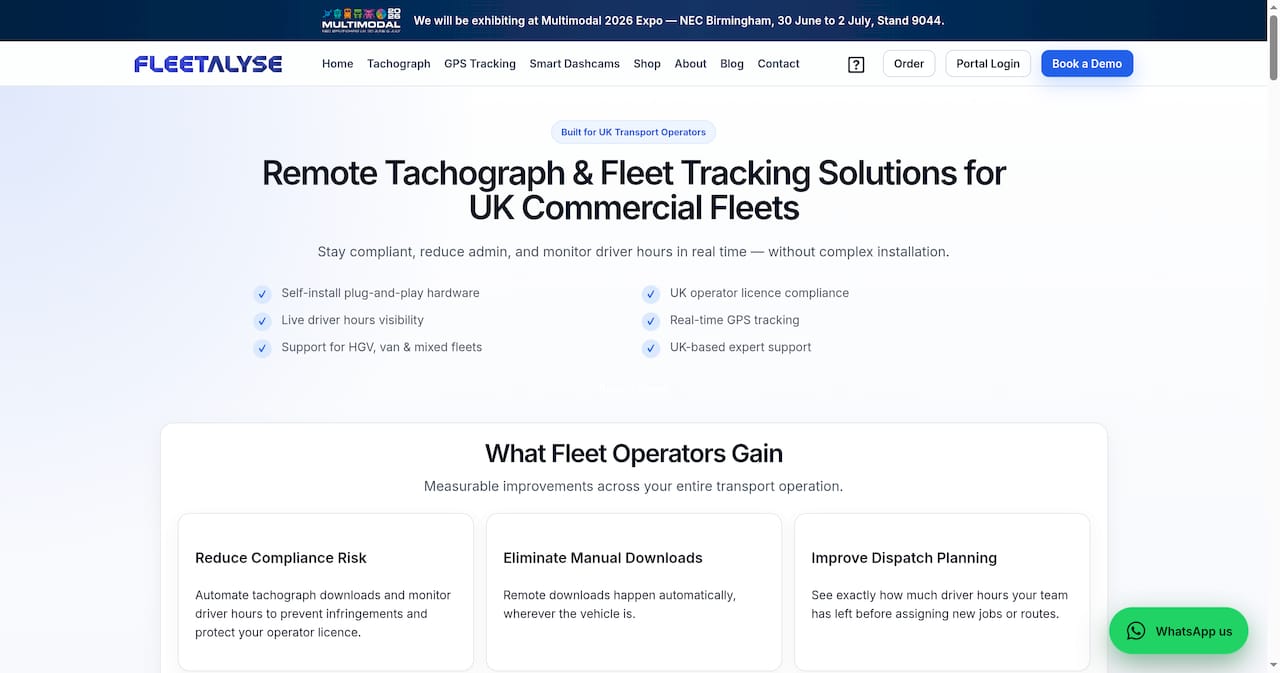
For UK fleets that want to move from incident capture to genuine safety improvement, the difference is the coaching workflow. Fleetalyse’s driver behaviour monitoring converts every triggered clip into a structured coaching event, with scorecards drivers can see on their own devices. No manual downloading, no separate coaching spreadsheet, no footage that goes unreviewed for weeks.
The pilot process is straightforward: deploy on five to ten vehicles, validate performance on your routes, then roll out with driver briefings and compliance documentation already prepared. UK-based support covers installation, SIM provisioning, and ICO-aligned retention setup from day one. To see the platform in action on your own vehicle data, request a demo through fleetalyse.co.uk.
Useful sources and further reading
- pmc.ncbi.nlm.nih.gov
- Smart Dashcams for UK Fleets | 4G Video… | Fleetalyse
- Driver Behaviour Monitoring UK |… | Fleetalyse
- Unlocked GPS Trackers | No SIM Teltonika Devices | Fleetalyse
- Smart Dashcam for Fleets: What Matters Most | Fleetalyse
- Dash Camera Fitting for UK Fleets: A… | Fleetalyse