
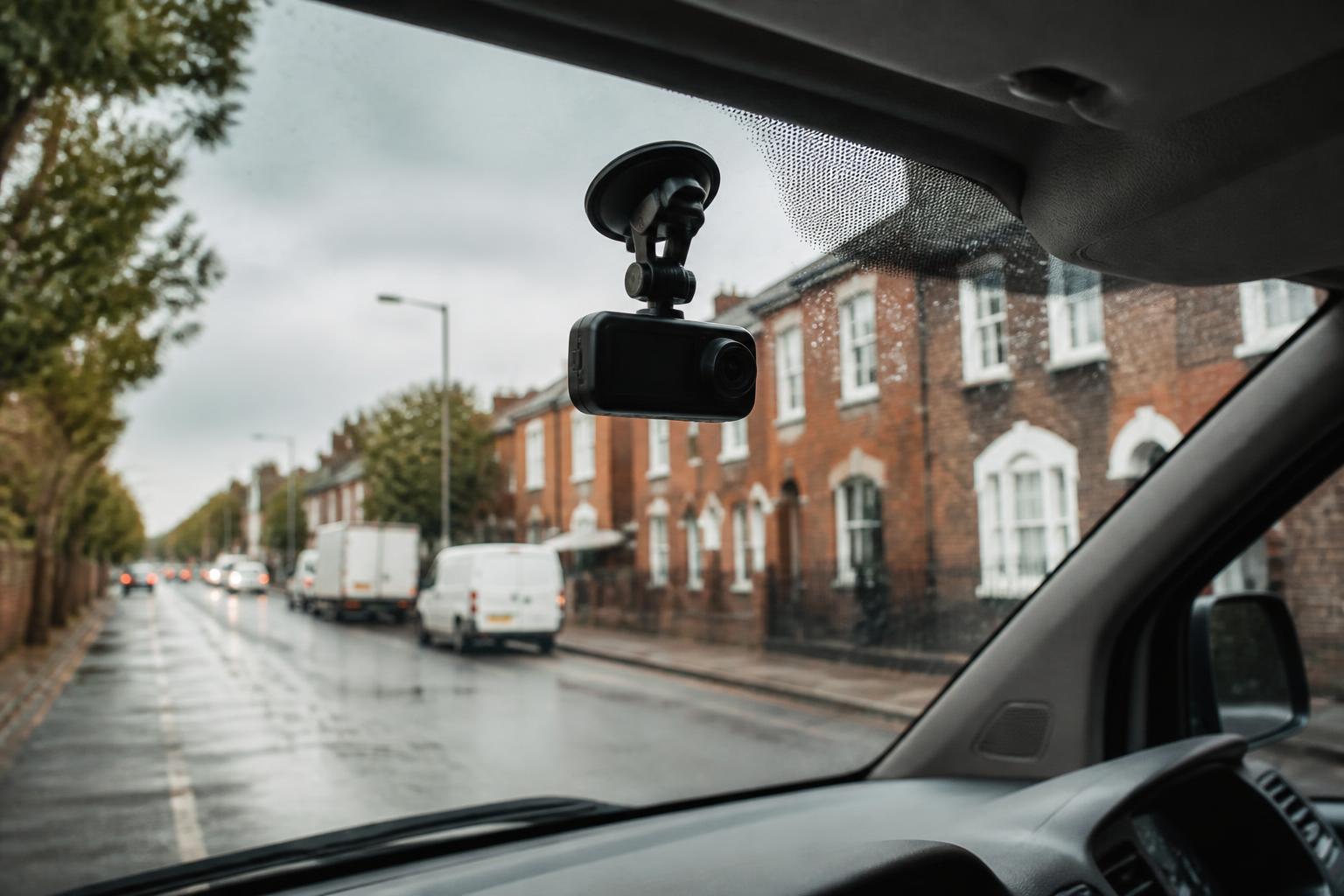
Yes, many dash cams used in UK fleet vehicles can record sound, but not all of them do, and not all fleets enable that function. Audio capture depends on the camera model, whether it has a built in microphone, and how the device has been configured. Some units record video only. Others can record both video and in cab audio, either continuously or only when an event is triggered.
For a fleet operator, the practical answer to “do dash cams record sound” is to check the exact specification and settings of the devices in use, not to assume. That matters because audio can be genuinely useful in incident review and driver support, but it also changes your data protection position, your driver communications, and the level of internal control you need around access and retention.
Do dash cams record sound?
Many commercial dash cams do record audio, but it is an optional feature on a lot of systems rather than a given. In fleet use, there are usually three broad possibilities:
- video only, with no microphone fitted or enabled
- video with audio recorded all the time while the camera is active
- video with audio recorded only in defined circumstances, such as impact events, manual uploads, or driver triggered incidents
That is why the first step is always to confirm the actual hardware and software setup. A product page might describe audio capability, but capability is not the same as configuration. A fleet may buy a model with a microphone and still choose to disable sound in policy. Another fleet may enable it only on inward facing units, or only for high risk operations.
With connected devices, settings can also vary across the same fleet. One depot may have older units with different firmware. A subcontracted vehicle may have a different installation standard. If you run mixed assets across vans, HGV units and specialist vehicles, there is no reason to expect every camera to behave the same way unless you have standardised the rollout.
This is especially relevant with Smart dashcams that sit inside a wider telematics setup. Once a camera is connected to a platform, audio is no longer just a local SD card issue. It becomes part of how footage is uploaded, reviewed, retained and shared alongside GPS location, event data and timestamps. If you are comparing options, it helps to look at the full operational setup rather than the lens specification alone. Our connected Smart dashcams for commercial fleets are typically assessed in that wider context, because the real question is how the footage will be used day to day.
It is also worth checking what “audio recording” actually means on the spec sheet. Some cameras record general in cab sound through a microphone. Some support external microphones. Some have inward facing AI functions but no retained audio. Some allow audio to be switched on or off in software. The exact answer affects privacy notices, policy wording and driver expectations.
So if you are asking whether dash cams record sound in UK fleet vehicles, the accurate answer is yes, they can, but only where the device supports it and the feature has been enabled.
When audio recording is useful in a fleet
There are situations where sound adds context that video alone does not provide. In a commercial fleet, that usually matters less for general surveillance and more for understanding what happened around a specific event.
One clear example is incident review. A forward facing clip may show braking, steering input from the vehicle movement, and what happened on the road ahead. Audio can add useful context such as a warning shouted by a passenger, a horn, a collision sound, or the driver’s immediate reaction. That extra detail can help a transport office distinguish between a near miss, a road defect, a load issue, or a contact event.
Audio can also help in disputed complaints. If a member of the public alleges aggressive driving, verbal abuse, or a refusal to stop, the sound on the clip may support or undermine the claim. In some cases, it can show that what looked abrupt on video was actually a response to another road user or a developing hazard.
For driver coaching, sound can be useful when it is used carefully and proportionately. We often see better outcomes when managers review events in context rather than relying on a harsh braking alert in isolation. Audio may show whether the driver identified the risk early, whether there was distraction in the cab, or whether a hands free conversation was contributing to poor concentration. The point is not to monitor every word said in a vehicle. It is to understand incidents well enough to coach fairly.
There are also operational cases where audio explains what the camera cannot see. A driver may report shifting load, a tail lift issue, a warning alarm from equipment, or a fault developing on the vehicle. In a mixed fleet, especially where vehicles carry plant, refrigerated goods or specialist equipment, those sounds can matter. If you already use telematics inputs, CAN data, and event footage together, sound can become one more piece of evidence rather than a separate process.
For lone workers and high risk delivery environments, audio may also have a welfare and evidential role. If a driver is threatened at the roadside, involved in a confrontation at a delivery point, or dealing with an emergency, the sound can support the incident record. That is more likely to be relevant in urban multi drop work, cash or high value loads, waste operations, and certain night shifts than in low risk trunking.
The key is to be specific about the use case. Audio is most defensible when there is a clear operational reason for it. If the only reason is “because the camera can do it”, that is usually not enough.
What UK fleet operators need to consider before turning audio on
In the UK, recording in cab audio in a work vehicle raises data protection and employment issues that need proper thought before rollout. The main framework is UK GDPR and the Data Protection Act 2018. If your fleet also operates in the EU, you need to consider EU GDPR separately, because while the principles are similar, your legal analysis and authority guidance may differ by member state.
The starting point is purpose. You should be able to explain why audio is needed, what problem it solves, and why video alone is not enough. For most fleets, the lawful basis under UK GDPR will not be consent. In an employment setting, consent is usually weak because it may not be freely given. The more common route is legitimate interests, supported by a documented assessment that weighs business need against the privacy impact on drivers and passengers.
In practice, we recommend working through the following before enabling microphones:
- document the purpose of audio recording
- identify which vehicles and camera channels will record sound
- decide whether recording is continuous or event based
- define who can access clips with audio
- set a retention period
- update the driver policy and privacy information
- train managers on when audio can and cannot be reviewed
- record the decision in your internal compliance documentation
A Data Protection Impact Assessment is often sensible, and in many fleet settings it will be the right step, particularly if the recording is systematic, inward facing, or likely to capture extensive in cab conversations. Even where not strictly mandatory, it is a practical way to show that you have considered necessity, proportionality and safeguards.
Transparency matters. Drivers should not be left guessing whether they are being recorded. Your vehicle camera policy should say clearly whether audio is enabled, when recording takes place, the purpose of it, how long footage is kept, and who it may be shared with, such as insurers, police, legal representatives or customers where relevant to a complaint. Signage in the vehicle may also be appropriate, especially where passengers, agency staff or trainers may travel in the cab.
Retention should be proportionate. If footage is not needed, there is rarely a good reason to keep routine audio for long periods. Many fleets work on short rolling retention for non incident footage and save clips out only where there is a specific event, complaint or investigation. The exact period should reflect your operational need and policy, not just storage capacity.
Access control is another common weak point. If too many office users can listen to in cab audio, the risk quickly outweighs the benefit. Limit access to named roles, keep an audit trail, and make sure managers understand that footage is for legitimate operational review, not casual checking.
You should also think about employee relations. Audio can feel more intrusive than video. A fleet that introduces it without explanation often creates resistance that could have been avoided. A clear consultation process, especially where there are employee representatives or a recognised union, usually leads to a better rollout.
If you are combining audio with wider telematics data, the same governance should extend across the platform. In our world that often means aligning dashcam policy with how you already manage GPS data, Tachograph records, driver hours reporting and incident workflows, rather than treating the camera as a standalone exception.
How audio fits into day-to-day fleet workflows
Audio only helps if it fits into normal fleet processes. If every clip creates another manual task, another spreadsheet and another login, the feature becomes more trouble than it is worth.
In practice, the cleanest setup is where audio sits inside the same review process as video, location and event data. A transport manager receives an alert, opens the event, checks the clip, confirms the vehicle position from GPS, and decides whether the case needs follow up. If there is sound on the recording, it is available as part of that same review, not stored in a separate system.
That is one reason many operators move away from isolated camera setups and into connected platforms. When footage sits alongside live mapping, vehicle history and exception reporting, you can review events faster and with less back and forth. Our approach at Fleetalyse is to keep that operational picture together, whether the fleet started with Fleetalyse-ready trackers, a camera led rollout, or a broader telematics deployment using Teltonika hardware and managed IoT SIMs.
A sensible workflow usually includes:
- automatic upload of event footage where network coverage allows
- a clear trigger list for which events are reviewed
- role based access so only authorised staff can listen to audio
- notes or case tagging against incidents
- simple export where footage is needed externally
- short retention for routine recordings, longer retention for saved cases
That avoids the common trap of reviewing too much. Most fleets do not need to listen to random journeys. They need to review exceptions, collisions, complaints, harsh events, and incidents where context matters. Keeping the threshold focused reduces admin and helps with proportionality.
Audio can also support consistent reporting. If an event leads to driver coaching, the manager can log the outcome against the incident. If a claim is disputed, the clip can be retained and shared appropriately. If the event turns out to be non actionable, it can be closed quickly. That is the kind of practical Fleet insight operators want, not a pile of footage with no process around it.
For fleets already using connected cameras, it is worth reviewing whether your current setup is helping or hindering the office team. If camera footage is useful but awkward to retrieve, the issue may be the workflow rather than the device. Our 4G dash camera setup for working fleets is typically considered by operators who want faster access to clips in the same operating environment as their wider fleet data.
How to decide whether your fleet should use audio
The right decision depends on the type of fleet, the risks you manage and the level of control your team can realistically maintain.
Start with vehicle type and operating environment. A long distance trunking fleet running mostly motorway work may have less need for in cab audio than an urban multi drop operation with frequent public interaction. A specialist HGV fleet carrying high value or sensitive loads may have stronger reasons for event based audio than a low incident service fleet.
Next, look at your incident profile. Ask:
- are there regular disputes where video alone is inconclusive
- do complaints often involve alleged words or behaviour in the cab
- do managers need more context to coach fairly after events
- are there security or lone worker concerns that audio would help address
If the answer to most of those is no, video only may be enough. If the answer is yes, audio may be worth enabling, but perhaps not across every vehicle.
Then consider proportionality. Could you achieve the same result with forward facing video only, inward facing video without sound, or event based recording rather than continuous audio? In many fleets, a narrower setup gives most of the operational value with less privacy impact.
Management capacity matters as well. If you enable audio, you need a policy, trained reviewers, controlled access and a retention process. If the office team is already stretched, adding another stream of data without a clear workflow can create more noise than value. Good systems reduce that burden, but they do not remove the need for clear internal rules.
A practical decision framework looks like this:
- Define the problem you are trying to solve.
- Check whether video alone already solves it.
- If not, decide whether audio should be continuous or event based.
- Limit the rollout to the vehicles or tasks where the need is strongest.
- Complete the privacy and policy work before activation.
- Review the outcome after a trial period.
A pilot is often the best route. Choose a sample of vehicles, confirm the settings, brief the drivers properly, and review the results after real incidents rather than assumptions. You may find that audio materially improves case handling. You may also find that the fleet gets enough value from video, GPS and event tagging without recording sound at all.
If you are weighing up the broader case for cameras in the first place, our guide on whether dash cams are worth it for commercial fleets covers the wider operational picture.
For UK operators, the main point is simple. Audio can be useful, but it should be deliberate. Check the device specification, confirm the configuration, document the reason for using it, and make sure the workflow is manageable. That way, if someone asks whether your dash cams record sound, you can answer clearly, and you can justify why.
Do all dash cams record audio?
No. Some models include a microphone, some do not, and some allow audio to be switched off in settings. Always check the exact hardware specification and configuration.
Is it legal to record sound in a work vehicle in the UK?
It can be, but fleets need a clear reason, proper driver information and a lawful approach to handling personal data. Policy and process matter as much as the device.
Should fleet vehicles have audio turned on all the time?
Not necessarily. Continuous audio may be harder to justify than video alone. Many operators should first decide what problem audio solves and whether that benefit outweighs the privacy impact.
Can drivers be told to mute or disable audio?
That depends on company policy, device controls and how the system is configured. If audio is part of a fleet safety process, the rules should be clear and applied consistently.
Is audio useful for insurance or incident disputes?
It can be. Sound may add context to what happened in the cab, but it is usually only one part of the evidence alongside video, timing, location and other fleet records.