

A driver phones from the roadside after a collision. The other party says your HGV moved across the lane, the insurer wants a clear account, and the transport office has only a handwritten note and a memory of where the vehicle was travelling. Without footage, the business is left reconstructing events from incomplete information.
A fleet dash camera system changes that process. It can preserve the road view, connect an incident to vehicle location and telematics data, and give a manager a reliable starting point for review. The camera isn't a replacement for driver training, operator-licence controls or proper investigation, but it can turn a disputed event into an organised evidence workflow.
For UK haulage businesses, HGV operators, mixed fleets and owner-drivers, the important question isn't whether a camera records. It's whether the hardware, connectivity, dashboard, privacy policy and follow-up process work together. This guide explains that connected model, including GPS tracking, driver behaviour, geofences, remote tachograph downloads, trailer monitoring, retention and practical deployment.
Table of Contents
- Introduction Why Video Evidence Now Matters for UK Fleets
- What a Fleet Dash Camera System Actually Is
- How Fleet Systems Differ From Consumer Dashcams
- Key Features and Telematics Integration Explained
- Evidence Privacy and Retention for UK Fleets
- Choosing Deploying and Costing a System for Your Fleet
- Implementation Checklist and Next Steps for Haulage Operators
Introduction Why Video Evidence Now Matters for UK Fleets
A dashcam clip is no longer an unusual form of road evidence in Britain. A Fleet News report on police dashcam submissions, citing a What Car? freedom of information request, reported that UK police forces were receiving more than 35 dashcam submissions per day and had received more than 50,000 videos since 2017. The report also said just over 10% of captured incidents led to court prosecution, 9.6% resulted in a fixed penalty notice, 10.5% led to a driver awareness course and 3.0% ended in a warning.
Those figures don't mean every commercial incident will become a police case. They do show that video evidence has become part of the UK road policing workflow. The National Dash Cam Safety Portal, launched in 2018, was being used by 33 police forces by 2019, with 21,324 uploads received collectively since launch, according to Fleet News coverage of RAC analysis. A later report said the portal received about 135,000 clips in its first five years, with around seven in ten submissions resulting in punishment.
For a transport manager, the value is broader than enforcement. A forward-facing clip can help establish what happened, while GPS position, speed, direction and an event trigger can add context. A cabin view may support a coaching conversation, but it also creates additional privacy responsibilities, so it must be deployed for a defined and lawful purpose.
Practical perspective: A camera doesn't create a safety system by itself. It creates evidence that people must review fairly, protect carefully and use in a consistent coaching or claims process.
Consumer dashcam articles usually focus on resolution, mounting and memory cards. A commercial fleet needs to ask different questions. Can authorised staff retrieve an original event file? Can the clip be connected to telematics? Can the business manage access, retention, driver communication and subject-access requests? Those questions matter as much as the lens.
What a Fleet Dash Camera System Actually Is
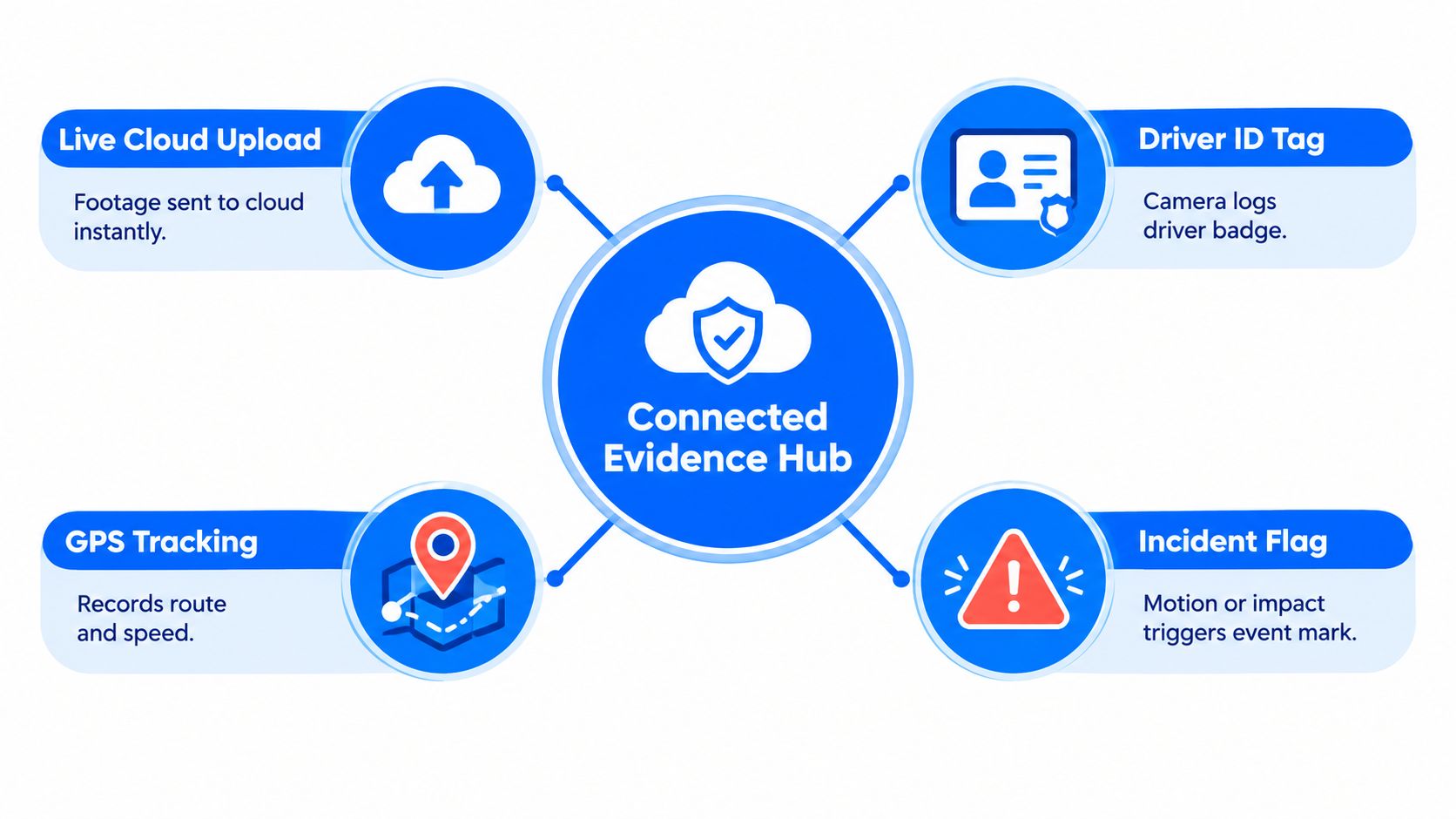
Think of a commercial camera setup as a connected evidence hub on wheels, not a small camera stuck to a windscreen. The camera records, the vehicle hardware identifies and transmits an event, the telematics platform adds context, and a cloud dashboard gives authorised users a way to search and manage the result.
The basic architecture usually contains several layers:
- Camera hardware: A forward-facing unit records the road. Depending on the vehicle and purpose, the installation may also include cabin, rear or trailer views.
- Vehicle connection: Power and vehicle data can come through suitable wiring, an FMS interface or a behind-tachograph harness, depending on the vehicle setup and chosen hardware.
- Mobile connectivity: A 4G connection can transmit selected event footage and associated data to the platform, rather than leaving every file on a removable card.
- Cloud dashboard: Fleet staff can review events, search vehicles, export evidence and connect footage with location or driving information.
The distinction between continuous recording and incident-triggered capture causes confusion. Continuous recording may provide a broader timeline, while an event workflow marks footage around triggers such as harsh braking, a collision signal or another configured incident. The right choice depends on the operational purpose, storage design and privacy assessment. A business shouldn't collect more footage because the hardware allows it.
Why evidential integrity matters
A useful file isn't merely a video that opens. In the UK, footage is technically stronger when preserved as an original, unedited file with verifiable metadata, such as creation date, camera serial number and GPS track. GPS-synchronised timestamps can reduce challenges based on clock drift or post-event editing, while footage without accurate time context may be weaker in a court or tribunal setting, as explained in this guidance on the legal benefits of in-vehicle evidence recording.
That means the dashboard should show more than a thumbnail. It should help the operator understand which vehicle generated the clip, when the event occurred, where it happened and what other data was available. The system becomes operationally useful when a manager can move from alert to evidence without manually searching unrelated files.
How Fleet Systems Differ From Consumer Dashcams
A consumer dashcam may be perfectly adequate for a private motorist who wants a road recording stored on an SD card. A commercial operator has a different problem: multiple vehicles, different users, incident follow-up, evidence disclosure and a need to apply one policy consistently.
| Capability | Consumer Dashcam | Fleet Dash Camera System |
|---|---|---|
| Video coverage | Often a single forward-facing view | Can support forward, cabin, rear or trailer views, subject to compatible hardware |
| Storage | Usually local removable media | Connected event handling with cloud or platform storage options |
| Retrieval | Someone removes the card or connects to the device | Authorised staff can search and review through a central dashboard |
| Vehicle context | Video may stand alone | Footage can be associated with GPS, speed, location and event data |
| Scale | Managed vehicle by vehicle | Designed for central management across HGVs, vans and other commercial assets |
| Driver governance | Limited policy controls | Access permissions, retention rules and documented review processes can be applied |
| Follow-up | Manual viewing after an incident | Evidence can support coaching, claims handling and operational reporting |
The practical difference is workflow. With a basic device, a manager may need to identify the vehicle, locate the memory card, find the right time and copy a file. A connected system can flag an event and place the video alongside vehicle information, making the investigation more repeatable.
Why a consumer device can fall short
A removable card doesn't provide a complete audit trail. It may show what the camera recorded, but it won't necessarily show who accessed the file, whether the file is original, or how the event relates to location and vehicle behaviour. It also creates a manual burden when a business operates a mixed fleet or needs to respond quickly to an insurer.
Commercial systems also support a more deliberate approach to driver privacy. Cabin-facing footage captures a driver, while forward-facing footage may capture faces and number plates of other road users. A fleet therefore needs clear access controls, a privacy notice and a retention policy, rather than treating every recording as an unrestricted management resource.
That doesn't make a commercial system automatically compliant. The operator still has to define its purpose, communicate the deployment, restrict review and handle requests properly. The hardware provides controls, but management must decide how those controls are used.
Key Features and Telematics Integration Explained
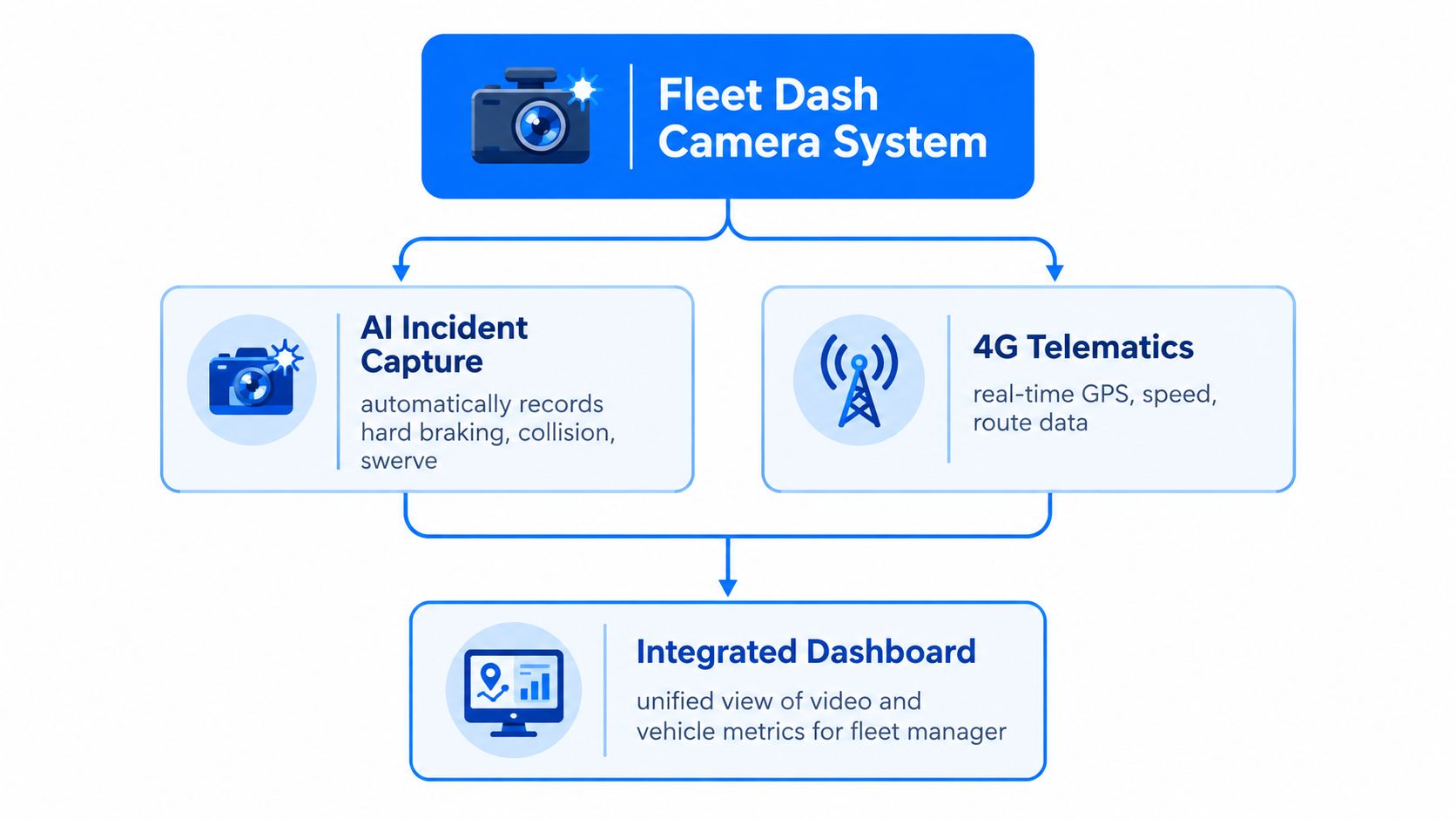
The strongest use of a fleet dash camera system comes from joining an event to the surrounding vehicle record. A harsh-braking alert on its own tells a manager that deceleration occurred. A linked clip, GPS position, speed, direction and event time can help explain whether the driver avoided a hazard, approached a junction, followed traffic too closely or encountered another road user.
For UK commercial fleets, integrating cameras with telematics can materially improve incident reconstruction. Fleetalyse's explanation of linking dashcams with GPS tracking describes how video can be connected with speed, location, direction and triggers such as harsh braking or collision detection. That creates one evidential record that is easier to search, export and disclose, while also helping managers preserve an access trail.
The connected workflow
A typical event process looks like this:
- Detection: The camera or vehicle hardware identifies a configured event, such as harsh braking, a collision signal or a movement alert.
- Context: The telematics platform associates the event with the vehicle's location, route, speed and direction.
- Review: An authorised manager checks the footage against the available vehicle data and the driver's account.
- Action: The business records whether the event needs coaching, further investigation, insurer notification, maintenance attention or no action.
- Retention: Relevant evidence is preserved for the appropriate purpose, while routine footage is removed according to the documented policy.
AI features need careful qualification. Some compatible systems may support AI-assisted event capture or driver-behaviour analysis, but buyers should verify exactly which behaviours the selected hardware and subscription support. Don't assume that a product labelled “AI” automatically detects every distraction, fatigue signal or road risk.
More than video
The same dashboard may contain GPS tracking for HGVs and vans, trailer or container location, historical playback, geofences, movement alerts, driver behaviour scorecards, selected CAN bus data, maintenance reminders and reporting. A geofence is a virtual boundary around a depot, service area or restricted zone. When a vehicle crosses it, the platform can raise an alert for route adherence, asset security or unattended trailer monitoring, as described in this guide to fleet geofencing and movement alerts.
Remote tachograph downloads sit alongside this workflow, but they don't remove the underlying legal deadlines. Operators must retrieve driver card data at least every 28 days and vehicle unit data at least every 90 days, according to guidance on automated tachograph downloads. A dashboard can help schedule and archive those downloads, while the camera supplies incident context. They are related controls, not interchangeable ones.
If an incident includes a number plate, the video may become part of a wider identification question. A general license plate search guide can help readers understand what number-plate information may and may not reveal, but fleet staff should avoid informal searches and follow their lawful evidence and disclosure process.
For implementation detail, review how to link fleet tracking and dashcams properly before selecting hardware or changing an existing telematics setup.
Evidence Privacy and Retention for UK Fleets
Every camera capture can contain personal data. A forward view may record number plates and faces, while a cabin-facing view records a driver at work. The compliance question isn't whether dashcams are permitted. It's whether the business can explain why it records, who can view the footage, how long it keeps it and what happens when someone asks for access.
Build an evidence chain
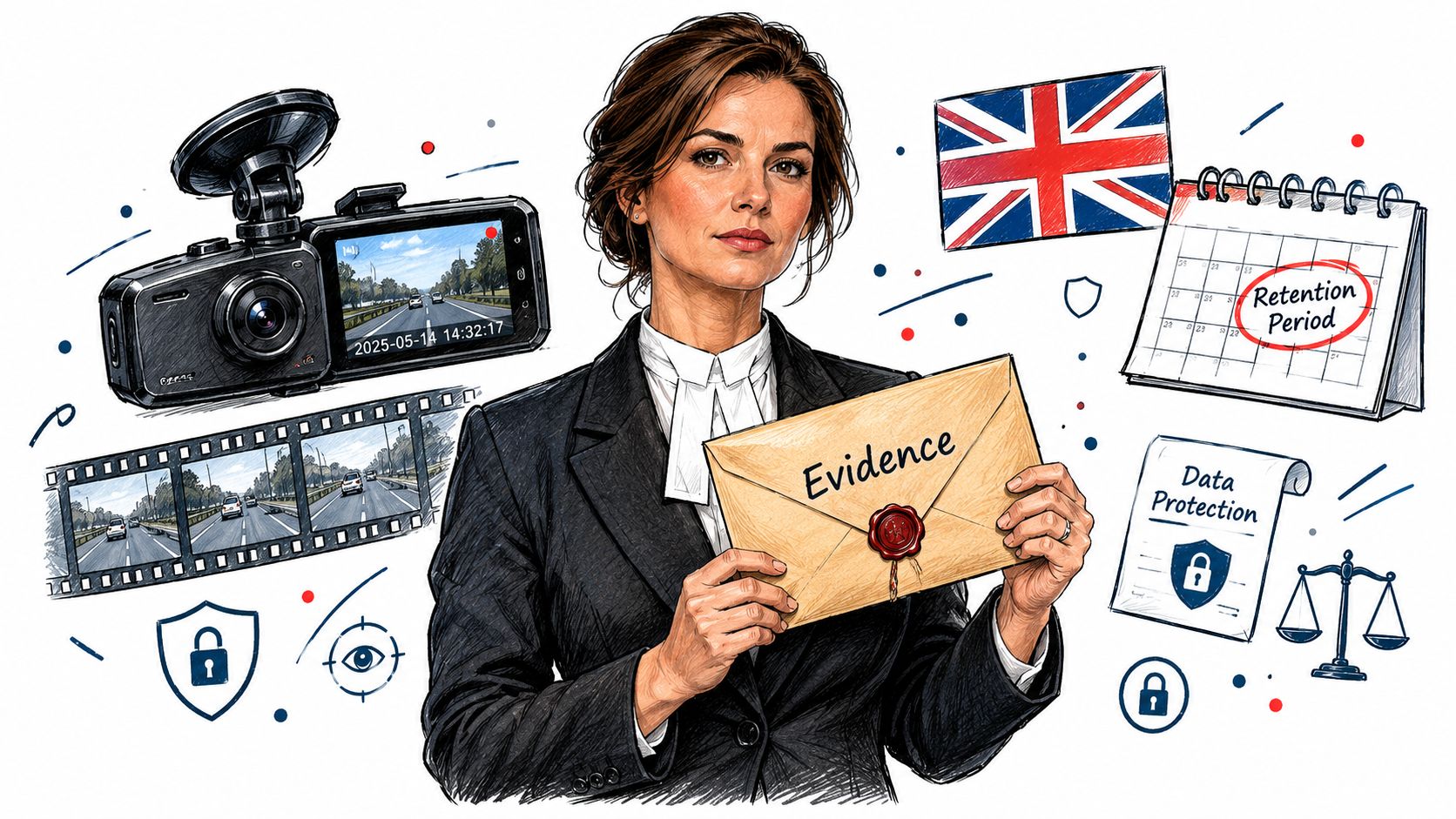
Start with a lawful purpose and document it. The privacy notice should tell drivers what the cameras capture, whether the system records the cabin, what event triggers are used, who receives footage and how staff can raise questions. Access should be limited to authorised people with a legitimate operational reason.
A subject-access request, or SAR, needs a defined handling process. UK fleet guidance commonly requires operators to respond within one calendar month, so the business must be able to locate relevant footage, assess exemptions and disclose information securely where appropriate. A camera platform that makes footage easy to find can reduce administrative friction, but it doesn't decide the legal response for the operator.
Evidence rule: Preserve the original file first. Create working copies for review or disclosure, and keep a record of who accessed or shared the evidence.
GPS-synchronised timestamps and verifiable metadata strengthen the evidential record, but the business should still record the surrounding facts. Note the incident reference, vehicle, driver, reviewer, decision and any action taken. This creates a controlled process rather than a loose collection of clips.
Retain what you need
There is no single mandated retention period for all UK fleet dashcam footage. Routine looping footage is often retained for 7 to 28 days as an industry norm, but the appropriate period depends on purpose, minimisation and the operator's documented assessment, as discussed in this guidance on fleet dashcam privacy notices and retention.
Longer retention isn't automatically safer. It increases the amount of personal data held, expands access risk and makes it more likely that unrelated road users' information remains in the system. Preserve an incident clip for as long as there is a legitimate claims, investigation or legal purpose, then review whether continued storage remains justified.
Remote playback also needs boundaries. A useful public-sector benchmark states that dashcam footage shouldn't be viewed remotely in real time and should only be reviewed by an authorised person for a legitimate reason, as set out in this UK public-sector dashcam privacy notice. For broader video handling principles, AI Video Detector privacy protection tips offer a useful reminder to limit access and protect identifiable footage.
For policy design, see how to set up a telematics data employee policy, then have the final wording checked against your organisation's legal and employment requirements.
Choosing Deploying and Costing a System for Your Fleet
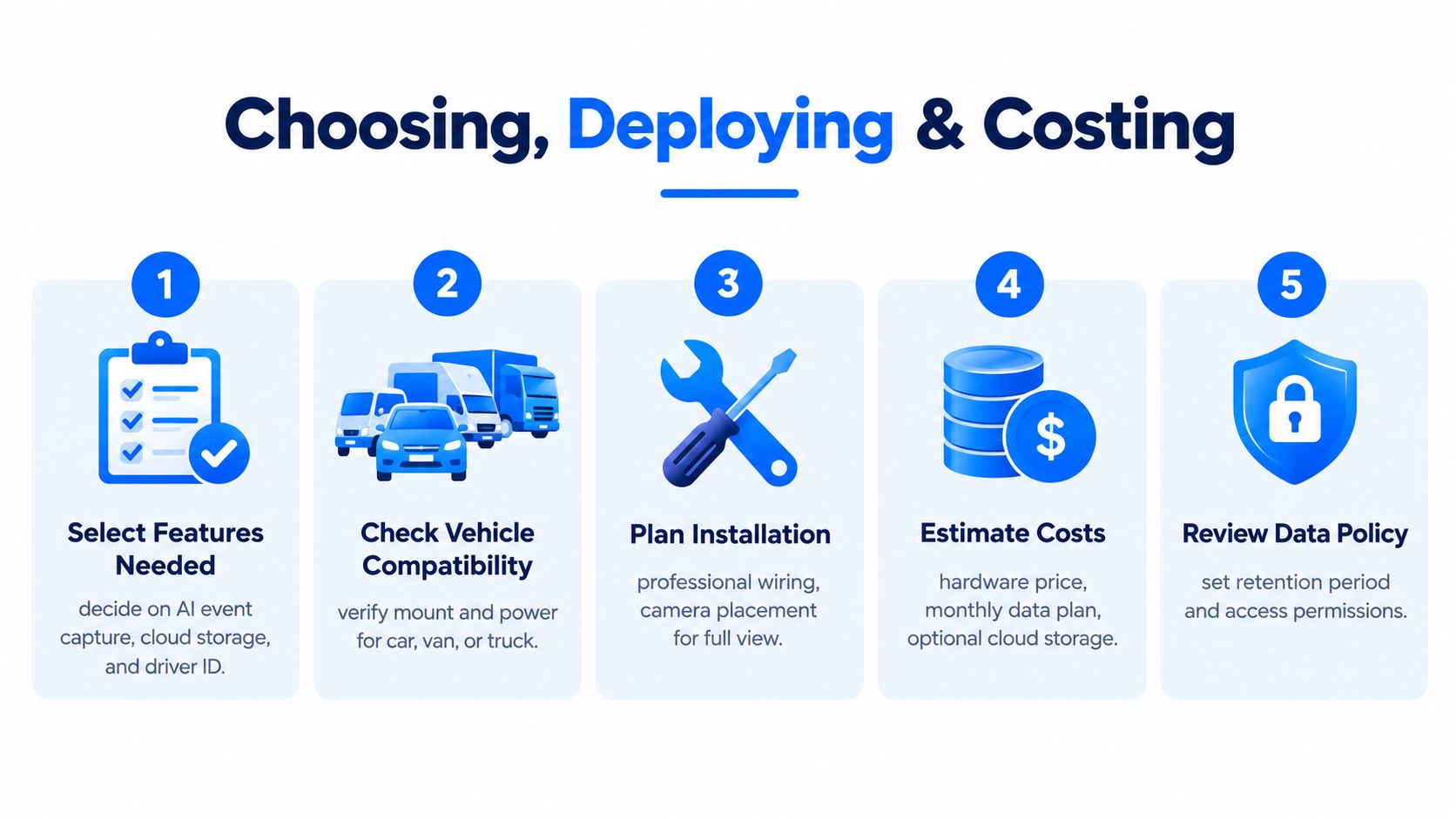
Buying decisions become clearer when you separate operational need, hardware fit and ongoing governance. Start by listing the incidents and tasks the system must support. A mixed fleet may need forward-facing cameras in vans, additional views on HGVs, tracking for unattended trailers and a telematics connection for event context.
Check compatibility before comparing subscription prices. Ask whether the unit can use an FMS cable interface or a behind-tachograph harness, whether the vehicle has a suitable power connection and whether the selected camera supports the views you require. Self-install, plug-and-play hardware may suit some vehicles, while managed fitment may be more appropriate where wiring, camera position and consistency matter.
Assess the full cost
The purchase price is only one part of the decision. Include hardware, connectivity, dashboard access, storage, installation approach, support, replacement arrangements and the staff time needed to review events. Ask suppliers to show how the system exports original footage, records access and handles vehicle changes.
ROI should also be defined properly. A camera may help with claims handling, driver coaching and evidence retrieval, but the financial result depends on what managers do after an event. The independent RSA HGV AI dashcam trial reported a 12-month trial where claims frequency fell from 29% to 8%, loss ratio dropped from 48% to 15%, and average claims cost per vehicle year fell from £1,713 to £423 after AI dashcams were introduced. Those results belong to a programme involving camera data and follow-up, not to hardware in isolation.
Use a supplier demo to test the actual workflow:
- Search an event: Can a manager find the vehicle, time and clip without manual card retrieval?
- Check context: Are GPS, speed and event information visible with the footage?
- Test permissions: Can access be restricted by role?
- Review exports: Does the file retain relevant metadata and an audit trail?
- Plan coaching: Can the team record a fair outcome rather than label a driver?
Fleetalyse provides commercial fleet telematics covering GPS tracking, remote tachograph downloads and connected dashcam options, with compatible hardware and dashboard functions described through its fleet telematics system overview. Treat it as one option to assess against your vehicle mix, workflow and policy requirements.
Implementation Checklist and Next Steps for Haulage Operators
Rollout works best when the operator treats the camera as a controlled business process. Before fitting units, identify the risks, define the purpose and agree who can review footage. Then brief drivers in plain language, including what the system captures, what it doesn't do and how event reviews will be handled.
Use this order for a practical deployment:
- Document the policy: Set the lawful basis, privacy notice, access roles, retention rules and SAR process.
- Confirm the vehicle plan: Match forward, cabin, rear or trailer views to specific operational risks.
- Connect the data: Check GPS, event triggers, driver identification, telematics inputs and any compatible tachograph workflow.
- Schedule compliance tasks: Keep driver card downloads to at least every 28 days and vehicle unit downloads to at least every 90 days, with automated archiving where suitable.
- Configure alerts: Set geofences and movement notifications for depots, restricted areas, trailers or containers.
- Pilot and review: Test footage quality, timestamps, permissions, exports and driver feedback before wider deployment.
Avoid common mistakes. Don't leave default access open to everyone, don't retain routine footage indefinitely and don't use cabin video as a substitute for proper management. Don't punish a driver from a single alert without checking the footage, vehicle data, road conditions and their account.
A successful system gives transport managers a defensible record, planners better visibility and drivers a fairer basis for coaching. It supports operator-licence workflows, but it isn't a complete transport management system, workshop platform or full operator-licence compliance system.
Fleetalyse offers UK commercial fleets GPS vehicle and asset tracking, remote tachograph downloads and connected dashcam options that bring video evidence into a wider telematics dashboard. Visit Fleetalyse to review compatible hardware and arrange a quote, demo or practical discussion about rolling out the right setup across your HGV, van and trailer fleet.