
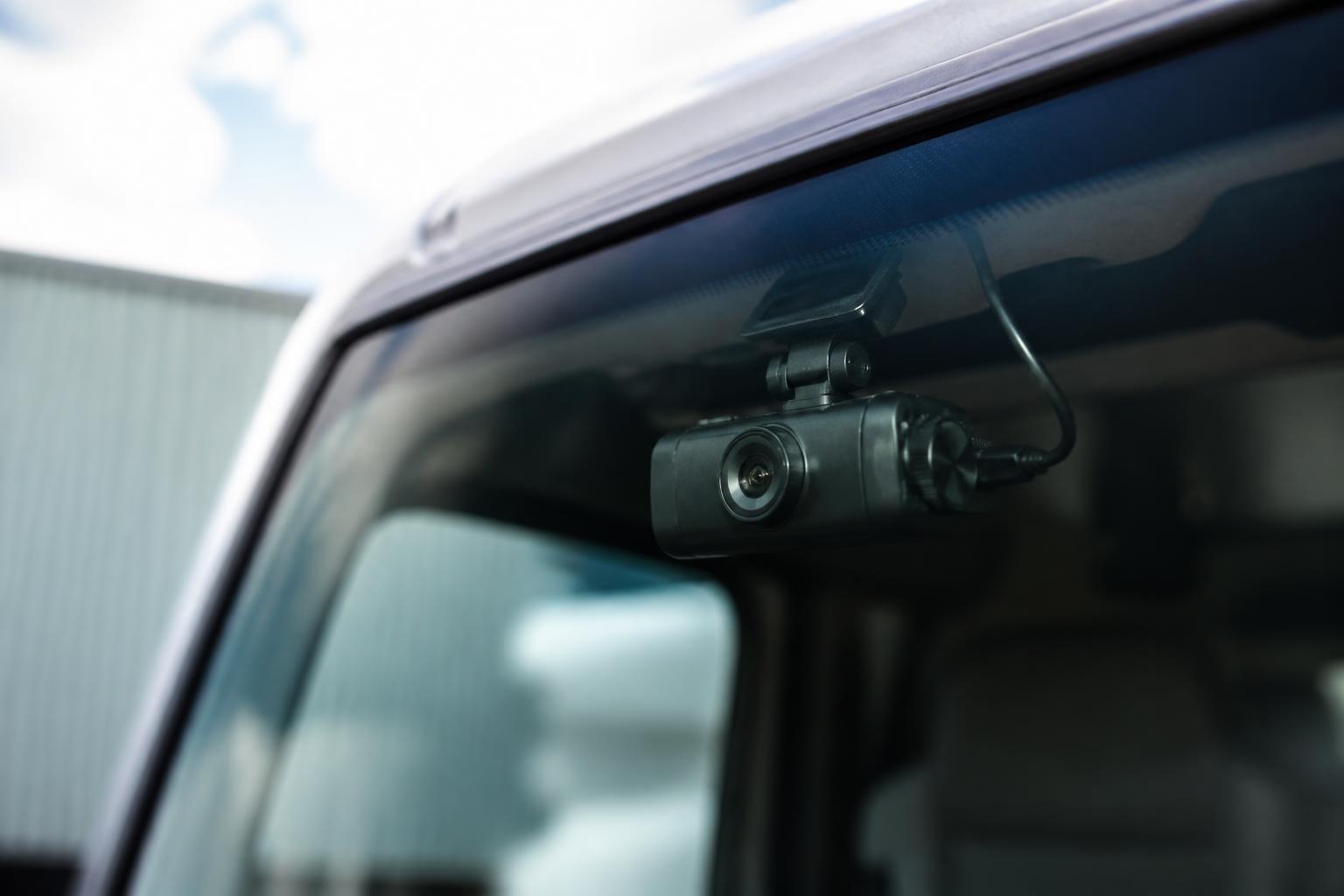
Clear incident evidence usually comes down to two things, seeing what actually happened and being able to retrieve it quickly with the rest of the journey record. In a commercial fleet, that means more than a basic dashcam stuck to a windscreen. The right camera setup needs to capture the risk areas around the vehicle, hold footage reliably, and tie events back to vehicle location, time, driver activity and operational context.
That is why many operators now treat cameras as part of the wider telematics and compliance workflow, not as a standalone gadget. When vehicle camera systems sit alongside GPS tracking, reporting and connected fleet data, we can move faster on incident review, reduce arguments over liability, and use the same evidence for safety conversations, claims handling and day to day fleet control.
What vehicle camera systems do in a working fleet
In UK commercial operations, vehicle camera systems usually mean one or more connected cameras installed in a van, HGV, rigid, tractor unit or mixed fleet vehicle to record driving activity and incidents. That can include a forward facing camera, a rear camera, side cameras covering blind spots, and an in cab camera where the operation and risk profile justify it. In some fleets, the system also includes event recording, live view, driver alerts and cloud access to footage.
The practical purpose is straightforward. Cameras help us establish what happened before, during and after an incident. That matters on public roads, at customer sites, in yards, at loading bays and in low speed manoeuvring areas where damage claims often start. A scrape during reversing, a side swipe in urban traffic, a disputed harsh braking event, or an allegation from another road user can all look very different once footage is available.
For UK fleets, the value is often highest where the operating environment is messy. Multi drop vans in town centres, HGV vehicles making deliveries into tight sites, vehicles moving through depots with pedestrians and MHE, and mixed fleets using subcontracted routes all create situations where driver recollection alone is not enough. Camera footage gives transport teams something concrete to review rather than relying on partial reports, handwritten notes or a phone call after the fact.
A proper fleet setup also solves a common operational problem, footage that exists but cannot be found when needed. Standalone consumer devices often fail here. The file may not have saved, the memory card may be full, or nobody may know which vehicle had which unit fitted. Connected Smart dashcams are different because they are deployed as managed fleet assets, with known vehicle assignments, event logs and remote access options.
That is also why camera choice should sit with the same people managing telematics, compliance and incident processes. If footage is valuable only after an event, but the system is isolated from the rest of fleet records, teams end up searching several platforms and spreadsheets to piece together a timeline. We see better results when cameras are part of one operational picture, alongside location history, vehicle status and reporting.
Which camera setup fits your vehicles and risks
The best setup depends on what your vehicles do, where they do it, and what type of incidents you need to evidence most often.
A forward facing camera is the starting point for many fleets. It captures the road ahead, traffic conditions, lane position, speed context and the actions of other road users. For linehaul, general haulage and van fleets spending most of their time on the public highway, this is often the minimum practical setup. It is usually enough to deal with disputed road traffic incidents, harsh braking reviews and many insurance queries.
A rear camera becomes important where reversing damage, loading bay contact or coupling and uncoupling incidents are common. For rigid vehicles, refuse style operations, site work and vans making repeated deliveries, rear footage can be the difference between a vague damage report and a clear account of who or what was behind the vehicle. It also helps where a vehicle is struck from the rear while stationary or manoeuvring.
Side cameras matter most for larger vehicles and urban work. On an HGV operating in cities, side impact risk is not theoretical. Cyclists, motorcyclists, parked vehicles, street furniture and tight lane positioning all create exposure on the nearside and offside. Fleets working under urban safety permit requirements or customer site rules often need camera coverage that reflects those risks, not just a single front lens.
In cab cameras need more careful consideration, but they do have a place. We usually discuss them where there is a clear operational reason, repeated high risk events, a need to review distraction patterns, or a contractual requirement. They can support driver coaching and incident review, but rollout needs a proper policy, clear communication and defined access controls. If the purpose is vague, resistance will be high and the system will not be used well.
Multi camera systems suit fleets with more complex risk exposure. A tractor unit working trunk roads all week may need something different from a construction support vehicle entering sites, or a home delivery van doing dozens of stops a day. Where incidents happen in several zones around the vehicle, front only coverage leaves gaps. A multi camera setup gives a fuller picture and avoids the familiar problem of seeing the impact but not the lead up.
There is also a difference between vehicles that are always on the road and those that spend long periods on customer premises, quarries, farms, ports or industrial estates. Public road incidents often need one type of evidence. Site incidents need another. If your claims and damage profile is heavily weighted towards low speed contact, yard manoeuvres or loading areas, choose coverage for those spaces first.
When specifying hardware, reliability and connectivity matter as much as lens position. We can supply connected 4G camera hardware for commercial fleets and build it into the wider Fleetalyse workflow, so footage is not isolated from the rest of the vehicle record. For operators still deciding how cameras fit with the rest of their telematics, our guide to GPS tracking that cuts fleet blind spots is a useful next step.
How camera footage supports safety and incident handling
The most obvious use of footage is accident evidence. When an incident is reported, the transport office needs to verify time, location, road layout, weather conditions, traffic movement and driver response. A camera record helps us test the account quickly. We can compare the footage with the reported route, vehicle position from GPS, and any event markers from the device. That often shortens the time between notification and a workable internal view of liability.
Claims handling is where this becomes especially practical. If a third party alleges unsafe driving, sudden lane movement or failure to stop, footage can confirm or challenge the account. That helps when responding to insurers, brokers, claims handlers or customers. It also helps us decide whether to escalate, settle, defend or gather more information. Without footage, fleets often spend too long chasing details that should have been available from the vehicle itself.
Near miss review is just as important as post collision evidence. Many of the best safety interventions come from incidents where no one was injured and no formal claim followed, but the footage shows a pattern that needs attention. That might be repeated tight turns into one depot, poor visibility at a collection point, harsh braking at a known junction, or a driver consistently approaching roundabouts too quickly for the load and road conditions.
That is where footage becomes useful for coaching. We are not looking only for blame after something has gone wrong. We can use selected events to structure better driver conversations, focused on specific behaviours and specific routes. The discussion is then about what happened on a real job, in a real vehicle, at a real location. That is more effective than general reminders sent to the whole fleet.
In cab footage, if used, should be handled carefully and only within a clear process. In the UK, that means a lawful basis for processing personal data, clear staff communication, restricted access, and retention rules that fit the purpose. The position is shaped by UK GDPR and the Data Protection Act 2018. If you operate across the EU as well, do not assume the same internal policy will transfer unchanged. Local employment and privacy expectations can differ, so check country specific requirements.
Camera evidence also supports site incident review. Not every problem is a road traffic collision. Damage to gates, barriers, loading equipment, customer property or parked trailers can all create cost and dispute. If a vehicle camera system captures the approach, manoeuvre and impact, the transport team can deal with the issue on evidence rather than assumption. That protects drivers where the vehicle was not at fault and helps us act quickly where procedure needs to change.
How camera systems work with GPS and fleet software
A camera becomes much more useful when it is linked to the rest of the fleet record. On its own, footage tells us what the lens saw. Connected with GPS and fleet software, it also tells us where the vehicle was, what route it was on, when the event occurred, how the day was running, and how that incident fits into wider fleet activity.
In practice, that means event based footage can be reviewed against a vehicle trace, stop points, geofences and journey timing. If a harsh braking event is captured, we can check whether it happened at a recurring location. If a customer alleges a site strike, we can verify the arrival time, departure time and movement within the area. If a driver reports being cut up on a motorway, we can pull the event against the trip history rather than searching manually through hours of recording.
That joined up view is where Fleetalyse is strongest. We bring together GPS tracking, connected dashcams, reporting and operational visibility in one platform, so the camera is not another separate login to manage. For many fleets, that matters more than the hardware specification on its own. Good evidence is only useful if the people handling incidents can access it quickly and place it in context.
This also improves routine management. A transport operator can review exception events from one workflow instead of switching between mapping software, a camera portal, incident emails and spreadsheets. For mixed fleets, that consistency matters. Vans, HGV units, trailers and other assets can sit in one operational picture rather than being managed through disconnected systems. Our article on one view across mixed fleet vehicles and compliance explains that approach in more detail.
Where fleets also use Tachograph data, driver hours records and vehicle tracking, the operational picture becomes stronger again. An event can be viewed in the context of route pressure, scheduling, stops and actual movement. We are not suggesting camera footage replaces formal compliance records, it does not. But when a transport manager is reviewing an incident, it helps to have the journey context, not just the clip.
On the hardware side, some operators want a full supplied solution, while others already have standards around devices and installation. We support Fleetalyse-ready trackers and unlocked Teltonika hardware, depending on how the fleet is set up. That flexibility is useful where businesses want to standardise across several vehicle types or phases of rollout. The same applies to connectivity, where IoT SIMs are part of making sure data transfer is dependable in daily use.
For some fleets, CAN data also adds context, especially where vehicle behaviour, ignition status or other operational signals need to be tied back to events. Not every rollout needs that level of detail, but it can be valuable in more technical deployments. Mapping and reporting also need to be usable by transport teams, not just installers, which is why practical tools such as OpenStreetMap based views matter in day to day operations.
What to check before rollout across a commercial fleet
Before fitting cameras across a fleet, start with the operational objective. Be specific. Are you trying to reduce disputed claims, improve reversing evidence, review urban side risk, support driver coaching, or bring incidents into one workflow with GPS tracking? If the goal is too broad, the specification usually becomes muddled and the rollout harder to manage.
Then decide which vehicles go first. We often recommend starting with the vehicles or routes where the cost of poor evidence is highest. That may be urban delivery vans, HGV units entering restricted sites, or a group of vehicles with repeated damage history. A phased rollout gives you time to test mount positions, event settings, footage retrieval times and internal handling before scaling further.
Installation planning matters more than many buyers expect. Camera position, power supply, cable routing, vehicle downtime and installer access all need organising properly. On a mixed fleet, do not assume one install template fits every cab or body type. Plan by vehicle class and operating pattern. If vehicles are rarely back at base, create an installation schedule around route planning rather than waiting for ad hoc opportunities.
Driver communication should happen before units are fitted, not after complaints start. Explain what the cameras record, why they are being installed, who can access footage, how long footage is retained, and how the system supports drivers as well as the business. If in cab recording is involved, be especially clear. In the UK, this should sit within your wider privacy notice, policy documents and staff communication process.
Data access rules need defining early. Decide who can review live view, who can download footage, who can release it externally, and what approval is needed. Incident evidence should not be circulating informally on phones or messaging apps. Set a proper chain for claims, HR matters, customer disputes and safety reviews. The system is only as strong as the process around it.
Retention is another area to settle before go live. Keep footage for a defined business purpose and document the rule. Different event types may justify different retention periods, but they should not be left to guesswork. This is a UK data protection issue as much as an IT issue. The same goes for subject access requests and requests for disclosure after incidents. Know in advance how your team will respond.
Maintenance is often overlooked. Lenses get obscured, vehicles go off road, power issues arise, and units can stop reporting if no one checks them. Build camera health into your regular fleet routine. If a vehicle has a safety critical camera setup, include visible condition checks in your inspection process and make sure faults are reported the same way other defects are. A camera that was fitted once and forgotten is not a fleet system.
Finally, think about procurement and account administration. If you are combining hardware and software, make sure the buying route is straightforward for the business. At Fleetalyse, operators can plan a tailored rollout around their fleet rather than forcing every vehicle into the same template. Account access through the Customer Portal and Tracker login should match how your office actually works, and payment workflows, including Stripe and VAT handling, should not become a project in themselves.
For businesses comparing options, it also helps to review cameras as part of the wider telematics decision, not as a separate purchase. Our guide on choosing a tracker that works for daily fleet control covers the broader operational questions that usually sit alongside camera rollout.
When vehicle camera systems are specified around real fleet risks and connected to the rest of the transport workflow, they do more than record incidents. They give us clearer evidence, faster decisions and better day to day visibility. That is the practical standard we work to at Fleeta Limited T/A Fleetalyse, for fleets that need fewer blind spots and less time lost between an incident and the facts.
What is included in a vehicle camera system?
It can include forward-facing cameras, rear and side cameras, in-cab views, recording hardware, connectivity and software for reviewing footage and events.
Are vehicle camera systems only useful after an accident?
No. They are also used for driver coaching, reviewing near misses, checking manoeuvres, improving site safety and giving transport teams better day-to-day visibility.
Do HGV and van fleets need the same camera setup?
Not usually. HGV, van and mixed fleets face different blind spots, routes, loading environments and incident risks, so camera layouts often differ by vehicle role.
Can camera footage be linked with GPS tracking?
Yes. When linked with GPS, operators can review where an event happened, what the vehicle was doing and how it fits into the wider journey record.
What should a fleet manager plan before installation?
Plan vehicle groups, camera positions, who reviews footage, how long data is kept, driver communication, maintenance responsibilities and how incidents will be escalated.