
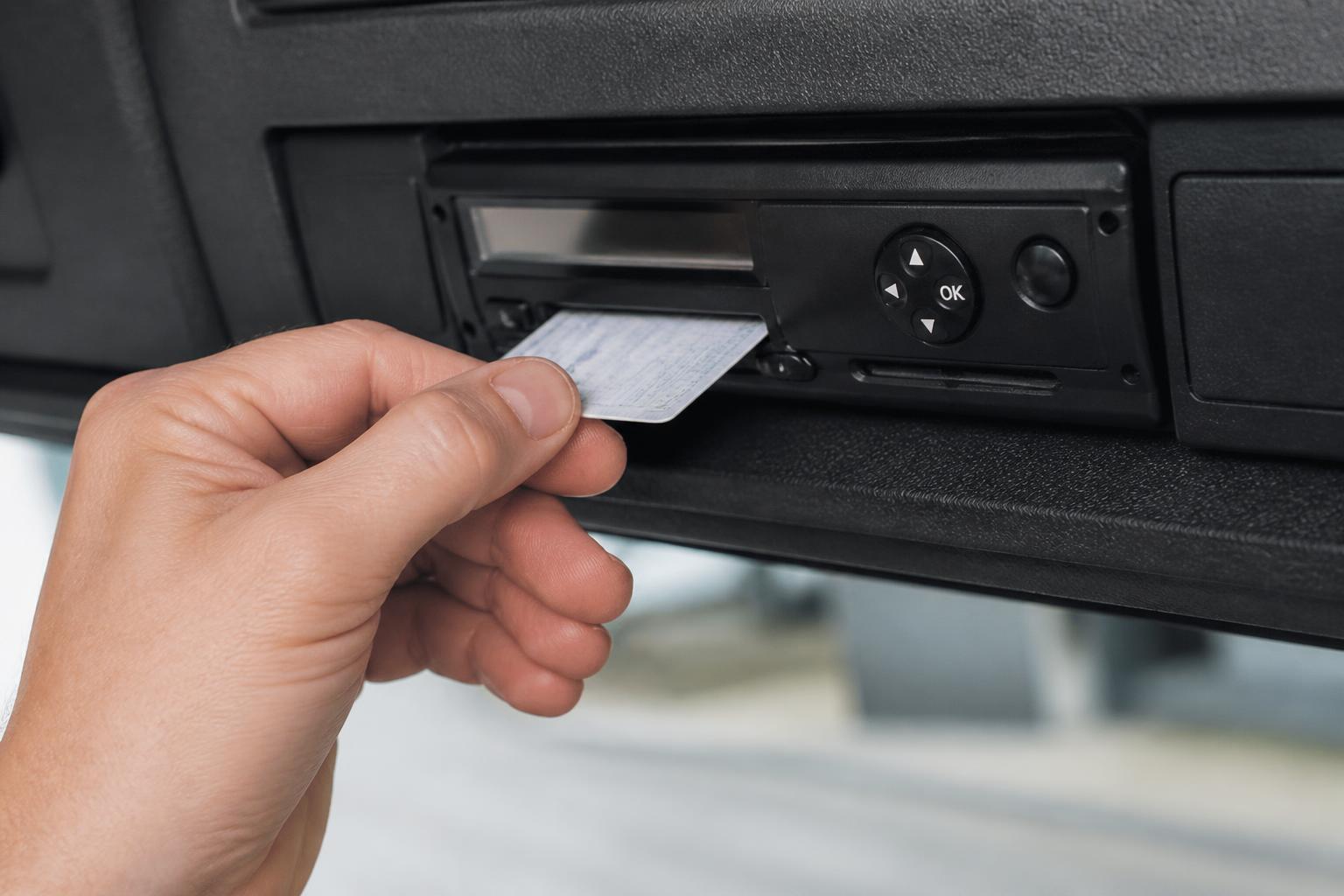
If you are still collecting Tachograph files by hand, saving them into folders, then updating a spreadsheet to show what was downloaded and when, the software is doing too little of the job. The point of digital tachograph download software is not just to pull files off a driver card or vehicle unit. It is to make sure those files are collected on time, stored properly, easy to find, and visible to the people who need them for day to day fleet compliance.
For UK operators, that matters because Tachograph management sits inside real transport work. You are planning vehicles, managing driver hours, handling exceptions, and answering questions from drivers, planners and transport managers. A download process that depends on someone remembering every card date, every vehicle date and every file location quickly becomes fragile. We built Fleetalyse to replace that patchwork with one operational view.
What digital tachograph download software actually does
At its core, digital tachograph download software handles three jobs. It collects the required data, stores it in an organised way, and makes it usable for compliance and operational checks.
The collection side covers both driver card downloads and vehicle unit downloads. In UK operation, the legal framework comes from retained drivers' hours and Tachograph rules, and the practical requirement is simple, you need to download data often enough to stay compliant and keep records accessible. Driver cards and vehicle units each have their own download cycle, and software should help you manage both without relying on memory or a wall chart.
The storage side matters just as much. A Tachograph file is only useful if you can find the right one, for the right driver or vehicle, for the right period, without searching through shared drives and email attachments. Good software stores files against the relevant record, keeps a download history, and gives you a clear view of what has been received and what is overdue. It should also support proper retention of files for the required period, so you are not trying to reconstruct records later.
Then there is organisation. This is where software stops being a basic download utility and becomes part of fleet control. The system should show upcoming download deadlines, missed downloads, vehicle and driver status, and whether a file has actually landed in the platform. It should also support reporting and export where needed, so your transport office can use the data rather than just archive it.
For many operators, this is also the point where separate systems start to create friction. One tool downloads the file. Another tool analyses it. A spreadsheet tracks due dates. A shared mailbox stores alerts. A folder structure on a server holds archives. Each part works, but nobody has one clean picture. Digital tachograph download software should reduce that fragmentation.
In mixed fleets, the process also needs to reflect reality. Not every vehicle has the same duty pattern. Some are out every day. Some are seasonal. Some are subcontract support units or spare vehicles. Some operations are pure HGV, while others run vans, trailers and plant alongside Tachograph-equipped vehicles. The software needs to keep the Tachograph side controlled without forcing the whole fleet team into a rigid workflow that does not fit the rest of the business.
Why operators move away from manual downloads
Manual downloads usually work at small scale, right up until they do not. One vehicle misses a visit back to base. One driver forgets to present a card. One person who understands the spreadsheet is on holiday. Then a process that looked manageable starts generating gaps.
The first issue is timing. With manual collection, someone has to know which driver cards and vehicle units are due, then make sure the physical download happens. That often depends on a planner, workshop contact, transport clerk or manager spotting the date and chasing it. When the fleet grows, or when vehicles spend longer away from the yard, that chase becomes a job in itself.
The second issue is visibility. A spreadsheet can show planned dates, but it does not prove that a valid file was actually captured, stored and linked to the correct record. We often see operators using one spreadsheet for due dates, one folder tree for archives, and a separate analysis tool for infringements or activity review. That means every check becomes a cross-reference exercise.
The third issue is exception handling. Manual systems are weak when normal routine breaks. A vehicle is hired in. A driver swaps units for a week. A truck is in the workshop on the planned date. A card download key is missing. A file is saved in the wrong place. None of these are unusual events in UK transport, but they create admin because the process depends on people piecing the story together afterwards.
There is also the problem of duplicated admin. Once someone has downloaded the file, they often still need to update a spreadsheet, move a file into the right folder, email a manager, and note a follow up action if something is missing. That is exactly the kind of office work that grows faster than the fleet itself. If you want a good summary of that wider issue, our piece on fleet software that cuts spreadsheet chasing covers the same pattern across transport admin.
For UK operators, there is another practical point. Compliance is not just about having files somewhere. If DVSA asks for records, you need confidence that your download history is complete and accessible. In a manual setup, confidence often comes down to local knowledge. One person knows where the files are. One person knows why a date was moved. One person knows which vehicles were off road. That is not a strong operating model.
Growing fleets usually move away from manual downloads because they want consistency. They want the process to continue whether the vehicle is in the depot, on trunking work, or assigned to a different route. They want fewer moving parts. They want less dependence on the spreadsheet that only makes sense if you already know the fleet.
How remote downloads fit into daily fleet operations
Remote downloads work best when they are treated as part of the normal fleet workflow, not as a separate compliance task. In practice, that means the system is set up around your drivers, vehicles and download schedules, then left to collect the files in the background while your team manages exceptions.
For HGV fleets, remote Tachograph downloads usually rely on installed vehicle hardware and the right connection into the Tachograph head, together with a valid company card arrangement. Once configured, the system can request vehicle unit files and driver card files without the vehicle returning for a physical download. That is particularly useful for long distance work, night trunking, contract distribution and any operation where vehicles do not reliably pass through the same yard at the same time.
In mixed fleets, remote downloads sit alongside other operational data. You may only need Tachograph downloads for part of the fleet, but you still want one place to see vehicle activity, locations and exceptions. That is why operators often combine download management with GPS tracking and vehicle reporting, rather than running Tachograph compliance in isolation. Our page on remote Tachograph downloads for UK fleets sets out how that works in more detail.
Day to day, the workflow should be straightforward. The transport team can see which vehicles and drivers are covered, which downloads have completed, and which items need attention. If a card has not been read because the driver was not assigned as expected, or a vehicle was out of signal, the system should make that visible quickly. Then the office can act on the exception instead of manually checking every asset.
Planning improves as well. If you know a vehicle is due a download, due an inspection, and due on a particular route, you can schedule around that with fewer surprises. If the same platform also shows live GPS positions and journey history, the office has context immediately. You are not switching between systems to work out whether the vehicle is available, parked, moving, or likely to return to base.
Exception handling is where remote capability really earns its place. No system removes every issue. Drivers still change vehicles. Hired units still appear. Hardware still needs correct installation. Company card management still matters. But remote operation changes the workload. Instead of collecting everything manually and hoping nothing is missed, you monitor completion and deal with the cases that need intervention.
The UK position is also worth stating clearly. Operators here follow UK rules, even though many Tachograph practices are familiar across Europe. If you run internationally, you may still need to think about cross border activity and the practical effect of EU-facing work, but your compliance process should be built around the UK regime that applies to your operation. Software should support that without making the office reinvent the process in spreadsheets.
What to look for when comparing systems
When comparing systems, start with compatibility. You need to know which Tachograph heads, download devices and installed vehicle hardware the software supports, and whether it will fit the vehicles you actually run. If you already use telematics hardware, check whether the Tachograph solution works with it or whether separate hardware is required. For operators using Teltonika devices elsewhere in the fleet, that question matters early.
Then look at how files are stored. Ask where the download files sit, how they are attached to driver and vehicle records, how easy they are to retrieve, and what the retention setup looks like. A system that downloads successfully but makes historical files awkward to access is only solving half the problem.
Alerts are another practical test. You want clear warnings for overdue card downloads, overdue vehicle downloads, failed remote requests and other exceptions that need action. Those alerts should reach the right users without becoming background noise. If every minor issue creates a flood of notices, the team will stop trusting them.
Reporting matters too. At minimum, you should be able to see download status by vehicle and by driver, confirm whether records are up to date, and review trends or problem areas. Some operators also want the Tachograph side linked to wider transport reporting, so they can compare compliance activity with routeing, utilisation or depot performance. If you are interested in that broader admin picture, our article on fleet software that cuts admin for UK operators is relevant.
Check user access carefully. Transport managers, planners, compliance staff and workshop users do not all need the same permissions. A useful system should let you control who can view, manage and act on Tachograph data, without handing every user the same level of access. That becomes more important in multi depot or group structures.
You should also look at how the software fits existing processes. Does it support your way of assigning vehicles and drivers? Can it handle mixed fleets? Can it work alongside your GPS setup, camera setup and reporting routine? Does it reduce duplicate entry, or does it create another portal to maintain?
Finally, ask what happens after the sale. Implementation matters with Tachograph systems because correct installation, company card setup, scheduling and user training affect whether the platform actually works in daily operation. A good system should not leave you to stitch the process together yourself.
How Fleetalyse brings downloads into one operational view
We built Fleetalyse around the way UK fleet teams actually work. That means remote Tachograph downloads do not sit off to one side as a standalone utility. They sit inside the same platform as GPS tracking, Smart dashcams and fleet reporting, so the office can manage compliance and vehicle visibility together.
For operators running HGV and mixed commercial fleets, that has a practical benefit straight away. When a download is due or an exception appears, you can view it in the same environment you use for live vehicle locations, route history and fleet oversight. You are not jumping between separate logins and separate spreadsheets to work out what happened.
Our platform supports Fleetalyse-ready trackers as well as unlocked Teltonika hardware, which gives operators flexibility depending on how they want to roll out. Some fleets want a straightforward bundled setup. Others already have hardware plans, specific install requirements, or a wider telematics estate to consider. We can support both approaches, including customised commercial deployments where needed.
Because Fleetalyse is built for operational use, we focus on visibility. You can see the fleet in one place, use Fleet insight to review what is happening, and combine Tachograph activity with location and movement data from GPS. Where vehicles are equipped for deeper telematics, CAN data can add further operational context. Mapping can be viewed through OpenStreetMap, and account administration is handled through the Customer Portal and Tracker login, depending on the task.
For camera-enabled fleets, Smart dashcams add another layer of context. If a vehicle exception, route issue or driver query appears around the same period as a Tachograph event, the office is not left piecing the picture together from disconnected systems. The same applies to connectivity and rollout. We supply hardware and services suited to commercial fleets, including IoT SIMs where the deployment requires them.
We also keep the commercial side practical. Buyers can start with the hardware and platform combination that fits the fleet now, then expand as requirements grow. Account and billing processes are managed clearly, including payments through Stripe where applicable, and normal business requirements such as VAT handling. Our trading entity is Fleeta Limited T/A Fleetalyse.
The main point is simple. Tachograph downloads should not create a second admin system beside the fleet operation. They should sit inside it. When downloads, tracking, camera data and reporting are brought together, the transport office spends less time chasing files and more time managing the fleet.
If you are reviewing digital tachograph download software, that is the standard worth using. Not just whether the system can download a file, but whether it gives your team one reliable operational picture of vehicles, drivers and compliance. That is what we deliver with Fleetalyse.
What is digital tachograph download software?
It is software that helps operators collect, store and manage Tachograph files from driver cards and vehicle units, so records are easier to access for compliance and fleet administration.
Does remote downloading replace all manual Tachograph checks?
No. Remote downloading reduces routine manual collection, but operators still need clear compliance processes, exception handling and checks that files are complete and available when needed.
Who benefits most from remote Tachograph downloads?
Haulage firms, logistics operators, owner-drivers with growing admin demands and mixed fleets usually benefit most, especially where vehicles are away from base or managed across several sites.
What should a fleet manager compare before buying?
Look at download reliability, storage, alerts, reporting, hardware options, user access, ease of use and whether the system works alongside wider fleet tools rather than as a separate admin task.
Can Tachograph downloads sit alongside GPS tracking and cameras?
Yes. Many operators prefer one platform for Tachograph downloads, GPS visibility, camera footage and reporting, because it reduces switching between systems and improves day-to-day oversight.