
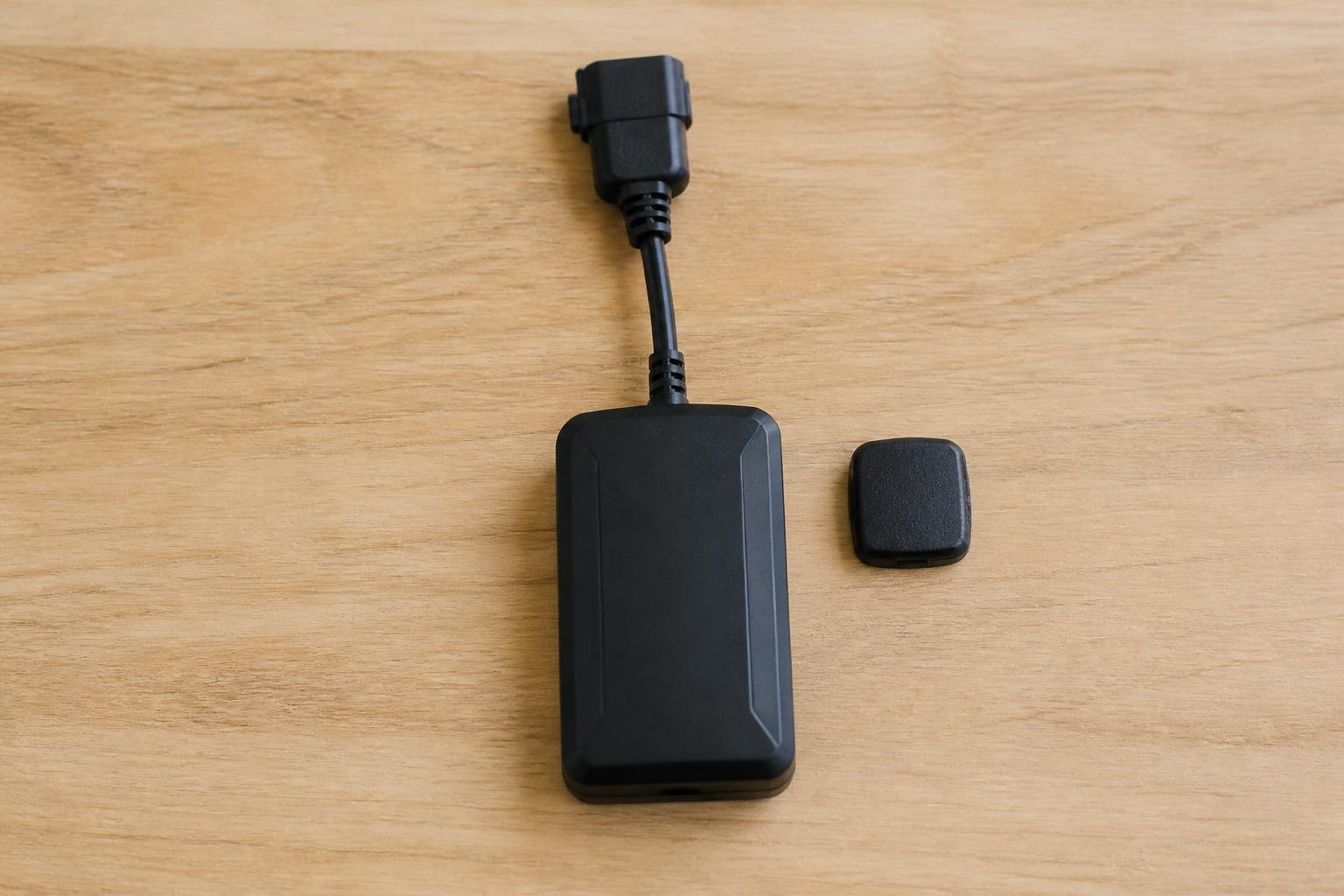
A fleet GPS tracking device has one job on paper, to show where a vehicle or asset is. On the road, that is only the starting point. In daily fleet use, the device has to keep reporting through patchy signal, survive vibration and weather, draw power in a sensible way, and feed usable data into dispatch, customer updates, compliance checks and incident review.
That is why we look at the device first, not just the map screen. A good platform matters, but the hardware decides whether tracking works consistently across HGV, van, trailer and plant fleets. If the device is the wrong type, badly matched to the vehicle, or awkward to install and maintain, the whole rollout becomes harder than it needs to be.
What this article covers that other tracking guides do not
Most tracking guides spend their time on broad benefits, route visibility, theft recovery, fuel awareness, or customer service. Those points matter, but they often skip the practical question transport operators need to answer first, which is what the device itself must do in service.
When we assess a fleet GPS tracking device for UK commercial use, we start with fit for the job. Is it going into a hard-worked HGV unit with constant ignition cycles and a need for deeper vehicle data, a van fleet that needs fast installation and clear driver visibility, a trailer that may stand unpowered for long periods, or a mixed asset estate where simplicity matters more than extra inputs?
That changes the buying decision straight away. A hard-wired unit can be the right answer in one fleet and the wrong answer in another. A battery tracker can be perfect for a trailer and a poor choice for a vehicle that is already powered and in daily motion. Some operators want a standard rollout with minimal decision points. Others need more flexibility around inputs, CAN data, peripheral support or installation method.
We also focus on the checks that make rollouts succeed. How long does fitting take per vehicle. Where does the unit draw power from. What happens when a trailer is parked for weeks. How easily can engineers access the hardware for replacement or fault finding. Can the same tracking estate sit in one platform with Tachograph data, Smart dashcams and reporting, or are you building yet another disconnected system?
If you are comparing devices rather than reading a general tracking explainer, those are the questions that matter.
What a fleet GPS tracking device actually does in daily operations
In simple terms, the device collects position, motion and status data, then sends it back over the mobile network so the fleet team can act on it. The GPS receiver determines location. The unit then combines that with movement events such as ignition on, ignition off, speed, heading, stops and journey history. Depending on the hardware, it can also capture inputs such as door status, PTO use, panic alerts, temperature or engine-related information.
That becomes useful when the data is turned into operational visibility. Dispatch can see whether a vehicle is moving, delayed, parked on site or heading back to base. Transport teams can answer customer calls without ringing the driver for basic location checks. Planners can review where wasted time is building up, whether at depots, delivery points or traffic pinch points. If you want a practical example of how this improves daily control, see how tracking keeps haulage movements visible and on time.
A fleet GPS tracking device also helps with exception handling, which is where much of the real value sits. The fleet team does not need to watch a map all day. They need to know when something falls outside plan. That might be an unexpected stop, a vehicle moving out of hours, a missed geofence, a trailer leaving a yard, or a long idle period that needs explanation. The device creates the raw event trail that the platform turns into alerts, reports and investigation history.
For customer service, the device supports better ETA handling and proof of attendance. Even where the tracker is not a proof of delivery tool in itself, it confirms arrival and departure times, route taken and dwell time at site. That helps when a delivery is disputed or a service visit timing is challenged.
For fleet control, reliability matters more than headline features. A device that reports cleanly and consistently is more useful than one with a long specification sheet but poor real-world performance. That is why the mobile connection, antenna quality, installation position and power setup all matter. We cover those checks in more detail in our guide to how IoT SIMs keep fleet tracking working on the road.
In the UK, operators also need to think about how tracking data sits alongside employment and privacy obligations. The legal position is not just a general EU-style answer. UK businesses need to handle vehicle tracking in line with UK GDPR and the Data Protection Act 2018, with clear purpose, fair notice and proportionate use. That becomes especially important where vehicles are used beyond working hours or where driver-identifiable data is retained.
Which device type fits HGV, van, trailer and asset use
There is no single best device type for every fleet. The right choice depends on power availability, installation tolerance, reporting frequency and whether the unit is tracking a vehicle, a trailer or a non-powered asset.
For HGV fleets, a hard-wired device is usually the strongest starting point. Tractor units are in regular use, have a stable vehicle power source, and often justify a more integrated setup. A hard-wired tracker can give dependable live reporting, support additional inputs, and in the right installation support broader data capture such as CAN data. If the same vehicle will also be linked with Tachograph workflows, driver hours visibility or Smart dashcams, a permanent install generally makes more operational sense than a battery unit tucked away as a basic locator.
For van fleets, the answer depends on scale and usage. A hard-wired device is still the normal choice where vehicles are in daily service and you want a long-term fleet standard. It gives reliable power, reduces battery management concerns and supports a cleaner rollout if the vans are staying in fleet for a reasonable period. If the van operation is mixed, with leased vehicles, fast replacement cycles or a need for low-disruption fitting, installation-led options become more important than pure specification. We often discuss fitting practicalities before anything else, because rollout friction can decide whether a project succeeds. For more on that, see how vehicle tracking is fitted with less fleet downtime.
For trailers, battery-powered devices often make the most sense. A trailer may not have a dependable live power source, and it may stand uncoupled for long periods. In that case, the device has to manage reporting intervals carefully so battery life is preserved while the trailer remains visible when it moves. Trailer tracking is less about second-by-second live movement and more about knowing where the asset is, when it moved, whether it left a yard, and how often it is actually being used.
For plant, tools and other mobile assets, battery trackers are again common, particularly where the item is not permanently powered. The key is to match reporting behaviour to the asset value and movement pattern. A high-value mobile asset that moves often may justify more frequent updates. A low-movement item may need a sleep-and-wake profile that prioritises battery life. If your estate includes small equipment as well as vehicles, our article on tool tracking and wasted site time shows how that thinking changes at asset level.
The mistake to avoid is choosing one device type simply because it is familiar. Mixed fleets often need more than one hardware approach under one reporting platform.
What to check before choosing hardware for a rollout
Before choosing hardware, we recommend working through the rollout in practical order.
First, check installation time and method. A unit that takes much longer to fit can add real fleet disruption when multiplied across dozens or hundreds of vehicles. Ask where the device is mounted, whether it needs ignition and permanent live feeds, whether any loom or fuse work is required, and whether trailers or specialist bodies need a different installation standard.
Second, check the power source. Hard-wired devices should be matched to the vehicle electrical setup properly, not just connected wherever is convenient. Battery-powered devices need a clear expectation on reporting frequency, sleep mode and service life. If a trailer spends long periods parked, that needs to be designed into the setup from the start.
Third, check signal resilience. The device needs a reliable GPS view and stable mobile connectivity. This is not just about the tracker itself, it is also about the SIM setup, network behaviour and data handling. IoT SIMs are usually the right fit for commercial tracking because they are built for machine-to-machine use rather than consumer handset patterns.
Fourth, check what reporting you actually need. Some fleets only need location, journey history and geofences. Others want driver behaviour events, input monitoring, maintenance triggers, or integration with other telematics data. Buying more hardware capability than you will use is wasteful, but buying too little creates a second replacement project later.
Fifth, think about driver use and visibility. In some fleets, the tracker is invisible to the driver and that is fine. In others, the hardware sits within a wider operating process that includes driver ID, camera events or route communication. The device should support the workflow rather than sit apart from it.
Sixth, check maintenance access. If a unit fails, how quickly can it be replaced. If a battery device needs service, how easy is it to reach. Hidden installs have security benefits, but they should not create unnecessary workshop time later.
Seventh, plan for expansion. Many operators start with live tracking and then want more. That may include Tachograph downloads, driver hours monitoring, Smart dashcams, geofenced customer updates through Customer Portal, or broader Fleet insight reporting. If the hardware decision blocks that path, the first rollout becomes a limitation.
It is also worth checking account and deployment administration. Some operators want a simple, ready-to-go estate with one support route and one Tracker login. Others want more control over hardware profiles and a more technical setup. Both approaches can work, but they suit different buyer types.
Why the device matters more when fleets want one platform
The device choice becomes more important when the goal is not just tracking, but a single operating platform.
Many fleets have grown by adding separate systems over time. One supplier for GPS, another for Tachograph downloads, another for cameras, and spreadsheets filling the gaps. That usually creates duplicate admin, inconsistent vehicle lists and more manual chasing than anyone wants. Bringing those functions together in Fleetalyse is easier when the hardware has been chosen with that end state in mind.
For example, if a vehicle tracker is installed as a basic locator only, with no thought to future data needs, the fleet may later find it cannot support the level of integration wanted for CAN data or related workflows. If a camera system is procured separately with no platform plan, event review and route history may live in different places. If Tachograph and driver hours monitoring sit outside the same operational view, transport teams lose time switching between systems to answer one question.
Where fleets want one platform, the hardware should support that ambition from the beginning. In Fleetalyse, we bring together live tracking, Tachograph activity, Smart dashcams and reporting so the fleet team can work from one operational picture. That is often the difference between having data and actually being able to use it at pace.
This matters for customer-facing workflows as well. A transport office may want selected visibility shared through Customer Portal while keeping internal controls, exceptions and compliance detail within the main platform. Hardware that reports consistently and supports accurate event timing makes those customer updates more dependable.
It also matters commercially. Running fewer disconnected systems usually means fewer duplicate installs, fewer separate support conversations and less effort reconciling data. The device is not just a component on the vehicle, it is the first link in whether the whole fleet stack stays manageable.
When Fleetalyse-ready trackers or Teltonika make sense
For many operators, Fleetalyse-ready trackers are the right answer because they reduce decision load. They are chosen to work cleanly with Fleetalyse, making rollout more straightforward for fleets that want dependable live tracking without building a custom hardware plan from scratch. That suits operators who want a standard commercial setup, clear compatibility and a faster route into one platform.
This approach works well where the fleet need is well understood. Typical examples are van and HGV operators that want live visibility, journey history, geofences and a clean path into broader platform use. It is also a practical option for businesses that do not want to manage separate hardware sourcing, configuration variables and compatibility questions.
Teltonika makes sense when the fleet needs more tailoring. Some operators want unlocked hardware because they have specific installation standards, input requirements, or a more customised commercial setup across mixed vehicles and assets. Teltonika devices are widely used in commercial telematics for exactly that reason, they offer flexibility across different vehicle types and use cases.
That flexibility can matter where fleets need to standardise across HGV units, vans, trailers and specialist assets while still adjusting configuration by vehicle role. It can also help where installation is being managed around existing workshop processes or where the fleet wants to build in more tailored support for peripherals and data capture.
The right choice depends on whether you need simplicity first or flexibility first. If the priority is a smooth, standard rollout into Fleetalyse, Fleetalyse-ready trackers are often the best fit. If the priority is a more tailored estate with broader hardware options, Teltonika can be the better route.
In both cases, the main point is the same. A fleet GPS tracking device should not be chosen as a generic commodity. It has to work on the road, in your vehicles, with your reporting needs, and with the wider platform you want to run. That is how we approach hardware at Fleeta Limited T/A Fleetalyse, as part of day-to-day transport operations, not as a box-ticking purchase.
What is a fleet GPS tracking device?
It is a tracker fitted to a vehicle, trailer or asset that sends location and movement data back to fleet software, giving operators live visibility and reporting.
Do all fleet GPS devices need professional installation?
No. Some devices are hard-wired and better suited to installed vehicle use, while others are designed for simpler deployment depending on the asset and operating need.
Is one tracker type right for every fleet?
No. HGV, van, trailer and non-powered asset use can need different device types, power arrangements and fitting methods to get reliable day-to-day visibility.
Can a tracking device work with Tachograph and camera tools?
Yes, if the wider setup supports it. Many operators want tracking to sit alongside Tachograph workflows, Smart dashcams and reporting rather than in separate systems.
Why do fleets choose unlocked Teltonika hardware?
Some operators want more flexibility in how hardware is selected and rolled out across a commercial fleet, especially where vehicle types or installation plans vary.